Điểm qua nolanlawson/blob-util: 508 sao trên GitHub, viết chủ yếu bằng TypeScript. Cross-browser utils for working with binary Blobs
Tóm tắt dựng từ metadata GitHub của chính dự án — chưa có bài review TopGit. Trang sẽ tự động cập nhật khi bài review đầy đủ được xuất bản.
VÌ SAO CHƯA CÓ REVIEW
TopGit viết bài đầy đủ cho repo có nhiều sao nhất và được yêu cầu nhiều nhất. Trang này là snapshot trong thời gian chờ — xem README gốc ở tab READ ME.
As of v2.0.0, a built-in Promise polyfill is no longer provided. Assuming you provide a Promise
polyfill, the supported browsers are:
Firefox
Chrome
Edge
IE 10+
Safari 6+
iOS 6+
Android 4+
Any browser with either Blob or the older BlobBuilder; see caniuse for details.
Tutorial
Blobs (binary large objects) are the modern way of working with binary data in the browser. The browser support is very good.
Once you have a Blob, you can make it available offline by storing it in IndexedDB, PouchDB, LocalForage, or other in-browser databases. So it's the perfect format for working with offline images, sound, and video.
A File is also a Blob. So if you have an <input type="file"> in your page, you can let your users upload any file and then work with it as a Blob.
Example
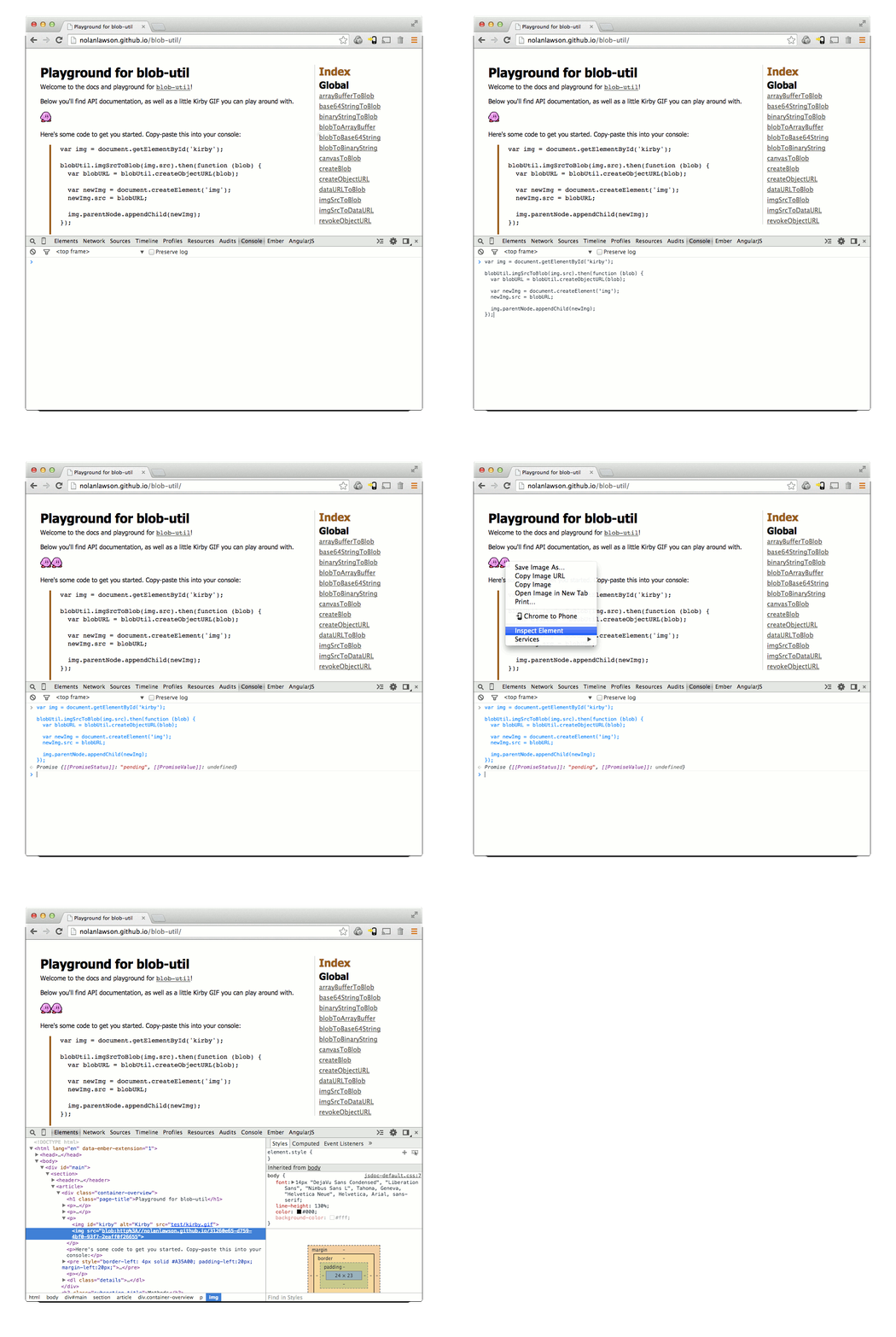
Here's Kirby. He's a famous little Blob.
So let's fulfill his destiny, and convert him to a real Blob object.
var img = document.getElementById('kirby');

blobUtil.imgSrcToBlob(img.src).then(function (blob) {
  // ladies and gents, we have a blob
}).catch(function (err) {
  // image failed to load
});
(Don't worry, this won't download the image twice, because browsers are smart.)
Now that we have a Blob, we can convert it to a URL and use that as the source for another <img/> tag:
var blobURL = blobUtil.createObjectURL(blob);

var newImg = document.createElement('img');
newImg.src = blobURL;

document.body.appendChild(newImg);
So now we have two Kirbys - one with a normal URL, and the other with a blob URL. You can try this out yourself in the blob-util playground. Super fun!
Most browsers support converting a canvas to both 'image/png' and 'image/jpeg'. You may also want to try 'image/webp', which will work in some browsers like Chrome (and in other browsers, will just fall back to 'image/png'):
Trang TopGit này là một snapshot — tab "Readme" hiển thị nguyên văn README của repo (đã bỏ link, giữ ảnh). Repo GitHub ở github.com/nolanlawson/blob-util là nguồn chính thức.
nolanlawson/blob-util có bao nhiêu sao?
nolanlawson/blob-util có 508 sao GitHub — tải lại trang để xem số mới nhất, hoặc xem trực tiếp github.com/nolanlawson/blob-util. TopGit phản chiếu số sao của GitHub nhưng không cam kết đến từng phút.
nolanlawson/blob-util có tag gì không?
Bản đồng bộ chưa ghi nhận topic GitHub nào cho nolanlawson/blob-util. GitHub topics hiển thị ở thanh bên phải trang repo — đó là nơi đáng kiểm tra nhất.
nolanlawson/blob-util có trang demo không?
Dự án có trang chủ ở https://nolanlawson.github.io/blob-util. Tab "Readme" ở trang này thường có ảnh chụp và hướng dẫn bắt đầu nhanh.
nolanlawson/blob-util còn đang phát triển không?
Commit gần nhất trên nolanlawson/blob-util là 8.1 năm trước (theo timestamp GitHub). Repo có 45 fork — một chỉ báo về mức độ quan tâm của cộng đồng.
nolanlawson/blob-util dùng license gì?
nolanlawson/blob-util phát hành theo license Apache-2.0. Nên mở file LICENSE trên GitHub để xác nhận — license metadata đôi khi lệch với thực tế dự án.
nolanlawson/blob-util viết bằng ngôn ngữ gì?
nolanlawson/blob-util chủ yếu viết bằng TypeScript. Trường "language" của GitHub dựa trên phần lớn byte ở nhánh mặc định.
Đọc đầy đủ README ở tab phía trên.
Muốn nghe thêm một ý kiến về blob-util?
Hỏi một AI đọc được trang này — một cú bấm là có ngay nhận định về blob-util.

 /blob-util