nolanlawson/blob-util — an open-source project — sits at 508 GitHub stars. Cross-browser utils for working with binary Blobs
Snapshot summary built from the project's own GitHub metadata — there's no written TopGit review yet. The page will update automatically when a full review is published.
WHY NO REVIEW YET
TopGit writes full reviews for the most-starred, most-requested repositories. This page is a snapshot until then — see the READ ME tab for the original README in full.
As of v2.0.0, a built-in Promise polyfill is no longer provided. Assuming you provide a Promise
polyfill, the supported browsers are:
Firefox
Chrome
Edge
IE 10+
Safari 6+
iOS 6+
Android 4+
Any browser with either Blob or the older BlobBuilder; see caniuse for details.
Tutorial
Blobs (binary large objects) are the modern way of working with binary data in the browser. The browser support is very good.
Once you have a Blob, you can make it available offline by storing it in IndexedDB, PouchDB, LocalForage, or other in-browser databases. So it's the perfect format for working with offline images, sound, and video.
A File is also a Blob. So if you have an <input type="file"> in your page, you can let your users upload any file and then work with it as a Blob.
Example
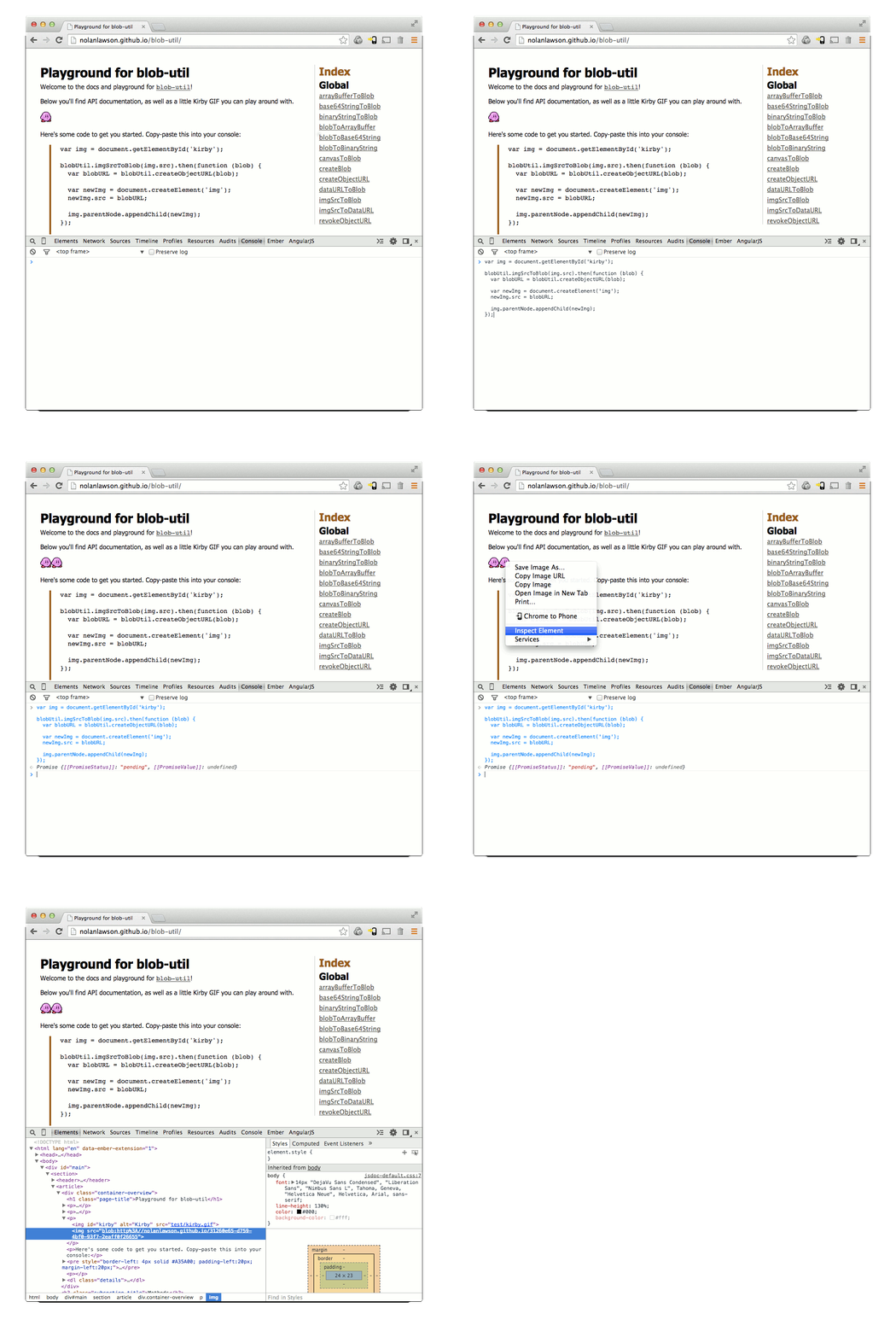
Here's Kirby. He's a famous little Blob.
So let's fulfill his destiny, and convert him to a real Blob object.
var img = document.getElementById('kirby');

blobUtil.imgSrcToBlob(img.src).then(function (blob) {
  // ladies and gents, we have a blob
}).catch(function (err) {
  // image failed to load
});
(Don't worry, this won't download the image twice, because browsers are smart.)
Now that we have a Blob, we can convert it to a URL and use that as the source for another <img/> tag:
var blobURL = blobUtil.createObjectURL(blob);

var newImg = document.createElement('img');
newImg.src = blobURL;

document.body.appendChild(newImg);
So now we have two Kirbys - one with a normal URL, and the other with a blob URL. You can try this out yourself in the blob-util playground. Super fun!
Most browsers support converting a canvas to both 'image/png' and 'image/jpeg'. You may also want to try 'image/webp', which will work in some browsers like Chrome (and in other browsers, will just fall back to 'image/png'):
TopGit's last sync did not record any GitHub topics for nolanlawson/blob-util. GitHub topics appear in the right sidebar of a repository page; that's the authoritative place to check.
How active is development on nolanlawson/blob-util?
The most recent commit recorded on nolanlawson/blob-util was 7.8 years ago, based on the GitHub push timestamp. The repository has 45 forks — one of the better signals of community interest.
How many stars does nolanlawson/blob-util have?
nolanlawson/blob-util has 508 GitHub stars — refresh the page for the live number, or check github.com/nolanlawson/blob-util. TopGit mirrors GitHub's count but does not claim minute-by-minute accuracy.
What language is nolanlawson/blob-util written in?
nolanlawson/blob-util is written primarily in TypeScript. GitHub's language field is based on the largest share of bytes in the default branch.
What license does nolanlawson/blob-util use?
nolanlawson/blob-util is released under the Apache-2.0 license. Always verify the LICENSE file directly on GitHub for the authoritative terms — license strings can be edited out of sync with a project's actual stance.
Where can I see nolanlawson/blob-util in action?
The project maintains a homepage at https://nolanlawson.github.io/blob-util. The README tab on this page also usually contains screenshots and a quickstart.
Where do I read more about nolanlawson/blob-util?
This TopGit page is a snapshot — the READ ME tab shows the project's own README content (links stripped, images preserved). The GitHub repository at github.com/nolanlawson/blob-util is the definitive source.
Read full README in the tab above.
Still deciding about blob-util?
One click hands the question to an AI along with this page — see what it says about blob-util.