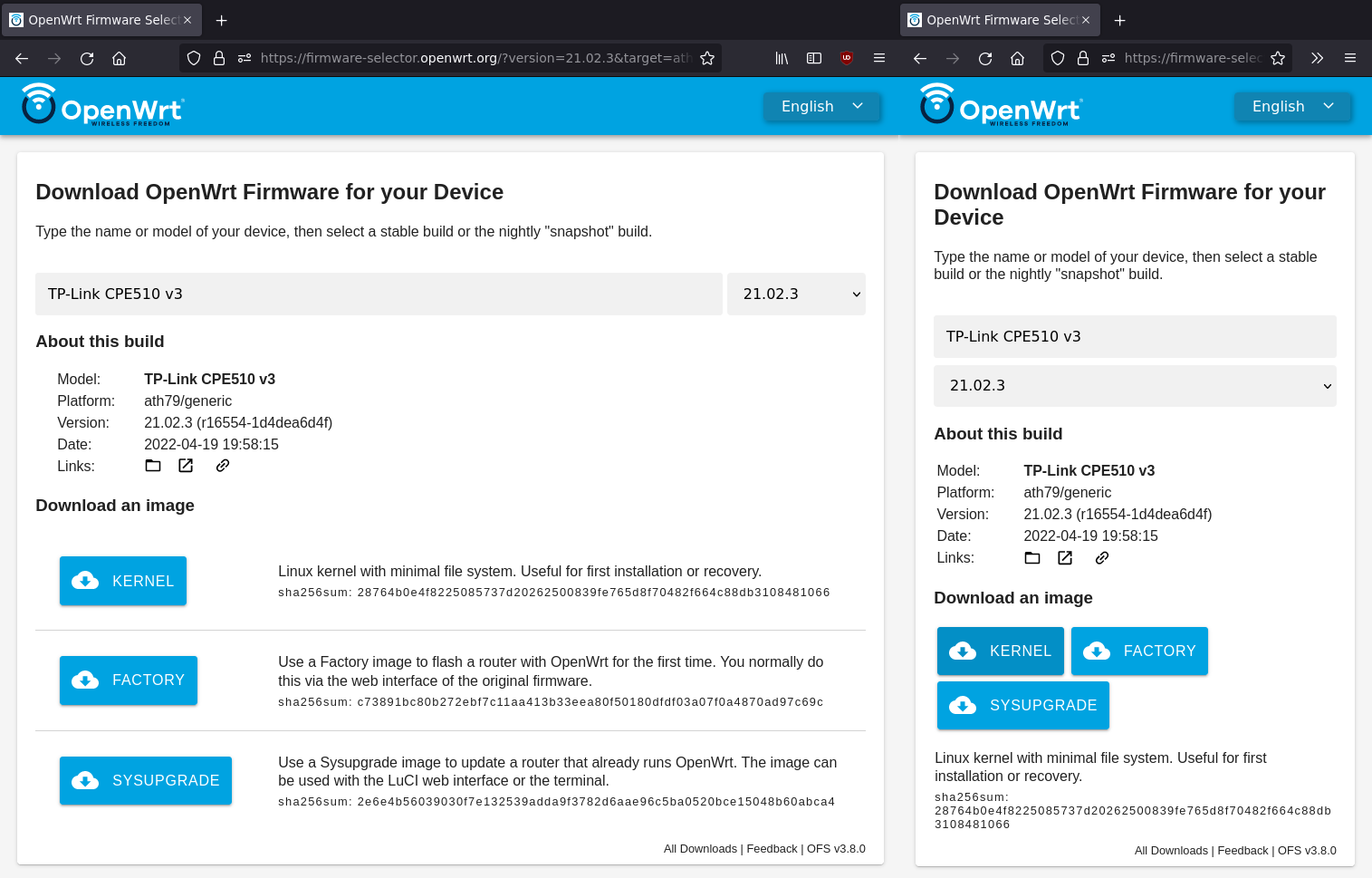
openwrt/firmware-selector-openwrt-org — dự án mã nguồn mở — đang có 160 sao GitHub. The OpenWrt Firmware Selector! Quickly find firmware for your device and build custom ones online!
Tóm tắt dựng từ metadata GitHub của chính dự án — chưa có bài review TopGit. Trang sẽ tự động cập nhật khi bài review đầy đủ được xuất bản.
VÌ SAO CHƯA CÓ REVIEW
TopGit viết bài đầy đủ cho repo có nhiều sao nhất và được yêu cầu nhiều nhất. Trang này là snapshot trong thời gian chờ — xem README gốc ở tab READ ME.
A simple OpenWrt firmware selector using autocompletion. Uses plain
HTML/CSS/JavaScript. Checkout the Demo.
Quick Run
Download the sources and change the working directory
Start webserver (e.g. python3 -m http.server)
Go to http://localhost:8000/www/ in your web browser
Configure with config.js.
Installation
Steps:
Place the www/ folder somewhere web accessible.
Set image_url in www/config.js to where the images are located.
Example: https://downloads.openwrt.org
Organize the images like on downloads.openwrt.org.
Example: https://downloads.openwrt.org/releases/23.05.4/targets/ramips/mt7621/openwrt-23.05.4-ramips-mt7621-dlink_dir-1935-a1-squashfs-sysupgrade.bin
(path scheme is <image_url>/releases/<version>/targets/<target>/<subtarget>/)
Place a single .versions.json at image_path. This is optional.
Example: https://downloads.openwrt.org/.versions.json
Note: These values can be overwritten with versions and default_version in the config.js file.
Place .overview.json files in each version folder.
Example: https://downloads.openwrt.org/releases/23.05.4/.overview.json
They can be generated by this shell command:
for VERSION_PATH in 19.07.10/ 23.05.4/; do
  jq -s '{ release: .[0].version_number, profiles: [.[] | .target as $target | .profiles | keys[] as $k | { id: ($k), titles: (.[$k] | .titles), target: $target }] }' $(find "$VERSION_PATH" -iname 'profiles.json') > $VERSION_PATH/.overview.json
done
Generate OpenWrt JSON
The .overview.json file for a version is created from all profile.json files that are generated by OpenWrt when images are created. To enable generation, go to the build settings (make menuconfig):
Global build settings ---> [*] Create JSON info files per build image.
If the option is not available (OpenWrt 18.06 or 19.07.3), apply commit openwrt/openwrt@881ed09.
Attended SysUpgrade (ASU)
ASU is a build server that builds OpenWrt images with a given list of packages on request. The firmware-selector can be used as an interface to send these requests and to download the images when finished.
Optional extra package repositories (ASU)
Additional package feeds can be configured via config.js and are sent with each ASU build request:
asu_repositories: Object map of repository names to URLs.
asu_repositories_mode: Optional mode (append or replace).
asu_repository_keys: Optional list of repository signing keys.
Repository URLs can use placeholders which are resolved per selected device/version:
{openwrt_branch} (for example 24.10)
{openwrt_version} (for example 24.10.3)
{target} (for example ramips)
{subtarget} (for example mt7621)
Optional extra packages per device (ASU)
At startup the selector requests device_packages.json next to the app (under www/). If the file is missing or invalid, it is ignored. The JSON object maps device profile IDs (the same strings as in OpenWrt’s profiles.json, usually vendor,model) to a list of extra package names. Those packages are appended when the ASU package field is prefilled, after the image’s default packages, profile device_packages, and asu_extra_packages from config.js.
Copy www/device_packages.json.example to www/device_packages.json and adjust it for your deployment. Keys may use either comma or underscore as the first separator; the code tries both so tplink,archer-c7-v5 and tplink_archer-c7-v5 can match the same entry depending on how the ID is spelled.
UCI-Defaults
The Firmware Selector allows to define a script to be placed in the /etc/uci-defaults/ folder of the OpenWrt image. These scripts are executed once on the first reboot and then deleted. See the OpenWrt documentation on this topic.
Testing
Run JavaScript unit tests (requires Node.js 18+):
node --test 'tests/js/*.test.js'
Or via yarn:
yarn run test:unit
With test coverage:
yarn run test:coverage
Translations
Visit weblate.org to contribute new translations or to improve them.
Similar Projects
Gluon Firmware Selector: For Gluon images, now with pictures.
Freifunk Hennef Firmware Downloader: Similar to the project above, but PHP based.
LibreMesh Chef: Allows to select configurations.
GSoC Firmware Selector: Result of the GSoC
FFB Firmware Selector: Build for Freifunk Bielefeld
Đọc thêm về openwrt/firmware-selector-openwrt-org ở đâu?
Trang TopGit này là một snapshot — tab "Readme" hiển thị nguyên văn README của repo (đã bỏ link, giữ ảnh). Repo GitHub ở github.com/openwrt/firmware-selector-openwrt-org là nguồn chính thức.
openwrt/firmware-selector-openwrt-org có phải mã nguồn mở không?
Có — openwrt/firmware-selector-openwrt-org phát hành theo license CC0-1.0, nghĩa là mã nguồn mở để đọc, fork và (tùy license) tái sử dụng. Mã: github.com/openwrt/firmware-selector-openwrt-org.
openwrt/firmware-selector-openwrt-org có trang demo không?
Dự án có trang chủ ở http://firmware-selector.openwrt.org. Tab "Readme" ở trang này thường có ảnh chụp và hướng dẫn bắt đầu nhanh.
openwrt/firmware-selector-openwrt-org dùng license gì?
openwrt/firmware-selector-openwrt-org phát hành theo license CC0-1.0. Nên mở file LICENSE trên GitHub để xác nhận — license metadata đôi khi lệch với thực tế dự án.
openwrt/firmware-selector-openwrt-org là gì?
openwrt/firmware-selector-openwrt-org (openwrt/firmware-selector-openwrt-org) là dự án JavaScript trên GitHub. Theo mô tả gốc: The OpenWrt Firmware Selector! Quickly find firmware for your device and build custom ones online!
Đọc đầy đủ README ở tab phía trên.
Chưa chắc firmware-selector-openwrt-org có hợp với bạn?
Để ChatGPT, Claude hoặc Perplexity tìm hiểu giúp — bấm bên dưới và xem AI nói gì về firmware-selector-openwrt-org.

 /firmware-selector-openwrt-org