quasarframework/quasar-testing là một trong những repo hướng lập trình viên mà TopGit theo dõi, hiện có 185 sao, viết chủ yếu bằng TypeScript. Testing Harness App Extensions for the Quasar Framework 2.0+
Tóm tắt dựng từ metadata GitHub của chính dự án — chưa có bài review TopGit. Trang sẽ tự động cập nhật khi bài review đầy đủ được xuất bản.
VÌ SAO CHƯA CÓ REVIEW
TopGit viết bài đầy đủ cho repo có nhiều sao nhất và được yêu cầu nhiều nhất. Trang này là snapshot trong thời gian chờ — xem README gốc ở tab READ ME.
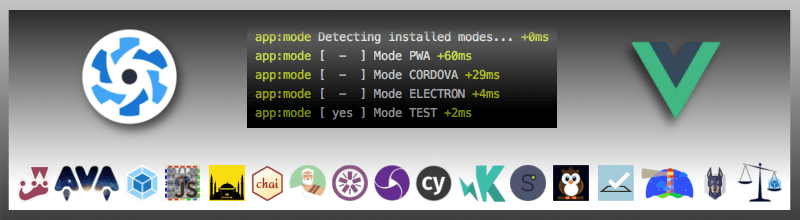
This is the monorepo for integrating the test-runner of your choice into your Quasar app.
You can install multiple pre-rigged testing harnesses (test runners) to your Quasar application, each one will:
install the harness NPM package into your project;
scaffold necessary configuration files;
add script commands which expose some functionality of the respective harness.
App Extensions (such as these testing harnesses) only work with Quasar CLI, not with Vue CLI, nor by directly installing packages via a package manager as npm or yarn. Use quasar ext add ... or the installation step won't be executed and configuration files won't be copied over.
Testing is not in and of itself hard. The most complicated part is setting up the testing harness. The trick lies in knowing what to test. If you are new to testing, it is absolutely imperative that you familiarize yourself with some of the concepts and patterns. There are some links for further reading at the end of this document page.
The Test Driven Design approach will help you to write better (and fewer) tests. Even though it may seem like it slows you down to some degree, this habit pays its dividends on the long term drastically reducing the number of public bugs and the project maintenance effort. Think of tests like insurance for your code that always pays out. On the other hand, not everything is worth being tested, or is worth being tested only at an higher level (eg. using an E2E tests instead of unit tests).
REMEMBER
Test the functionality, not the function
Table of contents
Donations
Installation
Removal
Reset
Upgrade
Provided App Extensions
Testing Harnesses Manager (DEPRECATED)
Unit testing
Jest
Vitest
E2E testing
Cypress
Quality Auditing (OUTDATED, not migrated to Qv2 yet)
Roadmap
Contributing
License
Donations
The Quasar team spend a considerable amount of time studying, coding and maintaining App Extensions (AE) which save literally thousands of developers hours, days or weeks of work.
Does your business or personal projects depend on these App Extensions? How much time did we save you until now? Consider donating to help us maintain them and allow us to create new ones!
Installation
You can add test harnesses:
in a centralized way via the Testing Harnesses Manager (DEPRECATED);
using an "a-la-carte" approach, checking each harness documentation.
You can add multiple harnesses and even use them into your continuous integration pipelines.
Removal
You can remove a testing harness running:
$ quasar ext remove @quasar/testing-unit-jest
This will remove the associated NPM package and run the Quasar App Extensions uninstall hook.
If not done into the AE uninstall hook, the removal won't delete test or configuration files.
Reset
If you mess up your configuration and need to reset, or just want to check out if there has been any changes into new versions configuration, you should run:
$ quasar ext add @quasar/testing-unit-jest
Be careful though, this will overwrite ALL existing files (including configurations) if you allow it to. Make sure to have some kind of version control in place before proceeding. This operation will also upgrade the NPM package and its dependencies.
To prevent installing new or updated dependencies, you should run:
$ quasar ext invoke @quasar/testing-unit-jest
Upgrade
You can upgrade a testing harness and its dependencies by updating its related NPM package.
This won't change existing test or configuration files.
Upgrade to a new major version with NPM
When upgrading between major versions, since there are major changes, we suggest you to remove and re-add the AE, to obtain lastest configuration files too.
Ensure your source control is clean before proceeding, then answer (y) and "Overwrite all" when prompted to overwrite existing files and individually git diff all changes manually to check out which changes you want to keep and which you want to revert.
Check out Testing Harnesses Manager AE documentation
Unit Testing
Jest
Check out Jest AE documentation
Vitest
Check out Vitest AE documentation
E2E Testing
We recommend testing webapps with Cypress if you target Chrome-based browsers (Chrome, Edge, Electron) or Firefox - but if you want to test Safari or Cordova/Capacitor apps, then you should consider using webdriver.io.
Cypress
Check out Cypress AE documentation
Quality Auditing (OUTDATED, not migrated to Qv2 yet)
$ quasar ext add @quasar/testing-quality
Auditing the quality of your app is something you want to do before you go in production. Depending on your perspective, quality can mean many things. So we have put together a few tools that we think can help you have a qualitatively better project.
The Lighthouse tool can help you identify issues with your PWA app, but only if you serve the built version of your project. If you use it a lot, consider installing it globally.
Snyk is a tool for identifying node modules that have security implications. Running this regularly will keep you alerted to issues that may be stemming from repositories you use.
Node License Finder (nlf) is a free tool you can use to catalog all the licenses of the hundreds of open-source projects you are using in your project.
Further Reading
Books
Testing Vue.js Applications by Edd Yerburgh, the author of the @vue/test-utils repo
Free Vue Testing Handbook
Tutorials
Introduction to TDD
Overview of JavaScript testing 2020
Unit Testing Vue Router with Jest
Jest tests debugging
Documentation
@vue/test-utils
jest 24
cypress
lighthouse
snyk
nlf
chai
istanbul
Contributing
Contributions to this repository are highly desirable, see the Contribution Guidelines for more details.
Please note: project coordination takes place on the Discord server.
quasarframework/quasar-testing thuộc nhóm Developer Tools trên TopGit, cùng 9 topic GitHub. Trang Trending và Topics liệt kê các repo cùng số sao và cùng ngôn ngữ để so sánh.
Đọc thêm về quasarframework/quasar-testing ở đâu?
Trang TopGit này là một snapshot — tab "Readme" hiển thị nguyên văn README của repo (đã bỏ link, giữ ảnh). Repo GitHub ở github.com/quasarframework/quasar-testing là nguồn chính thức.
quasarframework/quasar-testing có phải mã nguồn mở không?
Có — quasarframework/quasar-testing phát hành theo license MIT, nghĩa là mã nguồn mở để đọc, fork và (tùy license) tái sử dụng. Mã: github.com/quasarframework/quasar-testing.
quasarframework/quasar-testing là gì?
quasarframework/quasar-testing (quasarframework/quasar-testing) là dự án TypeScript trên GitHub. Theo mô tả gốc: Testing Harness App Extensions for the Quasar Framework 2.0+
quasarframework/quasar-testing so với các dự án Developer Tools khác thế nào?
quasarframework/quasar-testing được TopGit xếp vào nhóm Developer Tools, với 185 sao GitHub và viết bằng TypeScript. Xem trang chủ đề Developer Tools trên TopGit để so sánh với các dự án tương tự theo số sao và mức độ hoạt động.
Vì sao quasarframework/quasar-testing được xếp vào nhóm Developer Tools?
TopGit xếp quasarframework/quasar-testing vào nhóm Developer Tools dựa trên GitHub topics và mô tả của repo (gắn thẻ: "cypress", "e2e-testing", "integration-testing"). Việc phân loại dựa trên metadata thật của repo, không phải đoán theo cảm tính biên tập.
Đọc đầy đủ README ở tab phía trên.
quasar-testing có đáng để bạn bỏ thời gian?
ChatGPT, Claude và Perplexity đều đọc được trang này. Hỏi thử xem họ nghĩ gì về quasar-testing.
 /quasar-testing