684 sao GitHub và vẫn tăng — RxSwiftCommunity/RxAnimated là dự án Swift mà TopGit đang theo dõi trên nền tảng. Animated RxCocoa bindings
Tóm tắt dựng từ metadata GitHub của chính dự án — chưa có bài review TopGit. Trang sẽ tự động cập nhật khi bài review đầy đủ được xuất bản.
VÌ SAO CHƯA CÓ REVIEW
TopGit viết bài đầy đủ cho repo có nhiều sao nhất và được yêu cầu nhiều nhất. Trang này là snapshot trong thời gian chờ — xem README gốc ở tab READ ME.
RxAnimated provides animation interface to RxCocoa's bindings.
It comes with few predefined animation bindings, and provides a flexible mechanism for you to add your own predefined animations and use them when binding with RxCocoa.
Usage
Built-in animations
When binding values with RxCocoa you write something like:
textObservable
  .bind(to: labelFlip.rx.text)
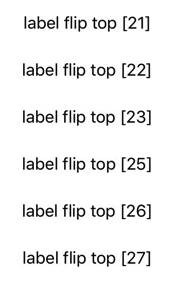
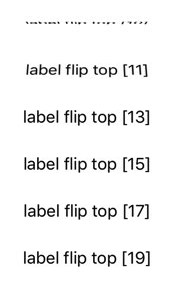
This updates the label's text each time the observable emits a new string value. But this happens abruptly and without any transition. With RxAnimated you can use the animated extension to bind values with animations, like so:
The "difference" is that you use bind(animated:) instead of bind(to:) and you insert animated.flip(.top, duration: 0.33) (or one of the other provided or custom animation methods) between rx and the property sink you want to use, e.g. text in the example above.
The same built-in fade and flip animations work on any UIView element. And also on specific properties like UILabel.rx.text or UIImageView.rx.image.
You can easily add your custom bind animations to match the visual style of your app.
I. (Optional) If you are animating a new binding sink that has no animated binding (e.g. UIImageView.rx.image, UILabel.rx.text and more are already included but you need another property)
// This is your class `UILabel`
extension AnimatedSink where Base: UILabel {
    // This is your property name `text` and value type `String`
    public var text: Binder<String> {
        let animation = self.type!
        return Binder(self.base) { label, text in
            animation.animate(view: label, block: {
                guard let label = label as? UILabel else { return }
                // Here you update the property
                label.text = text
            })
        }
    }
}
II. Add your new animation method:
// This is your class `UIView`
extension AnimatedSink where Base: UIView {
    // This is your animation name `tick`
    public func tick(_ direction: FlipDirection = .right, duration: TimeInterval) -> AnimatedSink<Base> {
        // use one of the animation types and provide `setup` and `animation` blocks
        let type = AnimationType<Base>(type: RxAnimationType.spring(damping: 0.33, velocity: 0), duration: duration, setup: { view in
            view.alpha = 0
            view.transform = CGAffineTransform(rotationAngle: direction == .right ?  -0.3 : 0.3)
        }, animations: { view in
            view.alpha = 1
            view.transform = CGAffineTransform.identity
        })

        //return AnimatedSink
        return AnimatedSink<Base>(base: self.base, type: type)
    }
}
III. Now you can use your new animation to bind subscriptions. Here's how usually binding UIImageView.rx.image looks like:
imageObservable
    .bind(to: imageView.rx.image)
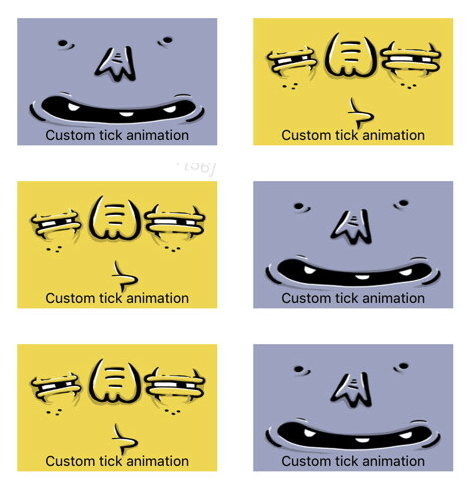
And the result is non-animated binding:
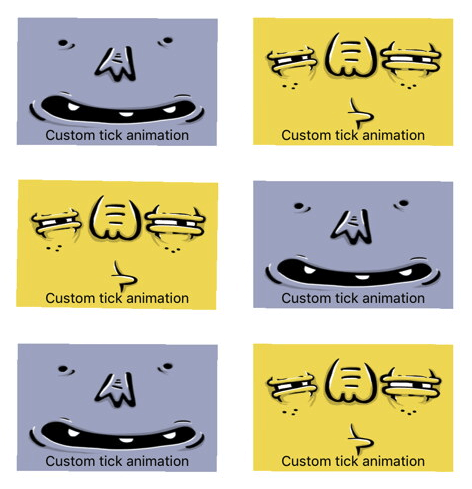
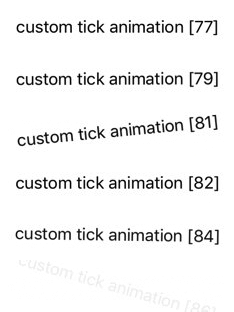
If you use your new custom animation binding like so:
Trang TopGit này là một snapshot — tab "Readme" hiển thị nguyên văn README của repo (đã bỏ link, giữ ảnh). Repo GitHub ở github.com/RxSwiftCommunity/RxAnimated là nguồn chính thức.
RxSwiftCommunity/RxAnimated có bao nhiêu sao?
RxSwiftCommunity/RxAnimated có 684 sao GitHub — tải lại trang để xem số mới nhất, hoặc xem trực tiếp github.com/RxSwiftCommunity/RxAnimated. TopGit phản chiếu số sao của GitHub nhưng không cam kết đến từng phút.
RxSwiftCommunity/RxAnimated có phải mã nguồn mở không?
Có — RxSwiftCommunity/RxAnimated phát hành theo license MIT, nghĩa là mã nguồn mở để đọc, fork và (tùy license) tái sử dụng. Mã: github.com/RxSwiftCommunity/RxAnimated.
RxSwiftCommunity/RxAnimated có website riêng không?
TopGit chưa ghi nhận URL trang chủ cho RxSwiftCommunity/RxAnimated. Phần README ở tab phía trên thường có link demo, hoặc xem mô tả GitHub của repo.
RxSwiftCommunity/RxAnimated là gì?
RxSwiftCommunity/RxAnimated (RxSwiftCommunity/RxAnimated) là dự án Swift trên GitHub. Theo mô tả gốc: Animated RxCocoa bindings
Đọc đầy đủ README ở tab phía trên.
RxAnimated có đáng để bạn bỏ thời gian?
ChatGPT, Claude và Perplexity đều đọc được trang này. Hỏi thử xem họ nghĩ gì về RxAnimated.
 /RxAnimated