On GitHub, RxSwiftCommunity/RxAnimated has picked up 684 stars, Swift. Animated RxCocoa bindings
Snapshot summary built from the project's own GitHub metadata — there's no written TopGit review yet. The page will update automatically when a full review is published.
WHY NO REVIEW YET
TopGit writes full reviews for the most-starred, most-requested repositories. This page is a snapshot until then — see the READ ME tab for the original README in full.
RxAnimated provides animation interface to RxCocoa's bindings.
It comes with few predefined animation bindings, and provides a flexible mechanism for you to add your own predefined animations and use them when binding with RxCocoa.
Usage
Built-in animations
When binding values with RxCocoa you write something like:
textObservable
  .bind(to: labelFlip.rx.text)
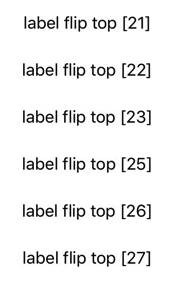
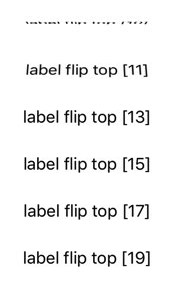
This updates the label's text each time the observable emits a new string value. But this happens abruptly and without any transition. With RxAnimated you can use the animated extension to bind values with animations, like so:
The "difference" is that you use bind(animated:) instead of bind(to:) and you insert animated.flip(.top, duration: 0.33) (or one of the other provided or custom animation methods) between rx and the property sink you want to use, e.g. text in the example above.
The same built-in fade and flip animations work on any UIView element. And also on specific properties like UILabel.rx.text or UIImageView.rx.image.
You can easily add your custom bind animations to match the visual style of your app.
I. (Optional) If you are animating a new binding sink that has no animated binding (e.g. UIImageView.rx.image, UILabel.rx.text and more are already included but you need another property)
// This is your class `UILabel`
extension AnimatedSink where Base: UILabel {
    // This is your property name `text` and value type `String`
    public var text: Binder<String> {
        let animation = self.type!
        return Binder(self.base) { label, text in
            animation.animate(view: label, block: {
                guard let label = label as? UILabel else { return }
                // Here you update the property
                label.text = text
            })
        }
    }
}
II. Add your new animation method:
// This is your class `UIView`
extension AnimatedSink where Base: UIView {
    // This is your animation name `tick`
    public func tick(_ direction: FlipDirection = .right, duration: TimeInterval) -> AnimatedSink<Base> {
        // use one of the animation types and provide `setup` and `animation` blocks
        let type = AnimationType<Base>(type: RxAnimationType.spring(damping: 0.33, velocity: 0), duration: duration, setup: { view in
            view.alpha = 0
            view.transform = CGAffineTransform(rotationAngle: direction == .right ?  -0.3 : 0.3)
        }, animations: { view in
            view.alpha = 1
            view.transform = CGAffineTransform.identity
        })

        //return AnimatedSink
        return AnimatedSink<Base>(base: self.base, type: type)
    }
}
III. Now you can use your new animation to bind subscriptions. Here's how usually binding UIImageView.rx.image looks like:
imageObservable
    .bind(to: imageView.rx.image)
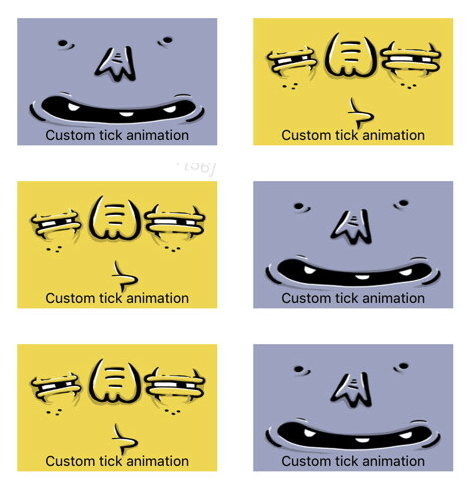
And the result is non-animated binding:
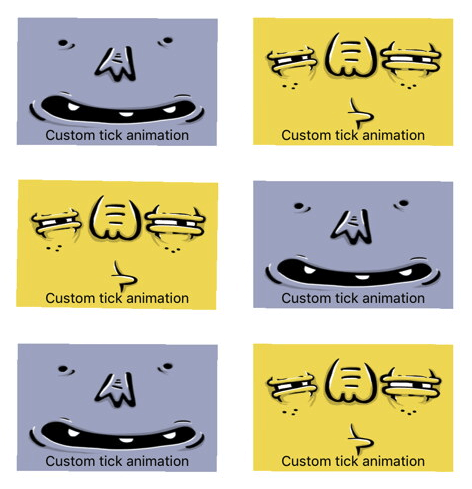
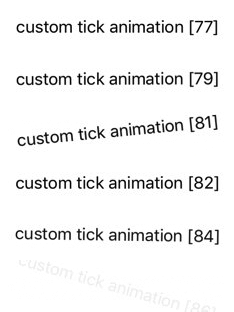
If you use your new custom animation binding like so:
Does RxSwiftCommunity/RxAnimated have a project website?
No homepage URL was recorded for RxSwiftCommunity/RxAnimated in TopGit's last sync. The README tab above frequently contains screenshots and demo links, or check the repository description on GitHub.
How many stars does RxSwiftCommunity/RxAnimated have?
RxSwiftCommunity/RxAnimated has 684 GitHub stars — refresh the page for the live number, or check github.com/RxSwiftCommunity/RxAnimated. TopGit mirrors GitHub's count but does not claim minute-by-minute accuracy.
Is RxSwiftCommunity/RxAnimated open source?
Yes — RxSwiftCommunity/RxAnimated ships under the MIT license, which makes its source code freely readable (and, depending on license terms, forkable and reusable). Source: github.com/RxSwiftCommunity/RxAnimated.
What is RxSwiftCommunity/RxAnimated?
RxSwiftCommunity/RxAnimated (RxSwiftCommunity/RxAnimated) is a Swift project on GitHub. From the project's own README: Animated RxCocoa bindings
Where do I read more about RxSwiftCommunity/RxAnimated?
This TopGit page is a snapshot — the READ ME tab shows the project's own README content (links stripped, images preserved). The GitHub repository at github.com/RxSwiftCommunity/RxAnimated is the definitive source.
Read full README in the tab above.
Is RxAnimated worth your time?
ChatGPT, Claude and Perplexity can all read this page. Ask one of them what it makes of RxAnimated.
 /RxAnimated