scenee/FloatingPanel — dự án mã nguồn mở — đang có 5.8k sao GitHub. A clean and easy-to-use floating panel UI component for iOS
Tóm tắt dựng từ metadata GitHub của chính dự án — chưa có bài review TopGit. Trang sẽ tự động cập nhật khi bài review đầy đủ được xuất bản.
VÌ SAO CHƯA CÓ REVIEW
TopGit viết bài đầy đủ cho repo có nhiều sao nhất và được yêu cầu nhiều nhất. Trang này là snapshot trong thời gian chờ — xem README gốc ở tab READ ME.
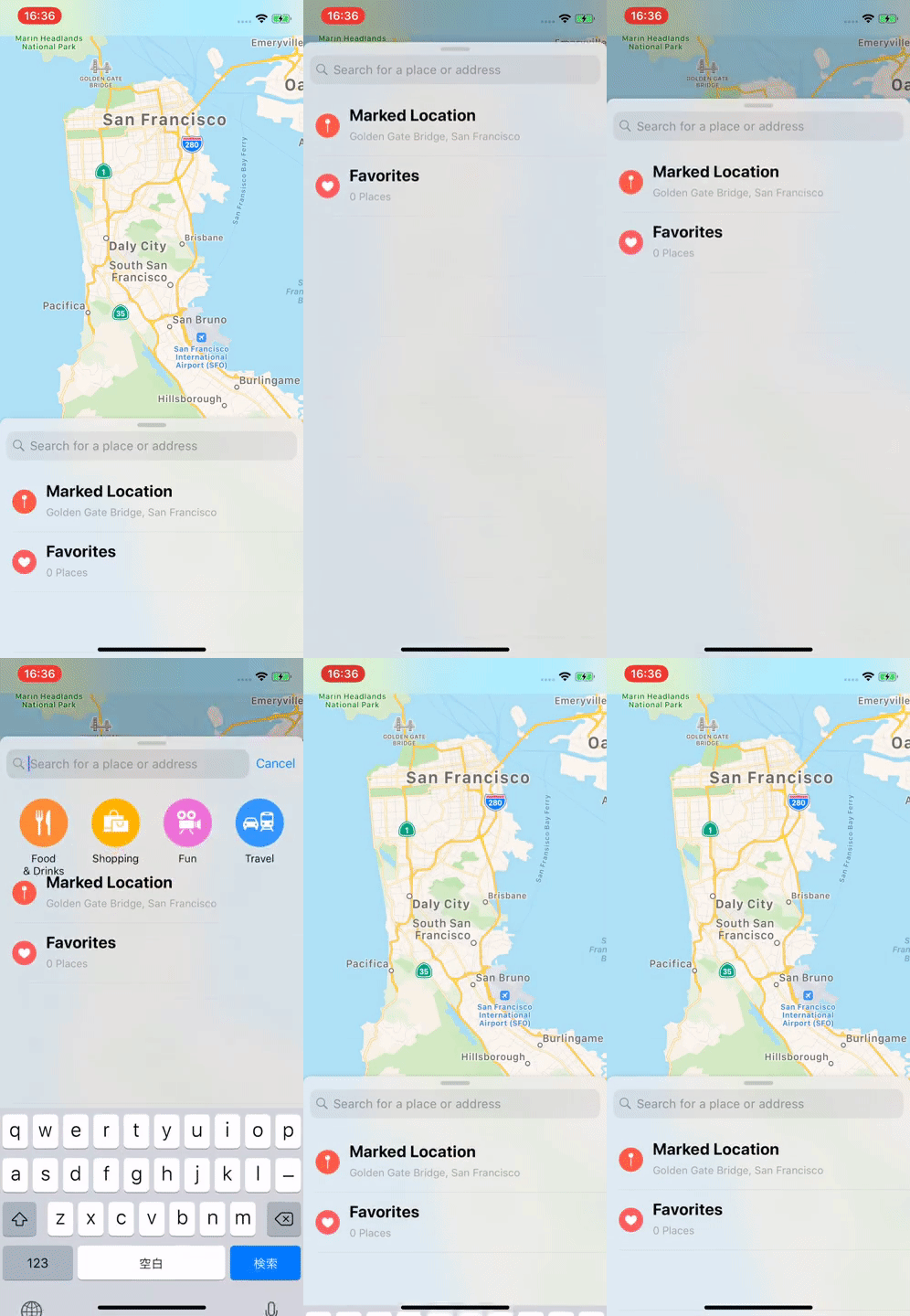
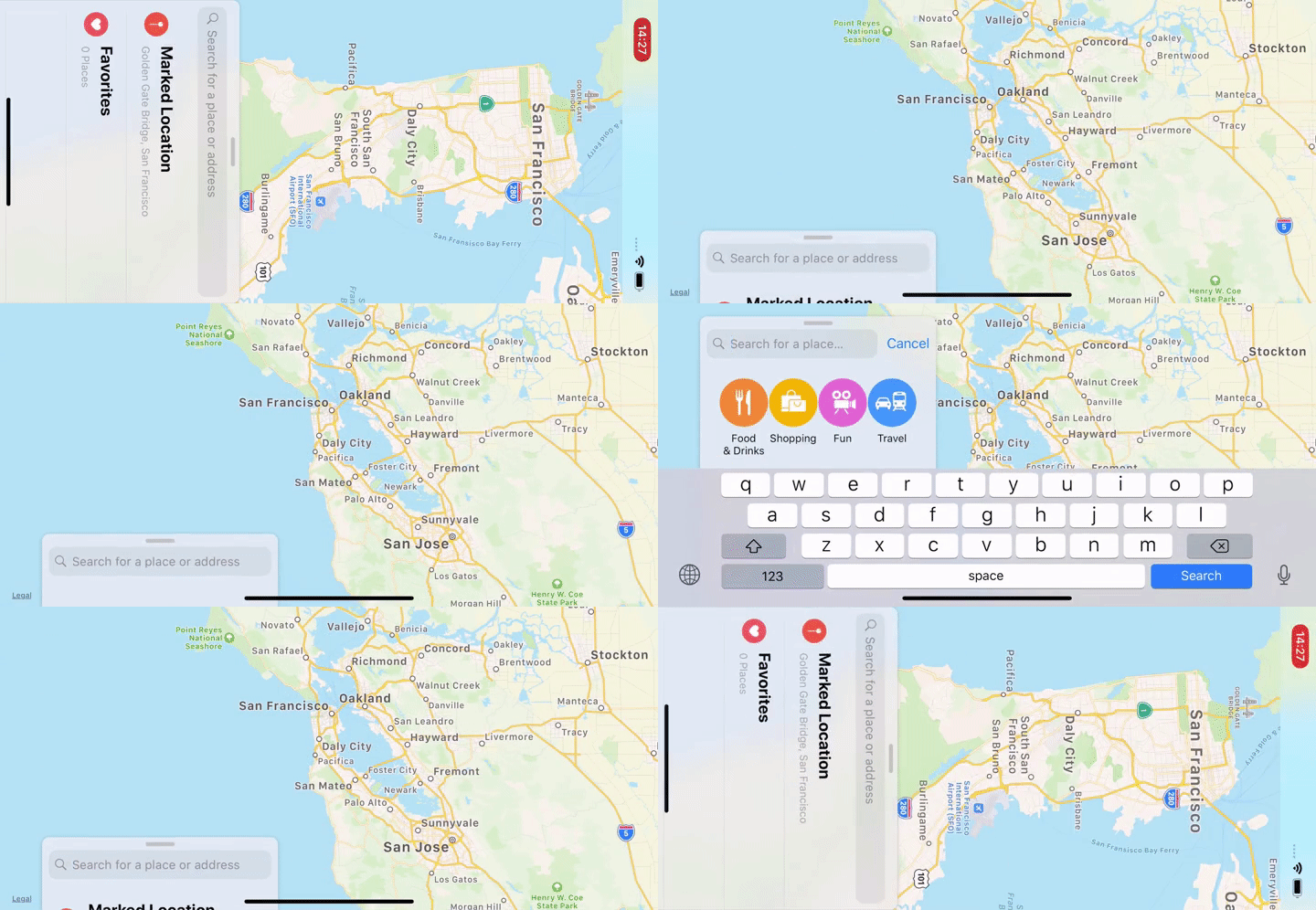
FloatingPanel is a simple and easy-to-use UI component designed for a user interface featured in Apple Maps, Shortcuts and Stocks app.
The user interface displays related content and utilities alongside the main content.
Table of Contents
Click here.
Table of Contents
Features
Requirements
Documentation
Installation
Swift Package Manager
Using Xcode
Using Package.swift
CocoaPods
Getting Started with SwiftUI
Adding a floating panel within a view
Presenting a floating panel modally within a view
Displaying multiple panels
Next step
Getting Started with UIKit
Adding a floating panel as a child view controller
Presenting a floating panel modally
Next step
Maintainer
License
Features
Simple container view controller
Fluid behavior using numeric springing
Scroll view tracking
Removal interaction
Multi panel support
Modal presentation
Support for 4 positions (top, left, bottom, right)
1 or more magnetic anchors(full, half, tip and more)
Layout support for all trait environments(i.e. Landscape orientation)
Common UI elements: surface, backdrop and grabber handle
Free from common Auto Layout and gesture handling issues
Compatible with Objective-C
SwiftUI API support
Examples can be found here:
Maps like Apple Maps.app.
Maps-SwiftUI like Apple Maps.app using SwiftUI.
Stocks like Apple Stocks.app.
Samples
SamplesObjC
SamplesSwiftUI
Requirements
FloatingPanel is written in Swift 5.0+ and compatible with iOS 15.0+.
Documentation
API reference on Swift Package Index
FloatingPanel SwiftUI API Guide
FloatingPanel API Guide
FloatingPanel 2.0 Migration Guide
Installation
Swift Package Manager
Using Xcode
Just follow this documentation.
Using Package.swift
In your Package.swift Swift Package Manager manifest, add the following dependency to your dependencies argument:
And then add import FloatingPanel in your source code.
CocoaPods
FloatingPanel is available through CocoaPods. To install
it, simply add the following line to your Podfile:
pod 'FloatingPanel'
Getting Started with SwiftUI
Adding a floating panel within a view
@State private var layout = MyFloatingPanelLayout()
@State private var state: FloatingPanelState?

var view: some View {
  MainView()
      .floatingPanel { proxy in
          ScrollView {
              VStack(spacing: 20) {
                  ForEach(items) { item in
                      ItemRow(item)
                  }
              }
              .padding()
          }
          .floatingPanelScrollTracking(proxy: proxy)
      }
      .floatingPanelState($state)
      .floatingPanelLayout(layout)
      .floatingPanelBehavior(MyCustomBehavior())
      .floatingPanelSurfaceAppearance(.transparent)
}
Presenting a floating panel modally within a view
Please define a custom coordinator object to present a floating panel as a modality.
struct HomeView: View {
  var view: some View {
    MainView()
        .floatingPanel(
          coordinator: MyPanelCoordinator.self
        ) { proxy in
          ...
        }
  }
}

class MyPanelCoordinator: FloatingPanelCoordinator {
    ...
    func setupFloatingPanel<Main, Content>(
        mainHostingController: UIHostingController<Main>,
        contentHostingController: UIHostingController<Content>
    ) where Main: View, Content: View {
        // Set the delegate object
        controller.delegate = delegate

        // Set up the content
        contentHostingController.view.backgroundColor = .clear
        controller.set(contentViewController: contentHostingController)

        /* =============== HERE ==================== */
        // NOTE:
        // Present the floating panel on the next run loop cycle
        // to ensure proper view hierarchy setup.
        Task { @MainActor in
            mainHostingController.present(controller, animated: false)
        }
    }
    ...
}
Displaying multiple panels
Multiple floating panels can be displayed in the same view hierarchy. To customize the layout and behavior for each Floating Panel individually, place modifiers directly below each panel.
For more details, see the FloatingPanel SwiftUI API Guide
Getting Started with UIKit
Adding a floating panel as a child view controller
import UIKit
import FloatingPanel

class ViewController: UIViewController, FloatingPanelControllerDelegate {
    var fpc: FloatingPanelController!

    override func viewDidLoad() {
        super.viewDidLoad()
        // Initialize a `FloatingPanelController` object.
        fpc = FloatingPanelController()

        // Assign self as the delegate of the controller.
        fpc.delegate = self // Optional

        // Set a content view controller.
        let contentVC = ContentViewController()
        fpc.set(contentViewController: contentVC)

        // Track a scroll view(or the siblings) in the content view controller.
        fpc.track(scrollView: contentVC.tableView)

        // Add and show the views managed by the `FloatingPanelController` object to self.view.
        fpc.addPanel(toParent: self)
    }
}
Presenting a floating panel modally
let fpc = FloatingPanelController()
let contentVC = ...
fpc.set(contentViewController: contentVC)

fpc.isRemovalInteractionEnabled = true // Optional: Let it removable by a swipe-down

self.present(fpc, animated: true, completion: nil)
You can show a floating panel over UINavigationController from the container view controllers as a modality of .overCurrentContext style.
[!NOTE]
FloatingPanelController has the custom presentation controller. If you would like to customize the presentation/dismissal, please see Transitioning.
Next step
For more details, see the FloatingPanel API Guide.
scenee/FloatingPanel có 5.8k sao GitHub — tải lại trang để xem số mới nhất, hoặc xem trực tiếp github.com/scenee/FloatingPanel. TopGit phản chiếu số sao của GitHub nhưng không cam kết đến từng phút.
scenee/FloatingPanel có tag gì không?
Bản đồng bộ chưa ghi nhận topic GitHub nào cho scenee/FloatingPanel. GitHub topics hiển thị ở thanh bên phải trang repo — đó là nơi đáng kiểm tra nhất.
scenee/FloatingPanel còn đang phát triển không?
Commit gần nhất trên scenee/FloatingPanel là 1 tháng trước (theo timestamp GitHub). Repo có 536 fork — một chỉ báo về mức độ quan tâm của cộng đồng.
scenee/FloatingPanel là gì?
scenee/FloatingPanel (scenee/FloatingPanel) là dự án Swift trên GitHub. Theo mô tả gốc: A clean and easy-to-use floating panel UI component for iOS
scenee/FloatingPanel viết bằng ngôn ngữ gì?
scenee/FloatingPanel chủ yếu viết bằng Swift. Trường "language" của GitHub dựa trên phần lớn byte ở nhánh mặc định.
Đọc đầy đủ README ở tab phía trên.
Muốn nghe thêm một ý kiến về FloatingPanel?
Hỏi một AI đọc được trang này — một cú bấm là có ngay nhận định về FloatingPanel.

 /FloatingPanel