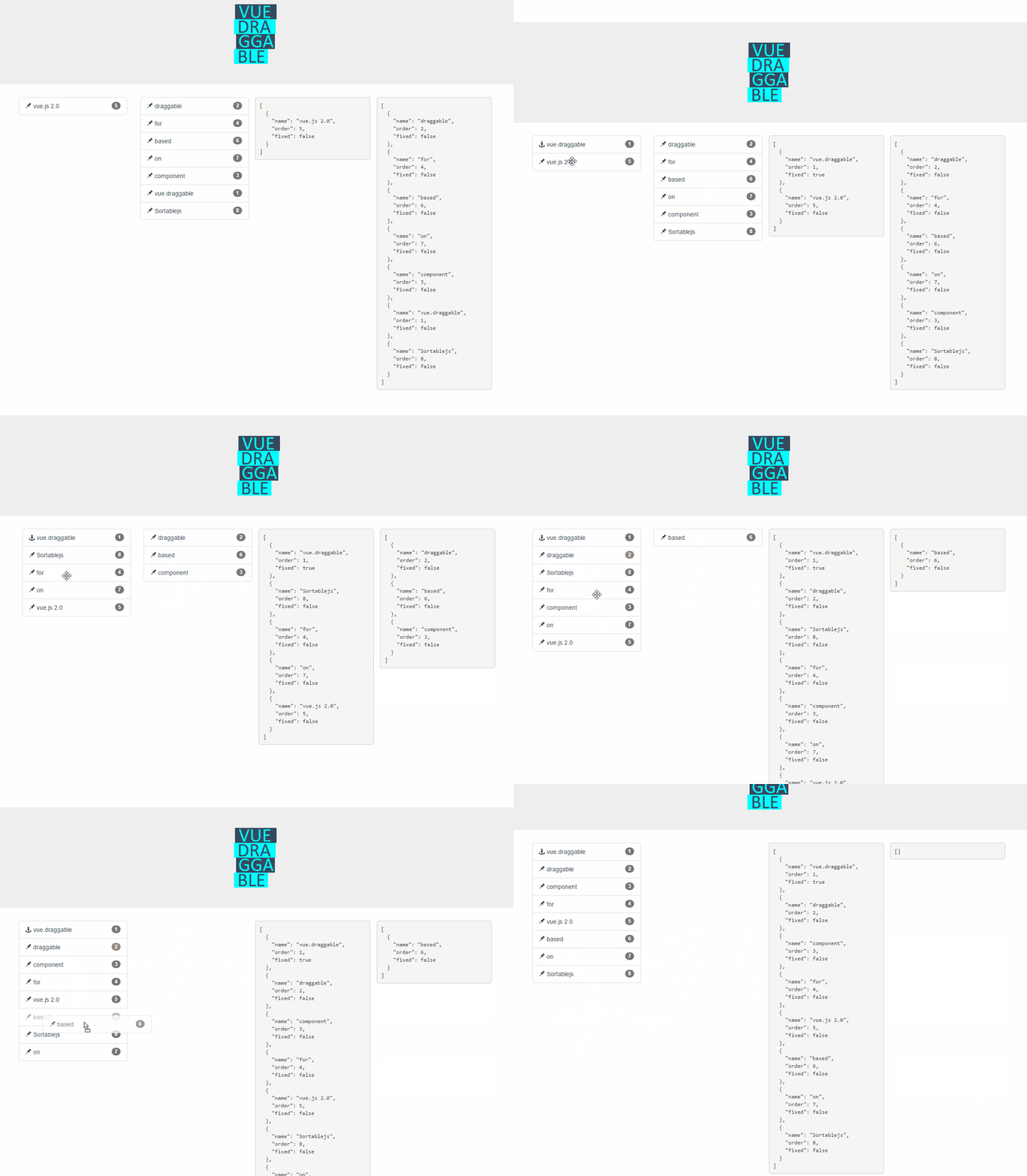
SortableJS/Vue.Draggable là dự án UI / UX trên GitHub, viết chủ yếu bằng JavaScript, với 20.6k sao. Vue drag-and-drop component based on Sortable.js
Tóm tắt dựng từ metadata GitHub của chính dự án — chưa có bài review TopGit. Trang sẽ tự động cập nhật khi bài review đầy đủ được xuất bản.
VÌ SAO CHƯA CÓ REVIEW
TopGit viết bài đầy đủ cho repo có nhiều sao nhất và được yêu cầu nhiều nhất. Trang này là snapshot trong thời gian chờ — xem README gốc ở tab READ ME.
Input array to draggable component. Typically same array as referenced by inner element v-for directive.
This is the preferred way to use Vue.draggable as it is compatible with Vuex.
It should not be used directly but only though the v-model directive:
<draggable v-model="myArray">
list
Type: Array
Required: false
Default: null
Alternative to the value prop, list is an array to be synchronized with drag-and-drop.
The main difference is that list prop is updated by draggable component using splice method, whereas value is immutable. Do not use in conjunction with value prop.
All sortable options
New in version 2.19
Sortable options can be set directly as vue.draggable props since version 2.19.
This means that all sortable option are valid sortable props with the notable exception of all the method starting by "on" as draggable component expose the same API via events.
kebab-case propery are supported: for example ghost-class props will be converted to ghostClass sortable option.
Example setting handle, sortable and a group option:
HTML node type of the element that draggable component create as outer element for the included slot.
It is also possible to pass the name of vue component as element. In this case, draggable attribute will be passed to the create component.
See also componentData if you need to set props or event to the created component.
clone
Type: Function
Required: false
Default: (original) => { return original;}
Function called on the source component to clone element when clone option is true. The unique argument is the viewModel element to be cloned and the returned value is its cloned version.
By default vue.draggable reuses the viewModel element, so you have to use this hook if you want to clone or deep clone it.
move
Type: Function
Required: false
Default: null
If not null this function will be called in a similar way as Sortable onMove callback.
Returning false will cancel the drag operation.
function onMoveCallback(evt, originalEvent){
   ...
    // return false; — for cancel
}
evt object has same property as Sortable onMove event, and 3 additional properties:
draggedContext: context linked to dragged element
index: dragged element index
element: dragged element underlying view model element
futureIndex: potential index of the dragged element if the drop operation is accepted
relatedContext: context linked to current drag operation
start, add, remove, update, end, choose, unchoose, sort, filter, clone
Events are called whenever onStart, onAdd, onRemove, onUpdate, onEnd, onChoose, onUnchoose, onSort, onClone are fired by Sortable.js with the same argument.
See here for reference
Note that SortableJS OnMove callback is mapped with the move prop
HTML:
<draggable :list="list" @end="onEnd">
change event
change event is triggered when list prop is not null and the corresponding array is altered due to drag-and-drop operation.
This event is called with one argument containing one of the following properties:
added: contains information of an element added to the array
newIndex: the index of the added element
element: the added element
removed: contains information of an element removed from to the array
oldIndex: the index of the element before remove
element: the removed element
moved: contains information of an element moved within the array
newIndex: the current index of the moved element
oldIndex: the old index of the moved element
element: the moved element
Slots
Limitation: neither header or footer slot works in conjunction with transition-group.
Header
Use the header slot to add none-draggable element inside the vuedraggable component.
Important: it should be used in conjunction with draggable option to tag draggable element.
Note that header slot will always be added before the default slot regardless its position in the template.
Ex:
Use the footer slot to add none-draggable element inside the vuedraggable component.
Important: it should be used in conjunction with draggable option to tag draggable elements.
Note that footer slot will always be added after the default slot regardless its position in the template.
Ex:
SortableJS/Vue.Draggable thuộc nhóm UI / UX trên TopGit, cùng 3 topic GitHub. Trang Trending và Topics liệt kê các repo cùng số sao và cùng ngôn ngữ để so sánh.
Đọc thêm về SortableJS/Vue.Draggable ở đâu?
Trang TopGit này là một snapshot — tab "Readme" hiển thị nguyên văn README của repo (đã bỏ link, giữ ảnh). Repo GitHub ở github.com/SortableJS/Vue.Draggable là nguồn chính thức.
SortableJS/Vue.Draggable có bao nhiêu sao?
SortableJS/Vue.Draggable có 20.6k sao GitHub — tải lại trang để xem số mới nhất, hoặc xem trực tiếp github.com/SortableJS/Vue.Draggable. TopGit phản chiếu số sao của GitHub nhưng không cam kết đến từng phút.
SortableJS/Vue.Draggable có phải mã nguồn mở không?
Có — SortableJS/Vue.Draggable phát hành theo license MIT, nghĩa là mã nguồn mở để đọc, fork và (tùy license) tái sử dụng. Mã: github.com/SortableJS/Vue.Draggable.
SortableJS/Vue.Draggable còn đang phát triển không?
Commit gần nhất trên SortableJS/Vue.Draggable là 2.6 năm trước (theo timestamp GitHub). Repo có 2.8k fork — một chỉ báo về mức độ quan tâm của cộng đồng.
SortableJS/Vue.Draggable dùng license gì?
SortableJS/Vue.Draggable phát hành theo license MIT. Nên mở file LICENSE trên GitHub để xác nhận — license metadata đôi khi lệch với thực tế dự án.
SortableJS/Vue.Draggable là gì?
SortableJS/Vue.Draggable (SortableJS/Vue.Draggable) là dự án JavaScript trên GitHub. Theo mô tả gốc: Vue drag-and-drop component based on Sortable.js
SortableJS/Vue.Draggable viết bằng ngôn ngữ gì?
SortableJS/Vue.Draggable chủ yếu viết bằng JavaScript. Trường "language" của GitHub dựa trên phần lớn byte ở nhánh mặc định.
Đọc đầy đủ README ở tab phía trên.
Vẫn đang phân vân về Vue.Draggable?
Một cú bấm sẽ gửi câu hỏi kèm trang này cho AI — xem AI nói gì về Vue.Draggable.
 /Vue.Draggable