Một mục chuyên xử lý ảnh trong kho dữ liệu GitHub của TopGit: teamclouday/AndroidMic, 1.5k sao, nhóm Image Tools, Rust. Use your Android phone as a microphone for your PC
Tóm tắt dựng từ metadata GitHub của chính dự án — chưa có bài review TopGit. Trang sẽ tự động cập nhật khi bài review đầy đủ được xuất bản.
VÌ SAO CHƯA CÓ REVIEW
TopGit viết bài đầy đủ cho repo có nhiều sao nhất và được yêu cầu nhiều nhất. Trang này là snapshot trong thời gian chờ — xem README gốc ở tab READ ME.
Use your Android phone as a microphone for your PC
Features
Cross-platform: Works on Linux, Windows, and macOS
Multiple connection options: WiFi (TCP/UDP), USB Serial, and USB ADB
Audio processing: Noise cancellation and audio wave visualization
Customizable audio settings: Sample rate, channels, and bit depth
⚠️ Important Requirements
This app requires a virtual audio cable device to work!
AndroidMic streams audio from your phone to your PC, but your PC needs a way to recognize this audio stream as a microphone input. This is where virtual audio cables come in.
Follow the instructions above for your operating system to install a virtual audio cable solution. This step is required before proceeding.
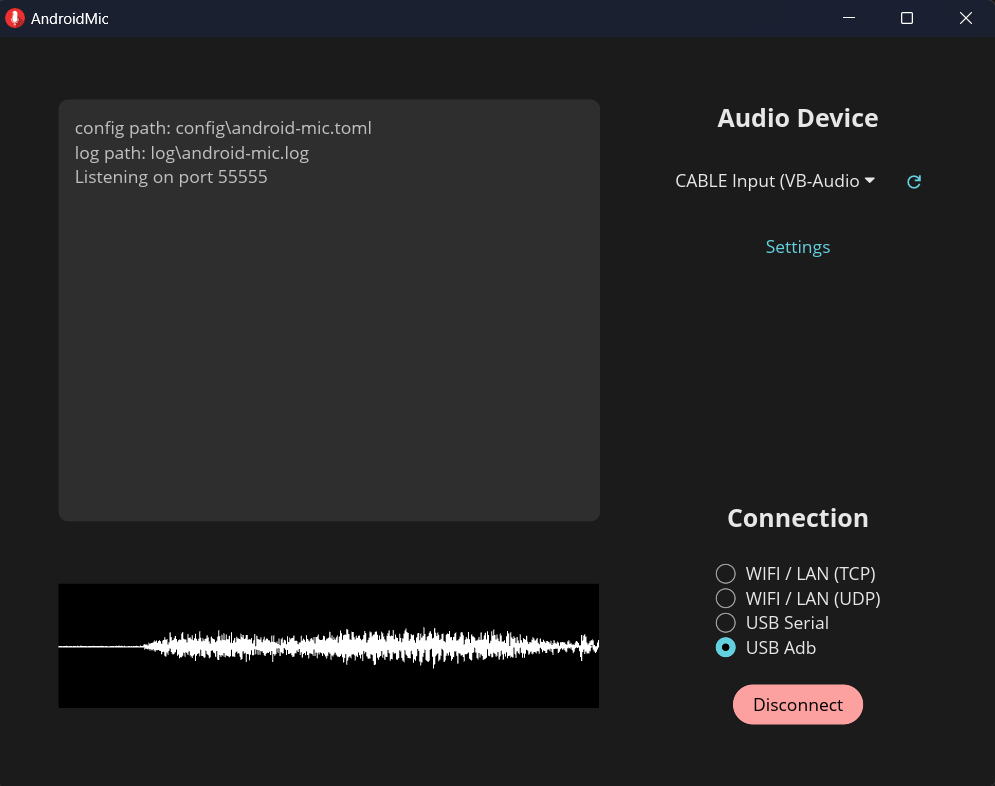
Step 2: PC Application Setup
Download and install
Get the latest release from the releases page
Install and launch the app
macOS users: You may need to run this command to allow the app to run:
xattr -c /Applications/AndroidMic.app
See this discussion for more details.
Select output audio device
Choose the virtual output device (e.g., "VB Cable Input" or "Virtual Audio Cable") from the dropdown
This is the playback device that's wired to your virtual microphone
Do NOT select your regular speakers or headphones
On Linux change channel count to "Mono" when you select PipeWire or PulseAudio
Choose connection method
TCP/UDP (WiFi):
Connect your phone and PC to the same network
No additional setup required
USB ADB:
Install Android Debug Bridge (ADB)
Enable USB debugging on your phone (Developer Options)
Connect phone via USB cable
USB Serial:
Connect phone via USB cable
Set phone's USB mode to "Charging only"
Windows:
Close Android Studio and ensure ADB process is not running
Your phone must use the WinUSB driver (required for all Android phones)
Use Zadig to replace the current USB driver with WinUSB if needed
On first connection attempt, the phone will switch to accessory mode - click Connect again to establish the connection
Linux: Configure udev rules for USB permissions
Configure audio settings (Advanced)
Click to open advanced settings
Choose format supported by your virtual audio device
Common settings: 44.1kHz or 48kHz sample rate, mono channel, 16-bit or 24-bit depth
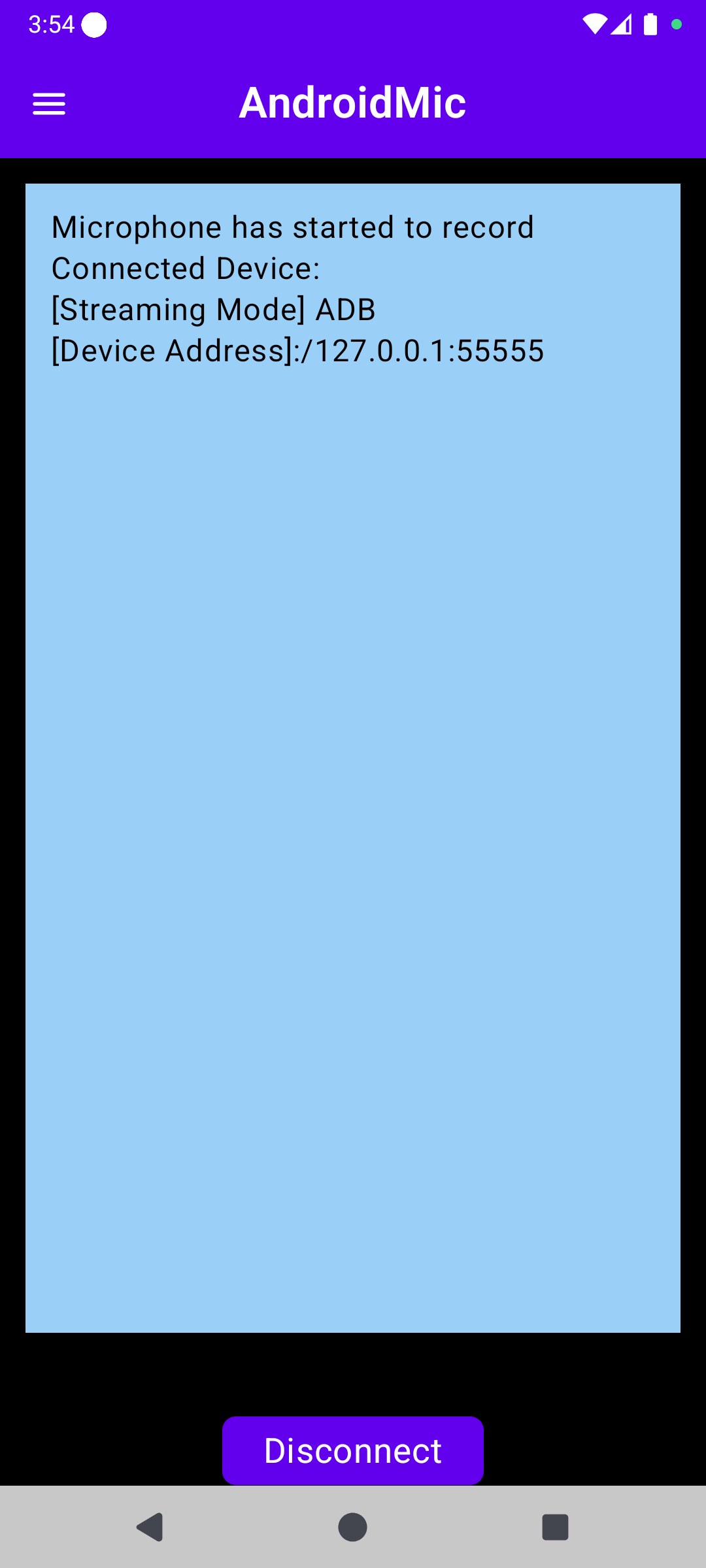
Step 3: Android Application Setup
Install the app
Download the APK from releases or F-Droid
Install and open the app
Configure settings
Open the side drawer menu
Select the same connection method chosen on PC
Configure audio settings (sample rate, channels, bit depth) - these can be adjusted independently from PC settings
Connect and start
Grant required permissions:
Microphone: To access your phone's mic
Notification: To show recording status in background
Start recording
Connect to PC:
TCP/UDP: Enter PC IP address and port (shown in PC app log)
USB ADB: Just click connect
USB Serial: Allow accessory mode when prompted
Using AndroidMic in Other Apps
After setup, the virtual microphone will appear in your system's audio input devices. Select it in any application:
Discord, Teams, Zoom (voice chat)
OBS, Streamlabs (streaming)
Audacity, FL Studio (recording)
Any other app that accepts microphone input
Troubleshooting
Can't hear audio / No microphone detected
Verify virtual audio cable is properly installed
Ensure you selected the virtual output device in AndroidMic PC app
Check that applications are using the virtual input device as microphone
On Windows: Check that VAC/VB Cable devices are set as default in Sound Settings
Windows Defender flags the app as malware
Usually this is a false positive due to Windows Defender's ML algorithm
Please report to Microsoft to help get it fixed
USB connection not working
USB ADB: Ensure USB debugging is enabled and ADB is installed
USB Serial: May need Zadig to change USB driver to WinUSB
USB Serial (Linux): Configure udev rules for USB permissions
Audio quality issues
Match audio settings between PC and Android app exactly
Try different sample rates (44.1kHz or 48kHz)
Turn on/off noise cancellation in the app
Support & Contributing
Questions / Feature Requests / Bug Reports: Submit an issue
Discussions: GitHub Discussions
Project History
The PC app originally started as a WPF application written in C# for Windows only. Most features have been recreated in Rust (thanks to @wiiznokes) for cross-platform support. The WPF app branch is still available for reference.
Note: Bluetooth support was removed in favor of USB Serial connection, which provides better bandwidth.
teamclouday/AndroidMic thuộc nhóm Image Tools trên TopGit, cùng 7 topic GitHub. Trang Trending và Topics liệt kê các repo cùng số sao và cùng ngôn ngữ để so sánh.
Đọc thêm về teamclouday/AndroidMic ở đâu?
Trang TopGit này là một snapshot — tab "Readme" hiển thị nguyên văn README của repo (đã bỏ link, giữ ảnh). Repo GitHub ở github.com/teamclouday/AndroidMic là nguồn chính thức.
teamclouday/AndroidMic có bao nhiêu sao?
teamclouday/AndroidMic có 1.5k sao GitHub — tải lại trang để xem số mới nhất, hoặc xem trực tiếp github.com/teamclouday/AndroidMic. TopGit phản chiếu số sao của GitHub nhưng không cam kết đến từng phút.
teamclouday/AndroidMic có phải mã nguồn mở không?
Có — teamclouday/AndroidMic phát hành theo license GPL-3.0, nghĩa là mã nguồn mở để đọc, fork và (tùy license) tái sử dụng. Mã: github.com/teamclouday/AndroidMic.
teamclouday/AndroidMic còn đang phát triển không?
Commit gần nhất trên teamclouday/AndroidMic là 1 tháng trước (theo timestamp GitHub). Repo có 92 fork — một chỉ báo về mức độ quan tâm của cộng đồng.
teamclouday/AndroidMic dùng license gì?
teamclouday/AndroidMic phát hành theo license GPL-3.0. Nên mở file LICENSE trên GitHub để xác nhận — license metadata đôi khi lệch với thực tế dự án.
teamclouday/AndroidMic là gì?
teamclouday/AndroidMic (teamclouday/AndroidMic) là dự án Rust trên GitHub. Theo mô tả gốc: Use your Android phone as a microphone for your PC
teamclouday/AndroidMic viết bằng ngôn ngữ gì?
teamclouday/AndroidMic chủ yếu viết bằng Rust. Trường "language" của GitHub dựa trên phần lớn byte ở nhánh mặc định.
Đọc đầy đủ README ở tab phía trên.
Muốn nghe thêm một ý kiến về AndroidMic?
Hỏi một AI đọc được trang này — một cú bấm là có ngay nhận định về AndroidMic.
 /AndroidMic