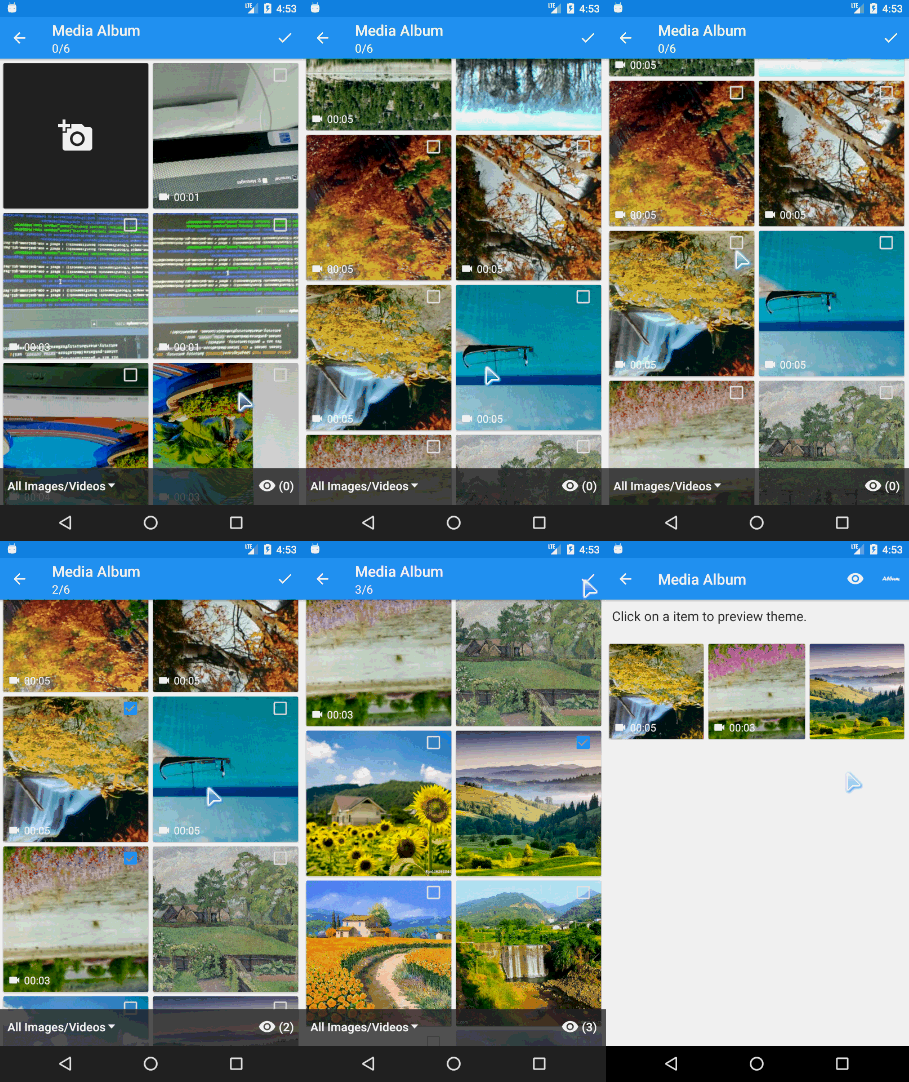
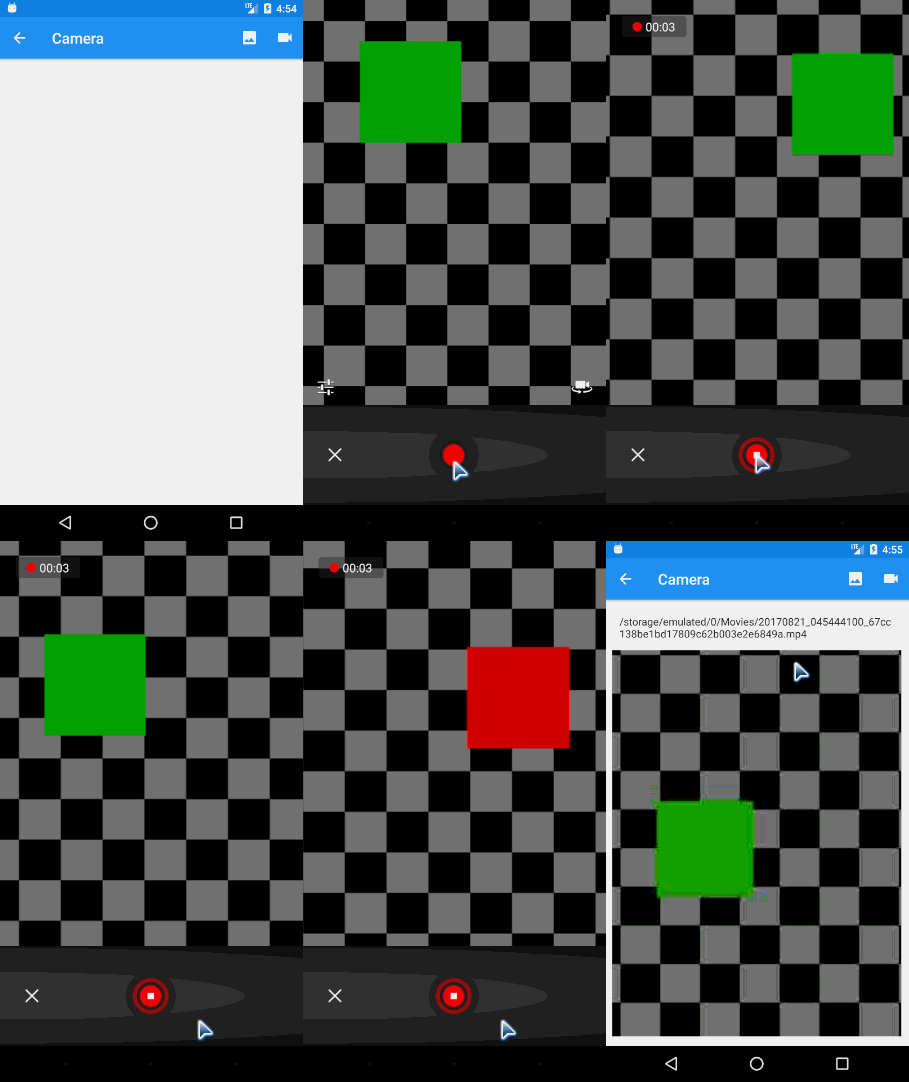
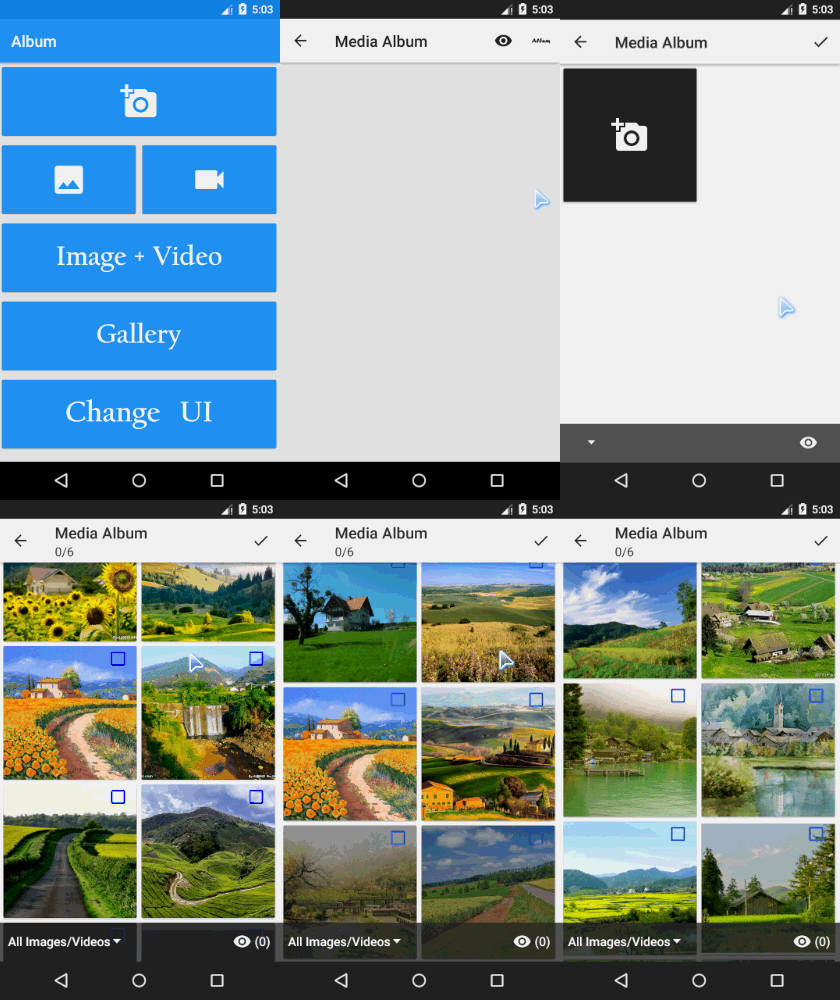
Là một công cụ xử lý ảnh, yanzhenjie/Album đã đạt 2.5k sao trên GitHub, ngôn ngữ Java. :watermelon: Album and Gallery for Android platform.
Tóm tắt dựng từ metadata GitHub của chính dự án — chưa có bài review TopGit. Trang sẽ tự động cập nhật khi bài review đầy đủ được xuất bản.
VÌ SAO CHƯA CÓ REVIEW
TopGit viết bài đầy đủ cho repo có nhiều sao nhất và được yêu cầu nhiều nhất. Trang này là snapshot trong thời gian chờ — xem README gốc ở tab READ ME.
Album.album(this) // Image and video mix options.
    .multipleChoice() // Multi-Mode, Single-Mode: singleChoice().
    .columnCount() // The number of columns in the page list.
    .selectCount()  // Choose up to a few images.
    .camera() // Whether the camera appears in the Item.
    .cameraVideoQuality(1) // Video quality, [0, 1].
    .cameraVideoLimitDuration(Long.MAX_VALUE) // The longest duration of the video is in milliseconds.
    .cameraVideoLimitBytes()(Long.MAX_VALUE) // Maximum size of the video, in bytes.
    .checkedList() // To reverse the list.
    .filterSize() // Filter the file size.
    .filterMimeType() // Filter file format.
    .filterDuration() // Filter video duration.
    .afterFilterVisibility() // Show the filtered files, but they are not available.
    .onResult(new Action<ArrayList<AlbumFile>>() {
        @Override
        public void onAction(@NonNull ArrayList<AlbumFile> result) {
            // TODO accept the result.
        }
    })
    .onCancel(new Action<String>() {
        @Override
        public void onAction(@NonNull String result) {
            // The user canceled the operation.
        }
    })
    .start();
Image Selection
Album.image(this) // Image selection.
    .multipleChoice()
    .camera()
    .columnCount()
    .selectCount()
    .checkedList(mAlbumFiles)
    .filterSize() // Filter the file size.
    .filterMimeType() // Filter file format.
    .afterFilterVisibility() // Show the filtered files, but they are not available.
    .onResult(new Action<ArrayList<AlbumFile>>() {
        @Override
        public void onAction(@NonNull ArrayList<AlbumFile> result) {
        }
    })
    .onCancel(new Action<String>() {
        @Override
        public void onAction(@NonNull String result) {
        }
    })
    .start();
If developer want to crop the image, please use Durban.
Video Selection
Album.video(this) // Video selection.
    .multipleChoice()
    .camera(true)
    .columnCount(2)
    .selectCount(6)
    .checkedList(mAlbumFiles)
    .filterSize()
    .filterMimeType()
    .filterDuration()
    .afterFilterVisibility() // Show the filtered files, but they are not available.
    .onResult(new Action<ArrayList<AlbumFile>>() {
        @Override
        public void onAction(@NonNull ArrayList<AlbumFile> result) {
        }
    })
    .onCancel(new Action<String>() {
        @Override
        public void onAction(@NonNull String result) {
        }
    })
    .start();
Take Picture
Album.camera(this) // Camera function.
    .image() // Take Picture.
    .filePath() // File save path, not required.
    .onResult(new Action<String>() {
        @Override
        public void onAction(@NonNull String result) {
        }
    })
    .onCancel(new Action<String>() {
        @Override
        public void onAction(@NonNull String result) {
        }
    })
    .start();
If developer want to crop the image, please use Durban.
Record Video
Album.camera(this)
    .video() // Record Video.
    .filePath()
    .quality(1) // Video quality, [0, 1].
    .limitDuration(Long.MAX_VALUE) // The longest duration of the video is in milliseconds.
    .limitBytes(Long.MAX_VALUE) // Maximum size of the video, in bytes.
    .onResult(new Action<String>() {
        @Override
        public void onAction(@NonNull String result) {
        }
    })
    .onCancel(new Action<String>() {
        @Override
        public void onAction(@NonNull String result) {
        }
    })
    .start();
Gallery
// Preview AlbumFile:
Album.galleryAlbum(this)
...

// Preview path:
Album.gallery(this)
    .checkedList(imageList) // List of image to view: ArrayList<String>.
    .checkable(true) // Whether there is a selection function.
    .onResult(new Action<ArrayList<String>>() { // If checkable(false), action not required.
        @Override
        public void onAction(@NonNull ArrayList<String> result) {
        }
    })
    .onCancel(new Action<String>() {
        @Override
        public void onAction(@NonNull String result) {
        }
    })
    .start();
If checkable(false), listener not required, the CheckBox and the FinishButton will be not appear.
The user may click or long press on the preview image and the developer can listen to both events:
AlbumFile is the result of the selection of images and videos, The properties of the image and video are different, and their different attributes are listed below.
Image
public int getMediaType(); // File type, the image is AlbumFile.TYPE_IMAGE.
public String getPath(); // File path, must not be empty.
public String getBucketName(); // The name of the folder where the file is located.
public String getMimeType(); // File MimeType, for example: image/jpeg.
public long getAddDate(); // File to add date, must have.
public float getLatitude(); // The latitude of the file, may be zero.
public float getLongitude(); // The longitude of the file, may be zero.
public long getSize(); // File size in bytes.
public String getThumbPath(); // This is a small thumbnail.
Video
public int getMediaType(); // File type, the video is AlbumFile.TYPE_VIDEO.
public String getPath(); // File path, must not be empty.
public String getBucketName(); // The name of the folder where the file is located.
public String getMimeType(); // File MimeType, for example: image/jpeg.
public long getAddDate(); // File to add date, must have.
public float getLatitude(); // The latitude of the file, may be zero.
public float getLongitude(); // The longitude of the file, may be zero.
public long getSize(); // File size in bytes.
public long getDuration(); // Video duration, must have.
public String getThumbPath(); // This is a small thumbnail.
Customize UI
Through Widget, developer can configure the title, color of StatusBar, color of NavigationBar and so on.
// Such as image video mix:
 Album.album(this)
    .multipleChoice()
    .widget(...)
    ...

// Image selection:
Album.image(this)
    .multipleChoice()
    .widget(...)
    ...

// Video selection:
Album.video(this)
    .multipleChoice()
    .widget(...)
    ...

// Gallery, preview AlbumFile:
Album.galleryAlbum(this)
    .widget(...)
    ...

// Gallery, preview path:
Album.gallery(this)
    .widget(...)
    ...
So we only need to pass in a Widget parameter just fine:
// StatusBar is a dark background when building:
Widget.newDarkBuilder(this)
...

// StatusBar is a light background when building:
Widget.newLightBuilder(this)
...

// Such as:
Widget.xxxBuilder(this)
    .title(...) // Title.
    .statusBarColor(Color.WHITE) // StatusBar color.
    .toolBarColor(Color.WHITE) // Toolbar color.
    .navigationBarColor(Color.WHITE) // Virtual NavigationBar color of Android5.0+.
    .mediaItemCheckSelector(Color.BLUE, Color.GREEN) // Image or video selection box.
    .bucketItemCheckSelector(Color.RED, Color.YELLOW) // Select the folder selection box.
    .buttonStyle( // Used to configure the style of button when the image/video is not found.
        Widget.ButtonStyle.newLightBuilder(this) // With Widget's Builder model.
            .setButtonSelector(Color.WHITE, Color.WHITE) // Button selector.
            .build()
    )
    .build()
Configuration language
Album defaults to English and changes with the system language. Unfortunately, Album only supports English, Simplified Chinese, Traditional Chinese and Portuguese. However, developers can copy the items in Album's string.xml into your project for translation, the best thing is that you can contribute and submit pull requests to perfect Album.
Copyright 2017 Yan Zhenjie

Licensed under the Apache License, Version 2.0 (the "License");
you may not use this file except in compliance with the License.
You may obtain a copy of the License at

   http://www.apache.org/licenses/LICENSE-2.0

Unless required by applicable law or agreed to in writing, software
distributed under the License is distributed on an "AS IS" BASIS,
WITHOUT WARRANTIES OR CONDITIONS OF ANY KIND, either express or implied.
See the License for the specific language governing permissions and
limitations under the License.
Trang TopGit này là một snapshot — tab "Readme" hiển thị nguyên văn README của repo (đã bỏ link, giữ ảnh). Repo GitHub ở github.com/yanzhenjie/Album là nguồn chính thức.
yanzhenjie/Album có bao nhiêu sao?
yanzhenjie/Album có 2.5k sao GitHub — tải lại trang để xem số mới nhất, hoặc xem trực tiếp github.com/yanzhenjie/Album. TopGit phản chiếu số sao của GitHub nhưng không cam kết đến từng phút.
yanzhenjie/Album có những chủ đề gì?
GitHub topics của yanzhenjie/Album: "album", "camera", "gallery", "image", "video". TopGit xếp repo vào nhóm Image Tools.
yanzhenjie/Album có trang demo không?
Dự án có trang chủ ở https://github.com/yanzhenjie/Album. Tab "Readme" ở trang này thường có ảnh chụp và hướng dẫn bắt đầu nhanh.
yanzhenjie/Album còn đang phát triển không?
Commit gần nhất trên yanzhenjie/Album là 4.2 năm trước (theo timestamp GitHub). Repo có 501 fork — một chỉ báo về mức độ quan tâm của cộng đồng.
yanzhenjie/Album dùng license gì?
yanzhenjie/Album phát hành theo license Apache-2.0. Nên mở file LICENSE trên GitHub để xác nhận — license metadata đôi khi lệch với thực tế dự án.
yanzhenjie/Album viết bằng ngôn ngữ gì?
yanzhenjie/Album chủ yếu viết bằng Java. Trường "language" của GitHub dựa trên phần lớn byte ở nhánh mặc định.
Đọc đầy đủ README ở tab phía trên.
Vẫn đang phân vân về Album?
Một cú bấm sẽ gửi câu hỏi kèm trang này cho AI — xem AI nói gì về Album.

 /Album