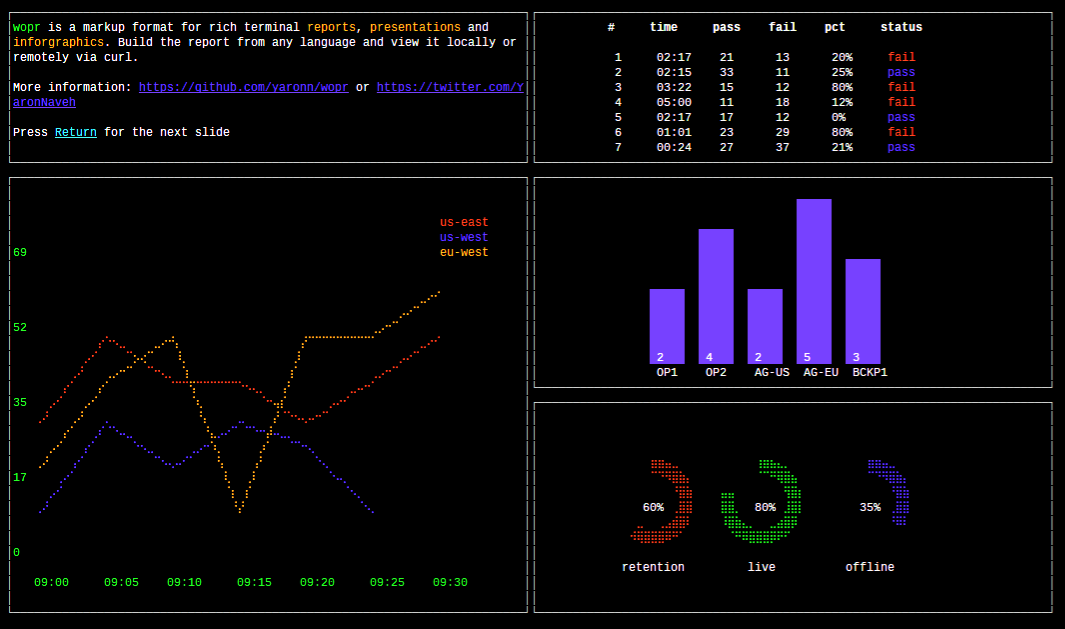
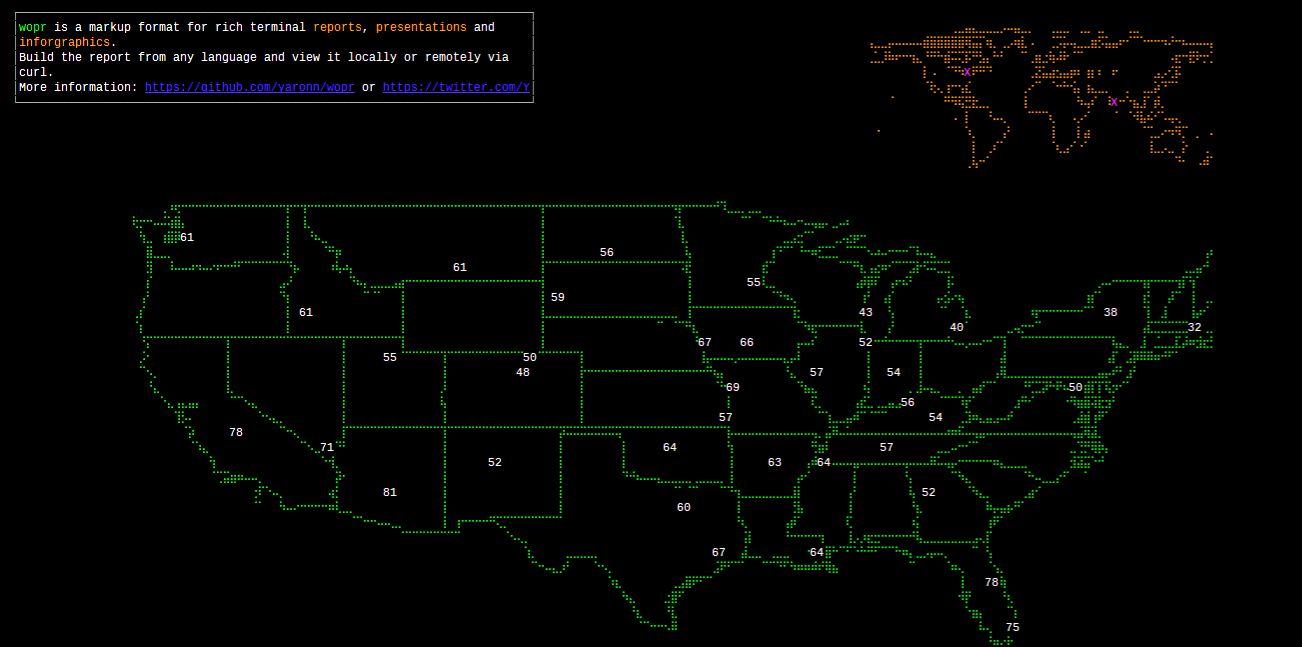
yaronn/wopr — 3.1k★ trên GitHub (JavaScript). A simple markup language for creating rich terminal reports, presentations and infographics
Tóm tắt dựng từ metadata GitHub của chính dự án — chưa có bài review TopGit. Trang sẽ tự động cập nhật khi bài review đầy đủ được xuất bản.
VÌ SAO CHƯA CÓ REVIEW
TopGit viết bài đầy đủ cho repo có nhiều sao nhất và được yêu cầu nhiều nhất. Trang này là snapshot trong thời gian chờ — xem README gốc ở tab READ ME.
Here, the bar widget is in the first column and row (0-based indexing) and spans three columns and rows.
The box element is in the same page but in a different position.
Widgets
The available widgets are the ones that exist in the blessed and blessed-contrib projects.
You can infer the xml representation of a javascript widget using a simple convention. Assume that you would instantiate some blessed widget with this javascript:
You can also look at the demo xml to get more samples.
##Viewing Reports##
Depending on how you use a report, you have a few ways to view it. On Windows you will probably only be able to use the third option and need to install the fonts for best view.
If you experience firewall issues replace tty.zone with ec2-23-21-64-152.compute-1.amazonaws.com.
Tip: If you use a url shortener (e.g. bit.ly) add the -L flag to curl to follow redirects.
Option 3: via the local viewer
Save the report xml to report.xml and then:
$> npm install -g wopr
$> wopr report.xml
Note the local viewer does not send anything online and does not require network.
Tip: Maximize the terminal before viewing the report for best viewing experience Tip: If you CTRL+C in the middle or rendering your cursoe might disappear. Restore it by running again and letting the render complete or with $> echo '\033[?25h'
View customization
When using the online reports, you might need to adjust the slides size based on your font / resolution or use non-xterm terminal. tty.zone supports the following query params:
It is best to escape all special characters (e.g. ? &) as seen in the above samples, since some shells will require this (zsh).
Pages
When viewing a report with the local viewer you can advance slides with the Return or Space keys.
When using the online viewer you have 2 options:
Option 1: Manually advance slides with Return or Space:
p=0; while true; do curl tty.zone/$((p++))\?cols=$((COLUMNS)); read; done
Option 2: Slides advance automatically every 5 seconds:
curl -N tty.zone/\[0-2\]\?auto\&cols=$((COLUMNS))
Where 0 is the index of the first slide and 2 of the last slide. Keep the brackets in the url (they are not to express optional argument) and escape them as in the above sample.
Tip: disable curl buffering with the -N flag
You can also view a specific slide (#4 in this case):
Trang TopGit này là một snapshot — tab "Readme" hiển thị nguyên văn README của repo (đã bỏ link, giữ ảnh). Repo GitHub ở github.com/yaronn/wopr là nguồn chính thức.
yaronn/wopr có bao nhiêu sao?
yaronn/wopr có 3.1k sao GitHub — tải lại trang để xem số mới nhất, hoặc xem trực tiếp github.com/yaronn/wopr. TopGit phản chiếu số sao của GitHub nhưng không cam kết đến từng phút.
yaronn/wopr có phải mã nguồn mở không?
TopGit chưa ghi nhận license cho yaronn/wopr. Phần lớn repo public trên GitHub là mã nguồn mở, nhưng điều khoản khác nhau từng repo — mở file LICENSE để xác nhận.
yaronn/wopr còn đang phát triển không?
Commit gần nhất trên yaronn/wopr là 2.6 năm trước (theo timestamp GitHub). Repo có 81 fork — một chỉ báo về mức độ quan tâm của cộng đồng.
yaronn/wopr là gì?
yaronn/wopr (yaronn/wopr) là dự án JavaScript trên GitHub. Theo mô tả gốc: A simple markup language for creating rich terminal reports, presentations and infographics
Đọc đầy đủ README ở tab phía trên.
Muốn nghe thêm một ý kiến về wopr?
Hỏi một AI đọc được trang này — một cú bấm là có ngay nhận định về wopr.

 /wopr