you-dont-need/You-Dont-Need-GUI là một trong những repo hướng lập trình viên mà TopGit theo dõi, hiện có 5.9k sao. Stop relying on GUI; CLI **ROCKS**
Tóm tắt dựng từ metadata GitHub của chính dự án — chưa có bài review TopGit. Trang sẽ tự động cập nhật khi bài review đầy đủ được xuất bản.
VÌ SAO CHƯA CÓ REVIEW
TopGit viết bài đầy đủ cho repo có nhiều sao nhất và được yêu cầu nhiều nhất. Trang này là snapshot trong thời gian chờ — xem README gốc ở tab READ ME.
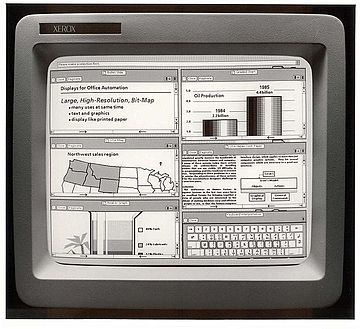
Graphical user interfaces are super friendly to computer users. They were introduced in reaction to the perceived steep learning curve of command-line interfaces (CLIs).
However, they often require more resources, are less powerful and hard to automate via scripting.
As a computer expert, we want to be more efficient and do our jobs better. We know that command words may not be easily discoverable or mnemonic, so we try to list some common tasks that you might be tempted to do in GUI.
Quick links
copy a file
duplicate a file
copy a directory
duplicate a directory
move a file
rename a file
move a directory
rename a directory
merge directories
create a new file
create a new directory
show file/directory size
show file/directory info
open a file with the default program
open a file in any application
zip a directory
unzip a directory
peek files in a zip file
remove a file
remove a directory
remove all files of certain criteria
list directory contents
tree view a directory and its subdirectories
find a stale file
show a calendar
find a future date
use a calculator
force quit a program
check server response
view content of a file
search for a text in a file
search in all files in current working directory, quickly (entire disk in less than 15 minutes)
view an image
show disk size
check cpu usage, processes and RAM
know whether your computer is under load, and whether it's due to memory or CPU
poweroff or reboot your computer
locate USB drives
unmount USB drives
format USB drives
check USB format
run command on all files of a directory
check network connectivity to a remote address and port
check DNS config of a domain
check the ownership and registration of a domain
Quick tips
Hotkeys
I can't remember these cryptic commands
copy a file
STOP DRAG AND DROPPING A FILE, OR CMD/CTRL + C, CMD/CTRL + V A FILE :-1:
Copy readme.txt to the documents directory
$ cp readme.txt documents/
Go to table of contents 🔼
duplicate a file
STOP RIGHT CLICKING AND DUPLICATE A FILE :-1:
$ cp readme.txt readme.bak.txt
More advanced:
$ cp readme{,.bak}.txt
# Note: learn how the {} works with touch foo{1,2,3}.txt and see what happens.
Go to table of contents 🔼
copy a directory
STOP DRAG AND DROPPING A DIRECTORY, OR CMD/CTRL + C, CMD/CTRL + V A DIRECTORY :-1:
Copy myMusic directory to the myMedia directory
$ cp -a myMusic myMedia/
# or
$ cp -a myMusic/ myMedia/myMusic/
Go to table of contents 🔼
duplicate a directory
STOP RIGHT CLICKING AND DUPLICATE A DIRECTORY :-1:
$ cp -a myMusic/ myMedia/
# or if `myMedia` folder doesn't exist
$ cp -a myMusic myMedia/
Go to table of contents 🔼
move a file
STOP DRAG AND DROPPING A FILE, OR CMD/CTRL + X, CMD/CTRL + V A FILE :-1:
$ mv readme.txt documents/
Always use a trailing slash when moving files, for this reason.
Go to table of contents 🔼
rename a file
STOP RIGHT CLICKING AND RENAME A FILE :-1:
$ mv readme.txt README.md
Go to table of contents 🔼
move a directory
STOP DRAG AND DROPPING A DIRECTORY, OR CMD/CTRL + X, CMD/CTRL + V A DIRECTORY :-1:
$ mv myMedia myMusic/
# or
$ mv myMedia/ myMusic/myMedia
Go to table of contents 🔼
rename a directory
STOP RIGHT CLICKING AND RENAME A DIRECTORY :-1:
$ mv myMedia/ myMusic/
Go to table of contents 🔼
merge directories
STOP DRAG AND DROPPING TO MERGE DIRECTORIES :-1:
$ rsync -a /images/ /images2/ # note: may over-write files with the same name, so be careful!
Go to table of contents 🔼
create a new file
STOP RIGHT CLICKING AND CREATE A NEW FILE :-1:
$ touch 'new file'    # updates the file's access and modification timestamp if it already exists
# or
$ > 'new file'        # note: erases the content if it already exists
Go to table of contents 🔼
create a new directory
STOP RIGHT CLICKING AND CREATE A NEW DIRECTORY :-1:
STOP RIGHT CLICKING AND DELETE A FILE PERMANENTLY :-1:
$ rm my_useless_file
IMPORTANT: The rm command deletes my_useless_file permanently, which is equivalent to move my_useless_file to Recycle Bin and hit Empty Recycle Bin.
Go to table of contents 🔼
remove a directory
STOP RIGHT CLICKING AND DELETE A DIRECTORY PERMANENTLY :-1:
$ rm -r my_useless_folder
Go to table of contents 🔼
remove all files of certain criteria
$ find . -name "*.bak" -type f -delete
IMPORTANT: run find . -name "*.bak" -type f first to see exactly which files you will remove.
Go to table of contents 🔼
list directory contents
STOP OPENING YOUR FINDER OR FILE EXPLORER :-1:
$ ls my_folder        # Simple
$ ls -la my_folder    # -l: show in list format. -a: show all files, including hidden. -la combines those options.
$ ls -alrth my_folder # -r: reverse output. -t: sort by time (modified). -h: output human-readable sizes.
Go to table of contents 🔼
tree view a directory and its subdirectories
STOP OPENING YOUR FINDER OR FILE EXPLORER :-1:
$ tree                                                        # on Linux
$ find . -print | sed -e 's;[^/]*/;|____;g;s;____|; |;g'      # on MacOS
# Note: install homebrew (https://brew.sh) to be able to use (some) Linux utilities such as tree.
# brew install tree
Go to table of contents 🔼
find a stale file
STOP USING YOUR FILE EXPLORER TO FIND A FILE :-1:
Find all files modified more than 5 days ago
$ find my_folder -mtime +5
Go to table of contents 🔼
show a calendar
STOP LOOKING UP WHAT THIS MONTH LOOKS LIKE BY CALENDAR WIDGETS :-1:
Display a text calendar
$ cal
Display selected month and year calendar
$ cal 11 2018
Go to table of contents 🔼
find a future date
STOP USING WEBAPPS TO CALCULATE FUTURE DATES :-1:
What is today's date?
$ date +%m/%d/%Y
What about a week from now?
$ date -d "+7 days"                                           # on Linux
$ date -j -v+7d                                               # on MacOS
Go to table of contents 🔼
use a calculator
STOP USING CALCULATOR WIDGET :-1:
$ bc -l
Go to table of contents 🔼
force quit a program
STOP CTRL + ALT + DELETE and choose the program to kill :-1:
$ killall -9 program_name
Go to table of contents 🔼
check server response
STOP OPENING A BROWSER :-1:
$ curl -i umair.surge.sh
# curl's -i (--include) option includes HTTP response headers in its output.
Go to table of contents 🔼
view content of a file
STOP DOUBLE CLICKING A FILE :-1:
$ cat apps/settings.py
# if the file is too big to fit on one page, you can use a 'pager' (less) which shows you one page at a time.
$ less apps/settings.py
Go to table of contents 🔼
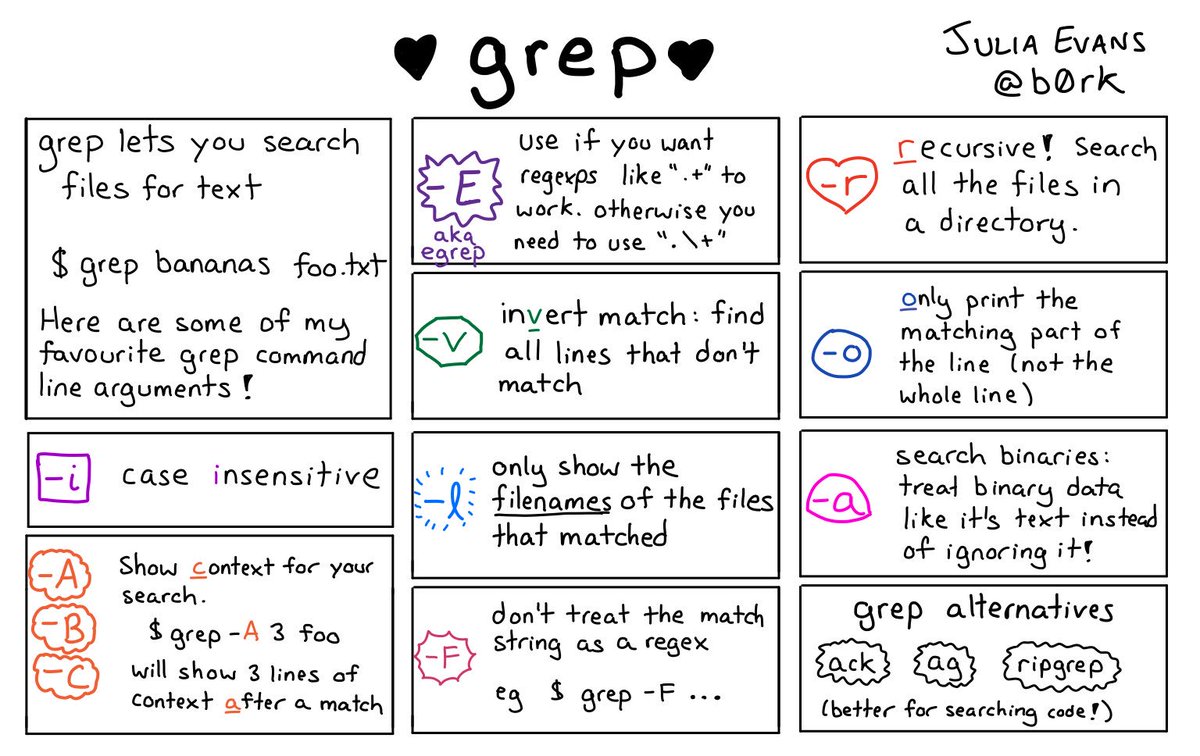
search for a text in a file
STOP CMD/CTRL + F IN A FILE :-1:
$ grep -i "Query" file.txt
Go to table of contents 🔼
search in all files in current working directory, quickly (entire disk in less than 15 minutes)
Đọc thêm về you-dont-need/You-Dont-Need-GUI ở đâu?
Trang TopGit này là một snapshot — tab "Readme" hiển thị nguyên văn README của repo (đã bỏ link, giữ ảnh). Repo GitHub ở github.com/you-dont-need/You-Dont-Need-GUI là nguồn chính thức.
you-dont-need/You-Dont-Need-GUI có những chủ đề gì?
you-dont-need/You-Dont-Need-GUI có phải mã nguồn mở không?
TopGit chưa ghi nhận license cho you-dont-need/You-Dont-Need-GUI. Phần lớn repo public trên GitHub là mã nguồn mở, nhưng điều khoản khác nhau từng repo — mở file LICENSE để xác nhận.
you-dont-need/You-Dont-Need-GUI có website riêng không?
TopGit chưa ghi nhận URL trang chủ cho you-dont-need/You-Dont-Need-GUI. Phần README ở tab phía trên thường có link demo, hoặc xem mô tả GitHub của repo.
you-dont-need/You-Dont-Need-GUI còn đang phát triển không?
Commit gần nhất trên you-dont-need/You-Dont-Need-GUI là 2.7 năm trước (theo timestamp GitHub). Repo có 246 fork — một chỉ báo về mức độ quan tâm của cộng đồng.
Đọc đầy đủ README ở tab phía trên.
Muốn nghe thêm một ý kiến về You-Dont-Need-GUI?
Hỏi một AI đọc được trang này — một cú bấm là có ngay nhận định về You-Dont-Need-GUI.
 /You-Dont-Need-GUI