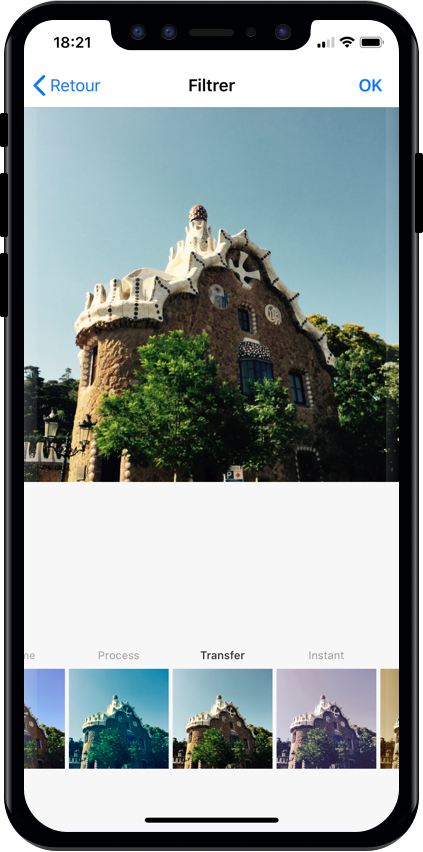
Điểm qua Yummypets/YPImagePicker: 4.5k sao trên GitHub, viết chủ yếu bằng Swift, thuộc nhóm Image Tools. 📸 Instagram-like image picker & filters for iOS
Tóm tắt dựng từ metadata GitHub của chính dự án — chưa có bài review TopGit. Trang sẽ tự động cập nhật khi bài review đầy đủ được xuất bản.
VÌ SAO CHƯA CÓ REVIEW
TopGit viết bài đầy đủ cho repo có nhiều sao nhất và được yêu cầu nhiều nhất. Trang này là snapshot trong thời gian chờ — xem README gốc ở tab READ ME.
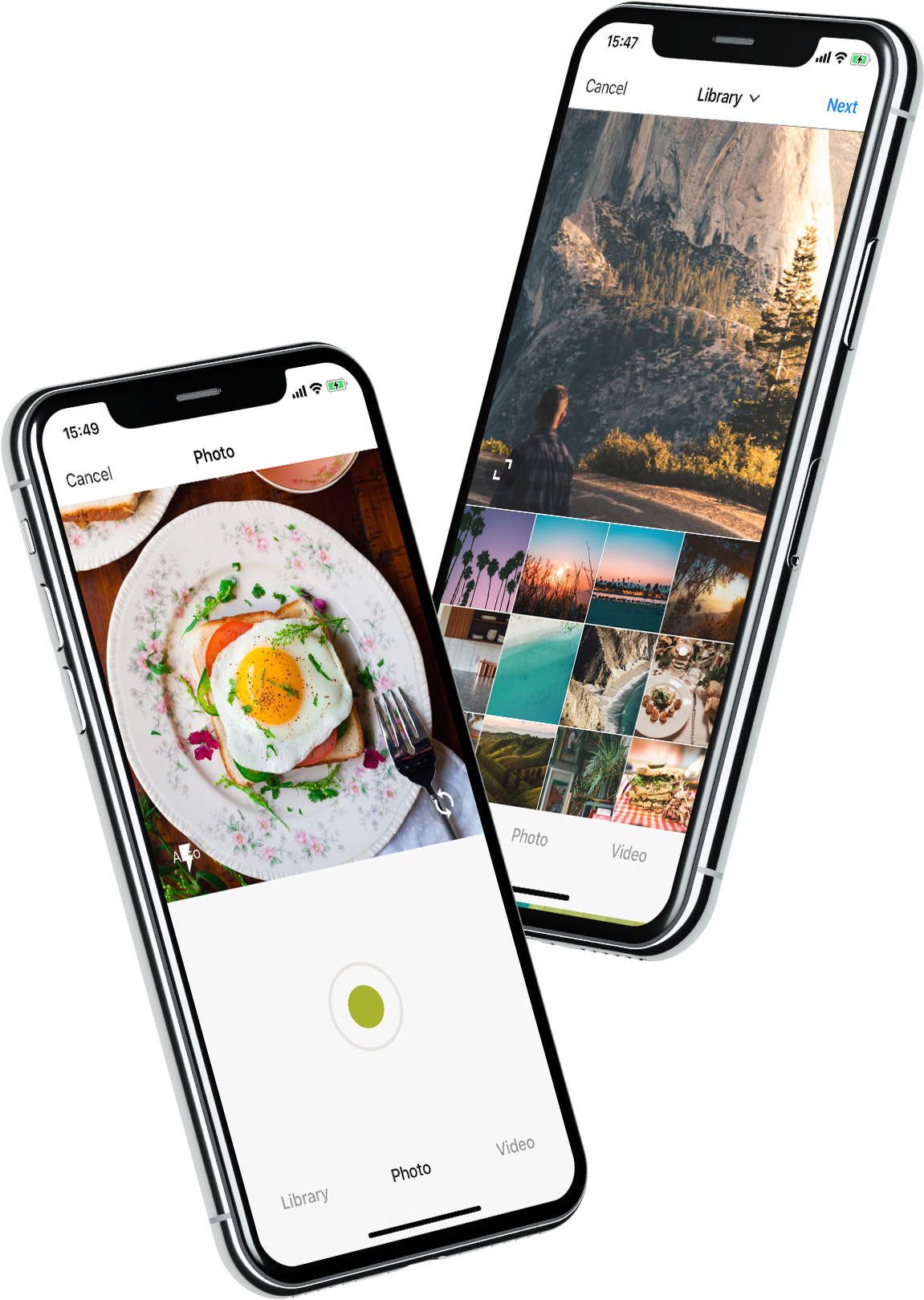
YPImagePicker is an instagram-like photo/video picker for iOS written in pure Swift. It is feature-rich and highly customizable to match your App's requirements.
Installation - Configuration - Usage - Languages - UI Customization
Give it a quick try :
pod repo update then pod try YPImagePicker
Those features are available just with a few lines of code!
Notable Features
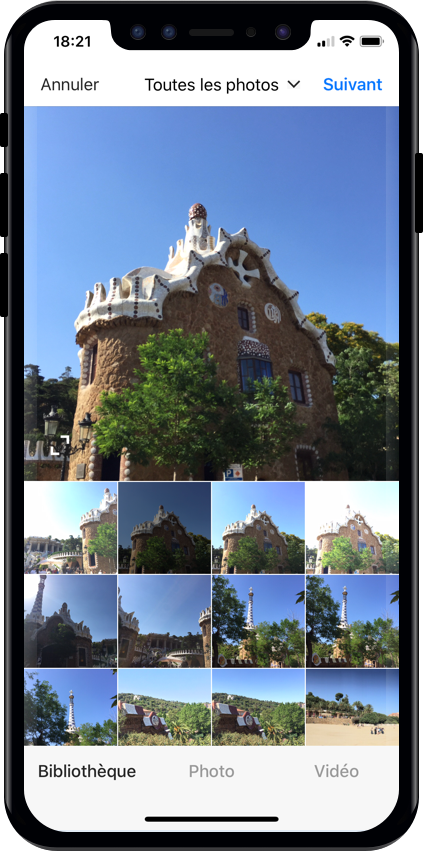
🌅 Library
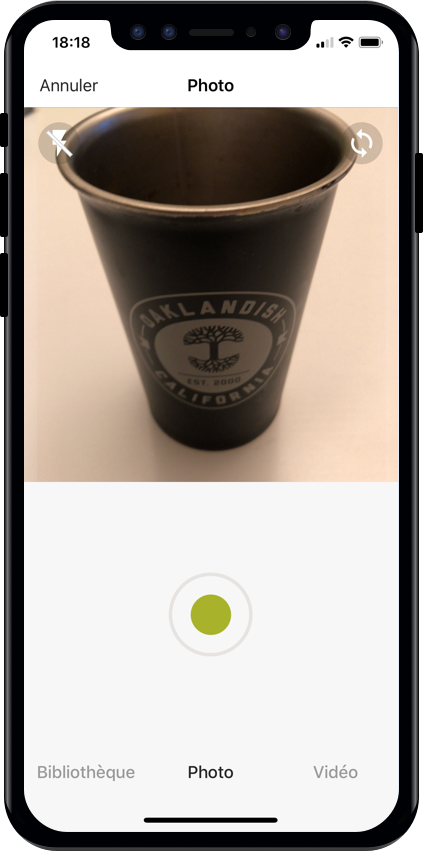
📷 Photo
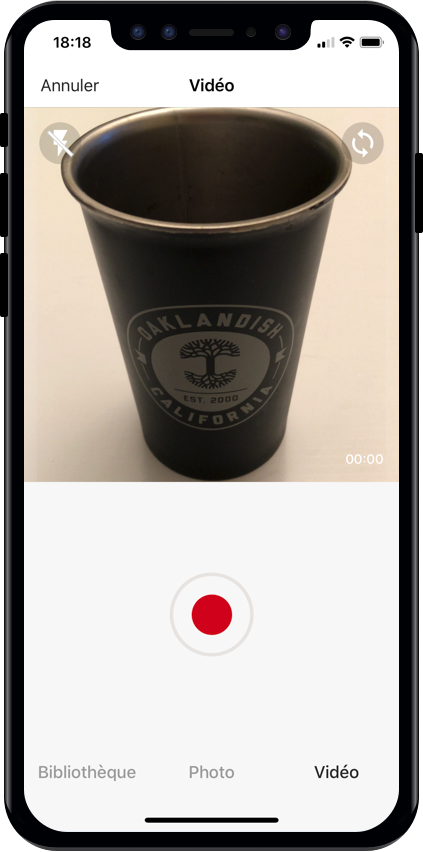
🎥 Video
✂️ Crop
⚡️ Flash
🖼 Filters
📁 Albums
🔢 Multiple Selection
📏 Video Trimming & Cover selection
📐 Output image size
And many more...
Installation
Using CocoaPods
First, be sure to run pod repo update to get the latest version available.
Add pod 'YPImagePicker' to your Podfile and run pod install. Also, add use_frameworks! to the Podfile.
target 'MyApp'
pod 'YPImagePicker'
use_frameworks!
Using Swift Package Manager
Open SPM dependency manager through File > Swift Packages > Add Package Dependency....
and insert repository URL:
https://github.com/Yummypets/YPImagePicker.git
To add dependency in your own package, just specify a package in dependencies of your Package.swift:
All the configuration endpoints are in the YPImagePickerConfiguration struct.
Below are the default value for reference, feel free to play around :)
var config = YPImagePickerConfiguration()
// [Edit configuration here ...]
// Build a picker with your configuration
let picker = YPImagePicker(configuration: config)
// Set the default configuration for all pickers
YPImagePickerConfiguration.shared = config

// And then use the default configuration like so:
let picker = YPImagePicker()
When displaying picker on iPad, picker will support one size only you should set it before displaying it:
let preferredContentSize = CGSize(width: 500, height: 600);
YPImagePickerConfiguration.widthOniPad = preferredContentSize.width;

// Now you can Display the picker with preferred size in dialog, popup etc
Usage
First things first import YPImagePicker.
The picker only has one callback didFinishPicking enabling you to handle all the cases. Let's see some typical use cases 🤓
Single Photo
let picker = YPImagePicker()
picker.didFinishPicking { [unowned picker] items, _ in
    if let photo = items.singlePhoto {
        print(photo.fromCamera) // Image source (camera or library)
        print(photo.image) // Final image selected by the user
        print(photo.originalImage) // original image selected by the user, unfiltered
        print(photo.modifiedImage) // Transformed image, can be nil
        print(photo.exifMeta) // Print exif meta data of original image.
    }
    picker.dismiss(animated: true, completion: nil)
}
present(picker, animated: true, completion: nil)
Single video
// Here we configure the picker to only show videos, no photos.
var config = YPImagePickerConfiguration()
config.screens = [.library, .video]
config.library.mediaType = .video

let picker = YPImagePicker(configuration: config)
picker.didFinishPicking { [unowned picker] items, _ in
    if let video = items.singleVideo {
        print(video.fromCamera)
        print(video.thumbnail)
        print(video.url)
    }
    picker.dismiss(animated: true, completion: nil)
}
present(picker, animated: true, completion: nil)
As you can see singlePhoto and singleVideo helpers are here to help you handle single media which are very common, while using the same callback for all your use-cases \o/
Multiple selection
To enable multiple selection make sure to set library.maxNumberOfItems in the configuration like so:
var config = YPImagePickerConfiguration()
config.library.maxNumberOfItems = 3
let picker = YPImagePicker(configuration: config)
Then you can handle multiple selection in the same callback you know and love :
picker.didFinishPicking { [unowned picker] items, cancelled in
    for item in items {
        switch item {
        case .photo(let photo):
            print(photo)
        case .video(let video):
            print(video)
        }
    }
    picker.dismiss(animated: true, completion: nil)
}
Handle Cancel event (if needed)
picker.didFinishPicking { [unowned picker] items, cancelled in
    if cancelled {
        print("Picker was canceled")
    }
    picker.dismiss(animated: true, completion: nil)
}
let attributes = [NSAttributedString.Key.font : UIFont.systemFont(ofSize: 30, weight: .bold) ]
UINavigationBar.appearance().titleTextAttributes = attributes // Title fonts
UIBarButtonItem.appearance().setTitleTextAttributes(attributes, for: .normal) // Bar Button fonts
Navigation bar Text colors
UINavigationBar.appearance().titleTextAttributes = [NSAttributedString.Key.foregroundColor : UIColor.yellow ] // Title color
UINavigationBar.appearance().tintColor = .red // Left. bar buttons
config.colors.tintColor = .green // Right bar buttons (actions)
Original Project & Author
This project has been first inspired by Fusuma
Considering the big code, design changes, and all the additional features added along the way, this moved from a fork to a standalone separate repo, also for discoverability purposes.
Original Fusuma author is ytakz
YPImagePicker relies on prynt/PryntTrimmerView for provide video trimming and cover features. Big thanks to @HHK1 for making this open source :)
Obj-C support
Objective-C is not supported and this is not on our roadmap.
Swift is the future and dropping Obj-C is the price to pay to keep our velocity on this library :)
License
YPImagePicker is released under the MIT license.
See LICENSE for details.
Yummypets/YPImagePicker thuộc nhóm Image Tools trên TopGit, cùng 14 topic GitHub. Trang Trending và Topics liệt kê các repo cùng số sao và cùng ngôn ngữ để so sánh.
Đọc thêm về Yummypets/YPImagePicker ở đâu?
Trang TopGit này là một snapshot — tab "Readme" hiển thị nguyên văn README của repo (đã bỏ link, giữ ảnh). Repo GitHub ở github.com/Yummypets/YPImagePicker là nguồn chính thức.
Vì sao Yummypets/YPImagePicker được xếp vào nhóm Image Tools?
TopGit xếp Yummypets/YPImagePicker vào nhóm Image Tools dựa trên GitHub topics và mô tả của repo (gắn thẻ: "camera", "filter", "gallery"). Việc phân loại dựa trên metadata thật của repo, không phải đoán theo cảm tính biên tập.
Yummypets/YPImagePicker có phải mã nguồn mở không?
Có — Yummypets/YPImagePicker phát hành theo license MIT, nghĩa là mã nguồn mở để đọc, fork và (tùy license) tái sử dụng. Mã: github.com/Yummypets/YPImagePicker.
Yummypets/YPImagePicker có website riêng không?
TopGit chưa ghi nhận URL trang chủ cho Yummypets/YPImagePicker. Phần README ở tab phía trên thường có link demo, hoặc xem mô tả GitHub của repo.
Yummypets/YPImagePicker dùng license gì?
Yummypets/YPImagePicker phát hành theo license MIT. Nên mở file LICENSE trên GitHub để xác nhận — license metadata đôi khi lệch với thực tế dự án.
Yummypets/YPImagePicker là gì?
Yummypets/YPImagePicker (Yummypets/YPImagePicker) là dự án Swift trên GitHub. Theo mô tả gốc: 📸 Instagram-like image picker & filters for iOS
Đọc đầy đủ README ở tab phía trên.
Muốn nghe thêm một ý kiến về YPImagePicker?
Hỏi một AI đọc được trang này — một cú bấm là có ngay nhận định về YPImagePicker.
 /YPImagePicker