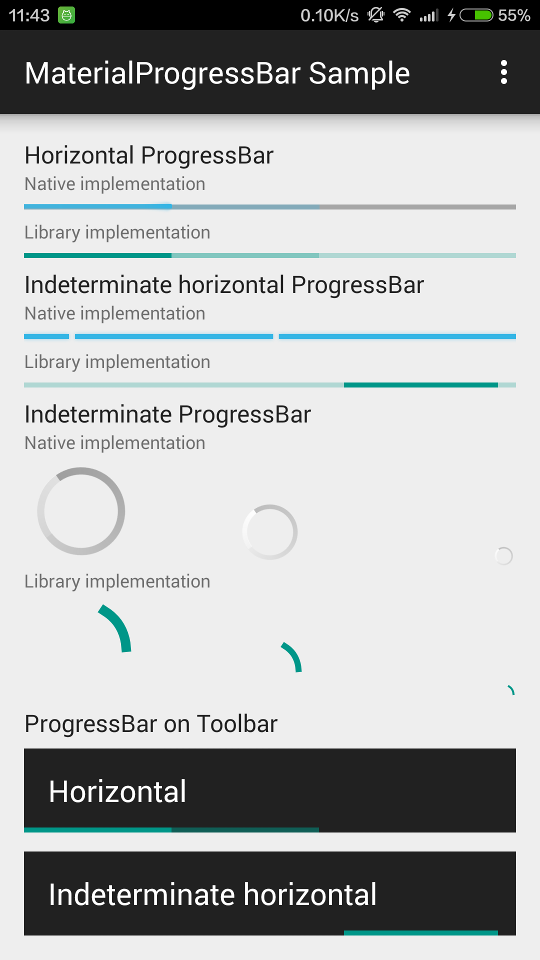
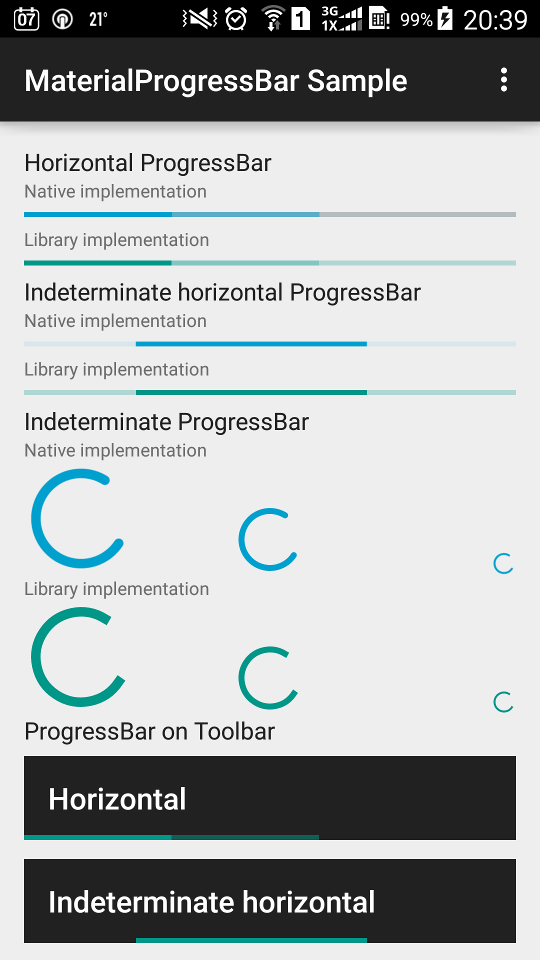
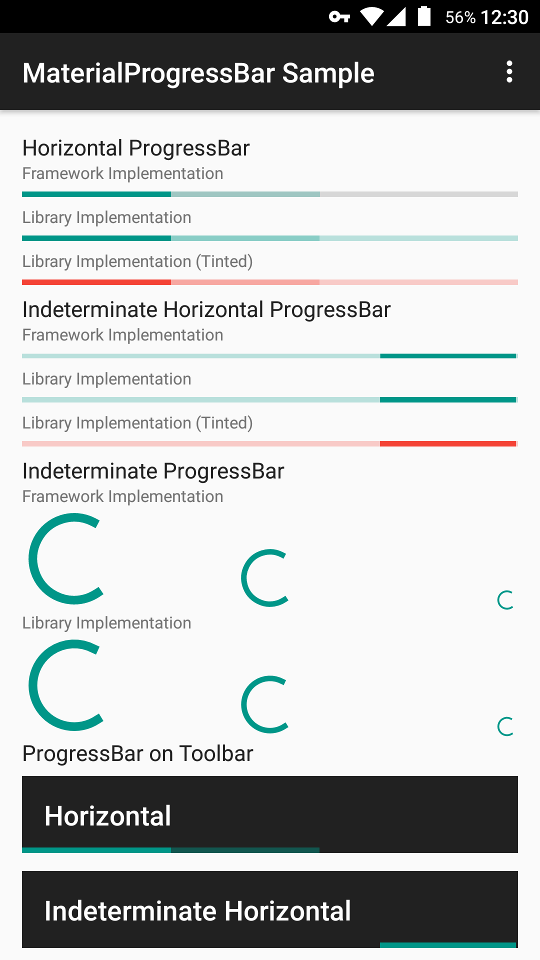
zhanghai/MaterialProgressBar là dự án tập trung di động trên GitHub với 2.2k sao, viết chủ yếu bằng Java. Material Design ProgressBar with consistent appearance
Tóm tắt dựng từ metadata GitHub của chính dự án — chưa có bài review TopGit. Trang sẽ tự động cập nhật khi bài review đầy đủ được xuất bản.
VÌ SAO CHƯA CÓ REVIEW
TopGit viết bài đầy đủ cho repo có nhiều sao nhất và được yêu cầu nhiều nhất. Trang này là snapshot trong thời gian chờ — xem README gốc ở tab READ ME.
In order to make your ProgressBar take the correct and consistent size on all versions, you will always need to use one of the styles from this library. The trick inside it is android:minWidth, android:maxWidth (and height) that controls the drawable size.
Widget.MaterialProgressBar.ProgressBar
Widget.MaterialProgressBar.ProgressBar.Horizontal
And more size and no-padding variants in styles.xml
Available custom attributes:
app:mpb_progressStyle: Style of progress drawable: circular or horizontal. Defaults to circular.
app:mpb_setBothDrawables: Whether both determinate and indeterminate drawables should be set on this progress bar. Defaults to false (for performance). Should be set to true if you want to use both of the backported determinate and indeterminate drawables.
app:mpb_useIntrinsicPadding: Whether progress drawable should use its intrinsic padding. Defaults to true.
app:mpb_showProgressBackground: Whether progress drawable should show a progress background. Defaults to true for horizontal progress drawable, false otherwise.
app:mpb_determinateCircularProgressStyle: Style of determinate circular progress drawable: normal or dynamic. Defaults to normal.
8 tint-related attributes such as app:mpb_progressTint and app:mpb_progressTintMode are also supported so that they can control the tinting of progress drawables. The default tint color is ?colorControlActivated, and the default tint mode is src_in.
For a detailed example, you can refer to the sample app's layout, where you can find examples such as removing progress padding or background.
Using Drawable
Three Material Design drawables are backported to Android 4.0 (API 14), so you can create one and set it directly on your ProgressBar.
HorizontalProgressDrawable
IndeterminateHorizontalProgressDrawable
CircularProgressDrawable
IndeterminateCircularProgressDrawable
For example, to set a IndeterminateHorizontalProgressDrawable on a ProgressBar.
Don't forget to create and set the drawable as above.
You can also customize the behavior of these drawables by calling setShowBackground() and setUseIntrinsicPadding(). Tint-related methods setTint(), setTintList() and setTintMode() are also backported so that you can use them directly, but remember to take these drawables as their actual type or TintableDrawable because VM won't be able to find these methods on Drawable for legacy platforms.
If you want to support API level < 18, you'll need to workaround a canvas limitation as in here; Using MaterialProgressBar does this automatically.
For a detailed example, you can refer to the onCreate() method of the old sample's MainActivity and its layout main_activity.xml.
ProGuard
The AAR of this library has already included a ProGuard configuration file to make ObjectAnimator work properly.
Older versions
Neither Support v4 nor AppCompat v7 backported animation API to versions prior to ICS, and the NineOldAndroids library has already been deprecated since people should all be using minSdkVersion="14" now, so versions older than ICS are not supported.
License
Copyright 2015 Hai Zhang

Licensed under the Apache License, Version 2.0 (the "License");
you may not use this file except in compliance with the License.
You may obtain a copy of the License at

   http://www.apache.org/licenses/LICENSE-2.0

Unless required by applicable law or agreed to in writing, software
distributed under the License is distributed on an "AS IS" BASIS,
WITHOUT WARRANTIES OR CONDITIONS OF ANY KIND, either express or implied.
See the License for the specific language governing permissions and
limitations under the License.
Trang TopGit này là một snapshot — tab "Readme" hiển thị nguyên văn README của repo (đã bỏ link, giữ ảnh). Repo GitHub ở github.com/zhanghai/MaterialProgressBar là nguồn chính thức.
zhanghai/MaterialProgressBar có bao nhiêu sao?
zhanghai/MaterialProgressBar có 2.2k sao GitHub — tải lại trang để xem số mới nhất, hoặc xem trực tiếp github.com/zhanghai/MaterialProgressBar. TopGit phản chiếu số sao của GitHub nhưng không cam kết đến từng phút.
zhanghai/MaterialProgressBar có phải mã nguồn mở không?
Có — zhanghai/MaterialProgressBar phát hành theo license Apache-2.0, nghĩa là mã nguồn mở để đọc, fork và (tùy license) tái sử dụng. Mã: github.com/zhanghai/MaterialProgressBar.
zhanghai/MaterialProgressBar còn đang phát triển không?
Commit gần nhất trên zhanghai/MaterialProgressBar là 6.1 năm trước (theo timestamp GitHub). Repo có 279 fork — một chỉ báo về mức độ quan tâm của cộng đồng.
zhanghai/MaterialProgressBar là gì?
zhanghai/MaterialProgressBar (zhanghai/MaterialProgressBar) là dự án Java trên GitHub. Theo mô tả gốc: Material Design ProgressBar with consistent appearance
zhanghai/MaterialProgressBar so với các dự án Mobile khác thế nào?
zhanghai/MaterialProgressBar được TopGit xếp vào nhóm Mobile, với 2.2k sao GitHub và viết bằng Java. Xem trang chủ đề Mobile trên TopGit để so sánh với các dự án tương tự theo số sao và mức độ hoạt động.
Đọc đầy đủ README ở tab phía trên.
MaterialProgressBar có đáng để bạn bỏ thời gian?
ChatGPT, Claude và Perplexity đều đọc được trang này. Hỏi thử xem họ nghĩ gì về MaterialProgressBar.
 /MaterialProgressBar