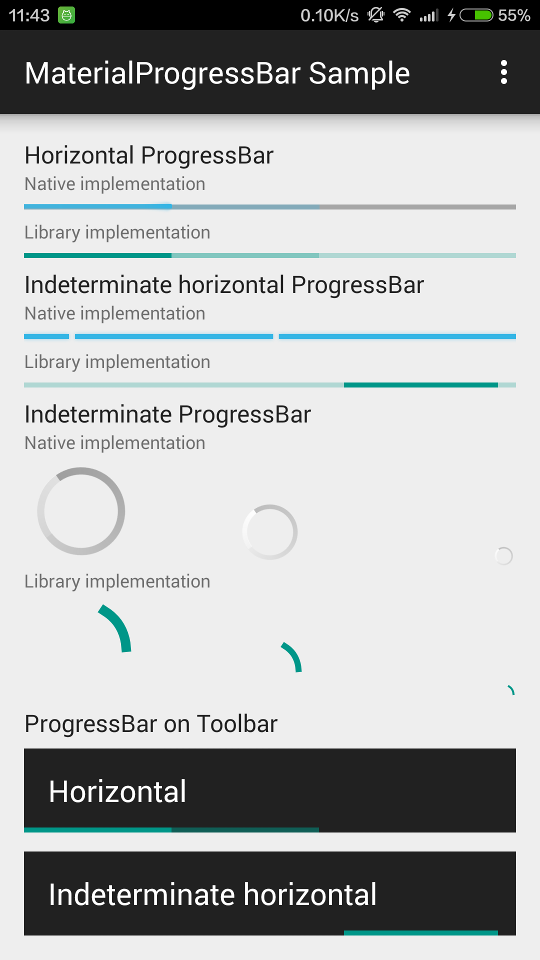
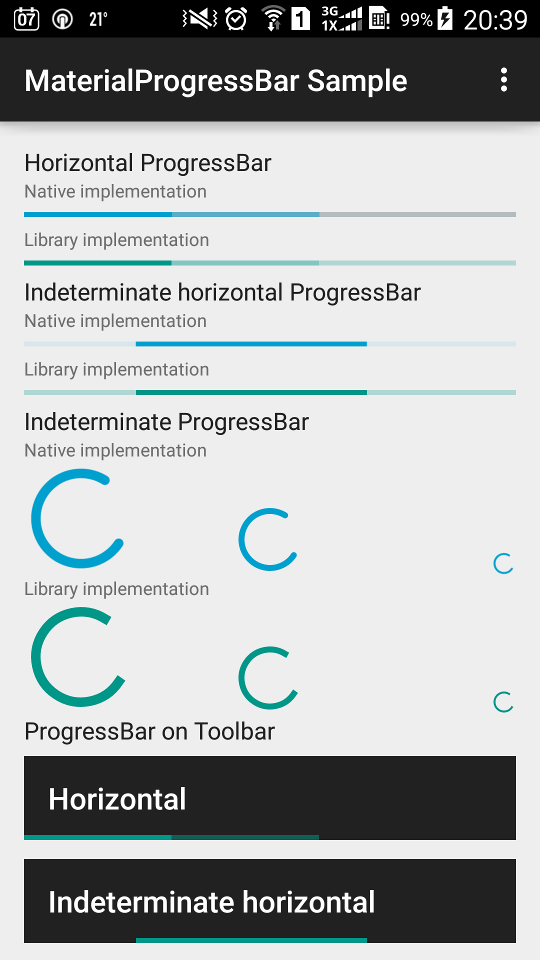
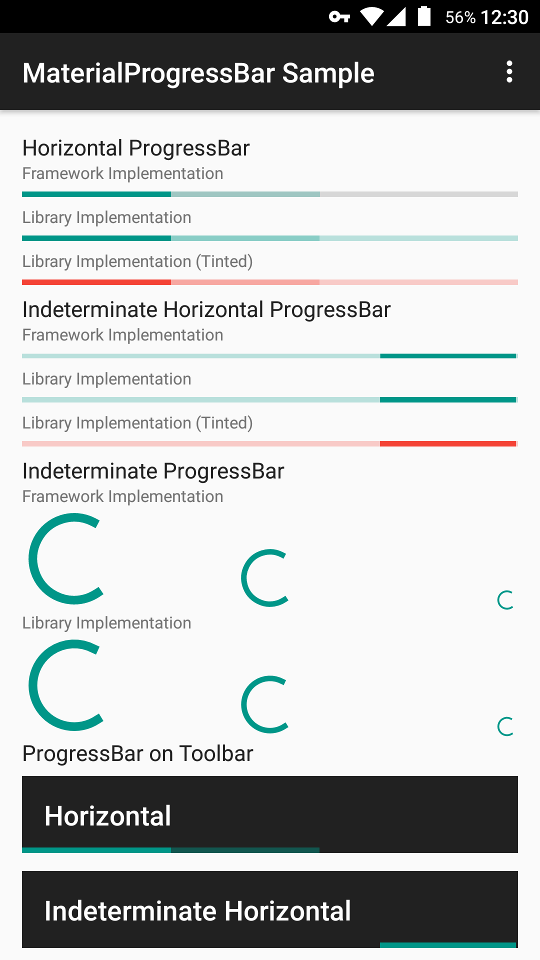
zhanghai/MaterialProgressBar is a Java project with 2.2k stars in the Mobile space. Material Design ProgressBar with consistent appearance
Snapshot summary built from the project's own GitHub metadata — there's no written TopGit review yet. The page will update automatically when a full review is published.
WHY NO REVIEW YET
TopGit writes full reviews for the most-starred, most-requested repositories. This page is a snapshot until then — see the READ ME tab for the original README in full.
In order to make your ProgressBar take the correct and consistent size on all versions, you will always need to use one of the styles from this library. The trick inside it is android:minWidth, android:maxWidth (and height) that controls the drawable size.
Widget.MaterialProgressBar.ProgressBar
Widget.MaterialProgressBar.ProgressBar.Horizontal
And more size and no-padding variants in styles.xml
Available custom attributes:
app:mpb_progressStyle: Style of progress drawable: circular or horizontal. Defaults to circular.
app:mpb_setBothDrawables: Whether both determinate and indeterminate drawables should be set on this progress bar. Defaults to false (for performance). Should be set to true if you want to use both of the backported determinate and indeterminate drawables.
app:mpb_useIntrinsicPadding: Whether progress drawable should use its intrinsic padding. Defaults to true.
app:mpb_showProgressBackground: Whether progress drawable should show a progress background. Defaults to true for horizontal progress drawable, false otherwise.
app:mpb_determinateCircularProgressStyle: Style of determinate circular progress drawable: normal or dynamic. Defaults to normal.
8 tint-related attributes such as app:mpb_progressTint and app:mpb_progressTintMode are also supported so that they can control the tinting of progress drawables. The default tint color is ?colorControlActivated, and the default tint mode is src_in.
For a detailed example, you can refer to the sample app's layout, where you can find examples such as removing progress padding or background.
Using Drawable
Three Material Design drawables are backported to Android 4.0 (API 14), so you can create one and set it directly on your ProgressBar.
HorizontalProgressDrawable
IndeterminateHorizontalProgressDrawable
CircularProgressDrawable
IndeterminateCircularProgressDrawable
For example, to set a IndeterminateHorizontalProgressDrawable on a ProgressBar.
Don't forget to create and set the drawable as above.
You can also customize the behavior of these drawables by calling setShowBackground() and setUseIntrinsicPadding(). Tint-related methods setTint(), setTintList() and setTintMode() are also backported so that you can use them directly, but remember to take these drawables as their actual type or TintableDrawable because VM won't be able to find these methods on Drawable for legacy platforms.
If you want to support API level < 18, you'll need to workaround a canvas limitation as in here; Using MaterialProgressBar does this automatically.
For a detailed example, you can refer to the onCreate() method of the old sample's MainActivity and its layout main_activity.xml.
ProGuard
The AAR of this library has already included a ProGuard configuration file to make ObjectAnimator work properly.
Older versions
Neither Support v4 nor AppCompat v7 backported animation API to versions prior to ICS, and the NineOldAndroids library has already been deprecated since people should all be using minSdkVersion="14" now, so versions older than ICS are not supported.
License
Copyright 2015 Hai Zhang

Licensed under the Apache License, Version 2.0 (the "License");
you may not use this file except in compliance with the License.
You may obtain a copy of the License at

   http://www.apache.org/licenses/LICENSE-2.0

Unless required by applicable law or agreed to in writing, software
distributed under the License is distributed on an "AS IS" BASIS,
WITHOUT WARRANTIES OR CONDITIONS OF ANY KIND, either express or implied.
See the License for the specific language governing permissions and
limitations under the License.
How active is development on zhanghai/MaterialProgressBar?
The most recent commit recorded on zhanghai/MaterialProgressBar was 6.1 years ago, based on the GitHub push timestamp. The repository has 279 forks — one of the better signals of community interest.
How does zhanghai/MaterialProgressBar compare to other Mobile projects?
zhanghai/MaterialProgressBar is tracked by TopGit in the Mobile category, with 2.2k GitHub stars and written in Java. Browse the Mobile topic page on TopGit to compare it against similar projects by stars and activity.
How many stars does zhanghai/MaterialProgressBar have?
zhanghai/MaterialProgressBar has 2.2k GitHub stars — refresh the page for the live number, or check github.com/zhanghai/MaterialProgressBar. TopGit mirrors GitHub's count but does not claim minute-by-minute accuracy.
Is zhanghai/MaterialProgressBar open source?
Yes — zhanghai/MaterialProgressBar ships under the Apache-2.0 license, which makes its source code freely readable (and, depending on license terms, forkable and reusable). Source: github.com/zhanghai/MaterialProgressBar.
What is zhanghai/MaterialProgressBar?
zhanghai/MaterialProgressBar (zhanghai/MaterialProgressBar) is a Java project on GitHub. From the project's own README: Material Design ProgressBar with consistent appearance
Where do I read more about zhanghai/MaterialProgressBar?
This TopGit page is a snapshot — the READ ME tab shows the project's own README content (links stripped, images preserved). The GitHub repository at github.com/zhanghai/MaterialProgressBar is the definitive source.
Read full README in the tab above.
Is MaterialProgressBar worth your time?
ChatGPT, Claude and Perplexity can all read this page. Ask one of them what it makes of MaterialProgressBar.
 /MaterialProgressBar