zhkl0228/unidbg

Là một dự án di động, zhkl0228/unidbg đã đạt 5.1k sao trên GitHub, ngôn ngữ Java. Allows you to emulate an Android native library, and an experimental iOS emulation
Tóm tắt dựng từ metadata GitHub của chính dự án — chưa có bài review TopGit. Trang sẽ tự động cập nhật khi bài review đầy đủ được xuất bản.
TopGit viết bài đầy đủ cho repo có nhiều sao nhất và được yêu cầu nhiều nhất. Trang này là snapshot trong thời gian chờ — xem README gốc ở tab READ ME.
Snapshot
Cộng tác viên hàng đầu
Xem cộng tác viên hàng đầu
unidbg
Allows you to emulate an Android native library, and an experimental iOS emulation.
This is an educational project to learn more about the ELF/MachO file format and ARM assembly.
Use it at your own risk !
Features
- Support MCP (Model Context Protocol) for AI-assisted debugging with Cursor and other AI tools.
- Emulation of the JNI Invocation API so JNI_OnLoad can be called.
- Support JavaVM, JNIEnv.
- Emulation of syscalls instruction.
- Support ARM32 and ARM64.
- Inline hook, thanks to Dobby.
- Android import hook, thanks to xHook.
- iOS fishhook and substrate and whale hook.
- unicorn backend support simple console debugger, gdb stub, instruction trace, memory read/write trace.
- Support iOS objc and swift runtime.
- Support dynarmic fast backend.
- Support Apple M1 hypervisor, the fastest ARM64 backend.
- Support Linux KVM backend with Raspberry Pi B4.
- Memory leak detection for emulated native code with guest backtrace and host stack trace.
MCP Debugger (AI Integration)
unidbg supports Model Context Protocol (MCP) for AI-assisted debugging. When the debugger is active, type mcp in the console to start an MCP server that AI tools (e.g. Cursor) can connect to.
Quick Start
unidbg MCP has two operating modes:
Mode 1: Breakpoint Debug — Attach the debugger and run your code. When a breakpoint is hit, Breaker.debug() pauses the emulator — type mcp in the console to start MCP server and let AI assist with analysis. All debugging tools are available (registers, memory, disassembly, stepping, tracing, etc). After resuming, if another breakpoint is hit the debugger pauses again. Once execution completes without hitting a breakpoint, the process exits and MCP shuts down.
Debugger debugger = emulator.attach();
debugger.addBreakPoint(address);
// run your emulation logic — debugger pauses when breakpoint is hit
Mode 2: Custom Tools (Repeatable) — Use McpToolkit to register custom tools and let AI re-run target functions with different parameters. The native library is loaded once; after each execution the process stays alive and MCP remains active for the next run.
McpToolkit toolkit = new McpToolkit();
toolkit.addTool(new McpTool() {
    @Override public String name() { return "encrypt"; }
    @Override public String description() { return "Run encryption"; }
    @Override public String[] paramNames() { return new String[]{"input"}; }
    @Override public void execute(String[] params) {
        String input = params.length > 0 ? params[0] : "default";
        // call encryption with input
    }
});
toolkit.run(emulator.attach());
When the debugger breaks, type mcp (or mcp 9239 to specify port) in the console. Then add to Cursor MCP settings:
{
  "mcpServers": {
    "unidbg-mcp-server": {
      "url": "http://localhost:9239/sse"
    }
  }
}
Available MCP Tools
Status & Info
| Tool | Description |
|---|---|
check_connection | Emulator status: Family, architecture, backend capabilities, isRunning, loaded modules |
list_modules / get_module_info | List loaded modules, get detail including exported symbol count and dependencies |
list_exports | List exported/dynamic symbols of a module with optional filter and C++ demangling |
find_symbol | Find symbol by name or find nearest symbol at address |
get_threads | List all threads/tasks in the emulator |
Registers & Disassembly
| Tool | Description |
|---|---|
get_registers / get_register / set_register | Read/write CPU registers |
disassemble | Disassemble instructions at address (branch targets auto-annotated with symbol names) |
assemble | Assemble instruction text to machine code |
get_callstack | Get current call stack (backtrace) |
Memory
| Tool | Description |
|---|---|
read_memory / write_memory | Read/write raw memory bytes |
read_string / read_std_string | Read C string or C++ std::string (with SSO detection) |
read_pointer | Read pointer chain with symbol resolution |
read_typed | Read memory as typed values (int8–int64, float, double, pointer) |
search_memory | Search memory for byte patterns with scope/permission filters |
list_memory_map | List all memory mappings with permissions |
allocate_memory / free_memory / list_allocations | Allocate (malloc/mmap) with optional initial data, free, and track memory blocks |
patch | Write assembled instructions to memory |
Breakpoints & Execution
| Tool | Description |
|---|---|
add_breakpoint / add_breakpoint_by_symbol / add_breakpoint_by_offset | Add breakpoints by address, symbol, or module+offset |
remove_breakpoint / list_breakpoints | Remove or list breakpoints (with disassembly) |
continue_execution | Resume execution. Use poll_events to wait for breakpoint_hit or execution_completed |
step_over / step_into / step_out | Step over, into (N instructions), or out of function |
next_block | Break at next basic block (Unicorn only) |
step_until_mnemonic | Break at next instruction matching mnemonic, e.g. bl, ret (Unicorn only) |
poll_events | Poll for breakpoint_hit, execution_completed, trace events |
Tracing
| Tool | Description |
|---|---|
trace_code | Trace instructions with register read/write values (regs_read, prev_write) |
trace_read / trace_write | Trace memory reads/writes in address range |
Function Calls
| Tool | Description |
|---|---|
call_function | Call native function by address with typed arguments (hex, string, bytes, null). Returns value with symbol resolution and memory preview |
call_symbol | Call exported function by module + symbol name, e.g. libc.so + malloc |
iOS Only (available when Family=iOS)
| Tool | Description |
|---|---|
inspect_objc_msg | Inspect objc_msgSend call: show receiver class name and selector, e.g. -[NSString length] |
get_objc_class_name | Get ObjC class name of an object at a given address (pure memory parsing, no state change) |
dump_objc_class | Dump ObjC class definition (properties, methods, protocols, ivars) |
dump_gpb_protobuf | Dump GPB protobuf message schema as .proto format (64-bit only) |
Custom MCP Tools
Use McpToolkit to register custom tools, each implementing the McpTool interface. This replaces manual if-else dispatch with clean, self-contained tool classes. By this point the native library is fully loaded (JNI_OnLoad / entry point already executed), so the code inside each tool's execute() is the target function logic to analyze. AI can set breakpoints and traces before triggering a custom tool, then inspect execution results across different inputs without restarting the process.
Android Example — See Utilities64.java for an Android JNI example with custom MCP tools:
DalvikModule dm = vm.loadLibrary(new File("libtmessages.29.so"), true);
dm.callJNI_OnLoad(emulator);
cUtilities = vm.resolveClass("org/telegram/messenger/Utilities");

McpToolkit toolkit = new McpToolkit();
toolkit.addTool(new McpTool() {
    @Override public String name() { return "aesCbc"; }
    @Override public String description() { return "Run AES-CBC encryption on input data"; }
    @Override public String[] paramNames() { return new String[]{"input"}; }
    @Override public void execute(String[] params) {
        byte[] input = params.length > 0 ? params[0].getBytes() : new byte[16];
        aesCbcEncryptionByteArray(input);
    }
});
toolkit.addTool(new McpTool() {
    @Override public String name() { return "aesCtr"; }
    @Override public String description() { return "Run AES-CTR decryption on input data"; }
    @Override public String[] paramNames() { return new String[]{"input"}; }
    @Override public void execute(String[] params) {
        byte[] input = params.length > 0 ? params[0].getBytes() : new byte[16];
        aesCtrDecryptionByteArray(input);
    }
});
toolkit.addTool(new McpTool() {
    @Override public String name() { return "pbkdf2"; }
    @Override public String description() { return "Run PBKDF2 key derivation"; }
    @Override public String[] paramNames() { return new String[]{"password", "iterations"}; }
    @Override public void execute(String[] params) {
        String password = params.length > 0 ? params[0] : "123456";
        int iterations = params.length > 1 ? Integer.parseInt(params[1]) : 100000;
        pbkdf2(password.getBytes(), iterations);
    }
});
toolkit.run(emulator.attach());
iOS Example — See IpaLoaderTest.java for an iOS IPA loading example with custom MCP tools:
IpaLoader ipaLoader = new IpaLoader64(ipa, new File("target/rootfs/ipa"));
LoadedIpa loader = ipaLoader.load(this);
emulator = loader.getEmulator();
loader.callEntry();
module = loader.getExecutable();

McpToolkit toolkit = new McpToolkit();
toolkit.addTool(new McpTool() {
    @Override public String name() { return "dumpClass"; }
    @Override public String description() { return "Dump an ObjC class definition by name"; }
    @Override public String[] paramNames() { return new String[]{"className"}; }
    @Override public void execute(String[] params) {
        String className = params.length > 0 ? params[0] : "AppDelegate";
        IClassDumper classDumper = ClassDumper.getInstance(emulator);
        System.out.println("dumpClass(" + className + "):\n" + classDumper.dumpClass(className));
    }
});
toolkit.addTool(new McpTool() {
    @Override public String name() { return "readVersion"; }
    @Override public String description() { return "Read the TelegramCoreVersionString from the executable"; }
    @Override public void execute(String[] params) {
        Symbol sym = module.findSymbolByName("_TelegramCoreVersionString");
        if (sym != null) {
            Pointer pointer = UnidbgPointer.pointer(emulator, sym.getAddress());
            if (pointer != null) {
                System.out.println("_TelegramCoreVersionString=" + pointer.getString(0));
            }
        }
    }
});
toolkit.run(emulator.attach());
Once the MCP server is started, AI can call these tools via MCP to run emulations with custom parameters, set breakpoints, trace execution, and inspect results — all without restarting the process.
Low-level API: You can also use
Debugger.addMcpTool()+Debugger.run(DebugRunnable)directly for full control.McpToolkitis a higher-level wrapper that eliminates if-else dispatch.
Memory Leak Detection
Track guest-side memory allocations (mmap/munmap/brk) to detect leaks in emulated native code. Use try-with-resources — tracking starts on creation, and the leak report is printed automatically on close.
try (MemoryTracker tracker = emulator.traceMemoryLeaks()) {
    module.callFunction(emulator, "targetFunction", arg1, arg2);
}
Each leaked block includes guest ARM backtrace (module+offset+symbol) and host Java stack trace. Sample output:
=== Memory Leak Report ===
Tracking duration: 42ms
Total allocations: 5
Total deallocations: 3
Leaked blocks: 2
Total leaked size: 32768 bytes (32.0 KB)

--- Leak #1 ---
Address: 0x40001000, Size: 16384 (16.0 KB), Perms: rw-
Guest Backtrace:
  #0 0x40123456 libexample.so+0x3456 (malloc+0x12)
  #1 0x40124000 libexample.so+0x4000 (doSomething+0x48)
Host Stack Trace:
  com.github.unidbg.linux.AndroidElfLoader.mmap2(AndroidElfLoader.java:785)
  ...
You can also access the report programmatically before close:
try (MemoryTracker tracker = emulator.traceMemoryLeaks()) {
    module.callFunction(emulator, "targetFunction", arg1, arg2);
    List<AllocationRecord> leaks = tracker.getLeaks();
    assert leaks.isEmpty() : "Memory leak detected!";
}
Worker Pool
A thread-safe object pool for reusing emulator instances across multiple threads, avoiding the overhead of repeated initialization.
- Lazy initialization — Workers are created on-demand only when the pool is empty, not upfront.
- Max limit — Total alive workers (borrowed + idle) never exceeds the configured maximum.
- Idle cleanup — Workers idle for longer than the timeout (default 10 minutes) are automatically destroyed by the management thread.
- Min idle — A minimum number of workers (default 1) is always kept alive, even when idle.
1. Implement a Worker
public class MyWorker implements Worker {
    private final AndroidEmulator emulator;

    public MyWorker() {
        emulator = AndroidEmulatorBuilder.for64Bit().build();
        // load .so, call JNI_OnLoad, etc.
    }

    @Override
    public void destroy() {
        emulator.close();
    }

    public byte[] doWork(byte[] input) {
        // call native methods and return the result
    }
}
2. Create Pool, Borrow, and Close
// Create a worker pool (max = CPU cores, lazy-initialized)
WorkerPool pool = WorkerPoolFactory.create(MyWorker::new);
// Or specify max workers explicitly
// WorkerPool pool = WorkerPoolFactory.create(MyWorker::new, 4);

// Optional: customize idle timeout (default 10 minutes, minimum 1 minute)
pool.setIdleTimeout(30); // idle workers destroyed after 30 minutes
// Optional: customize minimum kept-alive workers (default 1, minimum 1)
pool.setMinIdle(2); // always keep at least 2 workers alive
// Optional: pre-create workers eagerly (default 0, fully lazy)
pool.setInitialSize(4); // eagerly create 4 workers on startup

// Concurrent invocation from multiple threads
ExecutorService executor = Executors.newFixedThreadPool(100);
for (int i = 0; i < 100; i++) {
    executor.submit(() -> {
        try (WorkerLoan<MyWorker> loan = pool.borrow(1, TimeUnit.MINUTES)) {
            if (loan != null) {
                byte[] result = loan.get().doWork(input);
            }
        } // worker is automatically returned to the pool
    });
}

executor.shutdown();
executor.awaitTermination(10, TimeUnit.MINUTES);
pool.close(); // destroy all workers and release resources
See TTEncryptWorker.java for a complete example.
Examples
Simple tests under src/test directory:
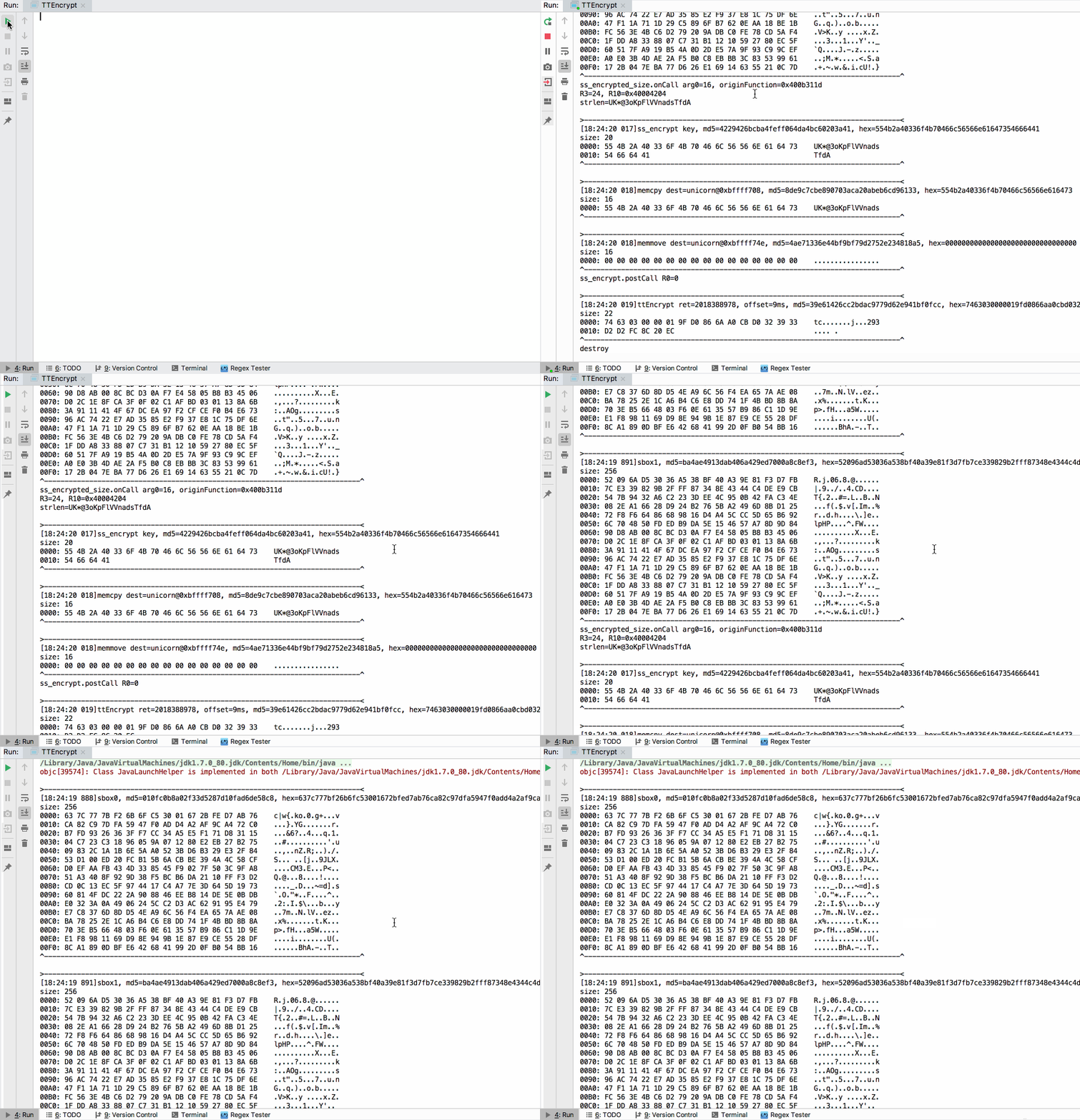
- TTEncrypt.java
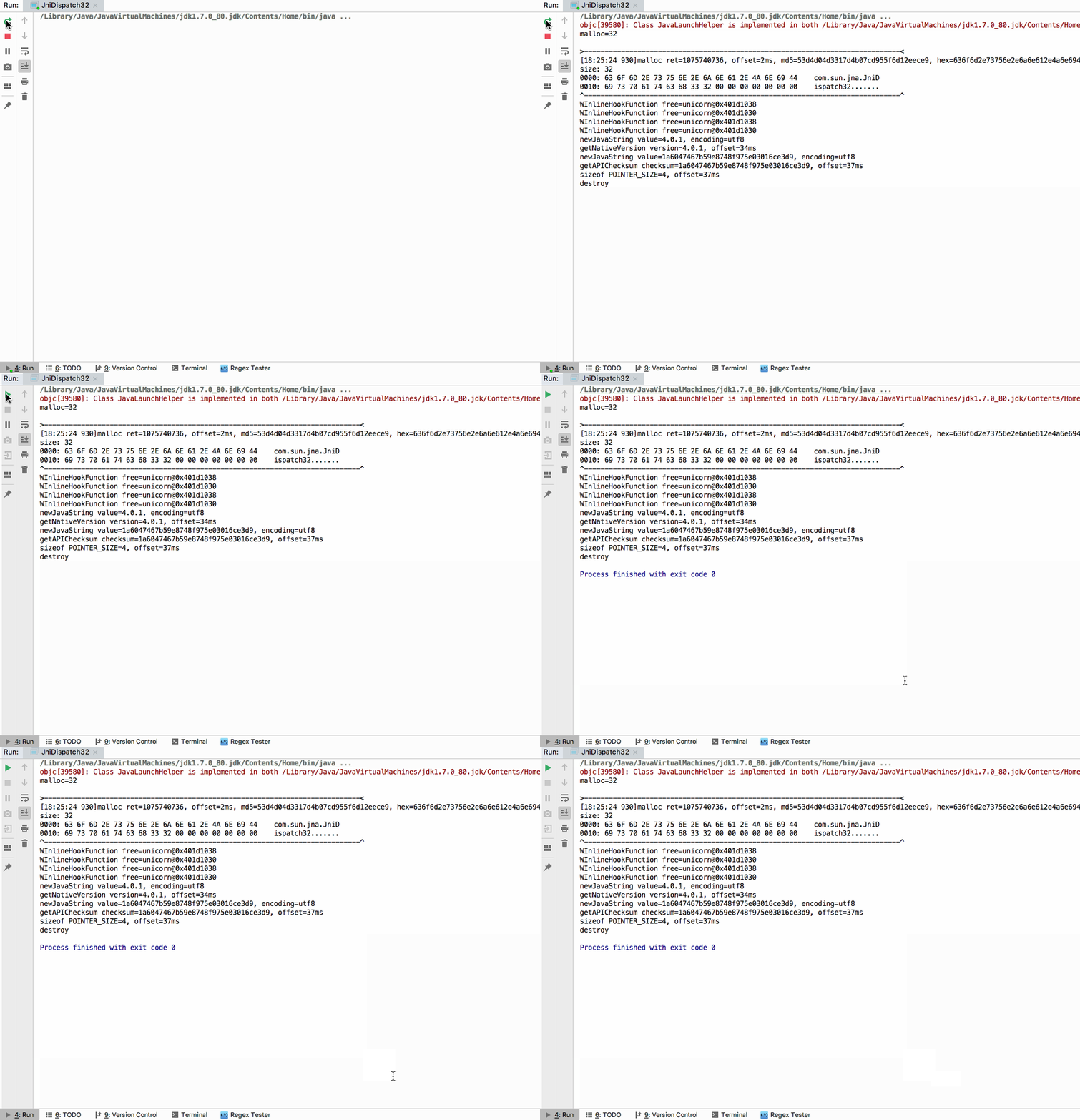
- JniDispatch32.java
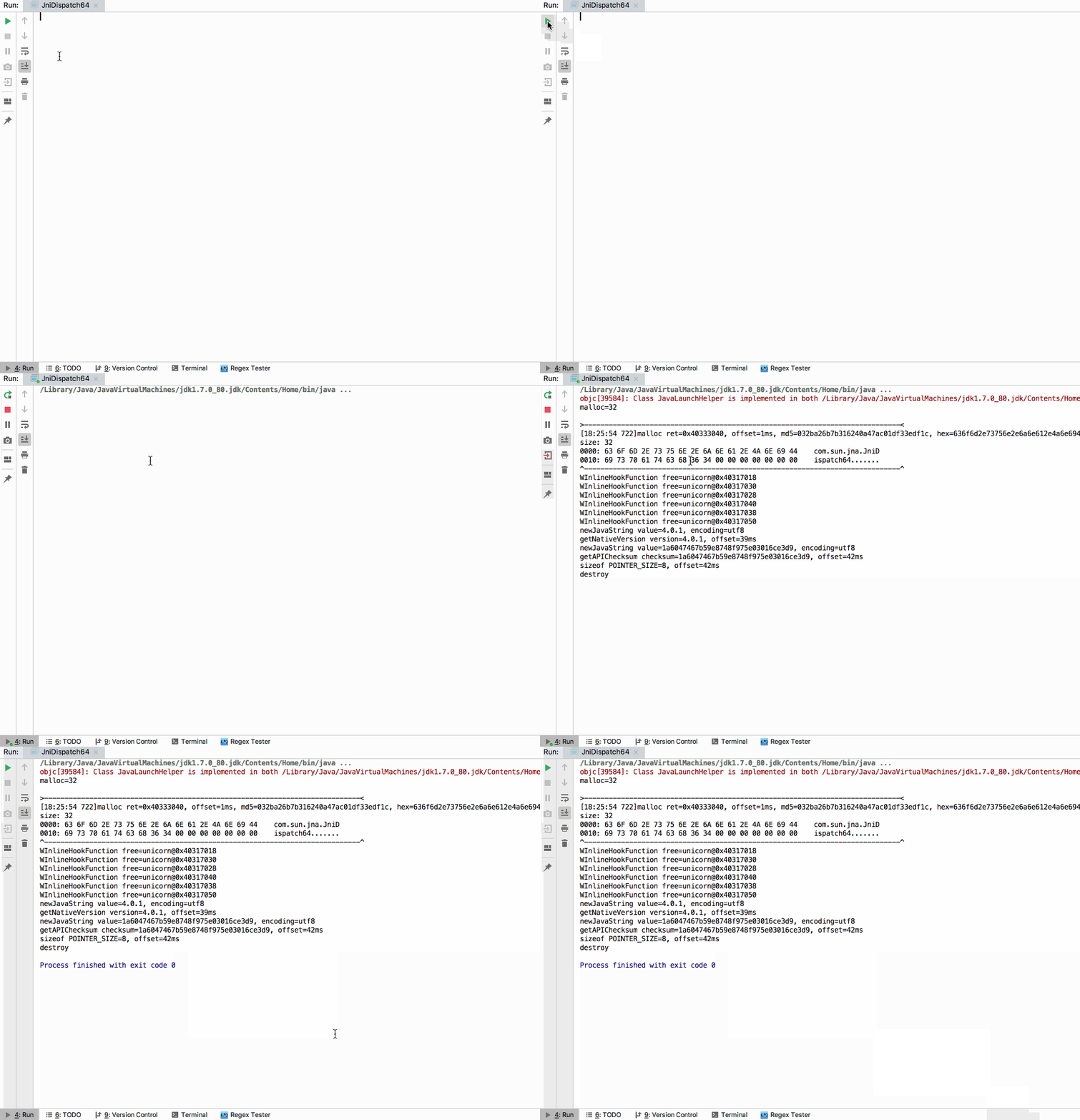
- JniDispatch64.java
- Utilities32.java
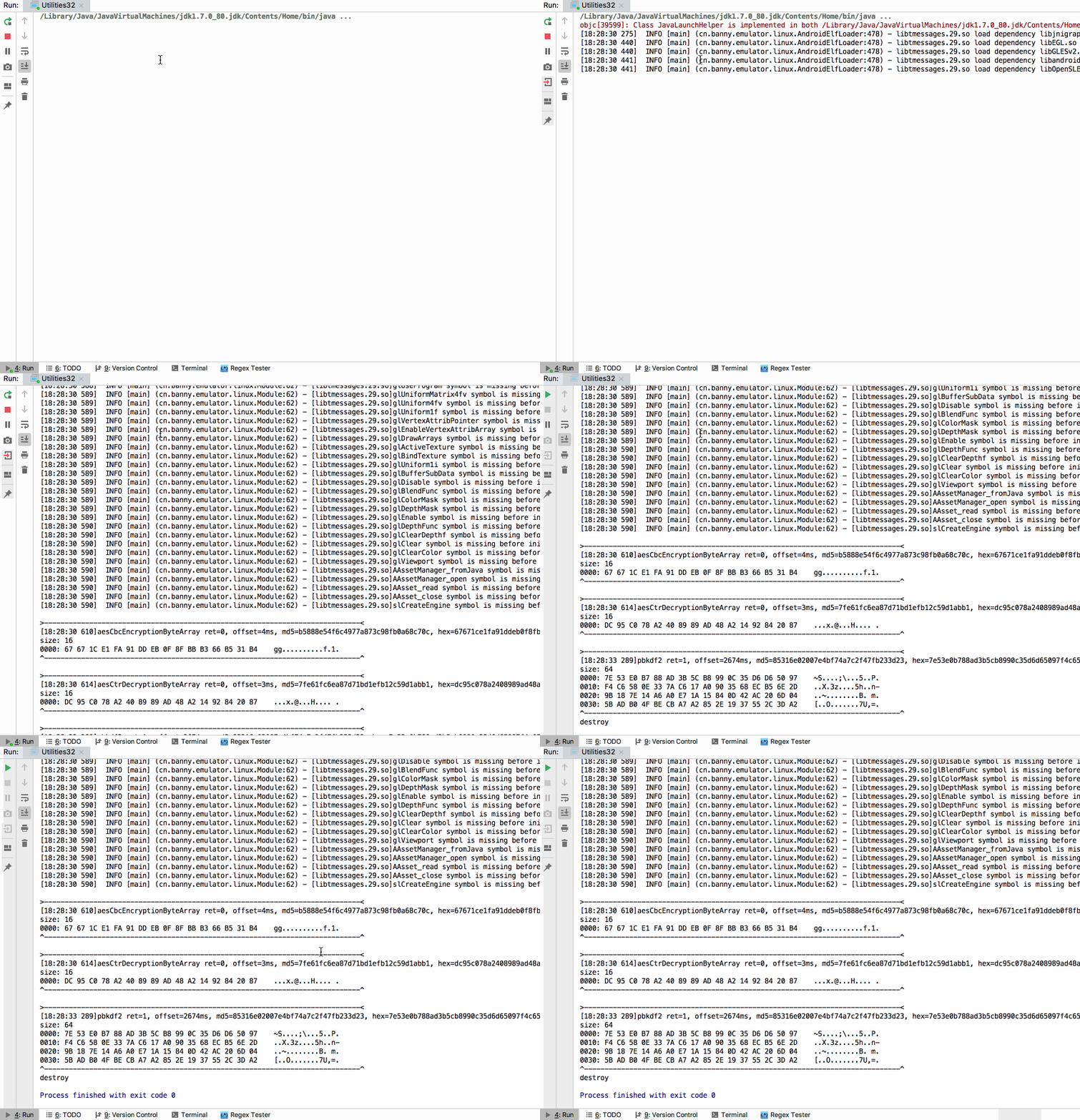
- Utilities64.java
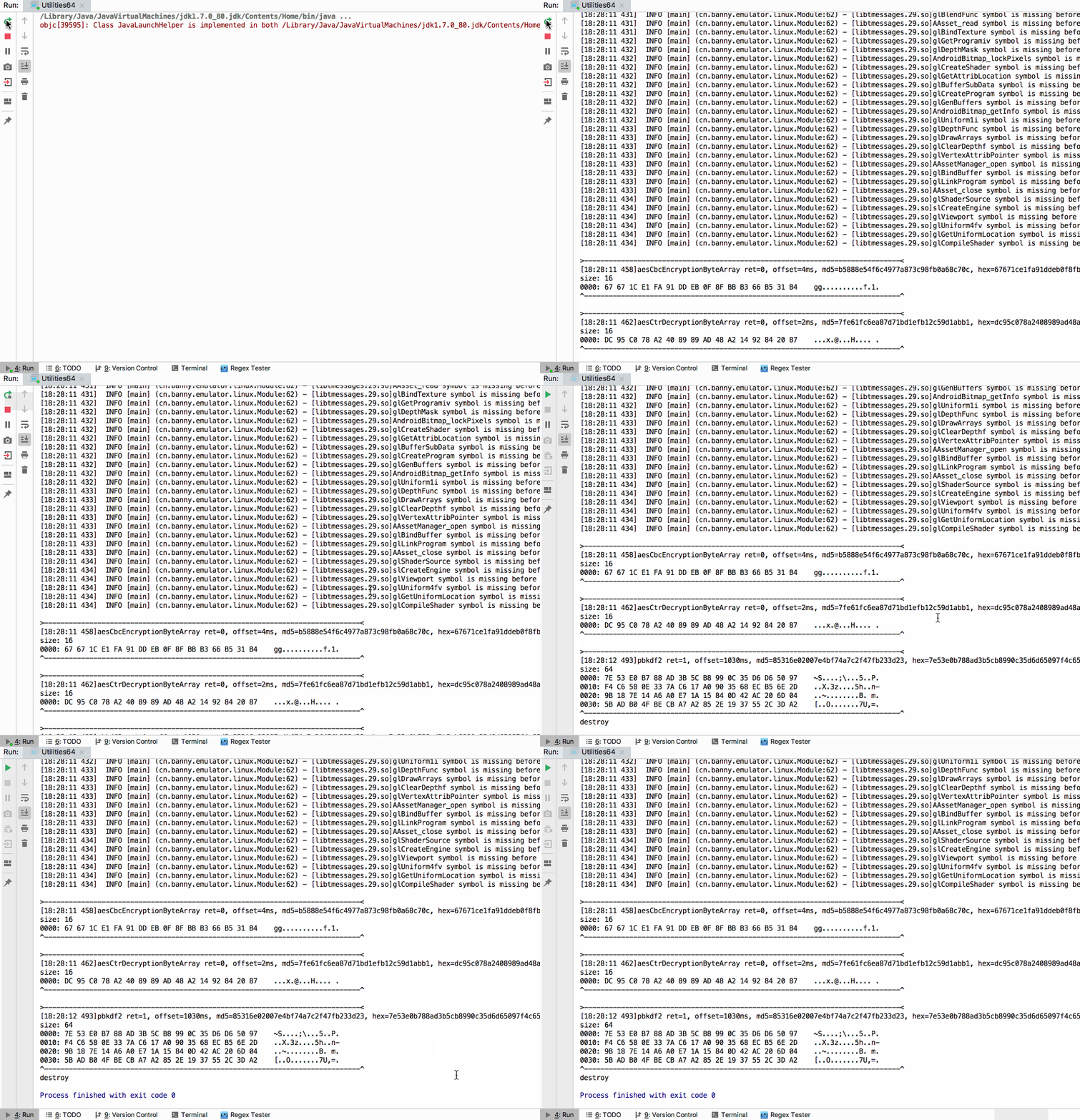
More tests:
- QDReaderJni.java
- SignUtil.java
License
- unidbg uses software libraries from Apache Software Foundation.
Thanks
- unicorn
- dynarmic
- HookZz
- xHook
- AndroidNativeEmu
- usercorn
- keystone
- capstone
- idaemu
- jelf
- whale
- kaitai_struct
- fishhook
- runtime_class-dump
- mman-win32
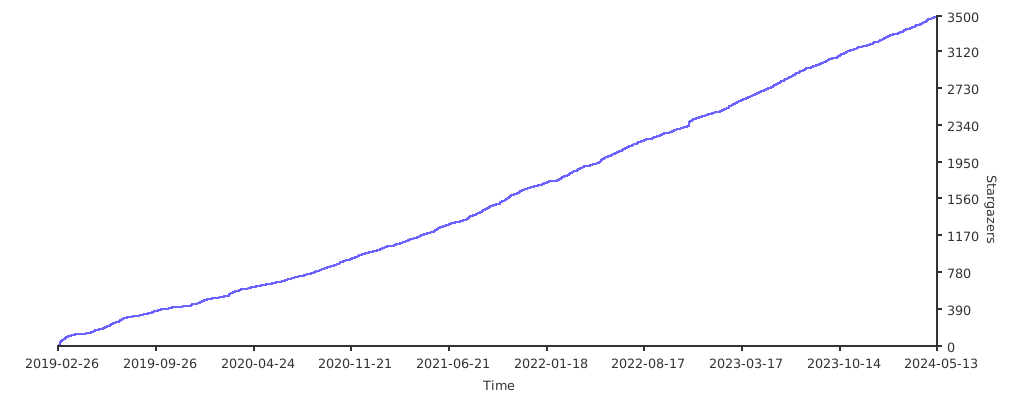
Stargazers over time
Repo liên quan
Flutter makes it easy and fast to build beautiful apps for mobile and beyond
Free Programming Books (Chinese) is justjavac's GitHub index of free programming books, translated manuals, and course notes in Chinese, organized under headings like AI, Go, C/C++, and version control, with 118,080 stars and 28,234 forks. It's a link list, not a curriculum - entries range from full book translations to single blog posts, some flagged `:worried:` for dead links, and contribution happens only through pull requests.
An awesome list that curates the best Flutter libraries, tools, tutorials, articles and more.
Material Design icons by Google (Material Symbols)
Trả lời nhanh
Cùng nhóm Mobile còn repo nào?
zhkl0228/unidbg thuộc nhóm Mobile trên TopGit, cùng 16 topic GitHub. Trang Trending và Topics liệt kê các repo cùng số sao và cùng ngôn ngữ để so sánh.
Đọc thêm về zhkl0228/unidbg ở đâu?
Trang TopGit này là một snapshot — tab "Readme" hiển thị nguyên văn README của repo (đã bỏ link, giữ ảnh). Repo GitHub ở github.com/zhkl0228/unidbg là nguồn chính thức.
zhkl0228/unidbg có bao nhiêu sao?
zhkl0228/unidbg có 5.1k sao GitHub — tải lại trang để xem số mới nhất, hoặc xem trực tiếp github.com/zhkl0228/unidbg. TopGit phản chiếu số sao của GitHub nhưng không cam kết đến từng phút.
zhkl0228/unidbg có những chủ đề gì?
GitHub topics của zhkl0228/unidbg: "android", "capstone", "debugger", "dynarmic", "emulation", "emulator", "fishhook", "hypervisor", "ios", "keystone", "kvm", "mcp", "unicorn", "unidbg", "whale", "xhook". TopGit xếp repo vào nhóm Mobile.
zhkl0228/unidbg có phải mã nguồn mở không?
Có — zhkl0228/unidbg phát hành theo license Apache-2.0, nghĩa là mã nguồn mở để đọc, fork và (tùy license) tái sử dụng. Mã: github.com/zhkl0228/unidbg.
zhkl0228/unidbg có website riêng không?
TopGit chưa ghi nhận URL trang chủ cho zhkl0228/unidbg. Phần README ở tab phía trên thường có link demo, hoặc xem mô tả GitHub của repo.
zhkl0228/unidbg còn đang phát triển không?
Commit gần nhất trên zhkl0228/unidbg là 14 ngày trước (theo timestamp GitHub). Repo có 1.2k fork — một chỉ báo về mức độ quan tâm của cộng đồng.
Đọc đầy đủ README ở tab phía trên.