
Lilo is a Telegram personal assistant


Here are a few things Lilo can do:
- Send Lilo photos of food, and it tracks your calories.
- Leave a voice note on your run to pause your supplements, and Lilo adds a TODO.
- Ask Lilo to remind you when the Knicks game starts and send you score updates every 5 minutes.
- Ask Lilo to read an article out loud. Or give you a summary of the top stories on Hacker News.
- Collect a Uber receipt, and pull it up later to file for a reimbursement at work.
- Schedule a meeting with Jess next week, ask for suggestions on meeting location, and next week, remind you when it’s time to leave for the meeting.
Telegram is the easiest way to use Lilo, but it also works wherever you do: WhatsApp, web, desktop, mobile, or email. There's a companion mobile and desktop app for when you want to work more visually, like move things around on your TODO list.
What you can ask Lilo
| Find kid-friendly dinner | Track meals |
|---|
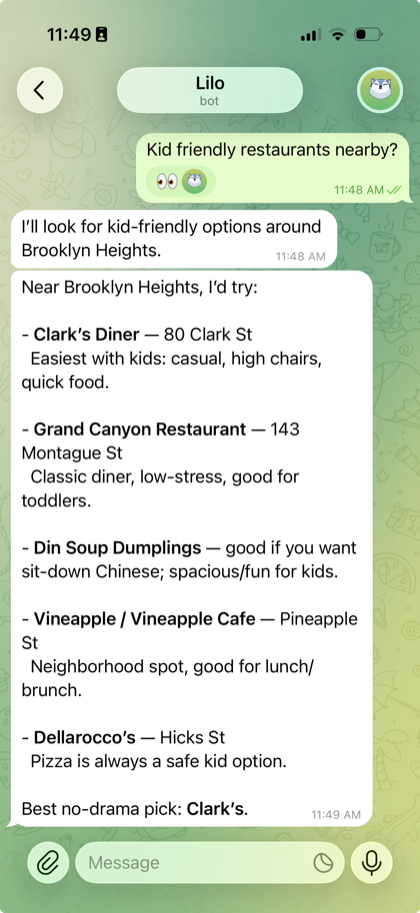 | 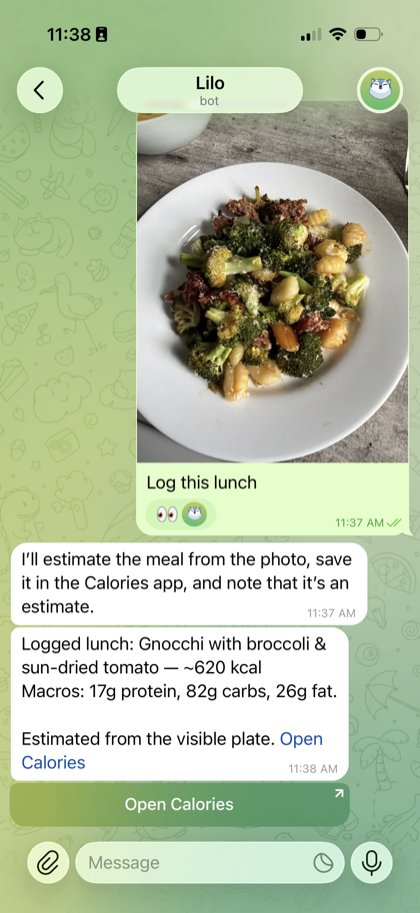 |
| Ask nearby and get a practical recommendation. | Send food and keep calories up to date. |
| Pull up return info | Manage TODOs |
|---|
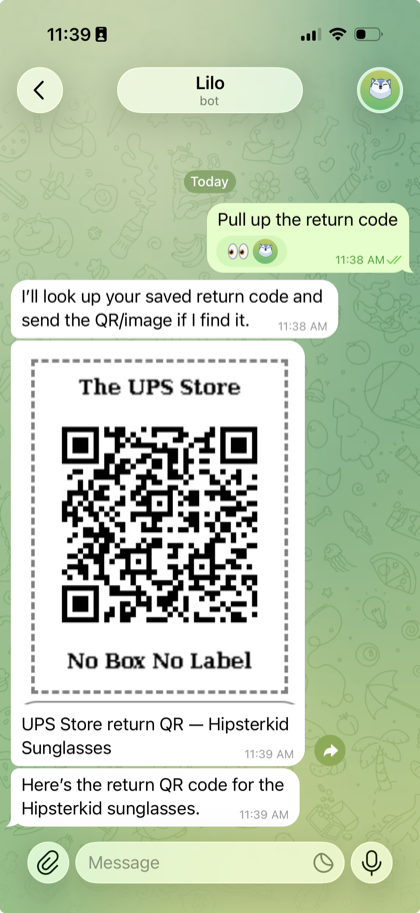 | 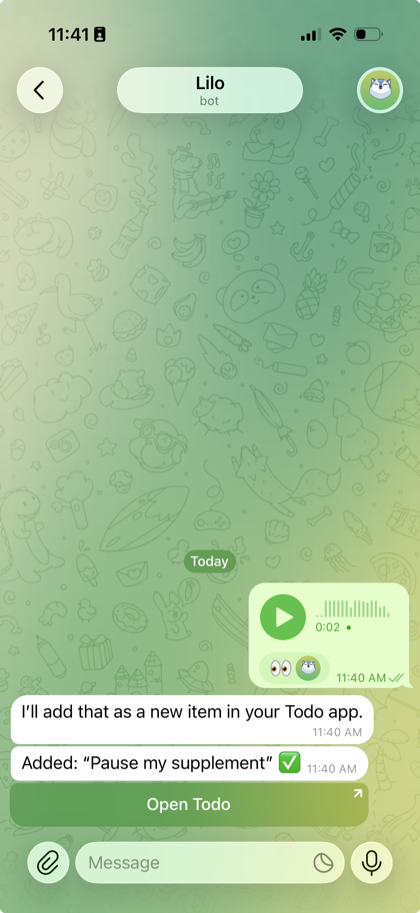 |
| Pull up return codes, receipts, and files. | Turn voice notes into durable TODOs. |
| Follow a game | Find a work spot |
|---|
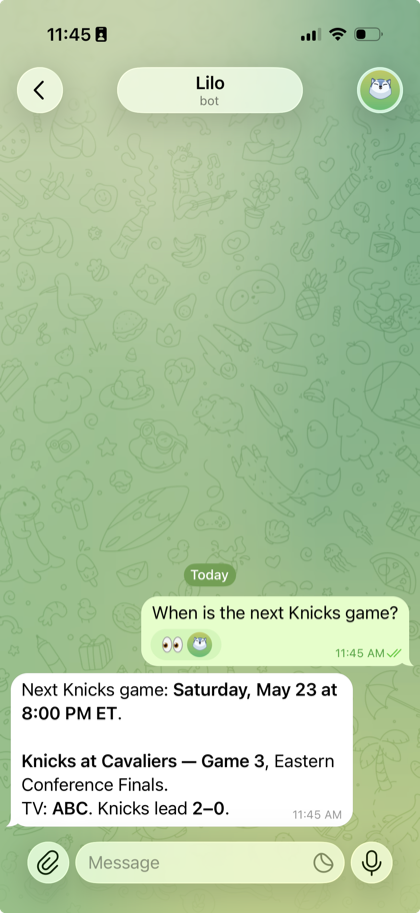 | 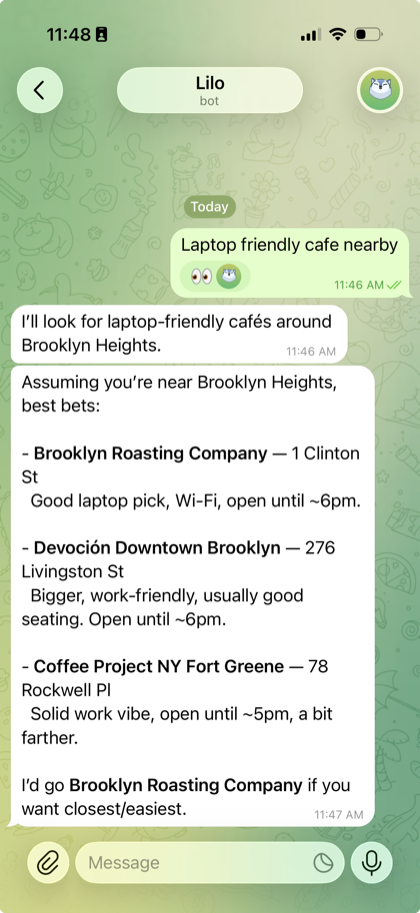 |
| Get summaries and live score updates. | Find laptop-friendly cafes nearby. |
[!WARNING]
Alpha software. Expect breaking changes, rough setup, and bugs. Back
up your workspace via git sync, and read Security before
running it on a public host.
Quick start
Prerequisites
- Node.js 20+
- pnpm 10+
- A ChatGPT account with Codex access, or an OpenAI, Anthropic, or OpenRouter API key
1. Install
git clone https://github.com/abi/lilo.git
cd lilo
pnpm install
2. Configure
Create a .env.local at the repo root:
# Required
LILO_WORKSPACE_DIR=./workspace          # where the agent's files live
LILO_SESSIONS_DIR=./.lilo-sessions      # persistent chat session storage

# Optional API-backed chat routes and OpenAI audio
OPENAI_API_KEY=sk-...                   # OpenAI API models, speech, and transcription
ANTHROPIC_API_KEY=sk-ant-...            # enables Claude Fable 5 and Claude Opus 4.7
OPENROUTER_API_KEY=sk-or-...            # enables OpenRouter-routed models

# Recommended
LILO_AUTH_PASSWORD=choose-a-strong-password   # locks down the whole app
See Configuration for the full list.
Alternatively, start Lilo and choose Connect Codex in Workspace Settings to
use models from your ChatGPT Codex subscription without an OpenAI API key for
Pi-powered chat.
3. Run
pnpm run dev # backend (http://localhost:8787) + frontend (http://localhost:5800) + typechecks
Open http://localhost:5800. If you set LILO_AUTH_PASSWORD, you'll get a
login screen on first visit.
Your workspace should be auto-bootstrapped from the bundled
workspace-template/, so you'll immediately have a
Desktop, TODO list, Calories tracker, and a handful of other apps to play with.
Telegram setup
TELEGRAM_BOT_TOKEN=123456:ABC-...
TELEGRAM_WEBHOOK_SECRET=long-random-secret
LILO_TELEGRAM_ALLOWED_USER_IDS=123456789
Point your Telegram bot webhook at https://your-lilo/api/inbound-telegram
and pass the same secret as Telegram's secret_token:
curl -X POST "https://api.telegram.org/bot$TELEGRAM_BOT_TOKEN/setWebhook" \
  -d "url=https://your-lilo/api/inbound-telegram" \
  -d "secret_token=$TELEGRAM_WEBHOOK_SECRET"
LILO_TELEGRAM_ALLOWED_USER_IDS must contain numeric Telegram user IDs, not
group chat IDs. To find yours, message your bot and inspect getUpdates, or use
a Telegram ID helper bot such as @userinfobot.
Each contact gets their own persistent chat, so the agent remembers your
conversation across messages.
For email, WhatsApp, and native app link setup, see
External messaging.
Security
Lilo is built for a single, self-hosted user — not multi-tenant SaaS.
- Set
LILO_AUTH_PASSWORD before exposing an instance to the internet.
It gates the web app, all REST/SSE/WebSocket endpoints, and workspace
apps. Without it, everything is open.
- The agent has shell, filesystem, and network access. Prompt injection
is a real risk — anything it reads (web pages, emails, PDFs) can try to
hijack it. Keep messaging allowlists (
LILO_EMAIL_ALLOWED_SENDERS,
LILO_WHATSAPP_ALLOWED_SENDERS, LILO_TELEGRAM_ALLOWED_USER_IDS) tight, and
keep credentials in env vars, not the workspace.
- Webhooks (
/api/inbound-*) skip the password gate on purpose and use
provider-signed verification instead.
- Report security issues privately through GitHub Security Advisories.
Please don't open public issues for sensitive reports.
More docs
- Configuration
- Workspace apps
- Mobile app
- External messaging
- Development
- Contributing
- Deployment
License
MIT
