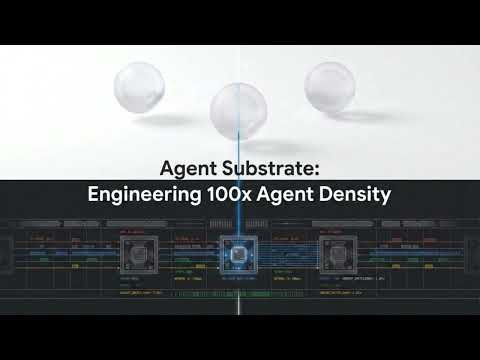
agent-substrate/substrate is a Go project with 1.8k stars. Agent Substrate: the core system
Snapshot summary built from the project's own GitHub metadata — there's no written TopGit review yet. The page will update automatically when a full review is published.
WHY NO REVIEW YET
TopGit writes full reviews for the most-starred, most-requested repositories. This page is a snapshot until then — see the READ ME tab for the original README in full.
NOTE: This is not an officially supported Google product. This project is not
eligible for the Google Open Source Software Vulnerability Rewards Program.
What is Agent Substrate?
Agent Substrate delivers a performant, high density runtime environment for large scale agent deployments. The agent substrate control plane provides full lifecycle management for agent sandboxes, delivering sub-second agent resume/suspend operations, and allows heavy multiplexing of agents onto the same computer infrastructure. It supports multiple sandbox technologies including microVMs and gVisor, enabling consistent lifecycle operations for all sandbox types.
At its core, Agent Substrate maps a larger set of “actors” (applications such as agents) onto a smaller set of ready “workers”, relying on the fact that agent-like applications tend to be idle most of the time to achieve heavy multiplexing. It provides functionality to manage an actor’s lifecycle (e.g. create/destroy, suspend/resume), to assign actors to workers in real time, and to route incoming traffic to them.
Agent Substrate is intended to be a low-opinion system. The workloads it manages don't have to be literal AI agents, but those are the best example of the kind of applications it is designed for. It is not an SDK for building agents, but rather a system for running them at scale.
Agent Substrate leverages Kubernetes for the infrastructure provisioning and worker lifecycle management (Kubernetes Pods). It builds on top of Kubernetes features like Pods and Pod autoscaling, while Agent Substrate provides agent-specific scheduling and control to achieve lower latency. Using Kubernetes as the underlying system enables consistent infrastructure management across all workloads types that are required for end to end agentic deployments and allows holistic infrastructure optimizations for RL scenarios that span agentic, inference and training cycles.
Demo
Watch the Agent Substrate cluster multiplex ~250 stateful actors across just 8 physical pods.
This demo highlights the core developer experience and "Agentic Infrastructure" capabilities of Substrate:
Instant Actor Teleport: High-performance suspend and resume of actors onto any available worker in the pool with sub-second activation.
State Persistence: Persistent working memory (volatile RAM) and filesystem state preserved perfectly across hibernation cycles via full-state snapshots.
Agent Swarm Multiplexing: Demonstrates 30x+ oversubscription by "juggling" a large registry of stateful actors onto a small pool of shared physical pods.
To reproduce this demo in your own cluster, please refer to the detailed walkthrough in the Counter Demo.
For more videos and walkthroughs, visit our YouTube channel: agent-substrate.
Framework Agnostic & Compatibility
Agent Substrate is designed to be framework and agent harness agnostic. Because it manages standard OCI containers at the kernel level (via gVisor), it can host agents built on any stack.
Agent Development Kit (ADK): Native support for ADK-compatible actor identity and persistent working memory.
LangChain: Ideal execution environment for long-running, stateful LangChain agents and sandboxed tool-calling.
Claude Code & CodeX: Support for high-density, stateful coding environments that preserve terminal and filesystem state across sessions.
Model Context Protocol (MCP): Deploy secure, sandboxed MCP servers as Substrate Actors to provide durable tools for any LLM.
Ecosystem & Examples
Agent Executor: A distributed agent runtime that demonstrates building a secure, hyper-scalable agent harness on Agent Substrate (see the announcement blog and integration guide).
Status and compatibility
Agent Substrate is currently in early development. It is not ready for
production use, and the APIs are almost guaranteed to change. We are not
making any guarantees about backward compatibility at this stage, and
everything in this project may be changed.
Supported Kubernetes Releases
Currently we aim to support the latest stable release of Kubernetes, and the previous minor release.
Community
For announcements, technical discussions, and community support, please join
the ate-dev Google Group.
We host a weekly community meeting every Thursday from 10:00am - 11:00am PST.
Video call link: https://meet.google.com/uhq-cxvn-dhy
Or dial: (US) +1 253-289-6971 PIN: 787 664 574 59#
More phone numbers: https://tel.meet/uhq-cxvn-dhy?pin=9044088223662
Meeting notes for the weekly sync meeting
Recordings and transcripts of all community meetings
We also have channels in the CNCF slack; request an invite here
if you don't have access.
#substrate-users to discuss using substrate.
#substrate-dev to discuss developing substrate.
Developing
Please see CONTRIBUTING.md for guidelines on contributing to
the project. We welcome contributions of all kinds, but the project is VERY
young. Our immediate focus is on building out the core system and demos, so we
may not be able to review or merge contributions that don't align with those
goals in the near term.
Quickstart (Development)
To quickly set up the complete environment:
Make sure you have Go, kubectl, and docker installed and configured on your dev machine. We will automatically manage other dependencies via Go, including kind.
Run the following steps:
# create cluster and local registry (IPv4; IP_FAMILY=dual|ipv6 overrides)
hack/create-kind-cluster.sh

# install ate, PostgreSQL, rustfs
hack/install-ate-kind.sh --deploy-ate-system

# install counter demo
hack/install-ate-kind.sh --deploy-demo-counter

# install kubectl-ate
go install ./cmd/kubectl-ate

# create a counter actor in the demo's atespace (--template-ref names the
# actor template, resolved in the actor's atespace)
kubectl ate create actor my-counter-1 -a ate-demo-counter --template-ref counter

# port-forward the network router to bind to local port `8000`
kubectl port-forward -n ate-system svc/atenet-router 8000:80
In a separate terminal, send an HTTP request to increment the counter:
curl -X POST -H "Host: my-counter-1.ate-demo-counter.actors.resources.substrate.ate.dev" -i http://localhost:8000/
Worker capacity is versioned: the dataplane (the atelet DaemonSet and the
worker pods) schedules only on nodes that carry the
ate.dev/substrate-version label, and the install stamps it on every node
that exists when it runs. A node added later hosts no workers until you label
it with the installed version
(kubectl label node <node> ate.dev/substrate-version=<build version>).
kubectl get ds -n ate-system -l app=atelet -L ate.dev/substrate-version
prints the installed version, off the atelet DaemonSet the install created.
GKE Quickstart (Development)
Create and configure your environment file:
cp hack/ate-dev-env.sh.example .ate-dev-env.sh

# Edit .ate-dev-env.sh to match your project and preferences, then source it:
source .ate-dev-env.sh
Enable application-default credentials for gcloud:
Provision the required GCP resources (GKE cluster, GCS, and IAM bindings):
go run ./tools/setup-gcp bootstrap
On a fresh project this step also creates the atelet Workload Identity IAM
grants that snapshots depend on — see
what create iam actually grants
to audit them or apply them manually. If you bring your own cluster instead,
note the required Kubernetes beta APIs can only be enabled at cluster
creation — see the Create Cluster warning.
Deploy the Agent Substrate system to your cluster:
./hack/install-ate.sh --deploy-ate-system
Nodes that GKE adds later (autoscaling, auto-repair, node upgrades) are
born with the node pool's labels, so the pool needs
ate.dev/substrate-version too; see
Node version labels.
You can then deploy the sample applications. See demos/counter/README.md or demos/sandbox/README.md for detailed walkthroughs.
./hack/install-ate.sh --deploy-demo-counter
Custom Setup and Deployment
You can run individual setup steps to create GCP resources as needed. See go run ./tools/setup-gcp --help for available options. For example:
go run ./tools/setup-gcp create cluster
go run ./tools/setup-gcp create bucket
Similarly, you can deploy or cleanup specific Agent Substrate components using the installation script. See ./hack/install-ate.sh --help for all options.
# Re-deploy only ate-apiserver of the ATE system
./hack/install-ate.sh --deploy-ate-apiserver

# Delete everything (core system and all demos)
./hack/install-ate.sh --delete-all
Tearing down resources (GCP)
If you need to delete the resources created by the setup script, you can use the provided script hack/teardown.sh. This script will delete resources in the reverse order of creation and handles partial failures gracefully.
./hack/teardown.sh --all
Or run individual teardown steps as needed (see ./hack/teardown.sh for available options).
Tearing down local kind resources
If you need to delete the local kind cluster and its registry (if it was created by hack/create-kind-cluster.sh):
./hack/delete-kind-cluster.sh
Demos
We provide several sample applications demonstrating Agent Substrate's capabilities:
Counter Demo: A stateful Go HTTP server demonstrating state preservation across suspends/resumes, and dynamic CRD routing.
Sandbox Demo (Antigravity): A secure, sandboxed execution environment (running Alpine Linux) that allows arbitrary shell execution while preserving filesystem state across sessions.
Claude Code Multiplex: Demonstrates oversubscribing physical hardware by multiplexing multiple Claude Code agents onto a limited pool of workers.
Multi-Template: Two ActorTemplates running different binaries share one WorkerPool, across three namespaces.
Request Parking: An oversubscribed pool where the router holds inbound requests until a worker frees up, instead of returning 503.
Autoscaled WorkerPool: Scales a WorkerPool on its assigned-worker count with an HPA fed by prometheus-adapter.
Documentation & Guides
Architecture: How the control plane, node supervisor, and networking stack fit together.
API Configuration Guide: Detailed reference for configuring WorkerPools, ActorTemplates, Secrets, and Volumes.
Full CLI Documentation: Installation and usage for kubectl-ate.
Glossary: Core terms (Actor, Atespace, ActorTemplate, WorkerPool, Worker, ate-api-server, atenet, atelet, ateom) and how they relate.
Integration Repositories: Where integrations live, how their repositories are named, and how fixes flow back to core.
Observability Guide: Guide to actor logging, metrics, and distributed tracing.
Authentication Guide: Configure trusted JWT providers and human credentials.
Enabling man-in-the-middle (MITM) interception for Actor Egress policy: Egress policies such as header injection depend on MITM interception of Actor traffic. This guide explains how an Actor should be configured to enable interception.
Request Parking: How the router parks requests through transient worker-pool saturation.
Rolling Upgrade Runbook: Upgrade a running substrate node by node without losing actor state.
Threat Model: Trust boundaries, assumptions, and known risks.
Roadmap: Current limitations and what is planned next.
Benchmarking Guide: Locust-based load tests, monitoring stack, and the orchestrated benchmark harness.
Tour
Commands
cmd/ateapi: The core control plane API server exposing gRPC endpoints to manage actor and worker lifecycles.
cmd/atelet: A node-level DaemonSet that supervises physical worker pods, coordinates snapshotting, and manages state transfers.
cmd/atecontroller: A Kubernetes controller that reconciles WorkerPool custom resources.
cmd/atenet: A combined networking controller providing DNS, Envoy routing, and proxy sidecars.
cmd/ateom-gvisor: An interior-pod helper running inside sandboxed worker pods to execute runsc checkpoint and restore commands.
cmd/ateom-microvm: The micro-VM peer of ateom-gvisor, running actors as cloud-hypervisor VMs.
cmd/podcertcontroller: A "polyfill" that provides Pod Certificate signers that
will eventually ship in upstream Kubernetes (with different names).
cmd/kubectl-ate: A CLI tool for managing Agent Substrate resources. See its README.
cmd/benchmarking: Synthetic workloads used by the load tests, including glutton, which consumes RAM, disk, and file descriptors on demand.
tools/setup-gcp: A provisioning utility to set up the necessary GCP infrastructure resources (GKE, GCS, IAM).
Does agent-substrate/substrate have a project website?
No homepage URL was recorded for agent-substrate/substrate in TopGit's last sync. The README tab above frequently contains screenshots and demo links, or check the repository description on GitHub.
Does agent-substrate/substrate have any tags?
TopGit's last sync did not record any GitHub topics for agent-substrate/substrate. GitHub topics appear in the right sidebar of a repository page; that's the authoritative place to check.
How active is development on agent-substrate/substrate?
The most recent commit recorded on agent-substrate/substrate was 13 days ago, based on the GitHub push timestamp. The repository has 307 forks — one of the better signals of community interest.
How many stars does agent-substrate/substrate have?
agent-substrate/substrate has 1.8k GitHub stars — refresh the page for the live number, or check github.com/agent-substrate/substrate. TopGit mirrors GitHub's count but does not claim minute-by-minute accuracy.
Is agent-substrate/substrate open source?
Yes — agent-substrate/substrate ships under the Apache-2.0 license, which makes its source code freely readable (and, depending on license terms, forkable and reusable). Source: github.com/agent-substrate/substrate.
Where do I read more about agent-substrate/substrate?
This TopGit page is a snapshot — the READ ME tab shows the project's own README content (links stripped, images preserved). The GitHub repository at github.com/agent-substrate/substrate is the definitive source.
Read full README in the tab above.
Is substrate worth your time?
ChatGPT, Claude and Perplexity can all read this page. Ask one of them what it makes of substrate.
 /substrate