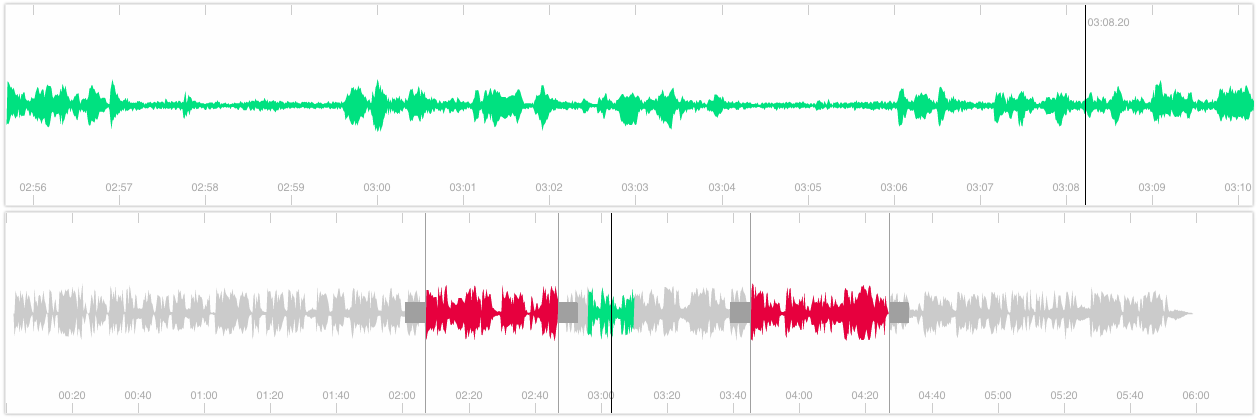
Snapshot of bbc/waveform-data.js: 1.1k★, JavaScript. Audio Waveform Data Manipulation API – resample, offset and segment waveform data in JavaScript.
Snapshot summary built from the project's own GitHub metadata — there's no written TopGit review yet. The page will update automatically when a full review is published.
WHY NO REVIEW YET
TopGit writes full reviews for the most-starred, most-requested repositories. This page is a snapshot until then — see the READ ME tab for the original README in full.
Note: Ongoing development of this project has moved to https://codeberg.org/chrisn/waveform-data.js.
waveform-data.js
waveform-data.js is a JavaScript library for creating zoomable
representations of audio waveforms to enable visualisation of audio content.
waveform-data.js is part of a BBC R&D Browser-based audio waveform visualisation software family:
audiowaveform: C++ program that generates waveform data files from MP3 or WAV format audio.
audio_waveform-ruby: A Ruby gem that can read and write waveform data files.
waveform-data.js: JavaScript library that provides access to precomputed waveform data files, or can generate waveform data using the Web Audio API.
peaks.js: JavaScript UI component for interacting with waveforms.
We use these projects within the BBC in applications such as the
BBC World Service Radio Archive and browser-based editing and sharing tools for BBC content editors.
Install
Use npm to install waveform-data.js, for both Node.js and browser-based
applications:
npm install --save waveform-data
Usage and examples
waveform-data.js is available as a UMD
module so it can be used from a <script> tag, or as a RequireJS or CommonJS
module. See dist/waveform-data.js and dist/waveform-data.min.js.
Importing waveform-data.js
Using a script tag
Simply add waveform-data.js in a script tag in your HTML page:
<!DOCTYPE html>
<html>
  <body>
    <script src="/path/to/waveform-data.js"></script>
    <script>
      var waveform = new WaveformData(...);
    </script>
  </body>
</html>
Using ES6
An ES6 module build is provided for use with bundlers such as Webpack and Rollup. See dist/waveform-data.esm.js.
Use the following code to request the waveform data:
fetch('https://example.com/waveforms/track.json')
  .then(response => response.json())
  .then(json => WaveformData.create(json))
  .then(waveform => {
    console.log(`Waveform has ${waveform.channels} channels`);
    console.log(`Waveform has length ${waveform.length} points`);
  });
Using the Web Audio API
You can also create waveform data from audio in the browser, using the
Web Audio API.
As input, you can either use an ArrayBuffer containing the original encoded
audio (e.g., in MP3, Ogg Vorbis, or WAV format), or an AudioBuffer containing
the decoded audio samples.
Note that this approach is generally less efficient than pre-processing the
audio server-side, using audiowaveform.
Waveform data is created in two steps:
If you pass an ArrayBuffer containing encoded audio, the audio is decoded
using the Web Audio API's decodeAudioData
method. This must done on the browser's UI thread, so will be a blocking operation.
The decoded audio is processed to produce the waveform data. To avoid further
blocking the browser's UI thread, by default this step is done using a
Web Worker,
if supported by the browser. You can disable the worker and run the processing
in the main thread by setting disable_worker to true in the options.
If you have an AudioBuffer containing decoded audio samples, e.g., from
AudioContext.decodeAudioData
then you can pass this directly to WaveformData.createFromAudio:
The file format used and consumed by WaveformData is documented here as part of the audiowaveform project.
JavaScript API
Please refer here for full API documentation.
Browser support
Any browser supporting ECMAScript 5 will be enough to use the library -
think Array.forEach:
IE9+, Firefox Stable, Chrome Stable, Safari 6+ are fully supported;
IE10+ is required for the TypedArray Adapter;
Firefox 23+ and Webkit/Blink browsers are required for Web Audio API support.
Development
To develop the code, install Node.js and
npm. After obtaining the waveform-data.js source code,
run npm install to install Node.js package dependencies.
Credits
This library was written by:
Thomas Parisot
Chris Needham
Thank you to all our
contributors.
This program contains code adapted from
Audacity, used with permission.
License
See LICENSE
for details.
Contributing
Every contribution is welcomed, either it's code, idea or a merci!
Guidelines are provided and every commit is tested against
unit tests using Karma runner and the
Chai assertion library.
How active is development on bbc/waveform-data.js?
The most recent commit recorded on bbc/waveform-data.js was 23 days ago, based on the GitHub push timestamp. The repository has 107 forks — one of the better signals of community interest.
How many stars does bbc/waveform-data.js have?
bbc/waveform-data.js has 1.1k GitHub stars — refresh the page for the live number, or check github.com/bbc/waveform-data.js. TopGit mirrors GitHub's count but does not claim minute-by-minute accuracy.
What language is bbc/waveform-data.js written in?
bbc/waveform-data.js is written primarily in JavaScript. GitHub's language field is based on the largest share of bytes in the default branch.
What topics is bbc/waveform-data.js associated with?
GitHub's repository topics for bbc/waveform-data.js: "audio". TopGit's editorial category is open-source.
Where do I read more about bbc/waveform-data.js?
This TopGit page is a snapshot — the READ ME tab shows the project's own README content (links stripped, images preserved). The GitHub repository at github.com/bbc/waveform-data.js is the definitive source.
Read full README in the tab above.
Still deciding about waveform-data.js?
One click hands the question to an AI along with this page — see what it says about waveform-data.js.

 /waveform-data.js