chjj/ttystudio is a open-source project on GitHub, written primarily in JavaScript. It has 3.2k stars. A terminal-to-gif recorder minus the headaches.
Snapshot summary built from the project's own GitHub metadata — there's no written TopGit review yet. The page will update automatically when a full review is published.
WHY NO REVIEW YET
TopGit writes full reviews for the most-starred, most-requested repositories. This page is a snapshot until then — see the READ ME tab for the original README in full.
Record your terminal and compile it to a GIF or APNG without any external
dependencies, bash scripts, gif concatenation, etc.
Install with: $ npm install ttystudio. (Add -g for global install).
Usage
$ ttystudio output.gif --log
  $ vim
    hello world
    :q!
  $ ^Q # stop recording with ctrl-q
initializing writer
writing image
writing head
writing frame 0 - 132 left
writing frame 1 - 131 left
writing frame 2 - 130 left
...
writing frame 131 - 1 left
writing eof
wrote image to /home/chjj/output.gif
$ chromium output.gif
# or if you wrote to output.png (an APNG)
$ firefox output.png
The Difference
ttystudio differs from other terminal recorders in that:
It has its own built-in gif and apng writer, no imagemagick required. The
writer now has built-in frame offset optimization.
It has a font parser to render the font during image writing so no terminal
playback is required when writing the image (this also means no GUI is
required at all - you can record on a remote machine via ssh).
No concatenation of hundreds of gif files required. ttystudio automatically
writes out to one gif or apng.
No glitchy frames due to imperfect GUI recording of the playback or gif
concatenation.
ttystudio will record frames even if nothing is being updated on the screen.
This project has ended up making use of years of work I've done writing
terminal libraries (my personal obsession). Once all the pieces were there,
this project became possible. It also sprang out of a need to find a
terminal-to-gif recorder that actually worked.
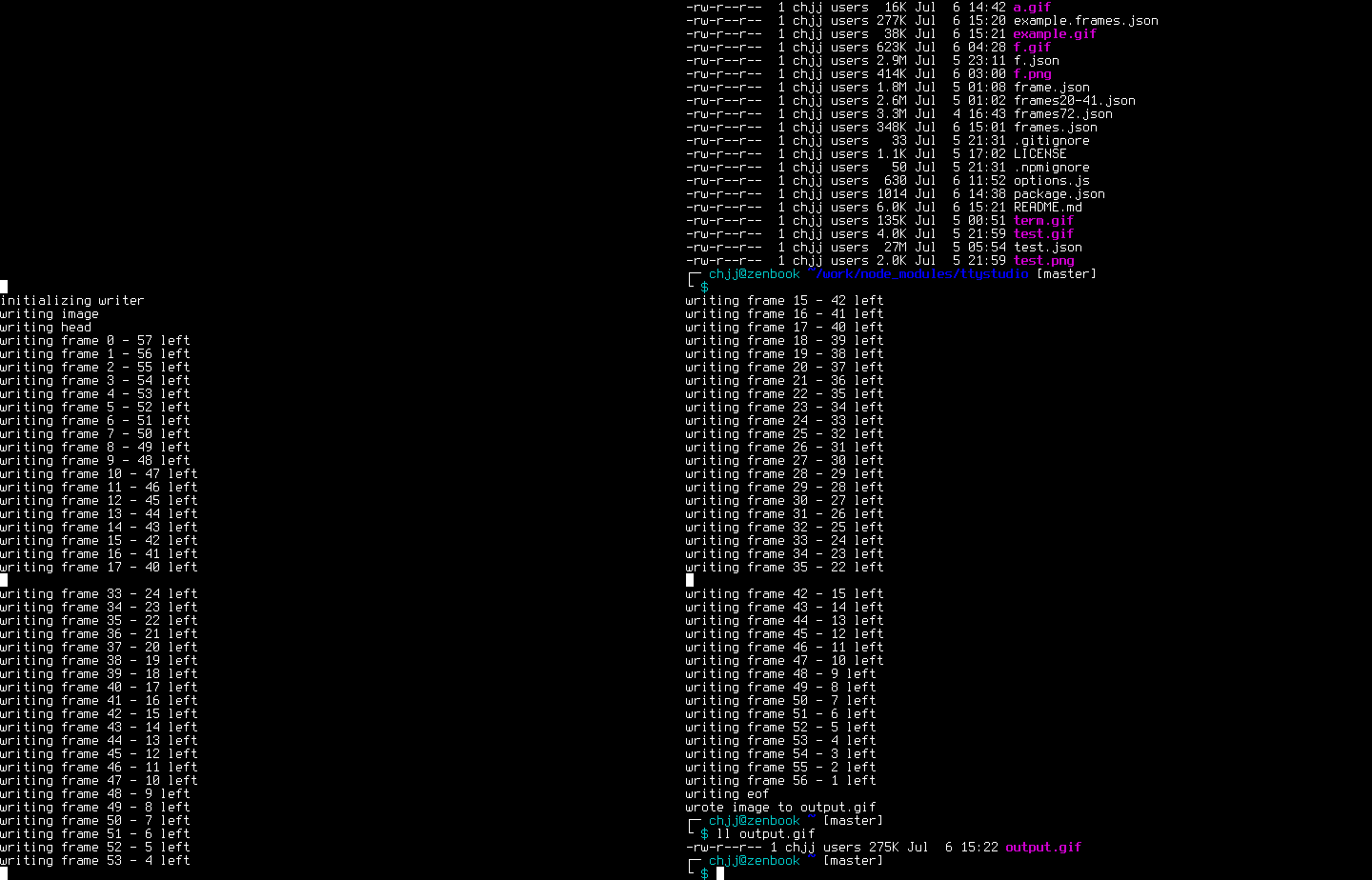
(NOTE: The above .gif was recorded with ttystudio - nested ttystudio
instances cause a slight glitch where the cursor is not visible. Not to matter
in most cases).
More Usage
$ ttystudio output.gif --log # record and compile
$ ttystudio frames.json --log # record
$ ttystudio frames.json output.gif --range=0-50 # compile
Use a frames.json file
$ ttystudio --record frames.json --interval=100 # grab each frame on a 100ms interval
  $ vim
    hello world
    :q!
  $ ^Q # stop recording with ctrl-q
$ ttystudio --compile frames.json output.gif --log
parsing json
initializing writer
writing image
writing head
writing frame 0 - 132 left
writing frame 1 - 131 left
writing frame 2 - 130 left
...
writing frame 131 - 1 left
writing eof
wrote image to /home/chjj/output.gif
$ chromium output.gif
# or if you wrote to output.png (an APNG)
$ firefox output.png
How it works
$ ttystudio --record frames.json:
blessed+term.js+pty.js will spawn a
pseudo-terminal to let you record until you press ^Q.
$ ttystudio --compile frames.json output.gif: ttystudio will parse each set of
frames into a bitmap, keeping in mind the foreground color and character in
each cell.
It will use its parsed font (terminus-u14n/b by default) to render pixels
for each characters in the image.
It will write out each frame to a .gif or .png file of your choice.
It's that simple. No bash script to run. No gifs to concatenate. No external
dependencies required (i.e. ffmpeg or imagemagick) - ttystudio does it all on
its own, in 99% javascript (aside from pty.js which is a node c++ binding to
spawn terminals).
Options and Examples
Compiling to APNG:
$ ttystudio frames.json output.png --log
Accidentally recorded something you don't want in your image? The range
option can help:
# compile only frames 5 to 130
$ ttystudio frames.json output.gif --log --range=5-130
The delay option sets the delay between frames in the final image:
The --no-palette/--rgba option can be used to avoid use a global palette
(color type 3) when compiling APNGs (this is known to cause high memory usage
when building the palette since it has to parse every frame beforehand).
Instead, it will use color type 6 (RGBA). This will make the APNG larger, but
does not risk OOMing the process. OOMing the process is unlikely to happen, but
if it does, this option is here. Use pngcrush afterwards to optimize.
$ ttystudio frames.json output.png --log --rgba
Piping:
$ ttystudio frames.json - | feh -
Replaying frames in the terminal:
$ ttystudio --play frames.json
Adding a border:
# explanation of arguments:
$ ttystudio output.gif --log --border=[width],[r],[g],[b],[a]
# add a red border:
$ ttystudio output.gif --log --border=10,255,0,0,255
# white border:
$ ttystudio output.gif --log --border=10,255
$ ttystudio output.gif --log --border=10,255,255,255
$ ttystudio output.gif --log --border=10
Start in screenshot mode. This allows you to take multiple screenshot whenever
C-p is pressed. ttystudio will write them all to separate images.
Choose a bold BDF font in ttystudio's JSON format.
-d, --delay [delay-ms]
Specify frame delay in ms (default: 100).
-i, --interval [interval-ms]
Specify frame snapshot interval in ms (default: 100).
-k, --key [quit-key]
Choose a key combination to quit recording (default: C-q).
-n, --num-plays [num-plays]
Specify a number of plays for the animation (default: 0 - infinite).
-r, --range [frame-range]
Choose a range of frames to compile. e.g. 5-200.
-x, --ratio [pixel-cell-ratio]
Choose pixel to cell ratio. This option is useless right now since it is
overwritten by the font (default: 8x14).
-t, --term [term-name]
Choose the terminal name for terminfo.
--palette
Use a global palette for APNGs instead of RGBA.
--no-palette, --rgba, --lct
Use RGBA for APNGs instead of a global palette. This will also avoid
building a global palette for GIFs and only use a local color table for
each frame.
--border [width,r,g,b,a]
Add a border around the animation using the specified parameters.
play, --play
Replay a frames file in the terminal.
record, --record
Explicitly choose to record (not very useful).
compile, --compile
Explicitly choose to compile (not very useful).
screenshot, --screenshot
Start ttystudio in screenshot mode. It will take a screenshot on C-p
unless specified otherwise by --screenshot-key.
--screenshot-key
Set the screenshot key when in screenshot mode. Default is C-p.
--version
Display ttystudio version.
-h, --help
Display help information.
Choosing a new font for your terminal recording
Since ttystudio does not record a GUI, it needs to know which font you want to
use (it has no real idea of the font your terminal is using). ttystudio uses
terminus (ter-u14n/b) by default, but you can change this.
Your font must be in BDF format. Once you have your font ready,
place it in the fonts/ directory in ttystudio and run $ make.
ttystudio+pxxl.js will convert the .bdf font to a glyph bitmap format in a
json file, which is what ttystudio uses.
pty.js seems to currently be causing sporadic input lag on
OSX. This is being investigated.
Notes
A special thanks to the folks who developed pxxl.js - a BDF font
parser. Without them, it would not have been possible to render a reasonable
looking font to the output gif/png.
Todo
More fonts and font formats supported.
Antialiased fonts.
Emit frames as events in writers.
Contribution and License Agreement
If you contribute code to this project, you are implicitly allowing your code
to be distributed under the MIT license. You are also implicitly verifying that
all code is your original work. </legalese>
License
Copyright (c) 2015, Christopher Jeffrey. (MIT License)
No homepage URL was recorded for chjj/ttystudio in TopGit's last sync. The README tab above frequently contains screenshots and demo links, or check the repository description on GitHub.
Does chjj/ttystudio have any tags?
TopGit's last sync did not record any GitHub topics for chjj/ttystudio. GitHub topics appear in the right sidebar of a repository page; that's the authoritative place to check.
How active is development on chjj/ttystudio?
The most recent commit recorded on chjj/ttystudio was 9.4 years ago, based on the GitHub push timestamp. The repository has 92 forks — one of the better signals of community interest.
How many stars does chjj/ttystudio have?
chjj/ttystudio has 3.2k GitHub stars — refresh the page for the live number, or check github.com/chjj/ttystudio. TopGit mirrors GitHub's count but does not claim minute-by-minute accuracy.
Is chjj/ttystudio open source?
TopGit's metadata for chjj/ttystudio does not record a license. Most public repositories on GitHub ARE open source, but the exact terms vary — verify by opening the LICENSE file directly.
Where do I read more about chjj/ttystudio?
This TopGit page is a snapshot — the READ ME tab shows the project's own README content (links stripped, images preserved). The GitHub repository at github.com/chjj/ttystudio is the definitive source.
Read full README in the tab above.
Want a second opinion on ttystudio?
Ask an AI that can read this page — one click and you get its take on ttystudio.

 /ttystudio