On GitHub, cnlohr/ch32fun has picked up 1.6k stars, C. Open source minimal stack for the ch32 and ch5xx WCH RISC-V Microcontrollers
Snapshot summary built from the project's own GitHub metadata — there's no written TopGit review yet. The page will update automatically when a full review is published.
WHY NO REVIEW YET
TopGit writes full reviews for the most-starred, most-requested repositories. This page is a snapshot until then — see the READ ME tab for the original README in full.
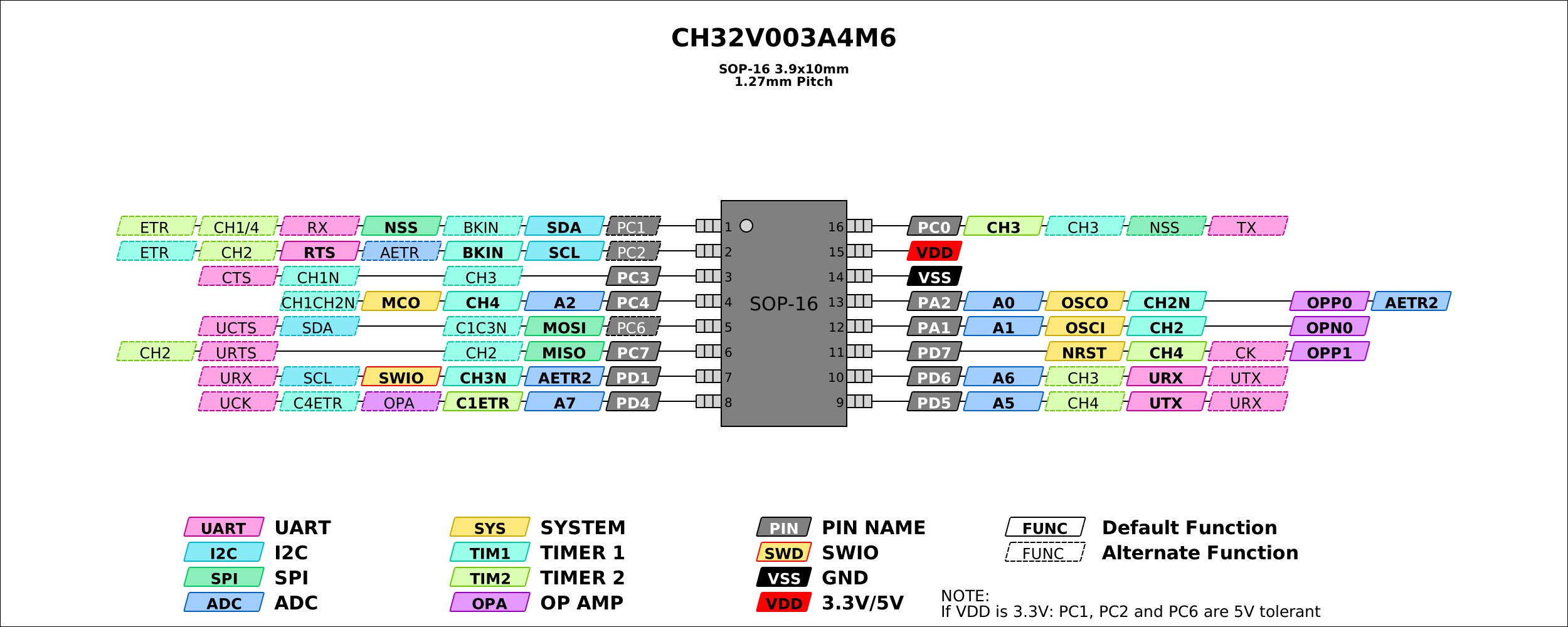
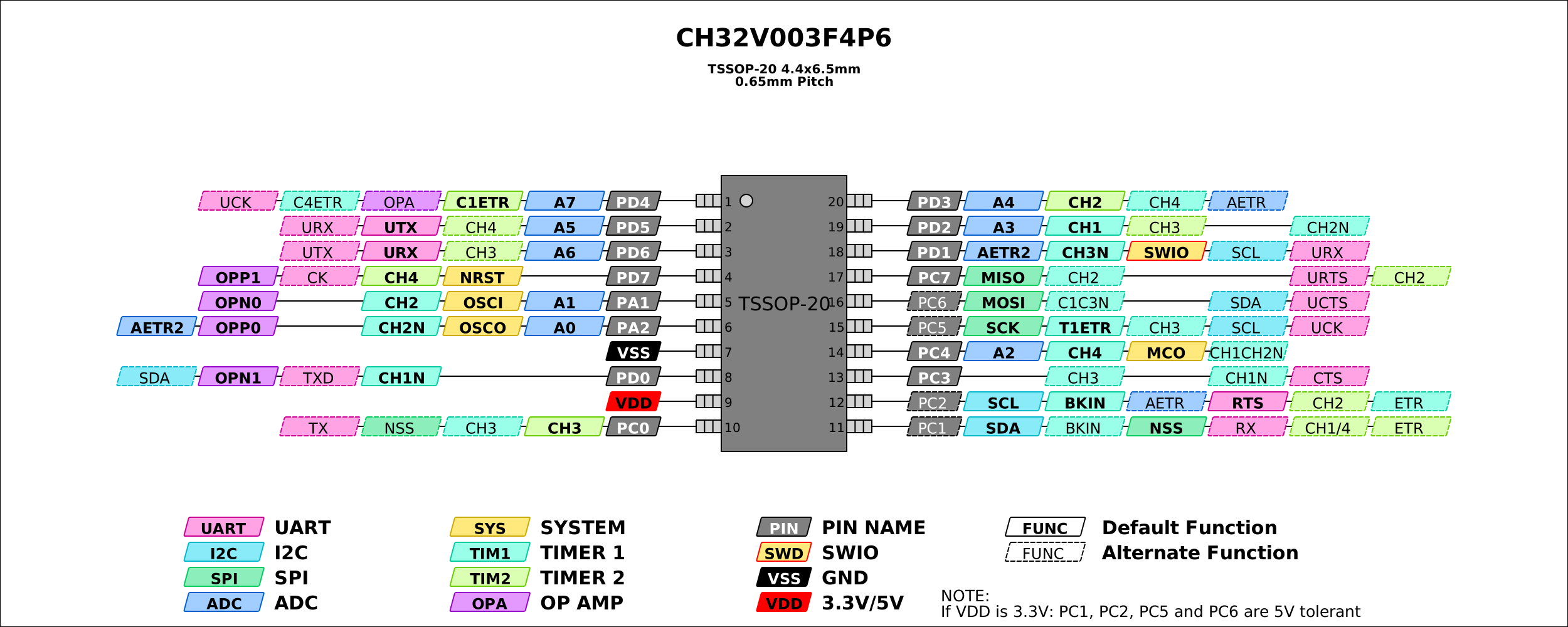
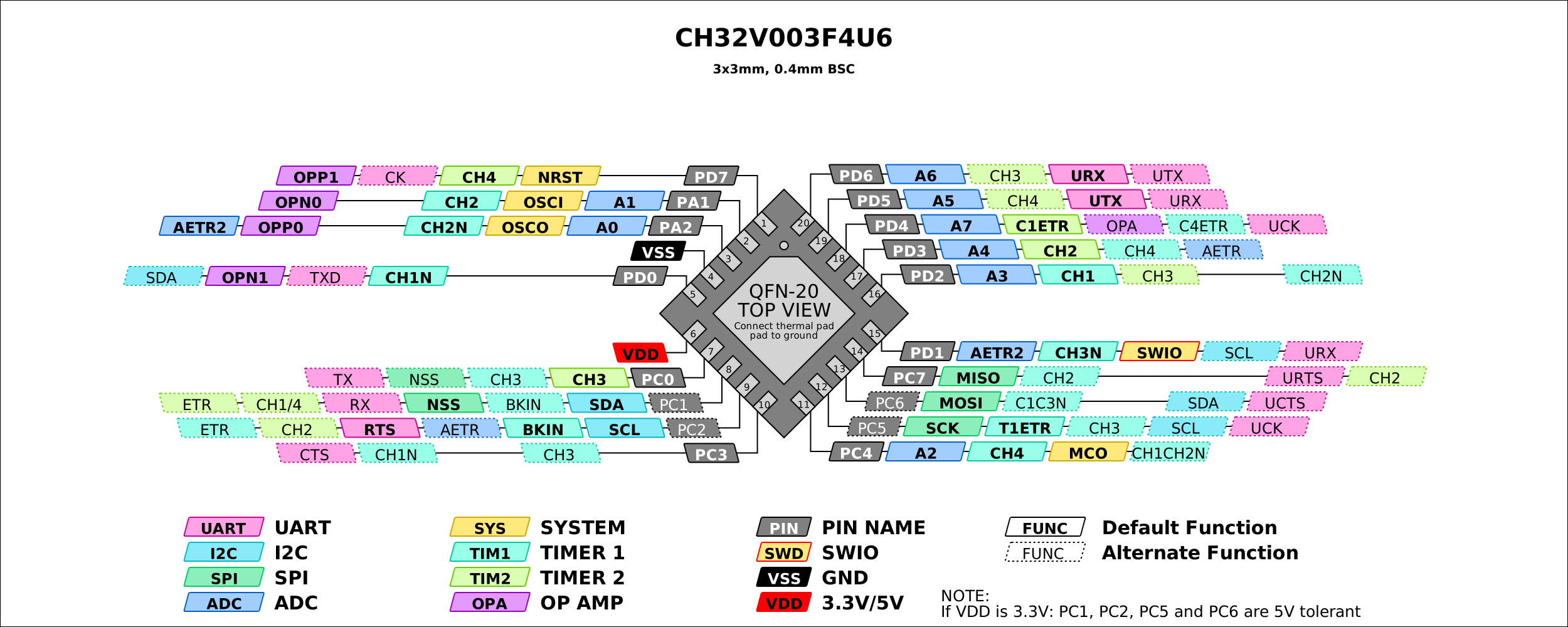
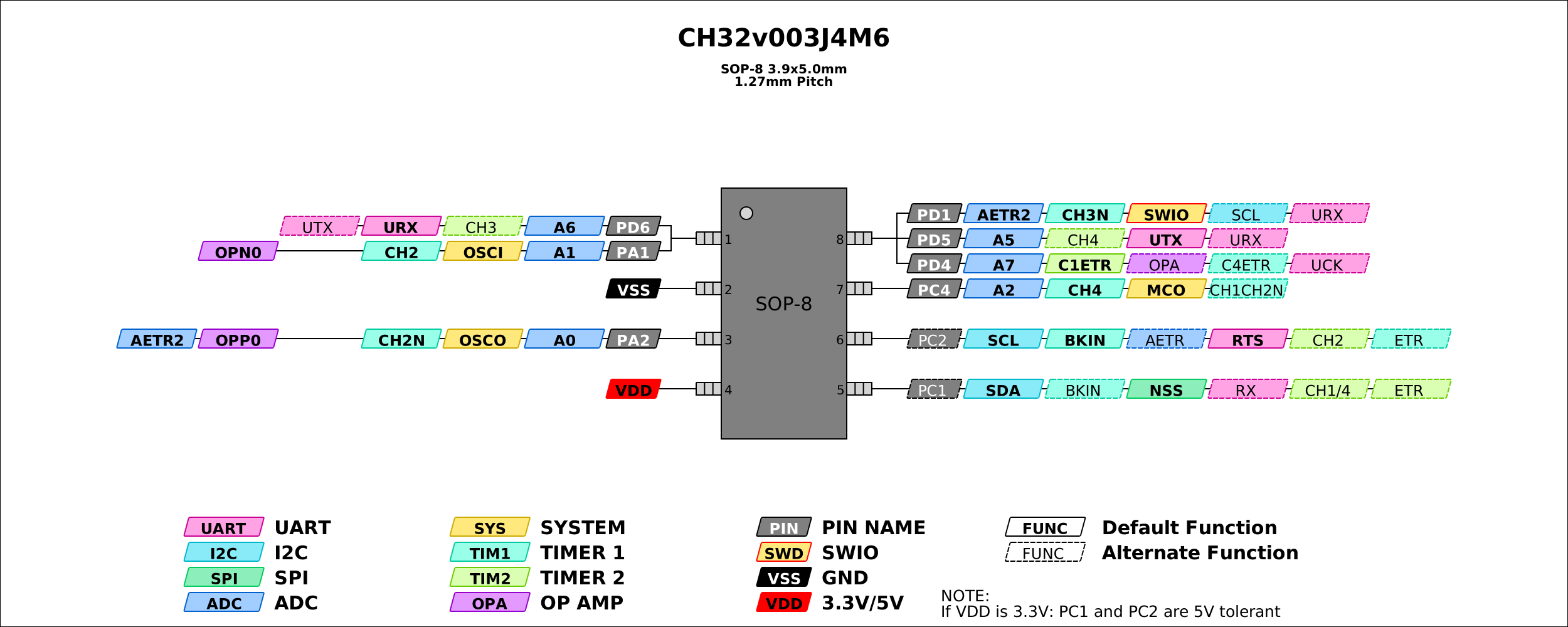
An open source development environment (tooling, headers, examples) for the CH32V003 (and many other riscv chips made by WCH) with gcc-riscv64 that can be used in Windows (Native), Linux and/or WSL. The CH32V003 is 10-cent part with a RISC-V EC core that runs at 48MHz, has 16kB of flash and 2kB of RAM and a bunch of peripherals. It also comes in SOP-8, QFN-20 and SOIC packages. You can get the datasheet here.
The goal of this project is to develop the tooling and environment for efficient use of the CH32V003. Avoid complicated HALs, and unleash the hardware! The existing EVT is massive, and dev environment weighty. This project specifically avoids the HAL and makes it so you can just use the TRM. In contrast, blinky is only 500 bytes with ch32fun, boots faster, and significantly simpler overall.
ch32fun contains:
Examples using ch32fun, but not as many as using the HAL. Most of which are centered around the ch32v003, but even many of those are compatible with other processors.
"minichlink" which uses the WCH CH-Link with libusb, for cross-platform use.
An STM32F042 Programmer, the NHC-Link042
An ESP32S2 Programmer, the esp32s2-funprog
The official WCH Link-E Programmer.
An Arduino-based interface, Ardulink.
Support for the ch32v003-based programmer for all SWD/SWIO boards using The rv003usb SWDIO programmer
Support for built-in USB ISP bootloader that is present on all WCH chips with USB peripheral
Supports gdbserver-style-debugging for use with Visual Studio.
Supports printf-over-single-wire. (At about 400kBaud)
An extra copy of libgcc so you can use unusual risc-v build chains, located in the misc/libgcc.a.
A folder named "ch32fun" containing a single self-contained source file and header file for compling apps for the ch32v003.
On some systems ability to "printf" back through
A demo bootloader.
Other family support
Currently, there is support for the ch32x035, ch32v002, ch32v004, ch32v005, ch32v006, ch32v007, ch32v103, ch32v203, ch32v208, ch32v303, ch32v305 and ch32v307. Recently support for ch570, ch572, ch571, ch573, ch581, ch582, ch583, ch584, ch585 and ch591, ch592 was added. Some obscure chips like ch32m030, ch641, ch643, ch645 should also work, test reports on those will be appreciated.
GDB is mostly tested on the 003, but works, to a limited degree on the other processors.
Getting Started
For installation / setup instructions, see the wiki page here
Features!
A fast "printf" debug over the programming interface.
And by fast I mean very fast. Typically around 36kBytes/sec.
You can just try out the debugprintf project, or call SetupDebugPrintf(); and printf() away.
Debugging support!
Via gdbserver built into minichlink! It works with gdb-multiarch as well as in Visual Studio Code
Building and Flashing
cd examples/blink
make
text = code, data = constants and initialization values, bss = uninitialized values.
dec is the sum of the 3 and reflects the number of bytes in flash that will get taken up by the program.
The generated .bin is used by minichlink and the .hex file is compatible with the official WCH flash tool.
VSCode +/- PlatformIO
Note: PlatformIO is generally used for CI on this repo. While PlatformIO can be used to code and debug a ch32fun project inside VSCode, you can also do it completely without PlatformIO: For that, see template project.
This project can be built, uploaded and debugged with VSCode and the PlatformIO extension. Simply clone and open this project in VSCode and have the PlatformIO extension installed. Use the project environment switcher to select a specific example, such as "blink".
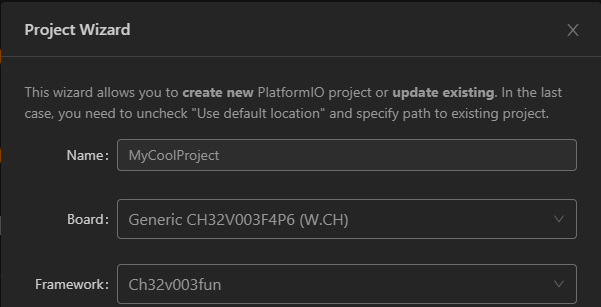
To create a new PlatformIO firmware project based on ch32fun, simply use the PlatformIO Home's "New Project" wizard and set "Framework" to "ch32v003fun". There are various examples.
The equivalent PlatformIO Core CLI command would be
pio init -b genericCH32V003F4P6 -O "framework = ch32v003fun"
If you want to add your code directly to ch32fun project, please expand the available environments in the platformio.ini as per instructions.
Please also note that when you open this project inside PlatformIO, you can use the project environment switcher at the bottom of the VSCode taskbar to select a specific example folder. Otherwise, "Build" will by default build all examples.
See platform-ch32v for further details and installation of the platform.
clangd
If the C/C++ language server clangd is unable to find ch32fun.h, the example will have to be wiped make clean and built once with bear -- make build, which will generate a compile_commands.json, which clangd uses to find the include paths specified in the makefiles. make clangd does this in one step.
build_all_clangd.sh does in build scripts does this for all examples.
Malloc/free unimplemented in ch32fun
Because ch32fun services a wide variety of chips, it's hard to make decisions about what implementation of malloc/free should be used, comparing chips like the ch32v003 with 2kB of RAM, to the CH585 with 128kB of RAM, the decisions about what implementation to use will vary wildly. We've decided it's best for us not to decide for you. You can choose to use none at all and just allocate statically, or use lists of fixed sizes, or use a heavier free/malloc. Some malloc implementations you may want to consider are tinyalloc, libmemory, or other extremely lightweight but less common libraries like mameMalloc.
Quick Reference
REQUIRED for programming/debugging: SWIO is on PD1. Do not re-use PD1 for multiple functions.
OPTIONALNRST is on PD7. Not needed, defaults as GPIO in some configurations.
OPTIONAL UART TX is on: PD5. We recommend using SWIO for printf debugging.
More examples / projects?
Other third party tools are adding lots of examples, etc. See the following repos, for extra libraries, etc.
ch32v003fun_wildwest
ch32v003fun_libs
CH32V003_lib_uart
CH32Vxxx_lib_i2c
CH32Vxxx_lib_swi2c
ch32v003fun_shenanigans
ch32fun-bmp280-driver
ch32fun-aht20-driver
Support
You can open a github ticket or join my Discord in the #ch32fun channel. Right now invites are private, so just ping me @cnlohr for an invite link. My PMs are open.
Contributing to ch32fun
The ch32fun project has an existing style of coding both in formatting and in overall design philosophy. Please ensure your code meets these standards. Continuing development of this aesthetic takes place primarily on our Discord community which contributors are encouraged to join. Please reach out to @cnlohr on Discord.
Contributors who propose significant contributions to ch32fun are encouraged to join our Discord to discuss your plans at the early stages of your design. The community can provide guidance and other assistance to facilitate your work with both technical and stylistic guidance. Specifically, contributions from outside of our community will receive greater scrutiny.
While English is the primary language of this project, contributions are best made in the native language of the contributor unless they feel comfortable with doing so in English. Our project has members from all over the world, please don’t let your comfort with English stop you from contributing.
Contributions must be the work of the submitter. If other resources are used in the development of the work, they must be primarily the work of the submitter. Tool generated code from documents will not be accepted. To this end, contributors must be able to discuss in detail the technical aspects of their work as well as the motivations for creating it.
Once a contribution is accepted, its submitter is expected to provide basic support for their code. If you are tagged in an issue, please accept ownership of the issue and work to resolve it.
TopGit's last sync did not record any GitHub topics for cnlohr/ch32fun. GitHub topics appear in the right sidebar of a repository page; that's the authoritative place to check.
How active is development on cnlohr/ch32fun?
The most recent commit recorded on cnlohr/ch32fun was 6 days ago, based on the GitHub push timestamp. The repository has 269 forks — one of the better signals of community interest.
How many stars does cnlohr/ch32fun have?
cnlohr/ch32fun has 1.6k GitHub stars — refresh the page for the live number, or check github.com/cnlohr/ch32fun. TopGit mirrors GitHub's count but does not claim minute-by-minute accuracy.
What is cnlohr/ch32fun?
cnlohr/ch32fun (cnlohr/ch32fun) is a C project on GitHub. From the project's own README: Open source minimal stack for the ch32 and ch5xx WCH RISC-V Microcontrollers
What language is cnlohr/ch32fun written in?
cnlohr/ch32fun is written primarily in C. GitHub's language field is based on the largest share of bytes in the default branch.
Read full README in the tab above.
Is ch32fun worth your time?
ChatGPT, Claude and Perplexity can all read this page. Ask one of them what it makes of ch32fun.
 /ch32fun