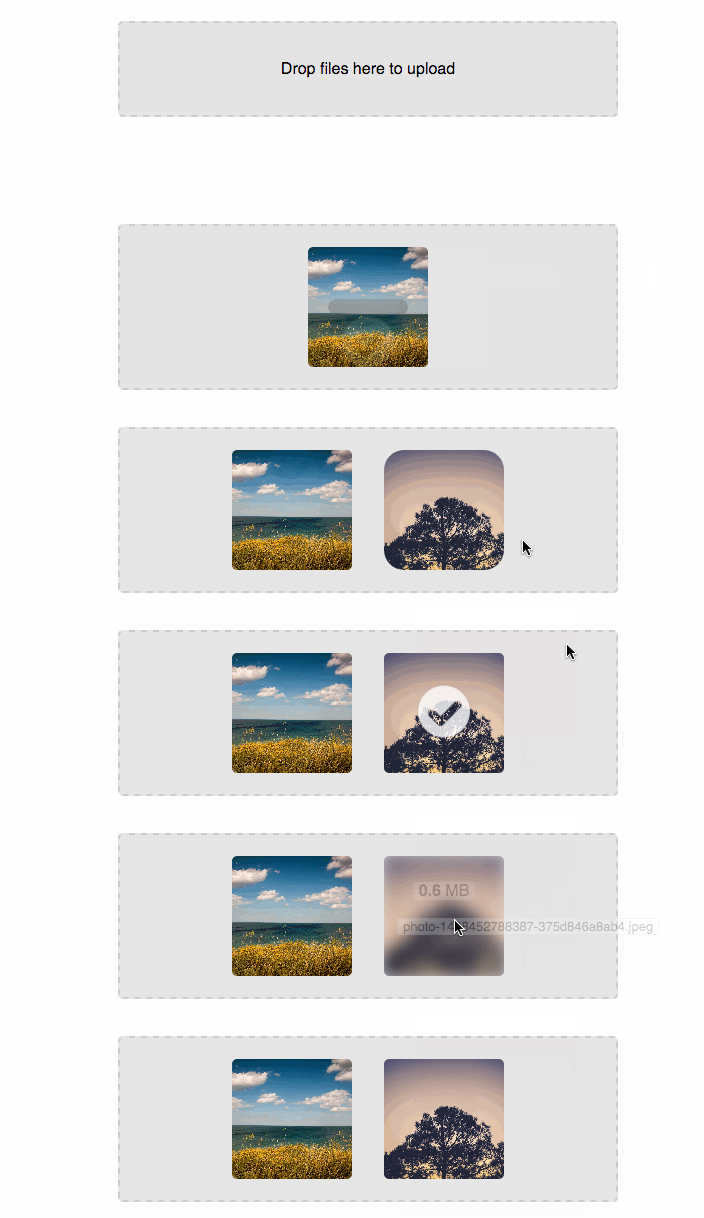
TopGit tracks felixrieseberg/React-Dropzone-Component on GitHub. The project has 1.0k stars. :camera: ReactJS Dropzone for File Uploads (using Dropzone.js)
Snapshot summary built from the project's own GitHub metadata — there's no written TopGit review yet. The page will update automatically when a full review is published.
WHY NO REVIEW YET
TopGit writes full reviews for the most-starred, most-requested repositories. This page is a snapshot until then — see the READ ME tab for the original README in full.
:warning: Maintainers wanted! I haven't been able to keep this component up to date and would gladly hand the keys over to someone who is.
A Dropzone component for ReactJS, allowing users to "drag and drop" files into an upload area. The component uses the battle-tested Dropzone.js to provide a cross-browser-compatible upload component.
You can see a demo of the uploader with minimal configuration here.
Simple Usage Example
Accessing the Dropzone.js object
Usage without automatic posting
Custom Preview Template
Custom Post Parameters
Updating the Component's Properties
Callbacks
Server Example
Usage
The component is initialized with a configuration object. Optional are a list of event handlers and a configuration object for dropzone.js.
If you are using one of the many module solutions, you can simply install and require this component like shown below. The package's main entry point is lib/dropzone.js, which gives you all the dropzone components. If you're rolling with ES6/ES2015, feel free to use src/dropzone.js. If you don't want any trouble at all, just add dist/dropzone.min.js as a script to your app and use <DropzoneComponent />.
:warning: Ensure that React and ReactDOM are global variables, so that they can be reached on window.React or global.React. Many fancy boilerplates are overly fancy and somehow remove those variables.
If you are using a fancy boilerplate, you might want to require the lib directly, by using import DropzoneComponent from 'react-dropzone-component/lib/react-dropzone' or require('react-dropzone-component/lib/react-dropzone').
Please ensure that you also include two required CSS files: node_modules/react-dropzone-component/styles/filepicker.css and node_modules/dropzone/dist/min/dropzone.min.css. There are currently a bunch of good ways to combine and process CSS in React, so I'll leave it to you to choose whatever method is best for you - the component does not automatically load CSS.
To use this component without React-DOM, use version ^0.6 - from 0.7 on, we need it.
npm install react-dropzone-component
import React from 'react';
import ReactDOM from 'react-dom';
import DropzoneComponent from 'react-dropzone-component';

var componentConfig = {
    iconFiletypes: ['.jpg', '.png', '.gif'],
    showFiletypeIcon: true,
    postUrl: '/uploadHandler'
};

ReactDOM.render(
    <DropzoneComponent config={componentConfig}
                       eventHandlers={eventHandlers}
                       djsConfig={djsConfig} />,
    document.getElementById('content')
);
The configuration allows you to disable the display of CSS file type icons and to set the URL to which uploads should be posted.
Accessing the Dropzone Object
There are a bunch of operations that might require accessing the dropzone object, especially when wanting to call dropzone methods.
To get said object, use the init event, whose callback will receive a reference to the dropzone object as a parameter.
var myDropzone;

function initCallback (dropzone) {
    myDropzone = dropzone;
}

function removeFile () {
    if (myDropzone) {
        myDropzone.removeFile();
    }
}
Usage Without Automatic Posting
If you want to use this component without posting automatically to a URL but instead do the posting yourself, then you can just fill the postUrl option with a meaningless string and handle the displaying of progress by yourself using the provided event handlers. To see this in action, check out the examples!
The djsconfig property is compatible with all of the options in the official DropzoneJS documentation. Updating the preview template can be done as follows:
The code above will use the entire page body as the dropzone area.
Callbacks
Callbacks can be provided in an object literal.
var eventHandlers = {
    // This one receives the dropzone object as the first parameter
    // and can be used to additional work with the dropzone.js
    // object
    init: null,
    // All of these receive the event as first parameter:
    drop: callbackArray,
    dragstart: null,
    dragend: null,
    dragenter: null,
    dragover: null,
    dragleave: null,
    // All of these receive the file as first parameter:
    addedfile: simpleCallBack,
    removedfile: null,
    thumbnail: null,
    error: null,
    processing: null,
    uploadprogress: null,
    sending: null,
    success: null,
    complete: null,
    canceled: null,
    maxfilesreached: null,
    maxfilesexceeded: null,
    // All of these receive a list of files as first parameter
    // and are only called if the uploadMultiple option
    // in djsConfig is true:
    processingmultiple: null,
    sendingmultiple: null,
    successmultiple: null,
    completemultiple: null,
    canceledmultiple: null,
    // Special Events
    totaluploadprogress: null,
    reset: null,
    queuecomplete: null
}
To provide a single callback, simply override one of these events with your function reference. If you want to provide multiple callbacks, simply provide an array with your function references.
var callbackArray = [
    function () {
        console.log('Look Ma, I\'m a callback in an array!');
    },
    function () {
        console.log('Wooooow!');
    }
];

var simpleCallBack = function () {
    console.log('I\'m a simple callback');
};
Updating the Component's Properties
This React Component is a wrapper around Dropzone.js - meaning that Dropzone.js is not aware of the React component life cycle. When you update the component's properties, we will use a copy of jQuery's extend method (see documentation) to merge new options into the Dropzone's properties object.
If you want to fundamentally change things about your dropzone, we recommend that you either modify the Dropzone object directly or destroy and recreate the component.
Server Example
This component comes with a small server example. To try it out, simply run npm install and npm start from the example folder. Visit http://localhost:8000/example/ to see the uploads working.
To check out the (super small) source code for this simple upload-accepting server, check out example/src-server/ and example/server.js. The component works with any server infrastructure, though!
Is felixrieseberg/React-Dropzone-Component open source?
Yes — felixrieseberg/React-Dropzone-Component ships under the MIT license, which makes its source code freely readable (and, depending on license terms, forkable and reusable). Source: github.com/felixrieseberg/React-Dropzone-Component.
What is felixrieseberg/React-Dropzone-Component?
felixrieseberg/React-Dropzone-Component (felixrieseberg/React-Dropzone-Component) is a JavaScript project on GitHub. From the project's own README: :camera: ReactJS Dropzone for File Uploads (using Dropzone.js)
Where do I read more about felixrieseberg/React-Dropzone-Component?
This TopGit page is a snapshot — the READ ME tab shows the project's own README content (links stripped, images preserved). The GitHub repository at github.com/felixrieseberg/React-Dropzone-Component is the definitive source.
Read full README in the tab above.
Want a second opinion on React-Dropzone-Component?
Ask an AI that can read this page — one click and you get its take on React-Dropzone-Component.

 /React-Dropzone-Component