imazen/imageflow sits at 4.5k stars on GitHub, written primarily in Rust. High-performance image manipulation for web servers. Includes imageflow_server, imageflow_tool, and libimageflow
Snapshot summary built from the project's own GitHub metadata — there's no written TopGit review yet. The page will update automatically when a full review is published.
WHY NO REVIEW YET
TopGit writes full reviews for the most-starred, most-requested repositories. This page is a snapshot until then — see the READ ME tab for the original README in full.
Download blazing fast and safer tools for a modern image workflow.
imageflow_tool is a command-line tool for experimenting, running batch jobs, JSON jobs,
or when you want process isolation. Up to 17x faster than ImageMagick. Also produces smaller files at higher quality. Download or docker run imazen/imageflow_tool.
libimageflow is for direct (in-process) use from your programming language. See our Node bindings, Go bindings, Scala bindings, Elixir bindings, or .NET bindings. If we don't already have bindings for your language, consider spending a day to add them. Imageflow has a simple
C-compatible ABI, of which only 4 methods are needed to implement bindings.
Imageflow.Server is cross-platform and can manipulate images in-flight (e.g./bucket/img.jpg?w=200) for direct use from
HTML. Source images can reside in blob storage, on another server, or on the filesystem. It's a production ready server with excellent hybrid disk caching, support for Azure and Amazon blob storage, and can be easily customized. You can deploy it easily via Docker, on a VM, or via any cloud host. It's also backwards compatible with the ImageResizer API - which is useful, as ImageResizer as been integrated into more than a thousand different CMSes and applications in the last decade.
Open an issue to share ideas, feedback, or ask questions. We believe in feedback-driven design, and streamlining real-world usage is the fastest way to a great product.
Querystring API Documentation
JSON API Documentation
libimageflow and imageflow_tool are available as
self-contained binaries for Windows, Ubuntu, and Mac. We also offer Docker images for Linux (where glibc and OpenSSL are required).
We thank our backers on Kickstarter
and the many supporters of ImageResizer for making this project a reality.
Visit Imageresizing.net if you need an AGPLv3 exception for commercial use.
Start with imageflow_tool (recommended)
imageflow_tool examples --generate - creates an examples directory with JSON jobs and invocation scripts.
You can use command strings that are compatible with ImageResizer 4 querystrings:
By default, imageflow_tool prints a JSON response to stdout. You write this to disk with --response.
--debug-package will create a .zip file to reproduce problematic behavior with both v1/build and v1/querystring. Please submit bug reports; we try to make it easy.
Using Imageflow.Server for dynamic imaging
NOTE: imageflow_server has been removed as the underlying web framework (iron) is abandoned and no longer secure. For the last few years we have suggested moving to the production-ready Imageflow.Server product, which also offers docker deployment (but we suggest your own dockerfile to permit configuration)
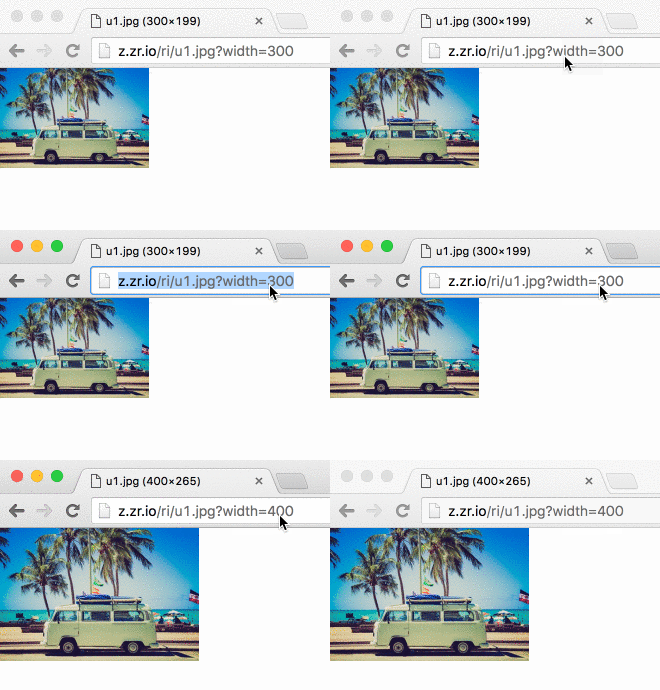
Now you can edit images from HTML... and use srcset without headache.
.NET Standard bindings can be found at https://github.com/imazen/imageflow-dotnet
Node bindings available at https://github.com/imazen/imageflow-node
Ruby - Basic bindings can be found at https://github.com/imazen/imageflow-ruby
C and C++ interface is stable - use bindings/headers/imageflow_default.h or one of the many alternate conventions provided with each release.
Rust - Imageflow is written in Rust, so you can use the imageflow_core crate, althogh the interfaces are not stable or semver in line with tagged releases (those version numbers are for the C ABI, not the Rust API)
other languages - Use an FFI binding-generation tool for your language, and feed it whichever header file it likes best.
You also may find that imageflow_tool is quite fast enough for your needs.
Crates within this project
imageflow_abi - The stable API of libimageflow/imageflow.dll.
Headers for libimageflow are located in bindings/headers
imageflow_tool - The command-line tool
c_components - A rust crate containing C source
c_components/tests - Tests for the C components
imageflow_types - Shared types used by most crates, with JSON serialization
imageflow_helpers - Common helper functions and utilities
imageflow_riapi - RIAPI and ImageResizer4 compatibility parsing/layout
imageflow_core - The main library and execution engine
Building from Source without Docker
You'll need more than just Rust to compile Imageflow, as it has a couple C dependencies.
Install platform-specific prerequisites (find the right section below).
Clone and cd into this repository
E.g., git clone [email protected]:imazen/imageflow.git && cd imageflow)
Run cargo build --release --all
Look in ./target/release for the binaries
If you are on Windows, only run build commands in the window created by win_enter_env.bat.
Build using cargo directly, although this will place binaries in ./target/release instead.
* `cargo test --all` to test Imageflow in debug (slooow) mode
* `cargo build --package imageflow_abi --release` to compile `libimageflow/imageflow.dll`
* `cargo build --package imageflow_tool --release` to compile `imageflow_tool(.exe)`
* `cargo build --all --release` to compile everything in release mode
* `cargo doc --no-deps --all --release` to generate documentation.
(optional) To use a graphical text editor, you'll need to download imageflow to a "Windows" directory, then map it to a location in Ubuntu.
For example, if you cloned imageflow to Documents/imageflow, you would run:
ln -s /mnt/c/Users/[YourWindowsUserName]/Documents/imageflow ~/win_imageflow
Close and re-open Ubuntu
Windows 10 Pre-requisites
Install Visual Studio 2017 Build Tools (separately or as a VS component)
Install Git 64-bit.
Run As Administrator the NASM 64-bit installer - it will not prompt.
Install Rust 64-bit if you want 64-bit Imageflow or Rust 32-bit if you don't.
Install toolchain stable as the default, and confirm adding it to PATH.
Open the command line and switch to this repository's root directory
Edit ci/wintools/SETUP_PATH.bat to ensure that rust/cargo, nasm, git, and Git/mingw64/bin are all in %PATH%.
Run win_enter_env.bat to start a sub-shell (edit it if you want a 32-bit build)
All build commands should be run in the sub-shell. Run cmd.exe /c "ci\wintools\win_verify_tools.bat" to check tools are present.
How does one learn image processing for the web?
First, read High Performance Images for context.
There are not many great textbooks on the subject. Here are some from my personal bookshelf. Between them (and Wikipedia) I was able to put together about 60% of the knowledge I needed; the rest I found by reading the source code to many popular image processing libraries.
I would start by reading Principles of Digital Image Processing: Core Algorithms front-to-back, then Digital Image Warping. Wikipedia is also a useful reference, although the relevant pages are not linked or categorized together - use specific search terms, like "bilinear interpolation" and "Lab color space".
Digital Image Warping
Computer Graphics: Principles and Practice in C (2nd Edition)
Principles of Digital Image Processing: Fundamental Techniques
Principles of Digital Image Processing: Core Algorithms
Principles of Digital Image Processing: Advanced Methods
I have found the source code for OpenCV, LibGD, FreeImage, Libvips, Pixman, Cairo, ImageMagick, stb_image, Skia, and FrameWave is very useful for understanding real-world implementations and considerations. Most textbooks assume an infinite plane, ignore off-by-one errors, floating-point limitations, color space accuracy, and operational symmetry within a bounded region. I cannot recommend any textbook as an accurate reference, only as a conceptual starting point. I made some notes regarding issues to be aware of when creating an imaging library.
Also, keep in mind that computer vision is very different from image creation. In computer vision, resampling accuracy matters very little, for example. But in image creation, you are serving images to photographers, people with far keener visual perception than the average developer. The images produced will be rendered side-by-side with other CSS and images, and the least significant bit of inaccuracy is quite visible. You are competing with Lightroom; with offline tools that produce visually perfect results. End-user software will be discarded if photographers feel it is corrupting their work.
Yes — imazen/imageflow ships under the AGPL-3.0 license, which makes its source code freely readable (and, depending on license terms, forkable and reusable). Source: github.com/imazen/imageflow.
What is imazen/imageflow?
imazen/imageflow (imazen/imageflow) is a Rust project on GitHub. From the project's own README: High-performance image manipulation for web servers. Includes imageflow_server, imageflow_tool, and libimageflow
What license does imazen/imageflow use?
imazen/imageflow is released under the AGPL-3.0 license. Always verify the LICENSE file directly on GitHub for the authoritative terms — license strings can be edited out of sync with a project's actual stance.
Where can I see imazen/imageflow in action?
The project maintains a homepage at https://docs.imageflow.io/. The README tab on this page also usually contains screenshots and a quickstart.
Where do I read more about imazen/imageflow?
This TopGit page is a snapshot — the READ ME tab shows the project's own README content (links stripped, images preserved). The GitHub repository at github.com/imazen/imageflow is the definitive source.
Read full README in the tab above.
Curious whether imageflow is right for you?
Let ChatGPT, Claude, or Perplexity look into it — click below and see what AI actually says about imageflow.

 /imageflow
 optimal images at incredible speeds