A look at JanDeDobbeleer/punch: 19 stars on GitHub, written primarily in TypeScript.
Snapshot summary built from the project's own GitHub metadata — there's no written TopGit review yet. The page will update automatically when a full review is published.
WHY NO REVIEW YET
TopGit writes full reviews for the most-starred, most-requested repositories. This page is a snapshot until then — see the READ ME tab for the original README in full.
A personal time-tracking app for freelancers and independent consultants. Log hours to projects and customers, track day-rate earnings, book flat-fee services, and generate branded PDF timesheets — all in a single-page app hosted on Azure.
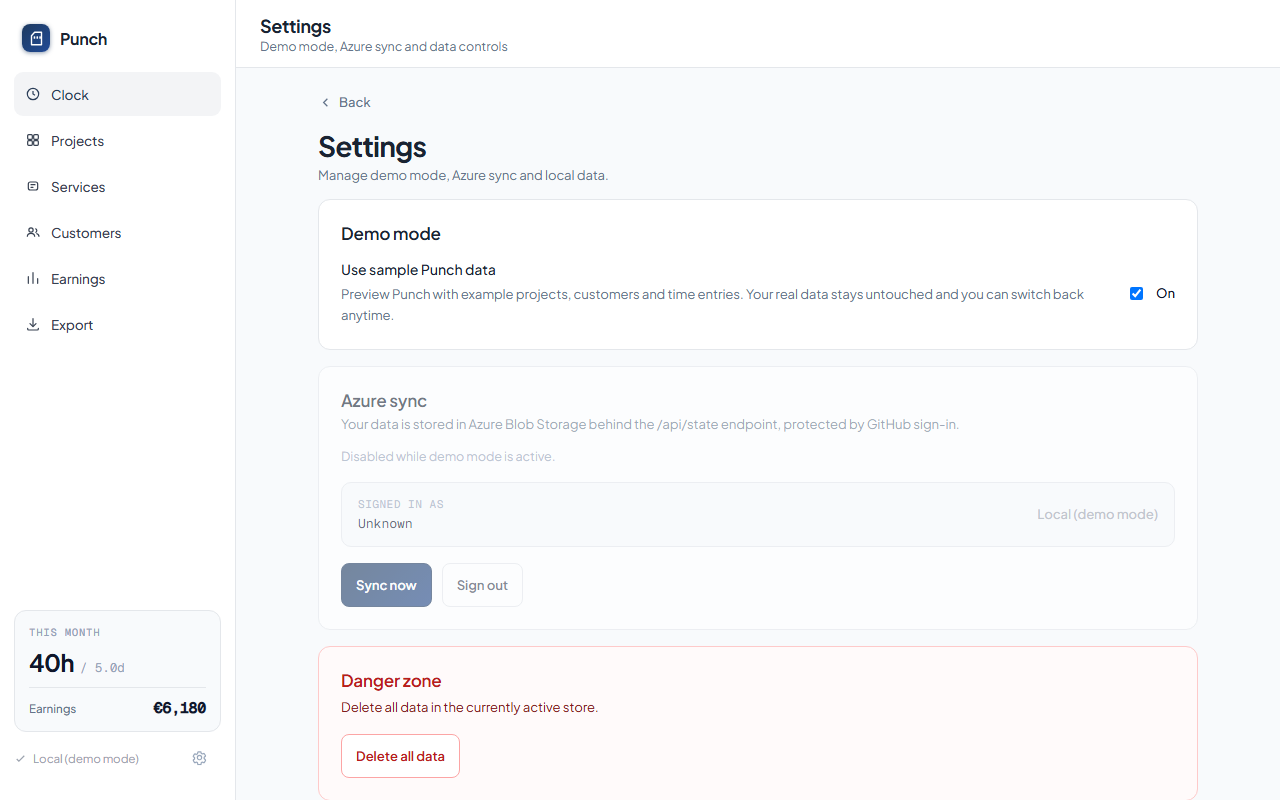
Try it first — open Settings (gear icon) and toggle Demo mode to explore the app with realistic fictional data, no account needed.
Screenshots
Desktop
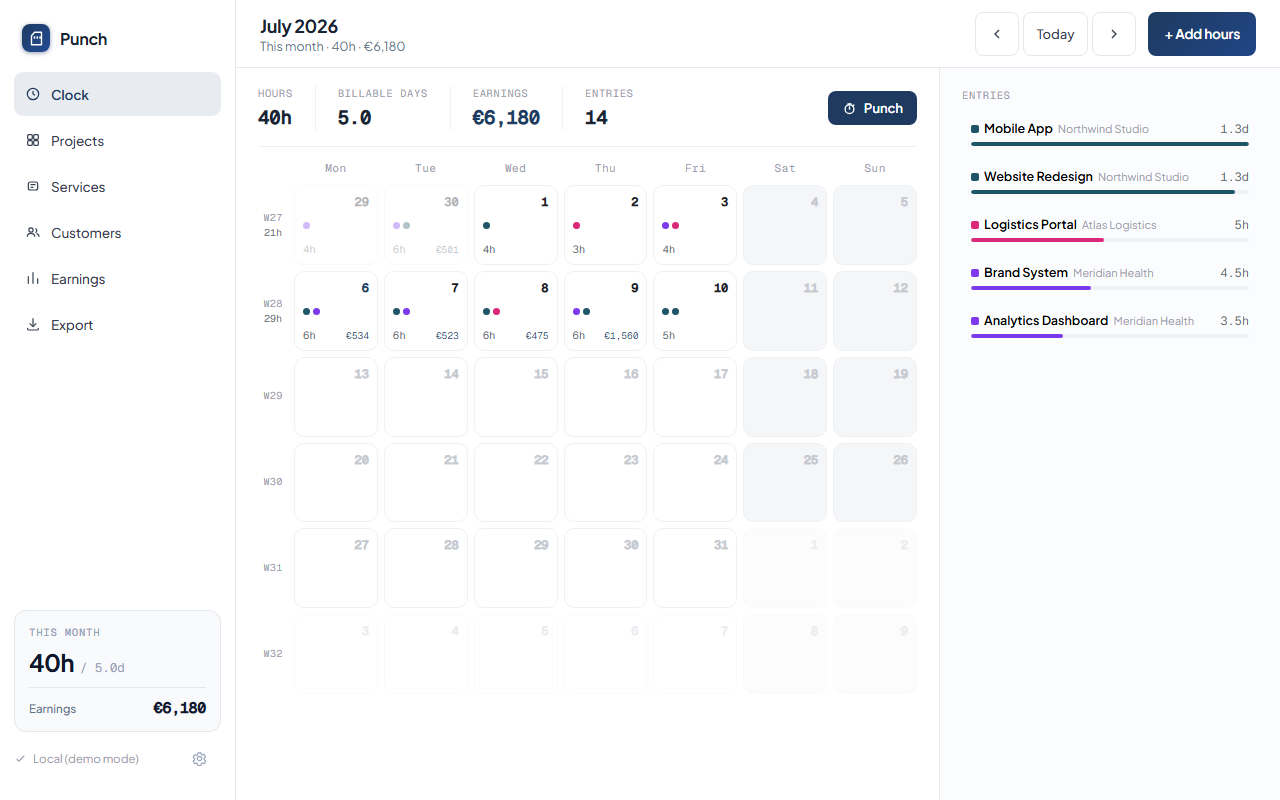
Clock
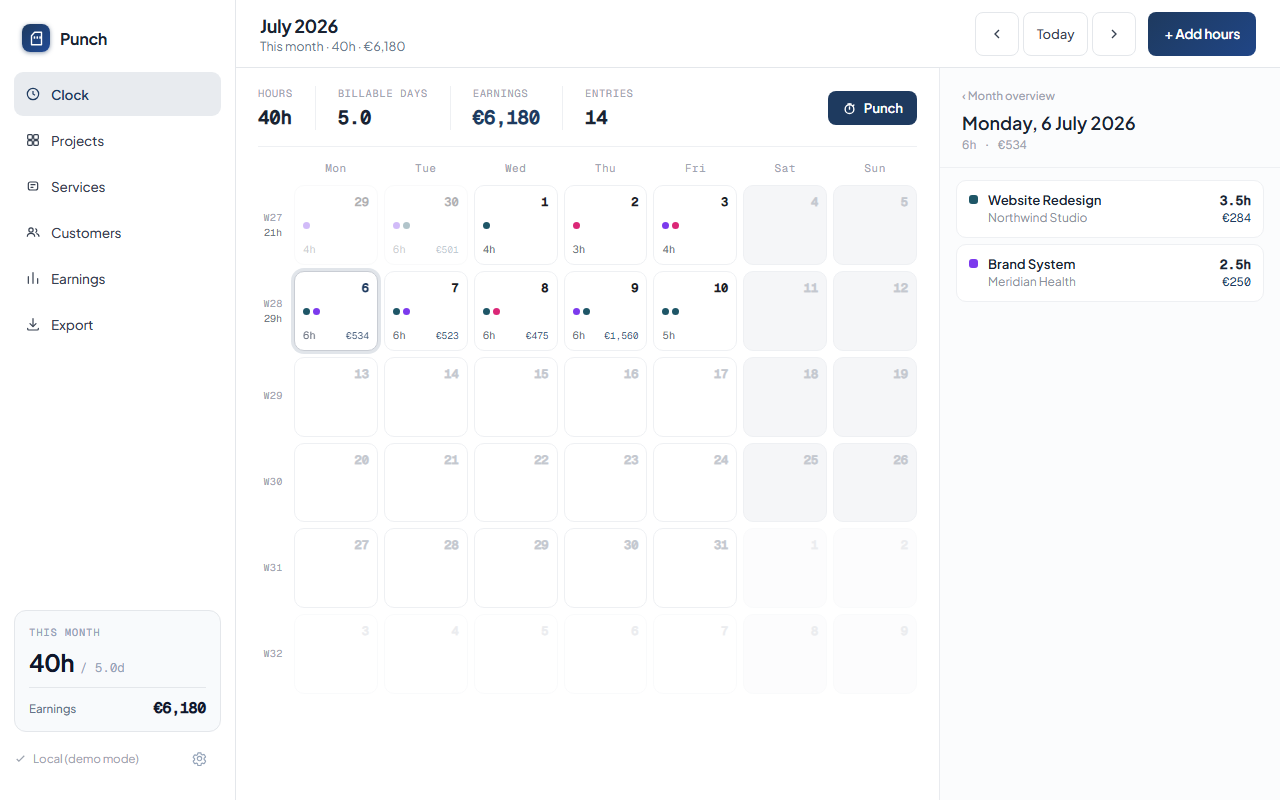
Day detail
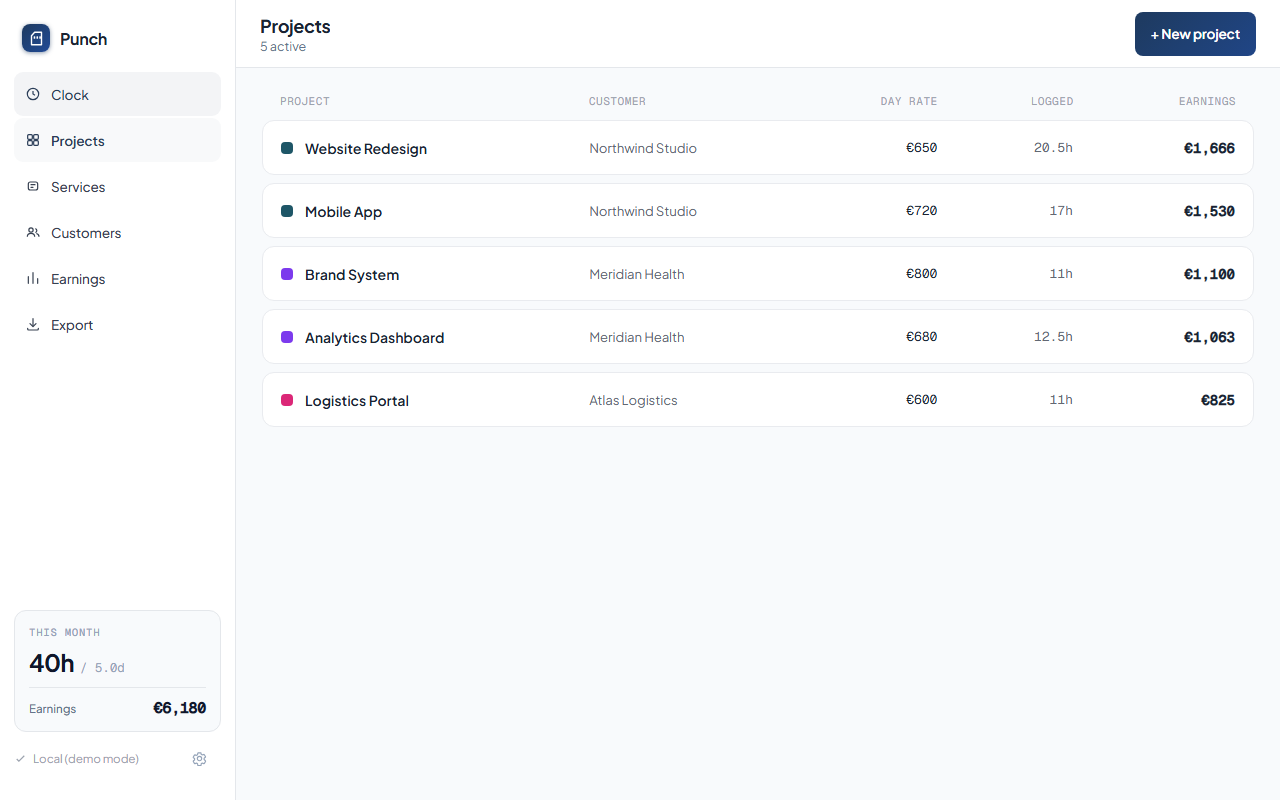
Projects
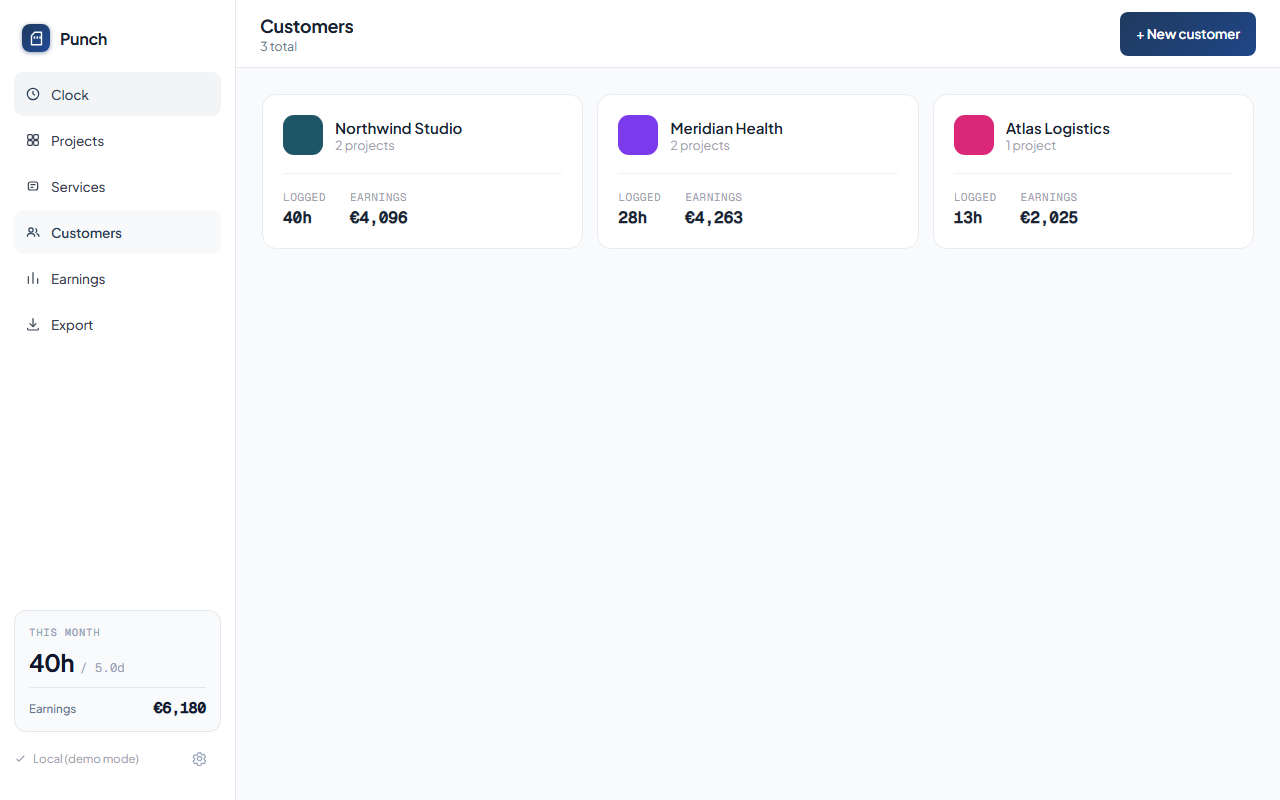
Customers
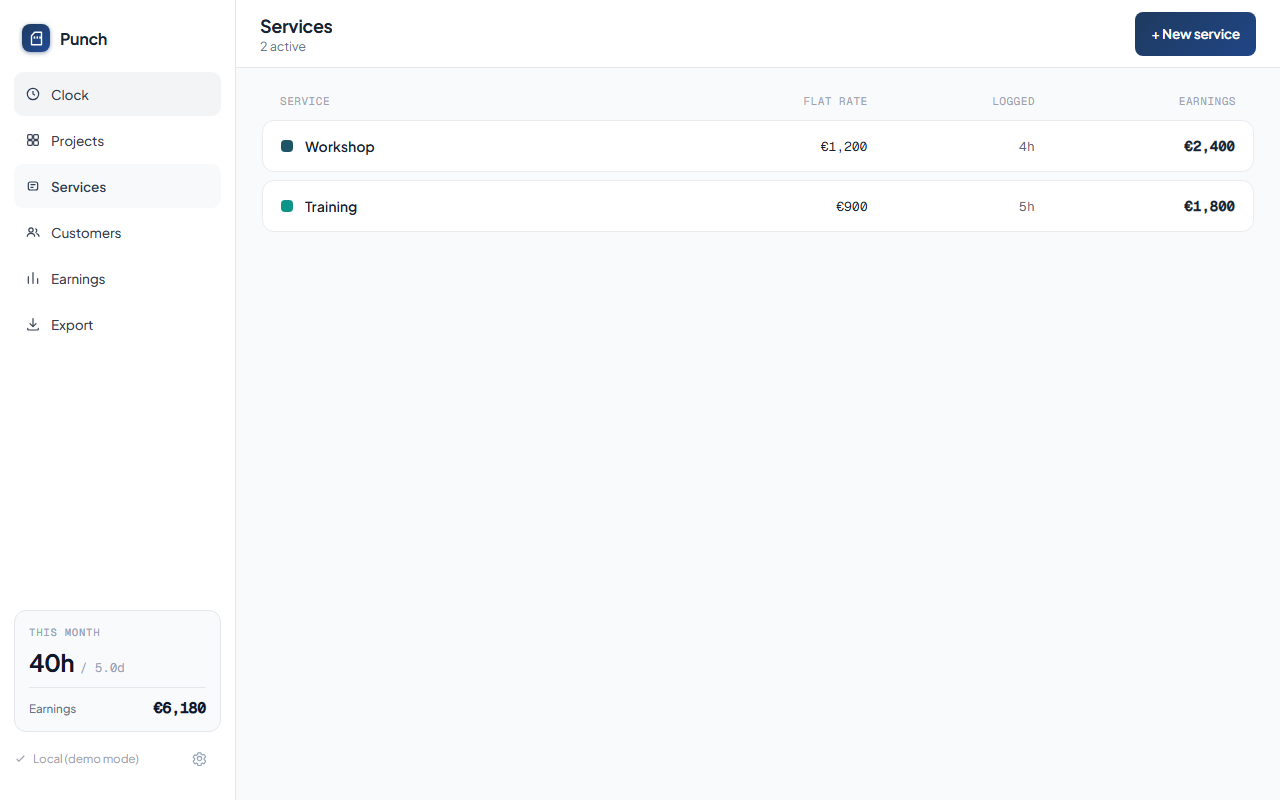
Services
Settings
Mobile
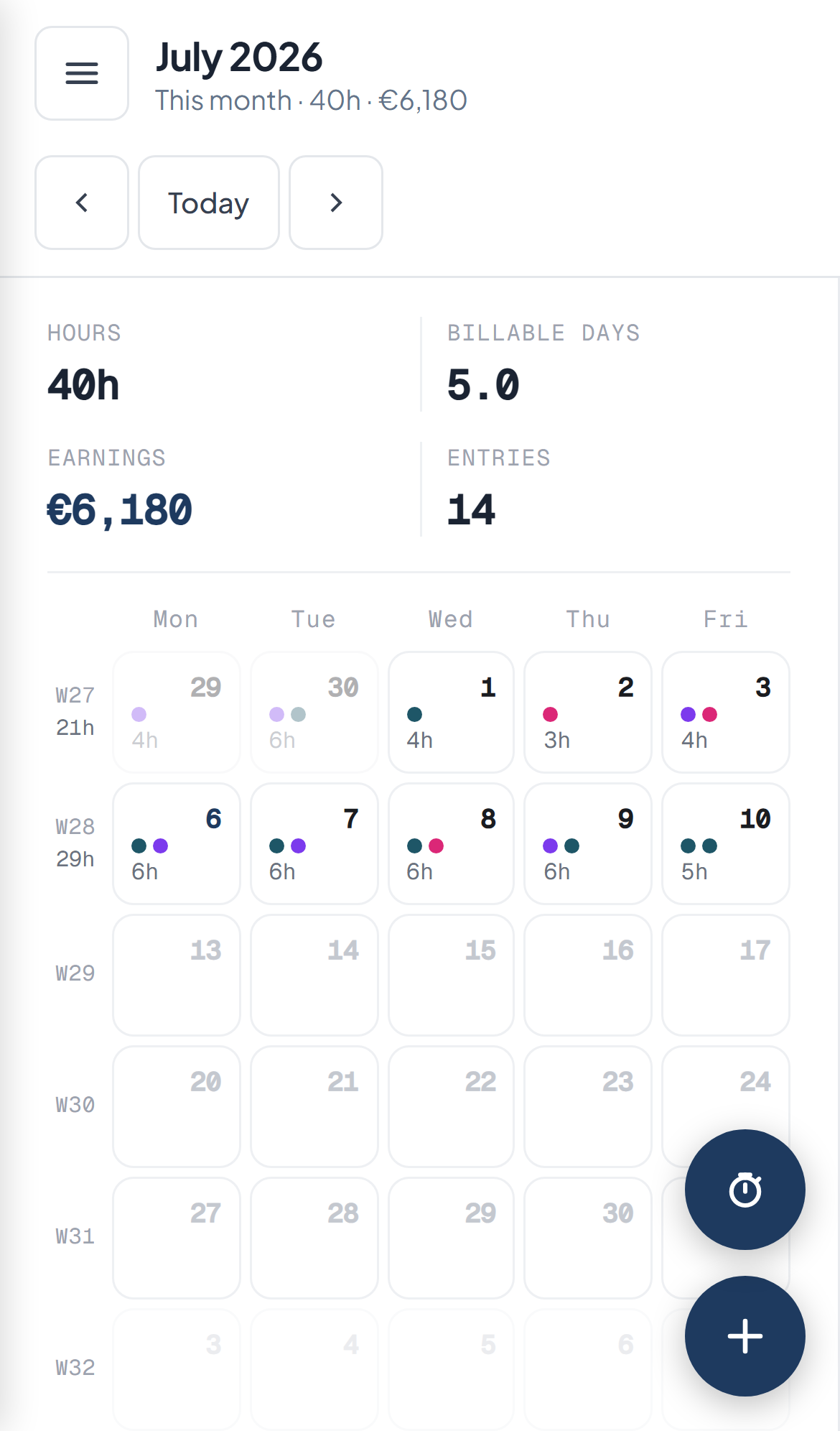
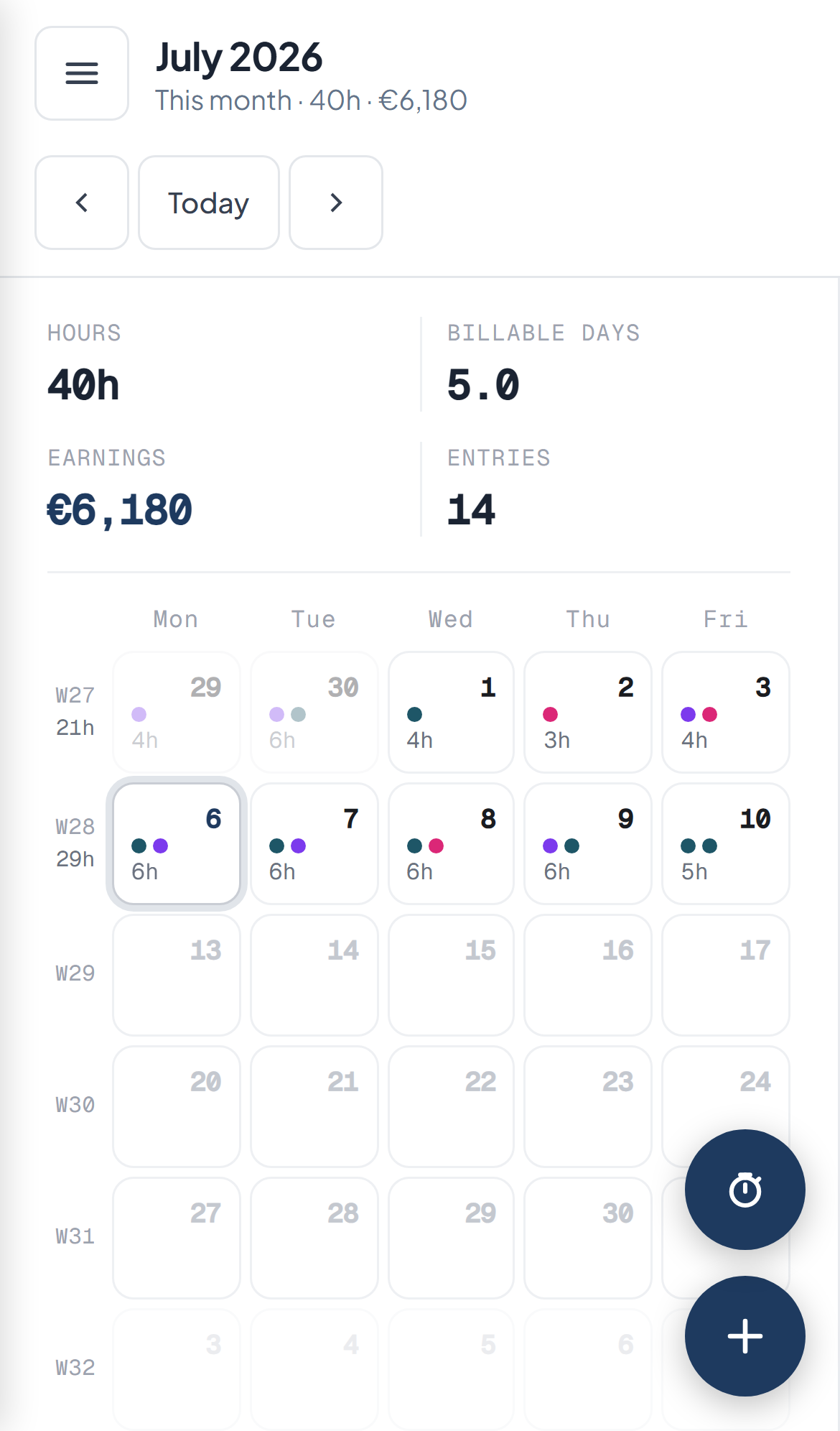
Calendar
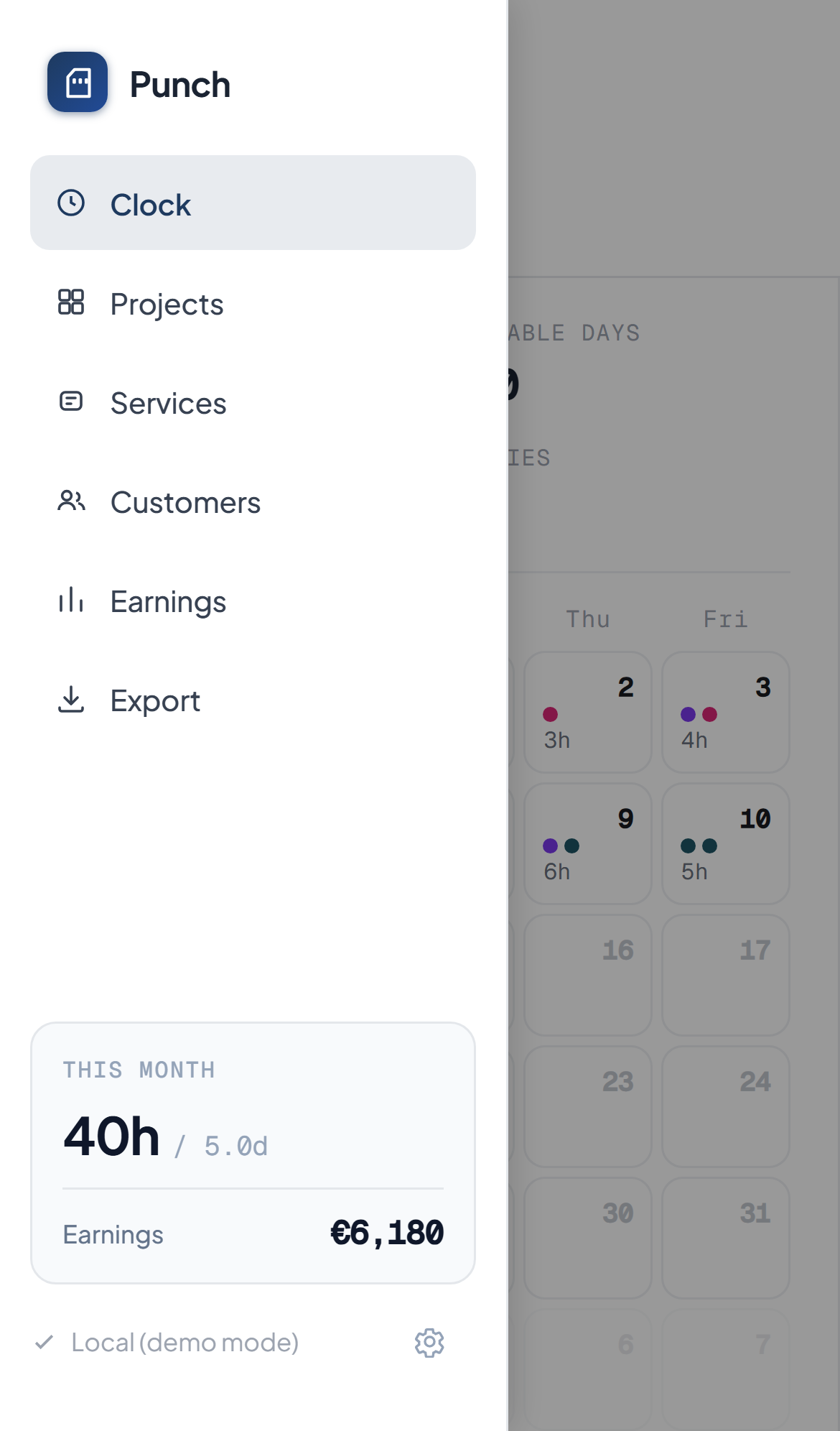
Drawer
Day detail
Features
Monthly calendar — colour-coded day cells with hour labels and coloured pips per project; click any day to open the detail panel
Projects — link each project to a customer, set a day rate (or multiple rate periods), and see total logged hours + earnings per project
Services — fixed-rate bookings (workshops, training, etc.) charged at a flat per-session rate
Customers — group projects under customers with a colour identity; per-customer earnings and project summaries
Earnings view — filter by customer, project, or service; choose month/quarter/year or a custom range; bar chart breakdown
Timesheet export — generate a branded PDF timesheet and a zip of all attachments for a customer or project, entirely client-side (no round-trip to the server)
Azure Blob Storage sync — full state stored as one JSON blob; optimistic concurrency via ETags so two browser tabs never silently overwrite each other
File attachments — attach receipts or documents to any time entry; files are stored in Azure Blob Storage and downloaded via short-lived SAS URLs
Demo mode — explore a full week of fictional demo data without touching your real data; switch back at any time from Settings
Responsive mobile layout — full-width calendar with collapsible drawer navigation and a floating action button for quick entry
Architecture
Browser (React 19 + TypeScript + Vite SPA)
  │
  ├── /.auth/login/github   GitHub sign-in via Azure SWA built-in auth
  │
  ├── /api/state            GET / PUT — full state as one JSON blob (ETag concurrency)
  └── /api/attachments      POST (SAS upload ticket) / GET (SAS download URL) / DELETE
          │
          Azure Functions (Node 22, managed, co-hosted with SWA)
          │
          Azure Blob Storage
            ├── container: state        (state.json — the whole data model)
            └── container: attachments  (<entryId>/<attachmentId>)
Auth: Every route (/* and /api/*) is gated behind the owner role in staticwebapp.config.json. The GitHub identity you invite gets that role via az staticwebapp users invite. Unauthenticated visitors are redirected straight to the GitHub login page.
Self-hosting on Azure
Punch is designed to be hosted by a single user. The entire stack runs on Azure services with a generous free tier.
1 — Prerequisites
Azure CLI installed and signed in (az login)
A GitHub account (used for authentication)
This repository forked to your own GitHub account
2 — Create the storage account
# Create a resource group (pick any region)
az group create --name rg-punch --location westeurope

# Create a storage account (name must be globally unique, 3-24 lowercase chars)
az storage account create \
  --name <your-storage-account> \
  --resource-group rg-punch \
  --sku Standard_LRS \
  --kind StorageV2

# Create the two containers
az storage container create --name state       --account-name <your-storage-account>
az storage container create --name attachments --account-name <your-storage-account>
Note: The owner role is a custom role defined in staticwebapp.config.json. It is separate from the Standard-plan password-protection feature — the Free tier supports it via the az staticwebapp users commands above.
6 — Enable CORS on blob storage (for attachment downloads)
The timesheet export downloads attachment files directly from Blob Storage in the browser. Add a CORS rule so the request isn't blocked:
az storage cors add \
  --account-name <your-storage-account> \
  --services b \
  --methods GET HEAD \
  --origins "https://<your-swa-hostname>.azurestaticapps.net" \
  --allowed-headers "*" \
  --exposed-headers "*" \
  --max-age 3600
Replace <your-swa-hostname> with the auto-generated hostname shown by:
az staticwebapp show --name punch-app --resource-group rg-punch --query defaultHostname -o tsv
If you add a custom domain later, run the command again for that origin.
7 — Deploy
Push to main — the GitHub Actions workflow (.github/workflows/deploy.yml) builds and deploys automatically. The app will be live at the URL from step 6 within a few minutes.
Local development
# Install frontend dependencies
npm install

# Install API dependencies
cd api && npm install && cd ..

# Copy API settings for local Azurite / emulator use
cp api/local.settings.json.example api/local.settings.json
# Edit local.settings.json if you want to point at real Azure storage instead of Azurite

# Start Azurite (Azure Storage emulator) in a separate terminal
npx azurite --silent --location .azurite

# Start the API (in a separate terminal)
cd api && npm run watch

# Start the frontend dev server
npm run dev
The frontend runs at http://localhost:5173. Because there is no SWA auth proxy locally, set SKIP_AUTH_CHECK=1 in api/local.settings.json — the API will synthesise a dummy owner identity so all endpoints work without a real GitHub sign-in.
How active is development on JanDeDobbeleer/punch?
The most recent commit recorded on JanDeDobbeleer/punch was 24 days ago, based on the GitHub push timestamp. The repository has 0 forks — one of the better signals of community interest.
How many stars does JanDeDobbeleer/punch have?
JanDeDobbeleer/punch has 19 GitHub stars — refresh the page for the live number, or check github.com/JanDeDobbeleer/punch. TopGit mirrors GitHub's count but does not claim minute-by-minute accuracy.
Is JanDeDobbeleer/punch open source?
TopGit's metadata for JanDeDobbeleer/punch does not record a license. Most public repositories on GitHub ARE open source, but the exact terms vary — verify by opening the LICENSE file directly.
What is JanDeDobbeleer/punch?
JanDeDobbeleer/punch (JanDeDobbeleer/punch) is a TypeScript project tracked by TopGit. The repository has 19 GitHub stars at the time of our last sync.
What language is JanDeDobbeleer/punch written in?
JanDeDobbeleer/punch is written primarily in TypeScript. GitHub's language field is based on the largest share of bytes in the default branch.
Where do I read more about JanDeDobbeleer/punch?
This TopGit page is a snapshot — the READ ME tab shows the project's own README content (links stripped, images preserved). The GitHub repository at github.com/JanDeDobbeleer/punch is the definitive source.
Read full README in the tab above.
Curious whether punch is right for you?
Let ChatGPT, Claude, or Perplexity look into it — click below and see what AI actually says about punch.
 /punch