JetBrains/JetBrainsMono is one of the open-source repositories TopGit tracks, currently at 13.0k stars, written primarily in Shell. JetBrains Mono – the free and open-source typeface for developers
Snapshot summary built from the project's own GitHub metadata — there's no written TopGit review yet. The page will update automatically when a full review is published.
WHY NO REVIEW YET
TopGit writes full reviews for the most-starred, most-requested repositories. This page is a snapshot until then — see the READ ME tab for the original README in full.
JetBrains Mono is available as a standalone download, and is also bundled in all JetBrains IDEs. Discover more font features & design on its web page.
Default version of JetBrains Mono comes with OpenType features and ligatures (which can always be toggled on & off in the settings). If your IDE doesn’t support OpenType, use a special version of the font — JetBrains Mono NL, which doesn’t include any ligatures.
Installation
JetBrains IDEs
The most recent version of JetBrains Mono ships with your JetBrains IDE starting with v2019.3.
Select JetBrains Mono in the IDE settings: go to Preferences/Settings → Editor → Font, and then select JetBrains Mono from the Font dropdown.
Brew (macOS only)
Install it using the font-jetbrains-mono cask:
brew install --cask font-jetbrains-mono
Manual installation
On Mac/Windows:
Download font.
Unzip the archive and install the font:
Mac. Select all font files in the folder and double-click them. Click the Install Font button.
Windows. Select all font files in the folder, right-click any of them, then pick Install from the menu.
Note If you have previously installed JetBrains Mono, please uninstall all previous versions to exclude conflicts and errors in rendering.
Once JetBrains Mono is installed in your OS, you are ready to configure the editor.
Visual Studio Code
From the File menu (Code on Mac) go to Preferences → Settings, or use keyboard shortcut Ctrl+, (Cmd+, on Mac).
In the Editor: Font Family input box type JetBrains Mono, replacing any content.
To enable ligatures, go to Editor: Font Ligatures, click Edit in settings.json, and copy this line "editor.fontLigatures": true into json file.
More ways to install
Chocolatey
ChromeOS terminal
Font Styles
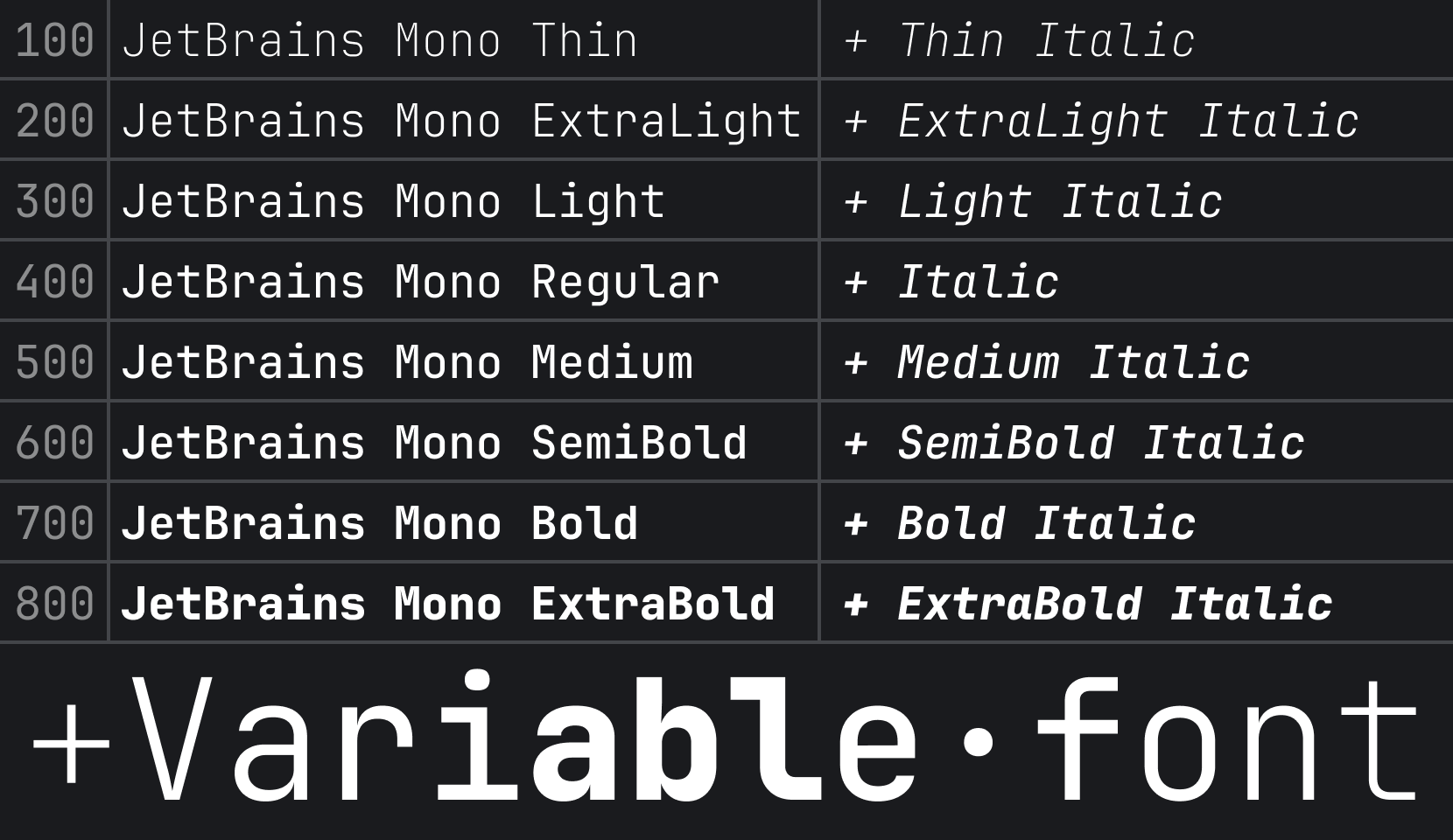
There are 8 font styles available in JetBrains Mono, from Thin to ExtraBold, each coming with its own italic version.
Font Features
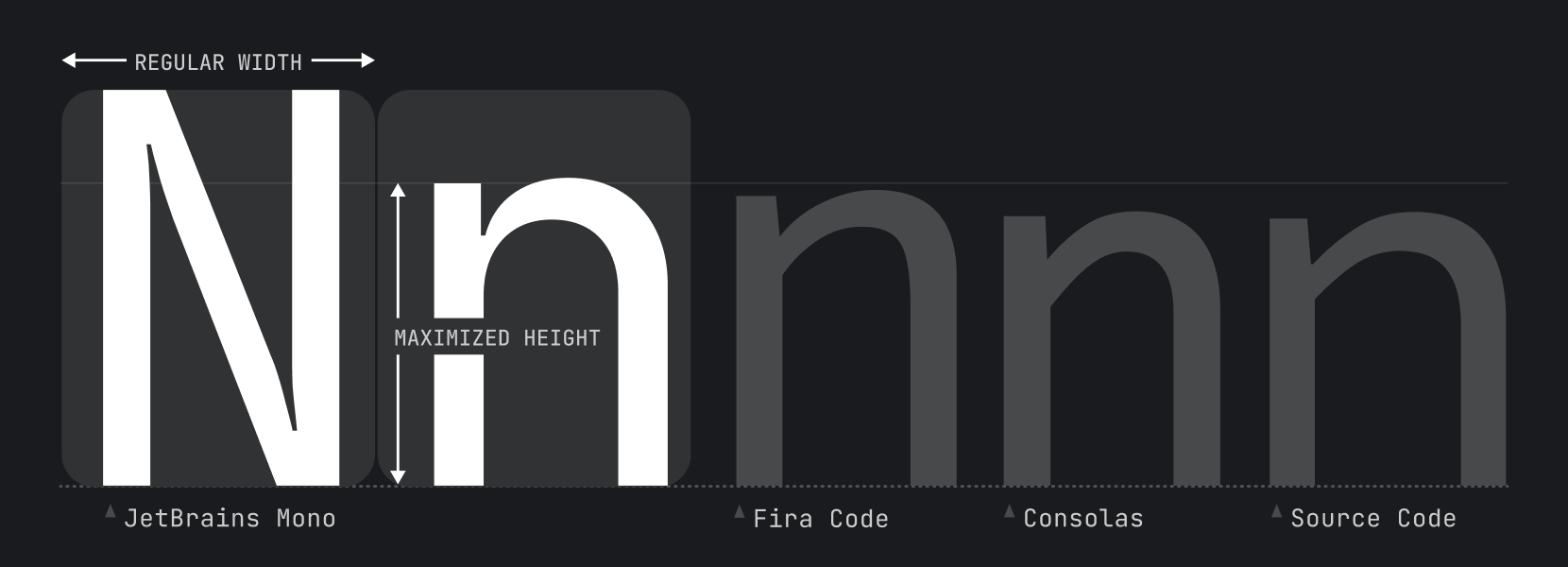
Increased x-height
While characters remain standard in width, the height of the lowercase is maximized. This approach keeps code lines to the length that developers expect, and it helps improve rendering in small size, since each symbol occupies more pixels.
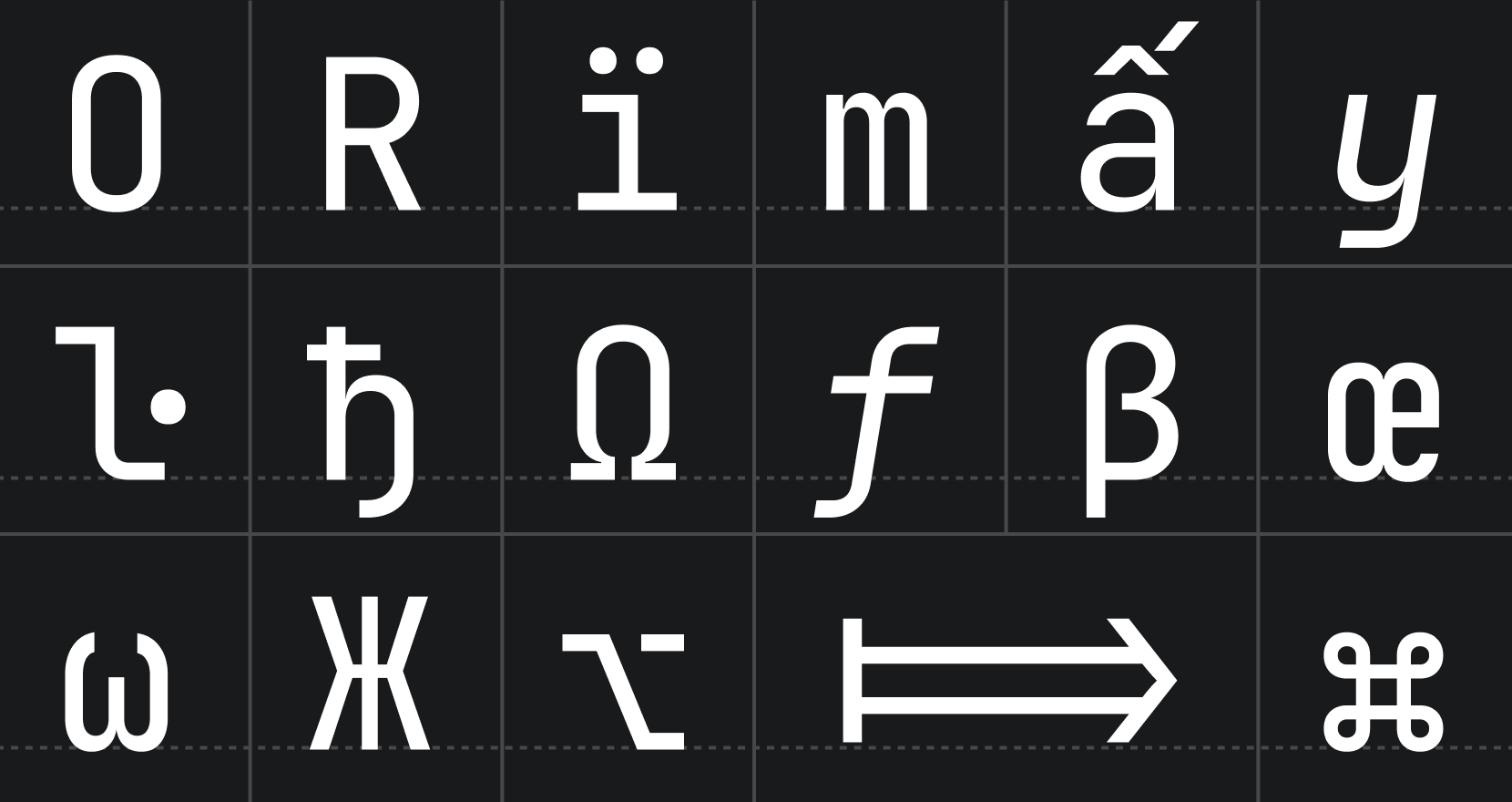
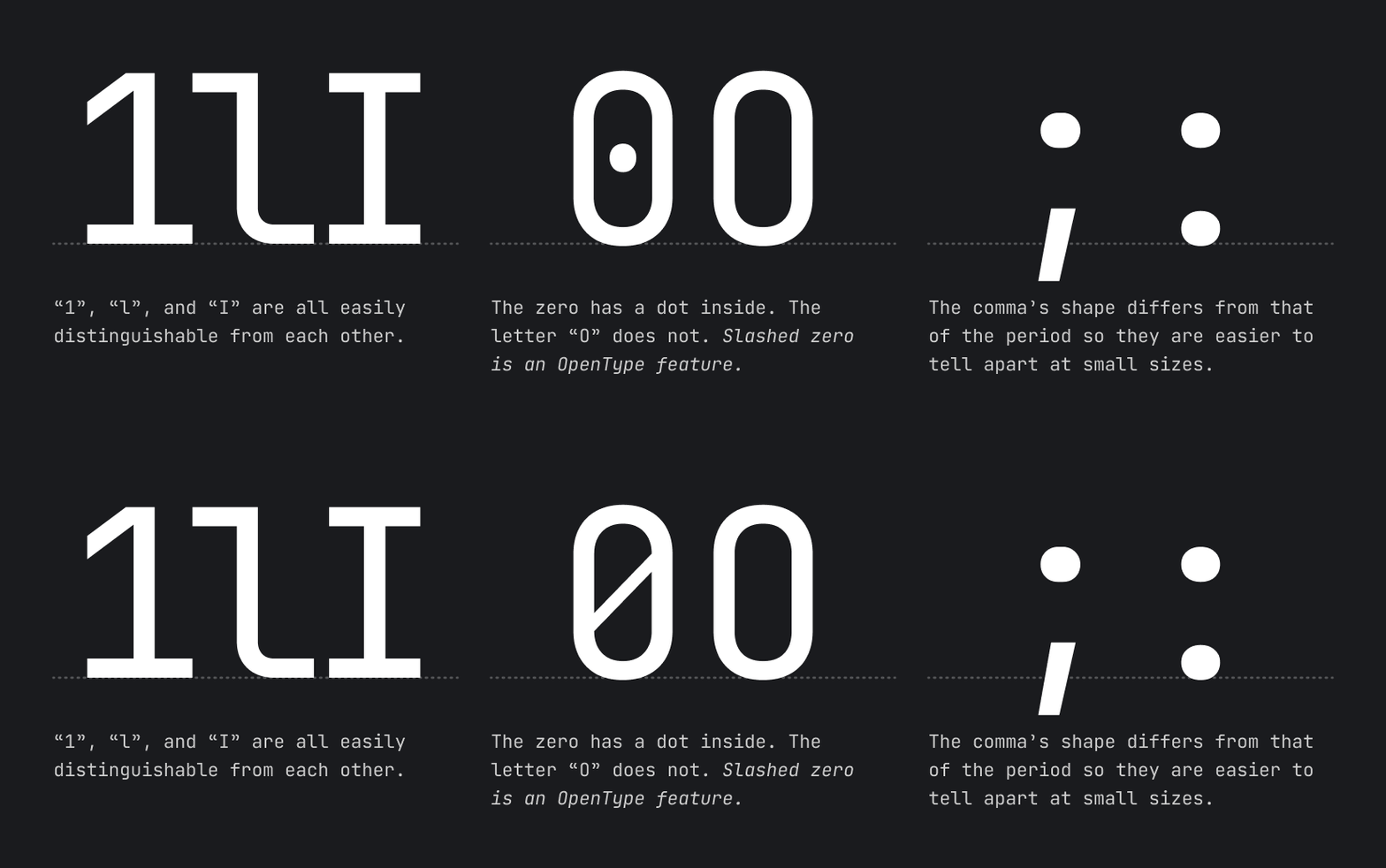
Distinctiveness of symbols
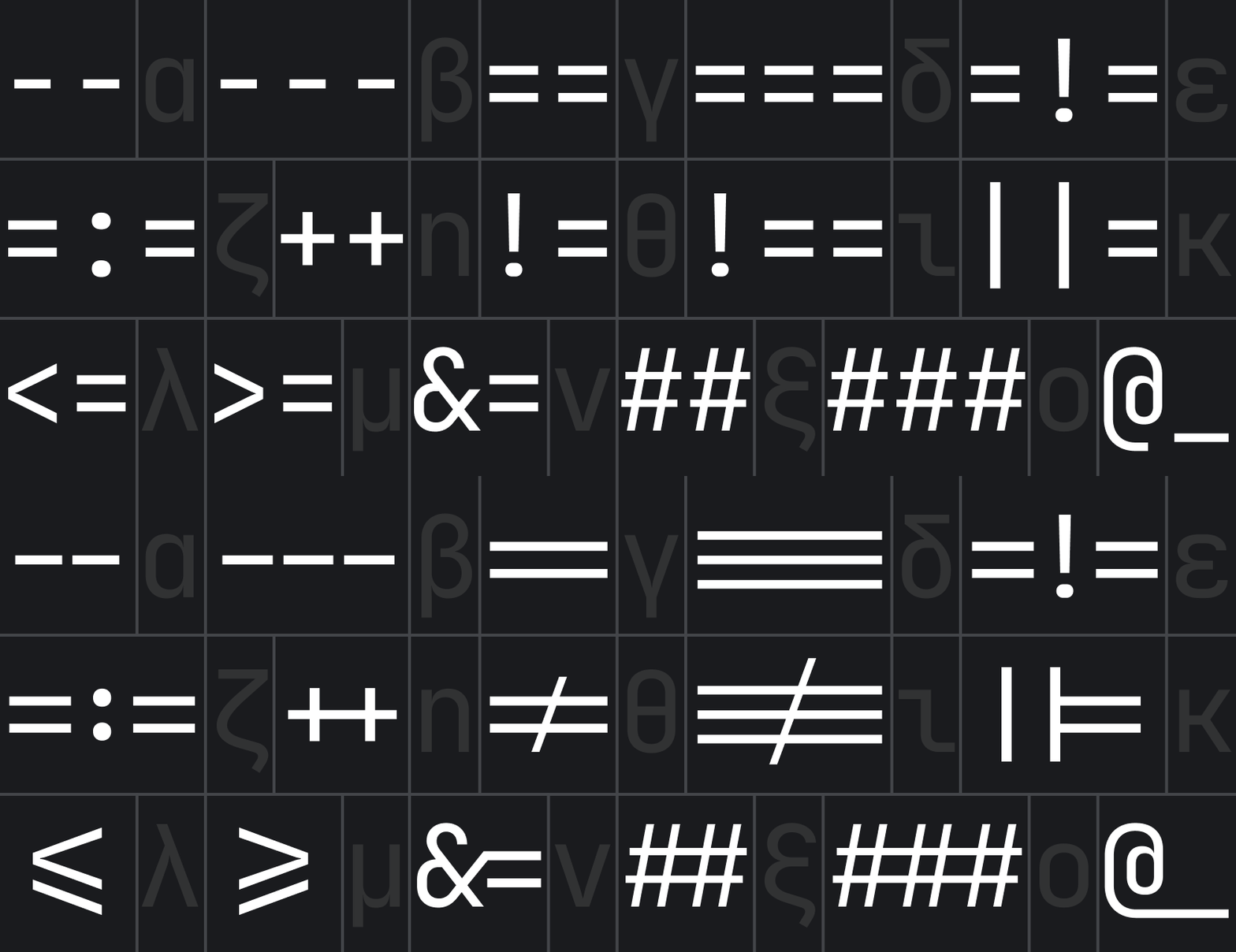
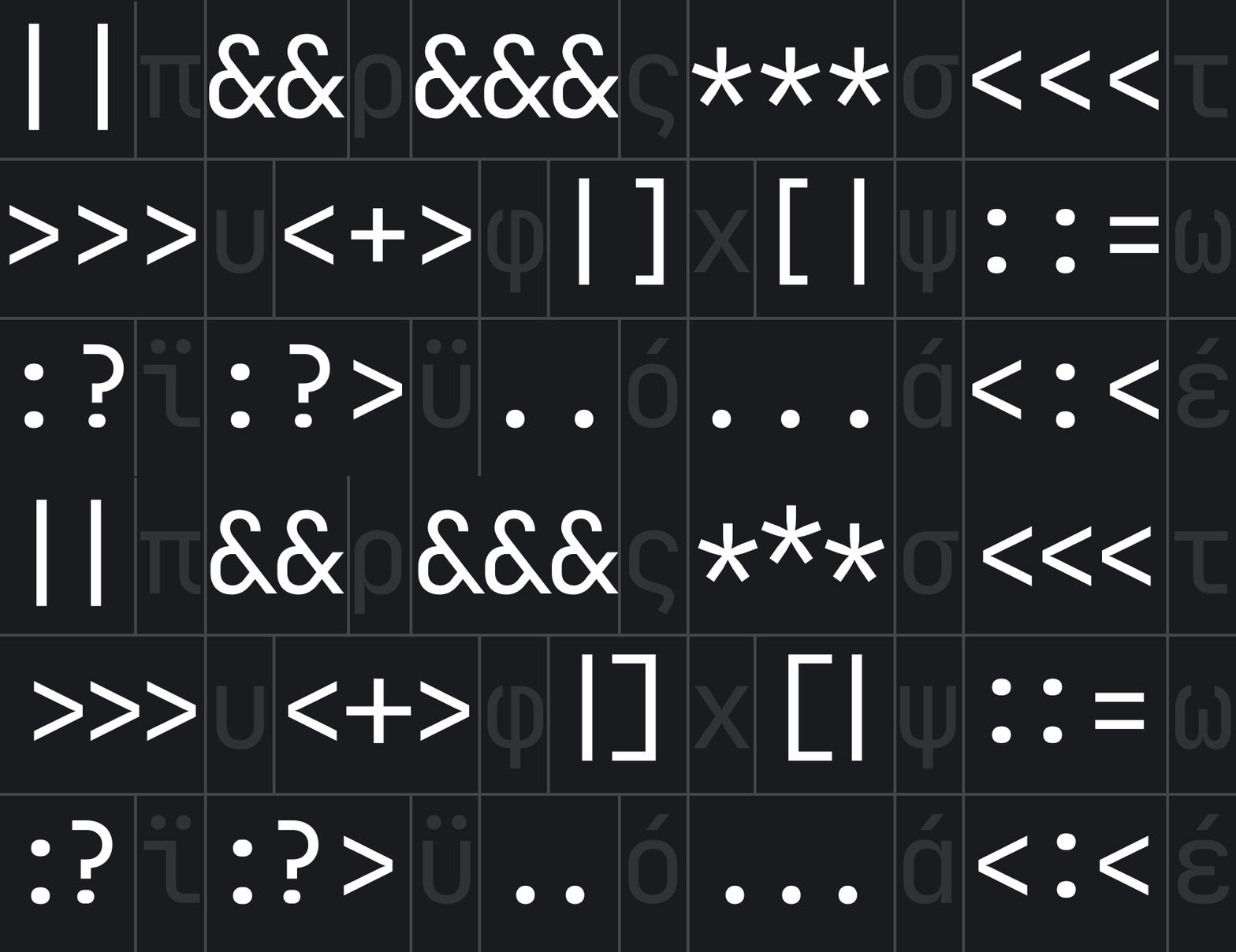
Ligatures for Code
A ligature is a character consisting of two or more joined symbols. Traditionally, it was introduced as a space-saving technique in printed texts. In code, this technique is adopted to show operators and is used mainly for two purposes:
To reduce noise by merging symbols and removing details so the eyes are processing less:
To balance whitespace more efficiently by shifting the glyphs in certain cases:
Note if your IDE doesn’t support OpenType features and ligatures, use JetBrains Mono NL instead.
OpenType features
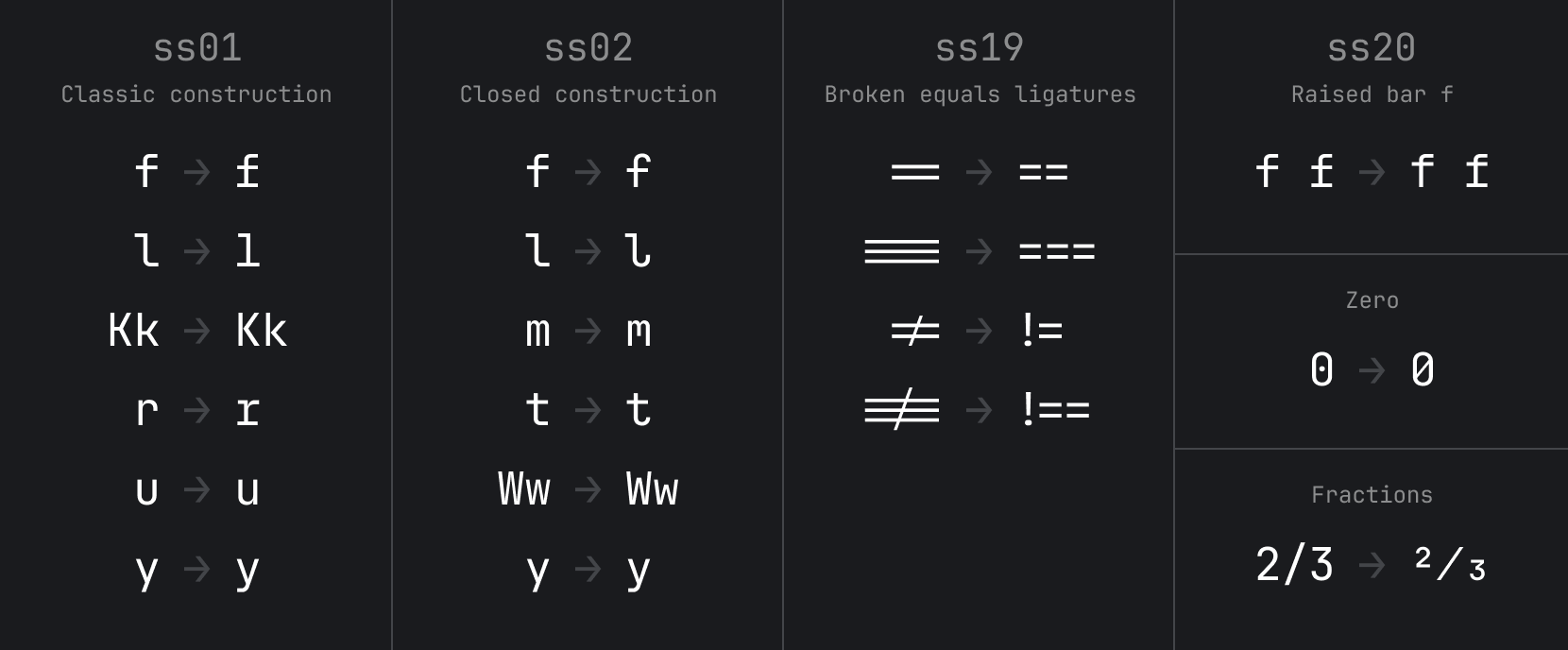
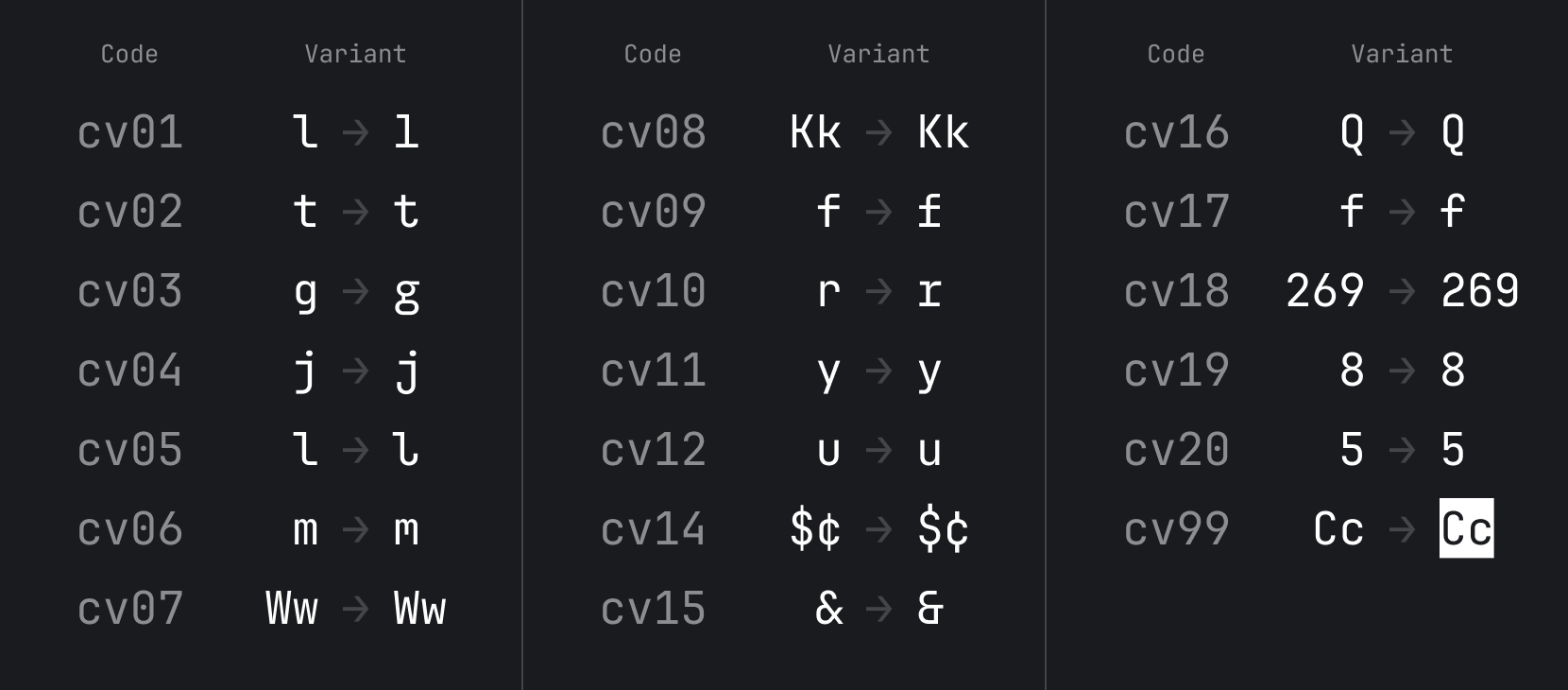
Starting from v2.304, JetBrains Mono has added support for alternate characters.
Stylistic Setsss01-20 usually change a group of characters. Character Variantcv01-99 usually changes only one character.
Here are the instructions for enabling these features.
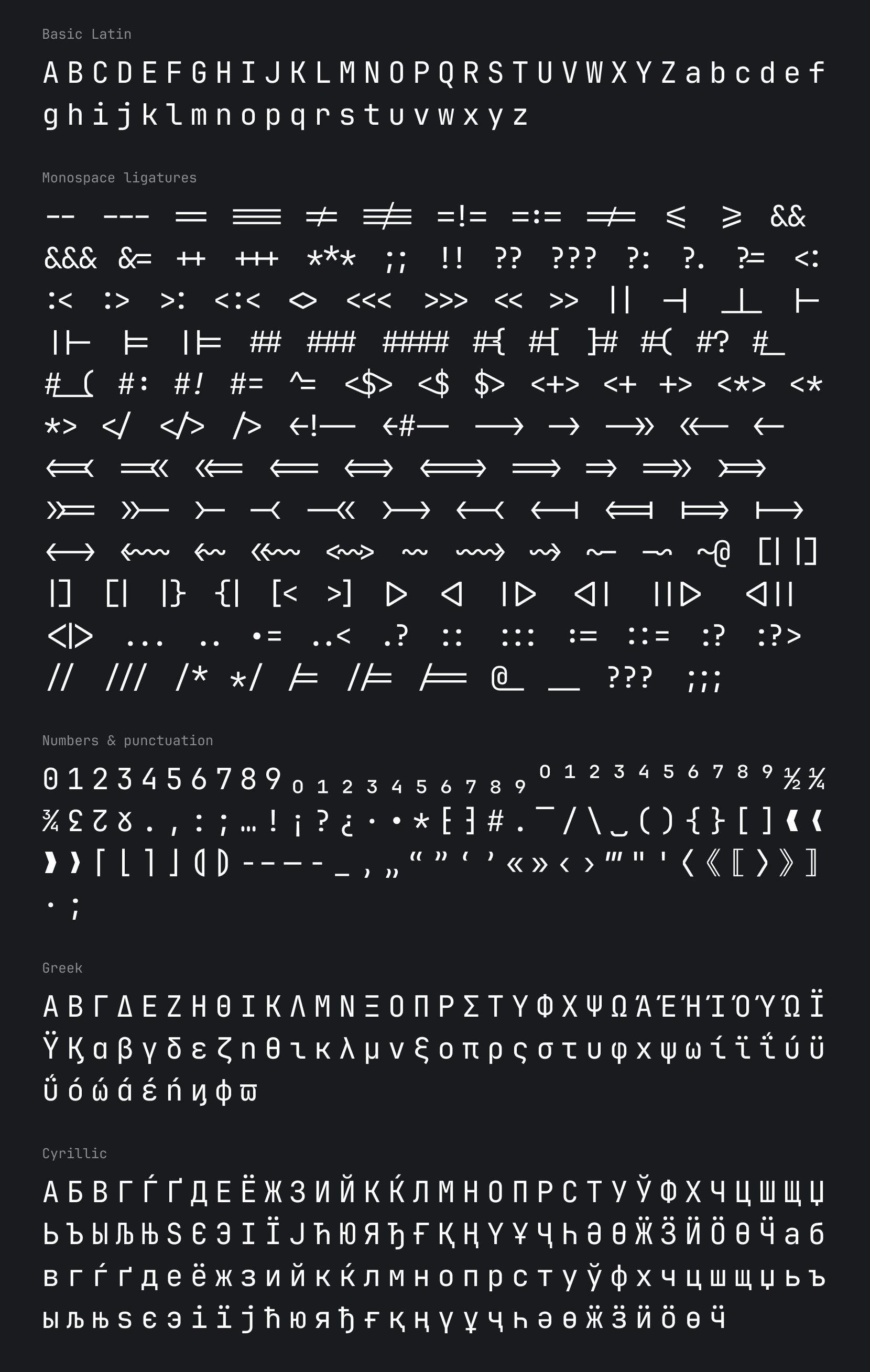
Basic Character Set
You can find full JetBrains Mono character set on our wiki page.
Building from source files
Note To build from source, you'd need Python 3.9.5 or higher (install instructions for Python available here).
The source files can be found in the "Source" folder. To open them you will need Glyphs app.
To build the .ttf, .otf, woff2 & variable .ttf you will need to:
Type gftools builder sources/config.yaml in Terminal and run it.
Type python scripts/generate_variable_webfonts.py in Terminal and run it to generate variable woff2 files.
After the scripts are complete, the files can be found in fonts folder.
License
JetBrains Mono typeface is available under the OFL-1.1 License and can be used free of charge, for both commercial and non-commercial purposes. You do not need to give credit to JetBrains, although we will appreciate it very much if you do.
The source code is available under Apache 2.0 License
Credits
Type designer
Philipp Nurullin
Team lead
Konstantin Bulenkov
Thanks to
Nikita Prokopov
Eugene Auduchinok
Tatiana Tulupenko
Dmitrij Batrak
IntelliJ Platform UX Team
Web Team
How active is development on JetBrains/JetBrainsMono?
The most recent commit recorded on JetBrains/JetBrainsMono was 1.6 years ago, based on the GitHub push timestamp. The repository has 375 forks — one of the better signals of community interest.
How many stars does JetBrains/JetBrainsMono have?
JetBrains/JetBrainsMono has 13.0k GitHub stars — refresh the page for the live number, or check github.com/JetBrains/JetBrainsMono. TopGit mirrors GitHub's count but does not claim minute-by-minute accuracy.
What is JetBrains/JetBrainsMono?
JetBrains/JetBrainsMono (JetBrains/JetBrainsMono) is a Shell project on GitHub. From the project's own README: JetBrains Mono – the free and open-source typeface for developers
What language is JetBrains/JetBrainsMono written in?
JetBrains/JetBrainsMono is written primarily in Shell. GitHub's language field is based on the largest share of bytes in the default branch.
What topics is JetBrains/JetBrainsMono associated with?
GitHub's repository topics for JetBrains/JetBrainsMono: "coding-font", "font", "ligatures", "monospaced-font", "programming-font", "programming-ligatures". TopGit's editorial category is open-source.
Read full README in the tab above.
Curious whether JetBrainsMono is right for you?
Let ChatGPT, Claude, or Perplexity look into it — click below and see what AI actually says about JetBrainsMono.
 /JetBrainsMono

 You can find full JetBrains Mono character set on our wiki page.