TopGit tracks jupyter/notebook on GitHub. The project has 13.5k stars. Jupyter Interactive Notebook
Snapshot summary built from the project's own GitHub metadata — there's no written TopGit review yet. The page will update automatically when a full review is published.
WHY NO REVIEW YET
TopGit writes full reviews for the most-starred, most-requested repositories. This page is a snapshot until then — see the READ ME tab for the original README in full.
The Jupyter notebook is a web-based notebook environment for interactive
computing.
Maintained versions
We maintain the two most recently released major versions of Jupyter Notebook,
Classic Notebook v6 and Notebook v7. Notebook v5 is no longer maintained.
All Notebook v5 users are strongly advised to upgrade to Classic Notebook v6 as soon as possible.
Upgrading to Notebook v7 may require more work, if you use custom extensions, as extensions written
for Notebook v5 or Classic Notebook v6 are not compatible with Notebook v7.
Notebook v7
The newest major version of Notebook is based on:
JupyterLab components for the frontend
Jupyter Server for the Python server
This represents a significant change to the jupyter/notebook code base.
To learn more about Notebook v7: https://jupyter.org/enhancement-proposals/notebook-v7/
Classic Notebook v6
Maintenance and security-related issues only are now being addressed in the 6.5.x branch.
It depends on nbclassic for the HTML/JavaScript/CSS assets.
New features and continuous improvement is now focused on Notebook v7 (see section above).
If you have an open pull request with a new feature or if you were planning to open one, we encourage switching over to the Jupyter Server and JupyterLab architecture, and distribute it as a server extension and / or JupyterLab prebuilt extension. That way your new feature will also be compatible with the new Notebook v7.
Jupyter notebook, the language-agnostic evolution of IPython notebook
Jupyter notebook is a language-agnostic HTML notebook application for
Project Jupyter. In 2015, Jupyter notebook was released as a part of
The Big Split™ of the IPython codebase. IPython 3 was the last major monolithic
release containing both language-agnostic code, such as the IPython notebook,
and language specific code, such as the IPython kernel for Python. As
computing spans across many languages, Project Jupyter will continue to develop the
language-agnostic Jupyter notebook in this repo and with the help of the
community develop language specific kernels which are found in their own
discrete repos.
The Big Split™ announcement
Jupyter Ascending blog post
Installation
You can find the installation documentation for the
Jupyter platform, on ReadTheDocs.
The documentation for advanced usage of Jupyter notebook can be found
here.
For a local installation, make sure you have
pip installed and run:
pip install notebook
Usage - Running Jupyter notebook
Running in a local installation
Launch with:
jupyter notebook
Running in a remote installation
You need some configuration before starting Jupyter notebook remotely. See Running a notebook server.
Development Installation
See CONTRIBUTING.md for how to set up a local development installation.
Contributing
If you are interested in contributing to the project, see CONTRIBUTING.md.
Community Guidelines and Code of Conduct
This repository is a Jupyter project and follows the Jupyter
Community Guides and Code of Conduct.
Resources
Project Jupyter website
Online Demo at jupyter.org/try
Documentation for Jupyter notebook
Korean Version of Installation
Documentation for Project Jupyter
Issues
Technical support - Jupyter Google Group
About the Jupyter Development Team
The Jupyter Development Team is the set of all contributors to the Jupyter project.
This includes all of the Jupyter subprojects.
The core team that coordinates development on GitHub can be found here:
https://github.com/jupyter/.
Our Copyright Policy
Jupyter uses a shared copyright model. Each contributor maintains copyright
over their contributions to Jupyter. But, it is important to note that these
contributions are typically only changes to the repositories. Thus, the Jupyter
source code, in its entirety is not the copyright of any single person or
institution. Instead, it is the collective copyright of the entire Jupyter
Development Team. If individual contributors want to maintain a record of what
changes/contributions they have specific copyright on, they should indicate
their copyright in the commit message of the change, when they commit the
change to one of the Jupyter repositories.
With this in mind, the following banner should be used in any source code file
to indicate the copyright and license terms:
# Copyright (c) Jupyter Development Team.
# Distributed under the terms of the Modified BSD License.
The most recent commit recorded on jupyter/notebook was 9 days ago, based on the GitHub push timestamp. The repository has 5.8k forks — one of the better signals of community interest.
Is jupyter/notebook open source?
Yes — jupyter/notebook ships under the BSD-3-Clause license, which makes its source code freely readable (and, depending on license terms, forkable and reusable). Source: github.com/jupyter/notebook.
What license does jupyter/notebook use?
jupyter/notebook is released under the BSD-3-Clause license. Always verify the LICENSE file directly on GitHub for the authoritative terms — license strings can be edited out of sync with a project's actual stance.
What topics is jupyter/notebook associated with?
GitHub's repository topics for jupyter/notebook: "closember", "jupyter", "jupyter-notebook", "notebook". TopGit's editorial category is open-source.
Where can I see jupyter/notebook in action?
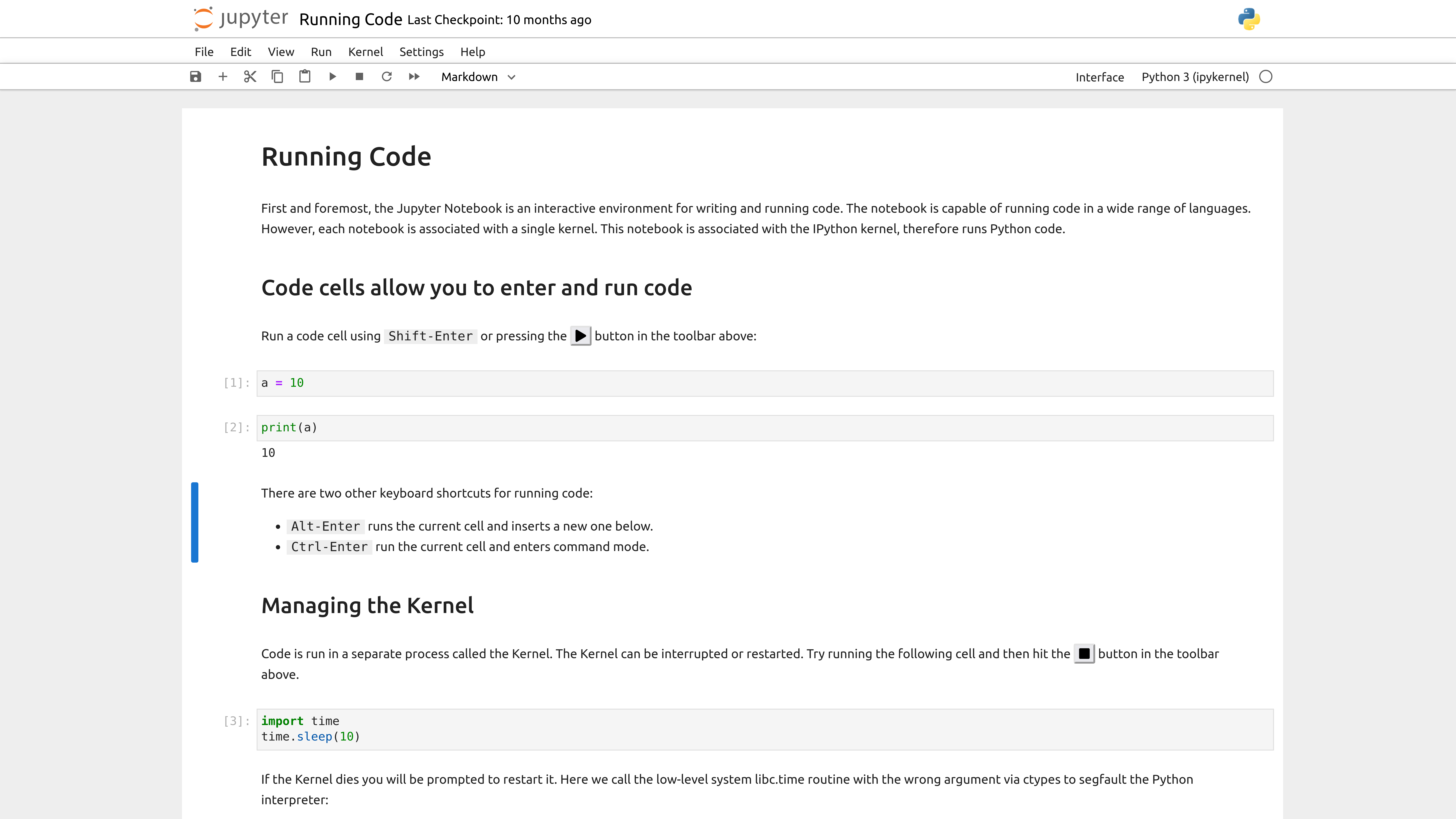
The project maintains a homepage at https://jupyter-notebook.readthedocs.io/. The README tab on this page also usually contains screenshots and a quickstart.
Where do I read more about jupyter/notebook?
This TopGit page is a snapshot — the READ ME tab shows the project's own README content (links stripped, images preserved). The GitHub repository at github.com/jupyter/notebook is the definitive source.
Read full README in the tab above.
Still deciding about notebook?
One click hands the question to an AI along with this page — see what it says about notebook.

 /notebook