kieraneglin/pinchflat sits at 5.2k stars on GitHub, written primarily in Elixir. Your next YouTube media manager
Snapshot summary built from the project's own GitHub metadata — there's no written TopGit review yet. The page will update automatically when a full review is published.
WHY NO REVIEW YET
TopGit writes full reviews for the most-starred, most-requested repositories. This page is a snapshot until then — see the READ ME tab for the original README in full.
[!IMPORTANT]
(2025-02-14) zakkarry, who is a collaborator on cross-seed and an extremely helpful community member in general, is facing hard times due to medical debt and family illness. If you're able, please consider sponsoring him on GitHub or donating via buymeacoffee. Tell him I sent you!
logo by @hernandito
Your next YouTube media manager
Table of contents:
What it does
Features
Screenshots
Installation
Unraid
Portainer
Docker
Environment Variables
A note on reverse proxies
Username and Password (authentication)
Frequently asked questions
Documentation
EFF donations
Pre-release disclaimer
Development and Contributing
What it does
Pinchflat is a self-hosted app for downloading YouTube content built using yt-dlp. It's designed to be lightweight, self-contained, and easy to use. You set up rules for how to download content from YouTube channels or playlists and it'll do the rest, periodically checking for new content. It's perfect for people who want to download content for use in with a media center app (Plex, Jellyfin, Kodi) or for those who want to archive media!
While you can download individual videos, Pinchflat is best suited for downloading content from channels or playlists. It's also not meant for consuming content in-app - Pinchflat downloads content to disk where you can then watch it with a media center app or VLC.
If it doesn't work for your use case, please make a feature request! You can also check out these great alternatives: Tube Archivist, ytdl-sub, and TubeSync
Features
Self-contained - just one Docker container with no external dependencies
Powerful naming system so content is stored where and how you want it
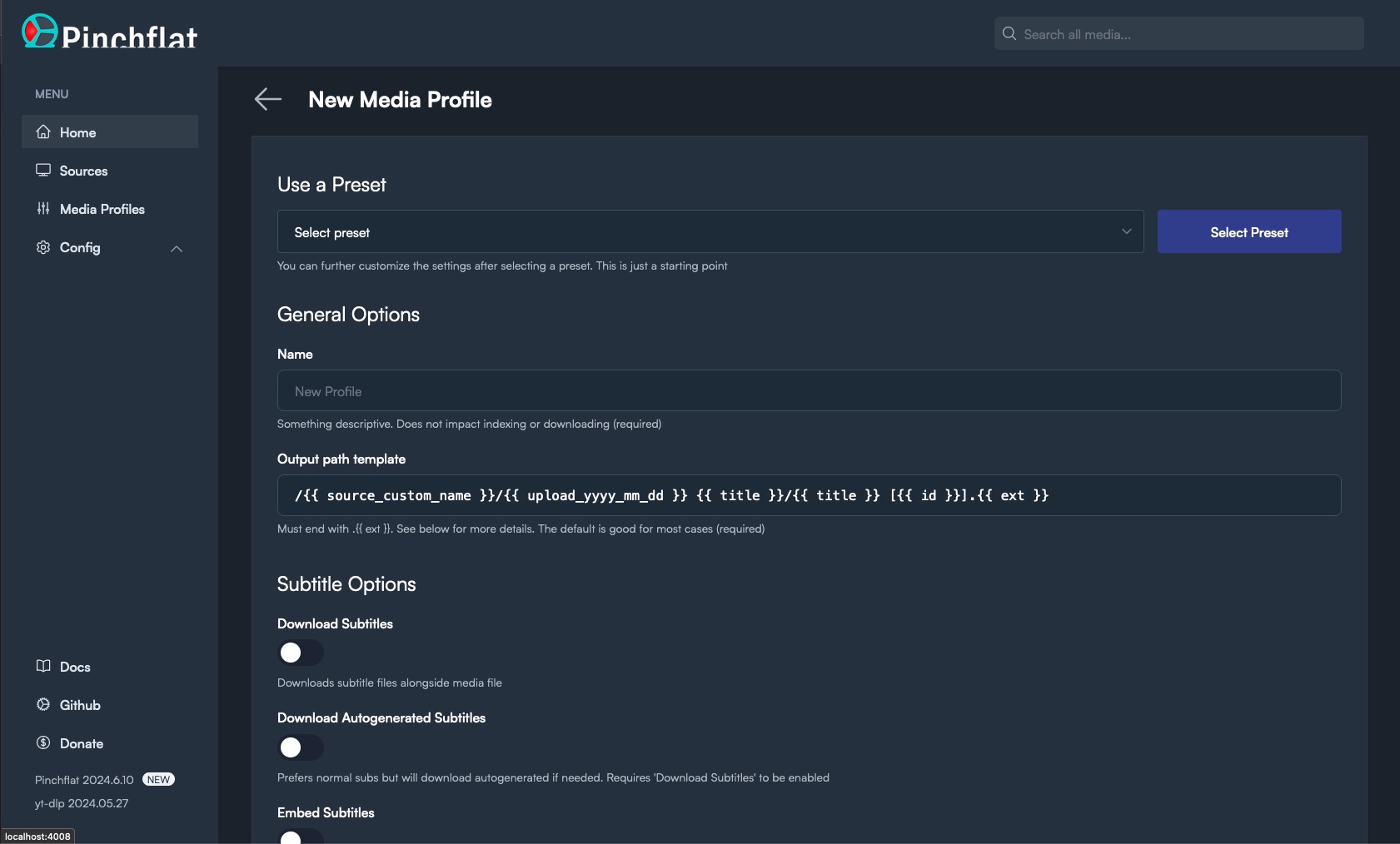
Easy-to-use web interface with presets to get you started right away
First-class support for media center apps like Plex, Jellyfin, and Kodi (docs)
Supports serving RSS feeds to your favourite podcast app (docs)
Automatically downloads new content from channels and playlists
Uses a novel approach to download new content more quickly than other apps
Supports downloading audio content
Custom rules for handling YouTube Shorts and livestreams
Apprise support for notifications
Allows automatically redownloading new media after a set period
This can help improve the download quality of new content or improve SponsorBlock tags
Optionally automatically delete old content (docs)
Advanced options like setting cutoff dates and filtering by title (docs)
Reliable hands-off operation
Can pass cookies to YouTube to download your private playlists (docs)
Sponsorblock integration
[Advanced] allows custom yt-dlp options (docs)
[Advanced] supports running custom scripts when after downloading/deleting media (alpha - docs)
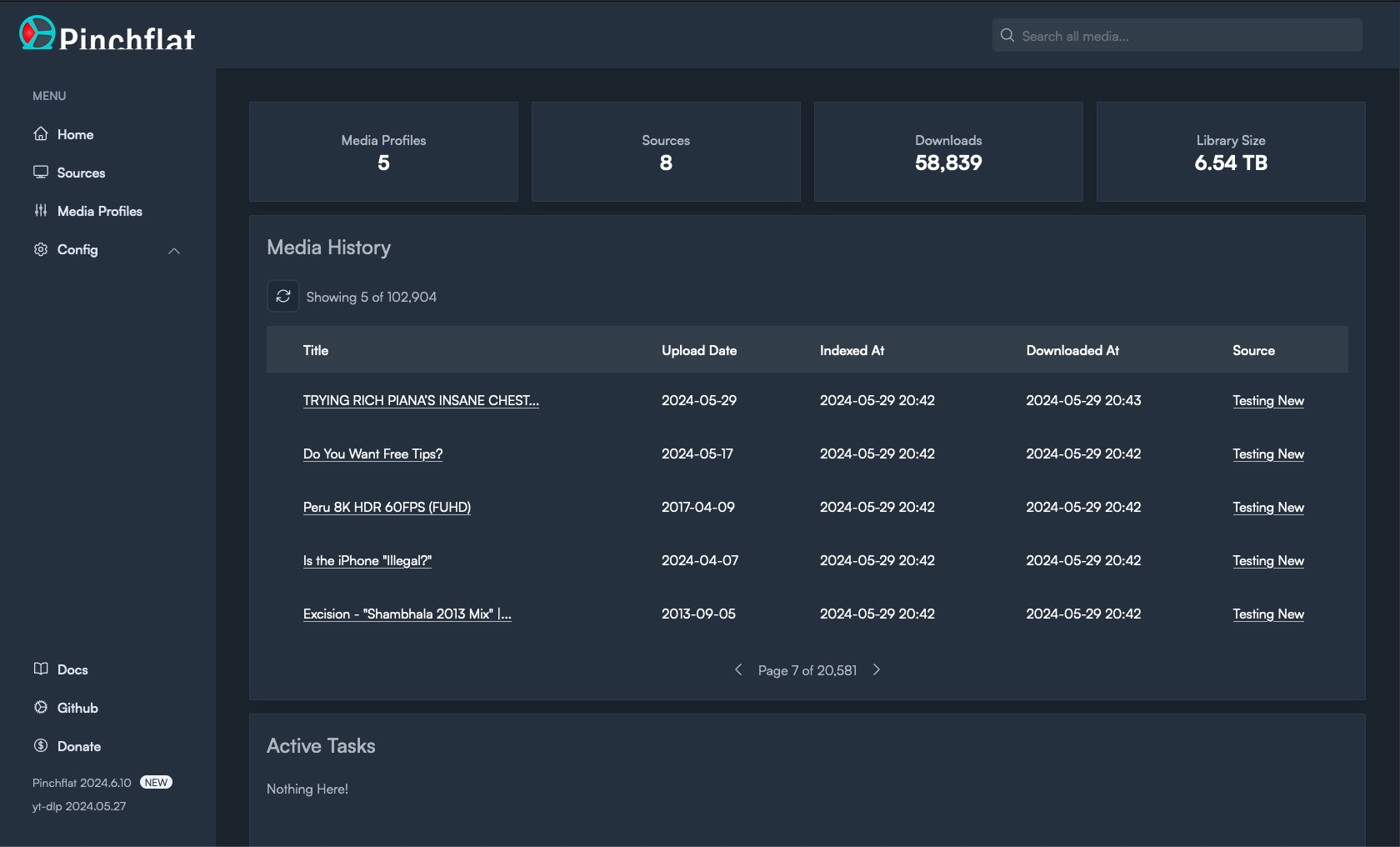
Screenshots
Installation
Unraid
Simply search for Pinchflat in the Community Apps store!
Portainer
[!IMPORTANT]
See the note below about storing config on a network file share. It's preferred to store the config on a local disk if at all possible.
Docker Compose file:
version: '3'
services:
  pinchflat:
    image: ghcr.io/kieraneglin/pinchflat:latest
    environment:
      # Set the timezone to your local timezone
      - TZ=America/New_York
    ports:
      - '8945:8945'
    volumes:
      - /host/path/to/config:/config
      - /host/path/to/downloads:/downloads
Docker
Create two directories on your host machine: one for storing config and one for storing downloaded media. Make sure they're both writable by the user running the Docker container.
Prepare the docker image in one of the two ways below:
From GHCR:docker pull ghcr.io/kieraneglin/pinchflat:latest
NOTE: also available on Docker Hub at keglin/pinchflat:latest
Building locally:docker build . --file docker/selfhosted.Dockerfile -t ghcr.io/kieraneglin/pinchflat:latest
Run the container:
# Be sure to replace /host/path/to/config and /host/path/to/downloads below with
# the paths to the directories you created in step 1
# Be sure to replace America/New_York with your local timezone
docker run \
  -e TZ=America/New_York \
  -p 8945:8945 \
  -v /host/path/to/config:/config \
  -v /host/path/to/downloads:/downloads \
  ghcr.io/kieraneglin/pinchflat:latest
Podman
The Podman setup is similar to Docker but changes a few flags to run under a User Namespace instead of root. To run Pinchflat under Podman and use the current user's UID/GID for file access run this:
Using this setup consider creating a new pinchflat user and giving that user ownership to the config and download directory. See Podman --userns docs.
IMPORTANT: File permissions
You must ensure the host directories you've mounted are writable by the user running the Docker container. If you get a permission error follow the steps it suggests. See #106 for more.
[!IMPORTANT]
It's not recommended to run the container as root. Doing so can create permission issues if other apps need to work with the downloaded media.
ADVANCED: Storing Pinchflat config directory on a network share
As pointed out in #137, SQLite doesn't like being run in WAL mode on network shares. If you're running Pinchflat on a network share, you can disable WAL mode by setting the JOURNAL_MODE environment variable to delete. This will make Pinchflat run in rollback journal mode which is less performant but should work on network shares.
[!CAUTION]
Changing this setting from WAL to delete on an existing Pinchflat instance could, conceivably, result in data loss. Only change this setting if you know what you're doing, why this is important, and are okay with possible data loss or DB corruption. Backup your database first!
If you change this setting and it works well for you, please leave a comment on #137! Doubly so if it does not work well.
Environment variables
Name
Required?
Default
Notes
TZ
No
UTC
Must follow IANA TZ format
LOG_LEVEL
No
debug
Can be set to info but debug is strongly recommended
UMASK
No
022
Unraid users may want to set this to 000
BASIC_AUTH_USERNAME
No
See authentication docs
BASIC_AUTH_PASSWORD
No
See authentication docs
EXPOSE_FEED_ENDPOINTS
No
false
See RSS feed docs
ENABLE_IPV6
No
false
Setting to any non-blank value will enable IPv6
JOURNAL_MODE
No
wal
Set to delete if your config directory is stored on a network share (not recommended)
TZ_DATA_DIR
No
/etc/elixir_tzdata_data
The container path where the timezone database is stored
BASE_ROUTE_PATH
No
/
The base path for route generation. Useful when running behind certain reverse proxies - prefixes must be stripped.
YT_DLP_WORKER_CONCURRENCY
No
2
The number of concurrent workers that use yt-dlpper queue. Set to 1 if you're getting IP limited, otherwise don't touch it
ENABLE_PROMETHEUS
No
false
Setting to any non-blank value will enable Prometheus. See docs
Reverse Proxies
Pinchflat makes heavy use of websockets for real-time updates. If you're running Pinchflat behind a reverse proxy then you'll need to make sure it's configured to support websockets.
EFF donations
Prior to 2024-05-10, a portion of all donations were given to the Electronic Frontier Foundation. Now, the app doesn't accept donations that go to me personally and instead directs you straight to the EFF. Here are some people that have generously donated.
The EFF defends your online liberties and backed youtube-dl when Google took them down.
Stability disclaimer
This software is in active development and anything can break at any time. I make no guarantees about the stability of this software, forward-compatibility of updates, or integrity (both related to and independent of Pinchflat).
How active is development on kieraneglin/pinchflat?
The most recent commit recorded on kieraneglin/pinchflat was 8 months ago, based on the GitHub push timestamp. The repository has 159 forks — one of the better signals of community interest.
How many stars does kieraneglin/pinchflat have?
kieraneglin/pinchflat has 5.2k GitHub stars — refresh the page for the live number, or check github.com/kieraneglin/pinchflat. TopGit mirrors GitHub's count but does not claim minute-by-minute accuracy.
What language is kieraneglin/pinchflat written in?
kieraneglin/pinchflat is written primarily in Elixir. GitHub's language field is based on the largest share of bytes in the default branch.
What topics is kieraneglin/pinchflat associated with?
GitHub's repository topics for kieraneglin/pinchflat: "media", "youtube", "youtube-dl", "yt-dlp". TopGit's editorial category is open-source.
Where do I read more about kieraneglin/pinchflat?
This TopGit page is a snapshot — the READ ME tab shows the project's own README content (links stripped, images preserved). The GitHub repository at github.com/kieraneglin/pinchflat is the definitive source.
Read full README in the tab above.
Curious whether pinchflat is right for you?
Let ChatGPT, Claude, or Perplexity look into it — click below and see what AI actually says about pinchflat.
 /pinchflat