An open-source entry in TopGit's GitHub warehouse: krahets/vipe, 2 stars, Python. ViPE: Video Pose Engine for Geometric 3D Perception
Snapshot summary built from the project's own GitHub metadata — there's no written TopGit review yet. The page will update automatically when a full review is published.
WHY NO REVIEW YET
TopGit writes full reviews for the most-starred, most-requested repositories. This page is a snapshot until then — see the READ ME tab for the original README in full.
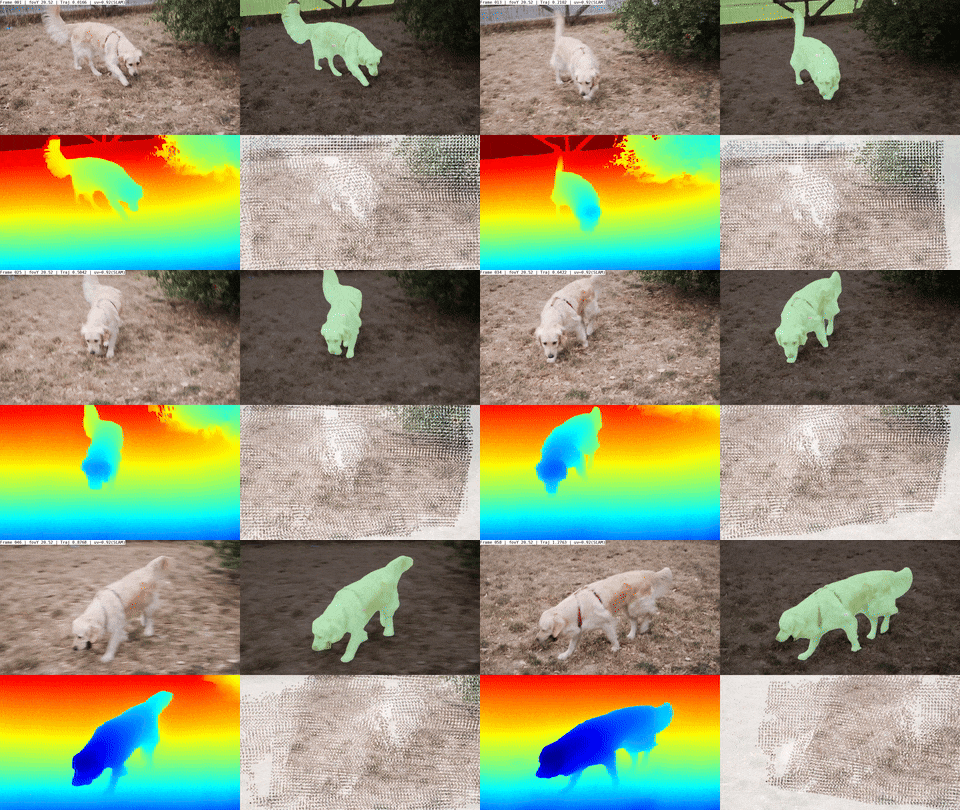
Full Abstract: Accurate 3D geometric perception is an important prerequisite for a wide range of spatial AI systems. While state-of-the-art methods depend on large-scale training data, acquiring consistent and precise 3D annotations from in-the-wild videos remains a key challenge. In this work, we introduce ViPE, a handy and versatile video processing engine designed to bridge this gap. ViPE efficiently estimates camera intrinsics, camera motion, and dense, near-metric depth maps from unconstrained raw videos. It is robust to diverse scenarios, including dynamic selfie videos, cinematic shots, or dashcams, and supports various camera models such as pinhole, wide-angle, and 360° panoramas.
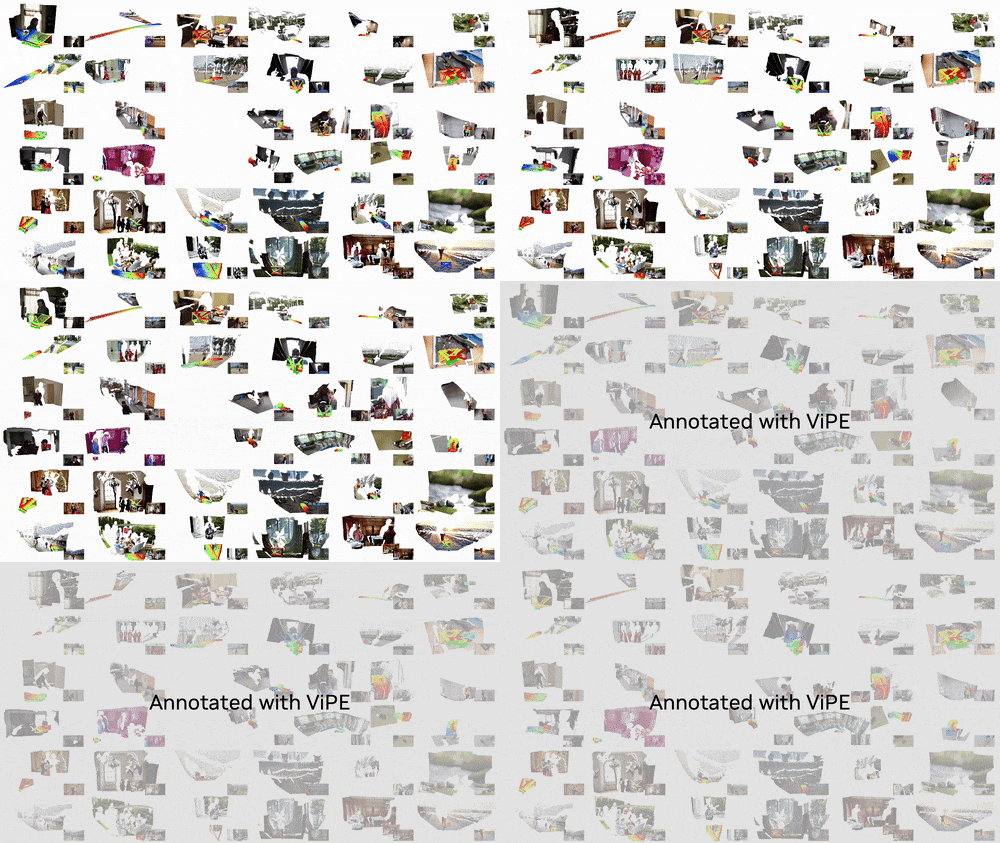
We use ViPE to annotate a large-scale collection of videos. This collection includes around 100K real-world internet videos, 1M high-quality AI-generated videos, and 2K panoramic videos, totaling approximately 96M frames -- all annotated with accurate camera poses and dense depth maps. We open source ViPE and the annotated dataset with the hope to accelerate the development of spatial AI systems.
Technical Whitepaper, Project Page, Dataset
Installation
To ensure the reproducibility, we recommend creating the runtime environment using conda.
# Create a new conda environment and install 3rd-party dependencies
conda env create -f envs/base.yml
conda activate vipe
pip install -r envs/requirements.txt

# Build the project and install it into the current environment
# Omit the -e flag to install the project as a regular package
pip install --no-build-isolation -e .
Usage
Using the ViPE CLI
Once the python package is installed, you can use the vipe CLI to process raw videos in mp4 format.
# Replace YOUR_VIDEO.mp4 with the path to your video. We provide sample videos in assets/examples.
vipe infer YOUR_VIDEO.mp4
# Additional options:
#   --output: Output directory (default: vipe_results)
#   --visualize: Enable visualization of intermediate and final results (default: false)
#   --pipeline: Pipeline configuration to use (default: default)
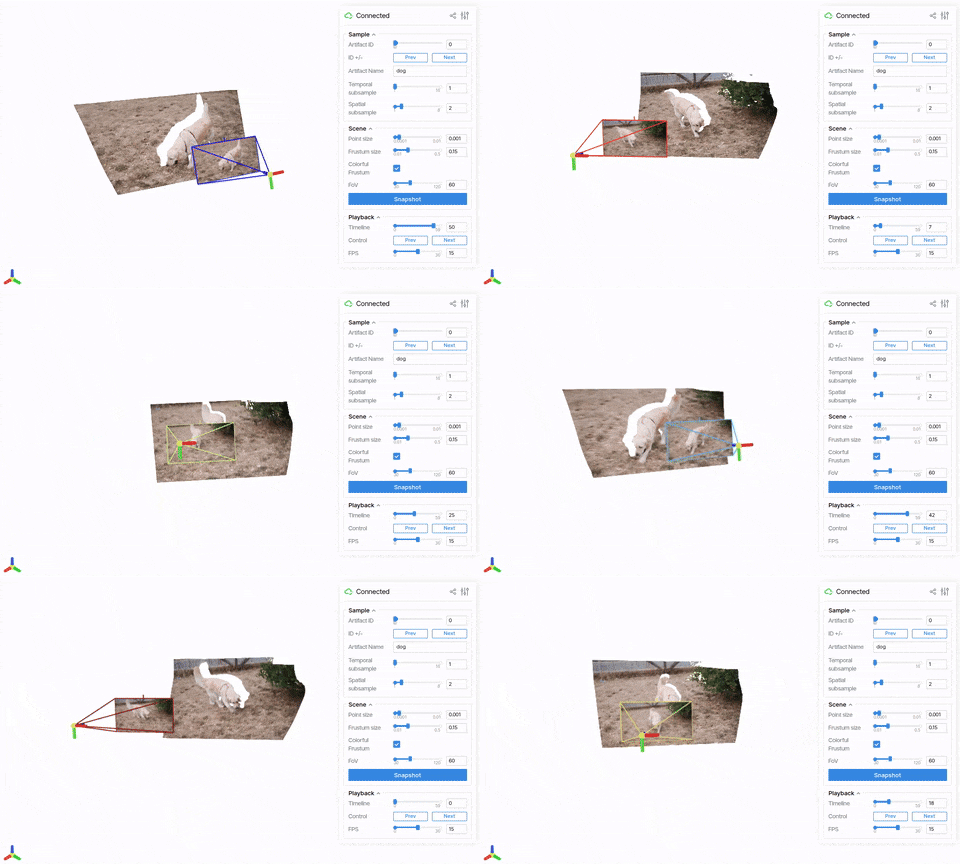
One can visualize the results that ViPE produces by running (supported by viser):
vipe visualize vipe_results/
# Please modify the above vipe_results/ path to the output directory of your choice.
We found that running video-depth-anything might eat up too much of GPU memory. To that end we provide a no_vda config that produces less temporally-stable depth (but empirically more 3D consistent) maps. This can be triggered by adding --pipeline no_vda to the vipe infer command.
Using the run.py script
The run.py script is a more flexible way to run ViPE. Compared to the CLI, the script supports running on multiple videos at once and allows more fine-grained control over the pipeline with hydra configs. It also provides an example of using vipe as a library in your own project.
Example usages:
# Running the full pipeline.
python run.py pipeline=default streams=raw_mp4_stream streams.base_path=YOUR_VIDEO_OR_DIR_PATH

# Running the pose-only pipeline without depth estimation.
python run.py pipeline=default streams=raw_mp4_stream streams.base_path=YOUR_VIDEO_OR_DIR_PATH pipeline.post.depth_align_model=null
Converting to COLMAP format
You can use the following script to convert the ViPE results to COLMAP format. For example:
This will unproject the dense depth maps to create the 3D point cloud.
Alternatively for a more lightweight and 3D consistent point cloud, you can add the --use_slam_map flag to the above command. This requires you to run the full pipeline with pipeline.output.save_slam_map=true to save the additional information.
Downloading the Dataset
Together with ViPE we release a large-scale dataset containing ~1M high-quality videos with accurate camera poses and dense depth maps. Specifications of the datasets are listed below:
Dataset Name
# Videos
# Frames
Hugging Face Link
License
Prefix
Dynpose-100K++
99,501
15.8M
Link
CC-BY-NC 4.0
dpsp
Wild-SDG-1M
966,448
78.2M
Link
CC-BY-NC 4.0
wsdg
Web360
2,114
212K
Link
CC-BY 4.0
w360
You can download the datasets using the following utility script:
# Replace YOUR_PREFIX with the prefix of the dataset to be downloaded (see prefix column in the table above)
# You can also use more specific prefixes, e.g. wsdg-003e2c86 to download a specific shard of the dataset.
python scripts/download_dataset.py --prefix YOUR_PREFIX --output_base YOUR_OUTPUT_DIR --rgb --depth
Note that the depth component is very large and you might expect a long downloading time. For rgb component of the Dynpose-100K++ dataset, we directly retrieve the RGB frames from YouTube. You have to pip install yt_dlp ffmpeg-python to use this feature. Please refer to the original Dynpose-100K dataset for alternative approaches to retrieve the videos.
The dataset itself can be visualized using the same visualization script:
vipe visualize YOUR_OUTPUT_DIR
Acknowledgments
ViPE is built on top of many great open-source research projects and codebases. Some of these include (not exhaustive):
DROID-SLAM
Depth Anything V2
Metric3Dv2
PriorDA
UniDepth
VideoDepthAnything
GeoCalib
Segment and Track Anything
Please refer to the THIRD_PARTY_LICENSES.md for a full list of projects and their licenses.
We thank useful discussions from Aigul Dzhumamuratova, Viktor Kuznetsov, Soha Pouya, and Ming-Yu Liu, as well as release support from Vishal Kulkarni.
TODO
Initial code released under Apache 2.0 license.
Full dataset uploaded to Hugging Face for download.
Add instructions to run inference on wide-angle and 360° videos.
Add instructions for benchmarking.
Citation
If you find ViPE useful in your research or application, please consider citing the following whitepaper:
@inproceedings{huang2025vipe,
    title={ViPE: Video Pose Engine for 3D Geometric Perception},
    author={Huang, Jiahui and Zhou, Qunjie and Rabeti, Hesam and Korovko, Aleksandr and Ling, Huan and Ren, Xuanchi and Shen, Tianchang and Gao, Jun and Slepichev, Dmitry and Lin, Chen-Hsuan and Ren, Jiawei and Xie, Kevin and Biswas, Joydeep and Leal-Taixe, Laura and Fidler, Sanja},
    booktitle={NVIDIA Research Whitepapers arXiv:2508.10934},
    year={2025}
}
License
This project will download and install additional third-party models and softwares. Note that these models or softwares are not distributed by NVIDIA. Review the license terms of these models and projects before use. This source code is released under the Apache 2 License.
TopGit's last sync did not record any GitHub topics for krahets/vipe. GitHub topics appear in the right sidebar of a repository page; that's the authoritative place to check.
How active is development on krahets/vipe?
The most recent commit recorded on krahets/vipe was 1.1 years ago, based on the GitHub push timestamp. The repository has 0 forks — one of the better signals of community interest.
How many stars does krahets/vipe have?
krahets/vipe has 2 GitHub stars — refresh the page for the live number, or check github.com/krahets/vipe. TopGit mirrors GitHub's count but does not claim minute-by-minute accuracy.
Is krahets/vipe open source?
TopGit's metadata for krahets/vipe does not record a license. Most public repositories on GitHub ARE open source, but the exact terms vary — verify by opening the LICENSE file directly.
Where can I see krahets/vipe in action?
The project maintains a homepage at https://research.nvidia.com/labs/toronto-ai/vipe. The README tab on this page also usually contains screenshots and a quickstart.
Where do I read more about krahets/vipe?
This TopGit page is a snapshot — the READ ME tab shows the project's own README content (links stripped, images preserved). The GitHub repository at github.com/krahets/vipe is the definitive source.
Read full README in the tab above.
Is vipe worth your time?
ChatGPT, Claude and Perplexity can all read this page. Ask one of them what it makes of vipe.

 /vipe