TopGit tracks mbeaudru/react-native-sample on GitHub. The project has 26 stars. React Native & Redux sample app, with Maps and Camera integration
Snapshot summary built from the project's own GitHub metadata — there's no written TopGit review yet. The page will update automatically when a full review is published.
WHY NO REVIEW YET
TopGit writes full reviews for the most-starred, most-requested repositories. This page is a snapshot until then — see the READ ME tab for the original README in full.
I have done this application for a school project and wanted to try to do a mobile app in using web technologies I am familiar with. Having none mobile background, it was a leap in the dark but in the same time it was really exciting.
This app is made to be simple and may help people knowing React & Redux to get into creating mobile apps. It's made with React Native, coupled with some extra nice packages to handle routing, dataflow and UI elements.
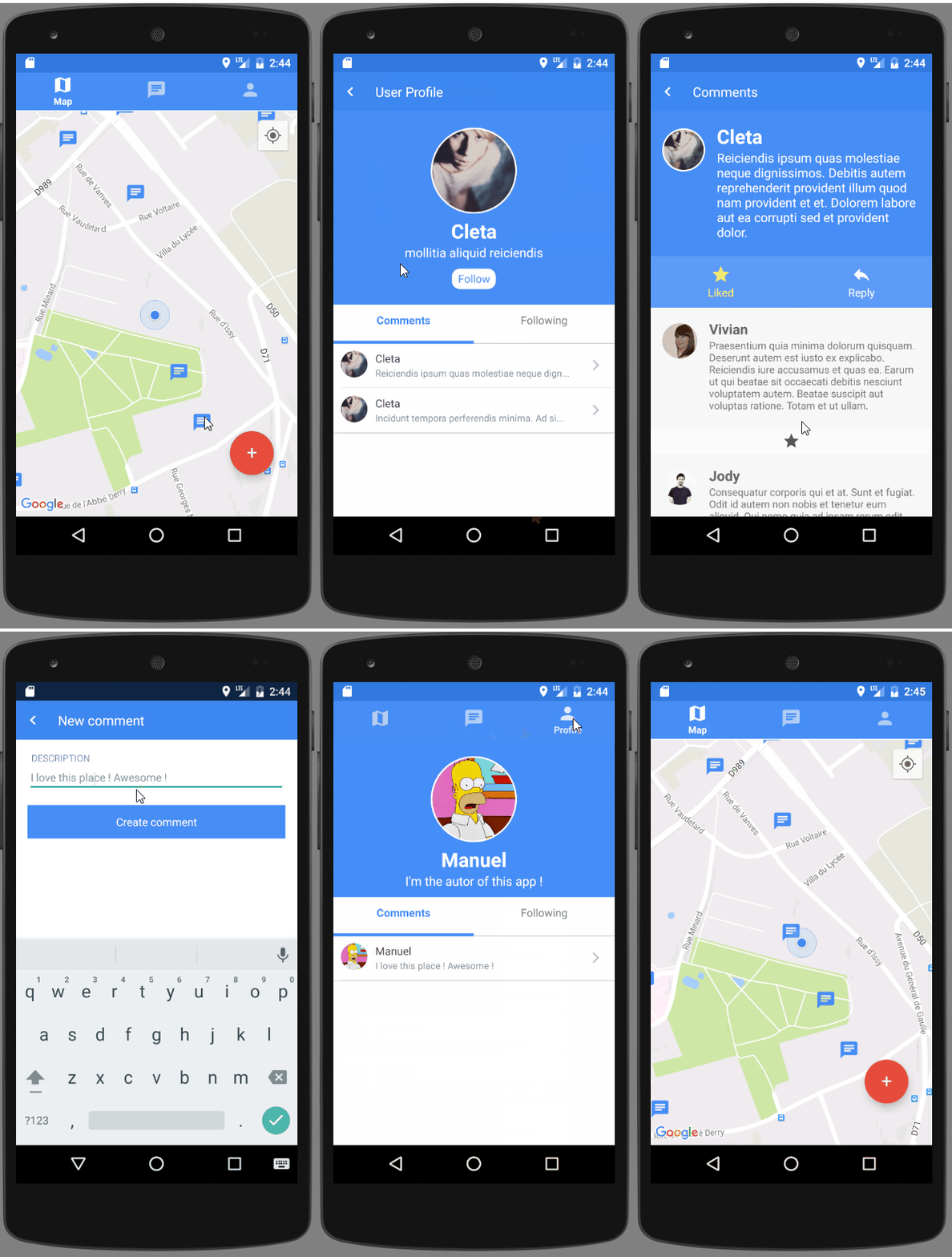
Preview
Note: 6MB size GIF, might take some time to load
Main technologies used
React Native
A framework for building native apps with React.
Redux
Redux is a predictable state container for JavaScript apps.
React Native Elements
Cross Platform React Native UI Toolkit
React Native Router Flux
React Native Router based on new React Native Navigation API
Running the project
Clone this project
git clone < project-url.git >
Install NodeJS on your computer.
Install yarn on your computer
Yarn is a dependency manager built by facebook and google. It is a more efficient and reliable (thanks to yarn.lock) alternative of npm.
Launch yarn command in a terminal opened in the project folder.
This command will look into the package.json file and install all the dependencies listed here.
Install react-native-cli globally on your computer
yarn global add react-native-cli
Android steps
Launch a virtual android device (through Android Studio for instance)
If you have never installed any android virtual device, follow those instructions
Then, run the project in executing on your project folder:
react-native run-android
Troubleshooting
Note: Each time you pull commits from others, run the yarn command to install dependencies that may have been introduced.
react-native is not recognized as an internal or external command
If your terminal is telling you react-native is not known, try to install it globally with npm: npm install -g react-native-cli and re-run the above command.
'adb' is not recognized as an internal or external command
If you have a build error with this message on Windows, it means that you must add the Android sdk platform tools to your environment PATH.
How to add an environment variable on your computer.
My value on windows: C:\Users\Manuel\AppData\Local\Android\sdk\platform-tools
failed to find target with hash string 'android-23'
React Native needs this to be installed in order to work, and the default target installed by Android Studio is the 24th. To solve this issue, open android studio and click on SDK Manager Icon:
Then click on the line with API Level of value 23 and apply.
failed to find Build Tools revision XX.X.X
It seems you are missing the build tools at specific revision XX.X.X, so you need to install them. Go to Android Studio SDK Settings (see images above) and click on the SDK Tools snippet.
Then, click on Show Package Details and look for Android SDK Build Tools XX.X.X. Then check if it is installed. If not, install it and this issue should be solved then.
Execution failed for task ':app:dexDebug'
Go into the android project's folder in your terminal and run
Windows
gradlew clean
Linux & Mac
./gradlew clean
Then delete the build folder, go back to the project's root folder and try again, this error should be solved.
Note: If it doesn't work as expected, try checking you have not forgotten any of the steps above. If not, please open an issue and describe your problem.
Contributing to the project
Since the linting is done through eslint, you will need to configure your text editor to use the coding rules defined in the .eslint.js project file.
A code that contains unjustified errors won't be merged to the master branch.
Atom
Install Atom if it's not done yet.
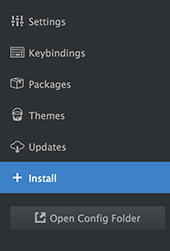
Open the Atom settings ("Ctrl + ," shortcut) and go to Install section
Then look for the linter package and install it
Then look for the linter-eslint package and install it
Open a javascript file (ending with .js) and paste
console.log('raises two errors')
As you can guess, your editor should raise two errors because console.log is forbidden and there is a semi-column missing. Congrats !
Note: If it doesn't work as expected, try checking you have not forgotten any of the steps above. If not, please open an issue and describe your problem.
Testing
We will use Jest testing library because it allows us to test both components and functions in an easy and efficient way.
To run the tests, execute yarn test in a terminal opened in the project folder.
If you want to re-test each time you modify a test file, run yarn run test:watch. Jest will watch for file changes and relaunch the tests for you.
Files location
All tests are written in a __tests__ folder, alongside to what you want to test. For instance, there is a __test__ folder in the components folder, one other in actions, reducers and so on.
Jest will look for tests into those __tests__ folders, so you can't name it another way.
Note: __snapshots__ folders are automatically generated, don't create them on your own.
Unit testing redux (actions, reducers)
Dan Abramov, one of the main creator of Redux, has written a very nice documentation that cover how to test actions and reducers with Jest.
Components testing
Jest has a nice feature called snapshots that allow developers to pass inputs (props) to components and to test what the rendered result is.
Here are resources for you to understand deeper how it works:
Jest - React Tree Snapshot Testing
Jest - Snapshot documentation
Jest - Facebook quick live tutorial
...and many others
To sum snapshots tests up, it consist in this workflow:
Create your component until you are satisfied with it
Write snapshots tests in passing all kind of props to your component
If you are satisfied with the produced snapshot, keep it. If not, fix your component.
Next time you modify your component, your saved snapshot will be compared to the produced result and it is up to you to determine if you are satisfied or not. If you are, update your snapshot with -u.
In this project, we separate snapshot testing from the rest. Snapshot tests are written in files that follow this convention:
< ComponentName >Snap.js
Jest doesn't provide a proper way to test user interactions, nor a way to test methods inside components. To do so, you have to use something else among:
React Test Utilities
Enzyme
In this project, we have decided to use Enzyme to test the components methods. The naming convention for those tests is:
How active is development on mbeaudru/react-native-sample?
The most recent commit recorded on mbeaudru/react-native-sample was 9.5 years ago, based on the GitHub push timestamp. The repository has 89 forks — one of the better signals of community interest.
How many stars does mbeaudru/react-native-sample have?
mbeaudru/react-native-sample has 26 GitHub stars — refresh the page for the live number, or check github.com/mbeaudru/react-native-sample. TopGit mirrors GitHub's count but does not claim minute-by-minute accuracy.
Is mbeaudru/react-native-sample open source?
TopGit's metadata for mbeaudru/react-native-sample does not record a license. Most public repositories on GitHub ARE open source, but the exact terms vary — verify by opening the LICENSE file directly.
What is mbeaudru/react-native-sample?
mbeaudru/react-native-sample (mbeaudru/react-native-sample) is a JavaScript project on GitHub. From the project's own README: React Native & Redux sample app, with Maps and Camera integration
Where do I read more about mbeaudru/react-native-sample?
This TopGit page is a snapshot — the READ ME tab shows the project's own README content (links stripped, images preserved). The GitHub repository at github.com/mbeaudru/react-native-sample is the definitive source.
Read full README in the tab above.
Still deciding about react-native-sample?
One click hands the question to an AI along with this page — see what it says about react-native-sample.
 /react-native-sample