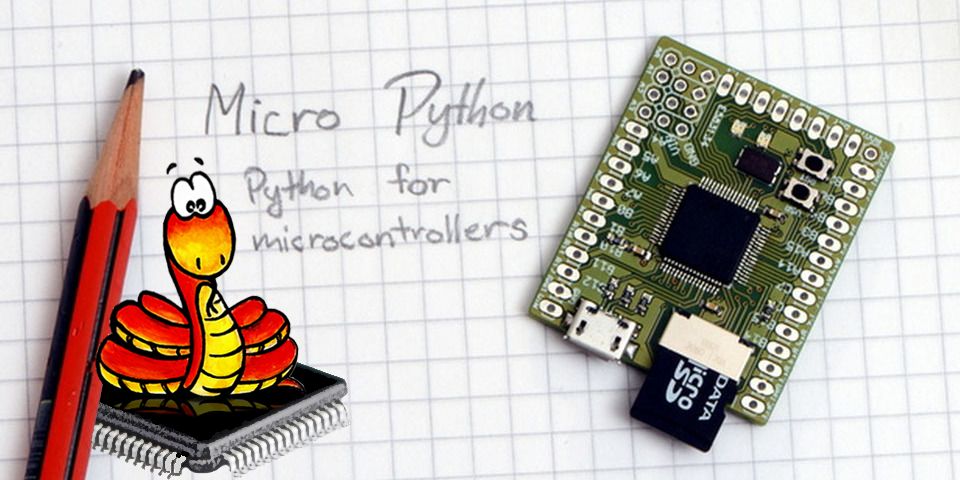
698 GitHub stars and counting — micropython/micropython-esp32 is a C project TopGit is tracking across repositories on the platform. Old port of MicroPython to the ESP32 -- new port is at https://github.com/micropython/micropython
Snapshot summary built from the project's own GitHub metadata — there's no written TopGit review yet. The page will update automatically when a full review is published.
WHY NO REVIEW YET
TopGit writes full reviews for the most-starred, most-requested repositories. This page is a snapshot until then — see the READ ME tab for the original README in full.
This is the MicroPython project, which aims to put an implementation
of Python 3.x on microcontrollers and small embedded systems.
You can find the official website at micropython.org.
A note about this ESP32 repository
The ESP32 port has now been merged back into the
main MicroPython repository
and this repository is maintained for historical purposes.
This repository is now getting out of date and new pull requests should
be made against the master branch of the main repository!
About MicroPython
WARNING: this project is in beta stage and is subject to changes of the
code-base, including project-wide name changes and API changes.
MicroPython implements the entire Python 3.4 syntax (including exceptions,
with, yield from, etc., and additionally async/await keywords from
Python 3.5). The following core datatypes are provided: str (including
basic Unicode support), bytes, bytearray, tuple, list, dict, set,
frozenset, array.array, collections.namedtuple, classes and instances.
Builtin modules include sys, time, and struct, etc. Select ports have
support for _thread module (multithreading). Note that only a subset of
Python 3 functionality is implemented for the data types and modules.
MicroPython can execute scripts in textual source form or from precompiled
bytecode, in both cases either from an on-device filesystem or "frozen" into
the MicroPython executable.
See the repository http://github.com/micropython/pyboard for the MicroPython
board (PyBoard), the officially supported reference electronic circuit board.
Major components in this repository:
py/ -- the core Python implementation, including compiler, runtime, and
core library.
mpy-cross/ -- the MicroPython cross-compiler which is used to turn scripts
into precompiled bytecode.
ports/unix/ -- a version of MicroPython that runs on Unix.
ports/stm32/ -- a version of MicroPython that runs on the PyBoard and similar
STM32 boards (using ST's Cube HAL drivers).
ports/minimal/ -- a minimal MicroPython port. Start with this if you want
to port MicroPython to another microcontroller.
tests/ -- test framework and test scripts.
docs/ -- user documentation in Sphinx reStructuredText format. Rendered
HTML documentation is available at http://docs.micropython.org (be sure
to select needed board/port at the bottom left corner).
Additional components:
ports/bare-arm/ -- a bare minimum version of MicroPython for ARM MCUs. Used
mostly to control code size.
ports/teensy/ -- a version of MicroPython that runs on the Teensy 3.1
(preliminary but functional).
ports/pic16bit/ -- a version of MicroPython for 16-bit PIC microcontrollers.
ports/cc3200/ -- a version of MicroPython that runs on the CC3200 from TI.
ports/esp8266/ -- an experimental port for ESP8266 WiFi modules.
extmod/ -- additional (non-core) modules implemented in C.
tools/ -- various tools, including the pyboard.py module.
examples/ -- a few example Python scripts.
The subdirectories above may include READMEs with additional info.
"make" is used to build the components, or "gmake" on BSD-based systems.
You will also need bash, gcc, and Python (at least 2.7 or 3.3).
The Unix version
The "unix" port requires a standard Unix environment with gcc and GNU make.
x86 and x64 architectures are supported (i.e. x86 32- and 64-bit), as well
as ARM and MIPS. Making full-featured port to another architecture requires
writing some assembly code for the exception handling and garbage collection.
Alternatively, fallback implementation based on setjmp/longjmp can be used.
To build (see section below for required dependencies):
$ git submodule update --init
$ cd ports/unix
$ make axtls
$ make
Then to give it a try:
$ ./micropython
>>> list(5 * x + y for x in range(10) for y in [4, 2, 1])
Use CTRL-D (i.e. EOF) to exit the shell.
Learn about command-line options (in particular, how to increase heap size
which may be needed for larger applications):
$ ./micropython --help
Run complete testsuite:
$ make test
Unix version comes with a builtin package manager called upip, e.g.:
Browse available modules on
PyPI.
Standard library modules come from
micropython-lib project.
External dependencies
Building MicroPython ports may require some dependencies installed.
For Unix port, libffi library and pkg-config tool are required. On
Debian/Ubuntu/Mint derivative Linux distros, install build-essential
(includes toolchain and make), libffi-dev, and pkg-config packages.
Other dependencies can be built together with MicroPython. This may
be required to enable extra features or capabilities, and in recent
versions of MicroPython, these may be enabled by default. To build
these additional dependencies, first fetch git submodules for them:
$ git submodule update --init
Use the same command to get the latest versions of dependencies, as
they are updated from time to time. After that, in the port directory
(e.g. ports/unix/), execute:
$ make deplibs
This will build all available dependencies (regardless whether they
are used or not). If you intend to build MicroPython with additional
options (like cross-compiling), the same set of options should be passed
to make deplibs. To actually enable/disable use of dependencies, edit
ports/unix/mpconfigport.mk file, which has inline descriptions of the options.
For example, to build SSL module (required for upip tool described above,
and so enabled by dfeault), MICROPY_PY_USSL should be set to 1.
For some ports, building required dependences is transparent, and happens
automatically. They still need to be fetched with the git submodule command
above.
The STM32 version
The "stm32" port requires an ARM compiler, arm-none-eabi-gcc, and associated
bin-utils. For those using Arch Linux, you need arm-none-eabi-binutils,
arm-none-eabi-gcc and arm-none-eabi-newlib packages. Otherwise, try here:
https://launchpad.net/gcc-arm-embedded
To build:
$ git submodule update --init
$ cd ports/stm32
$ make
You then need to get your board into DFU mode. On the pyboard, connect the
3V3 pin to the P1/DFU pin with a wire (on PYBv1.0 they are next to each other
on the bottom left of the board, second row from the bottom).
Then to flash the code via USB DFU to your device:
$ make deploy
This will use the included tools/pydfu.py script. If flashing the firmware
does not work it may be because you don't have the correct permissions, and
need to use sudo make deploy.
See the README.md file in the ports/stm32/ directory for further details.
Contributing
MicroPython is an open-source project and welcomes contributions. To be
productive, please be sure to follow the
Contributors' Guidelines
and the Code Conventions.
Note that MicroPython is licenced under the MIT license, and all contributions
should follow this license.
How active is development on micropython/micropython-esp32?
The most recent commit recorded on micropython/micropython-esp32 was 7.7 years ago, based on the GitHub push timestamp. The repository has 218 forks — one of the better signals of community interest.
How many stars does micropython/micropython-esp32 have?
micropython/micropython-esp32 has 698 GitHub stars — refresh the page for the live number, or check github.com/micropython/micropython-esp32. TopGit mirrors GitHub's count but does not claim minute-by-minute accuracy.
Is micropython/micropython-esp32 open source?
Yes — micropython/micropython-esp32 ships under the MIT license, which makes its source code freely readable (and, depending on license terms, forkable and reusable). Source: github.com/micropython/micropython-esp32.
What is micropython/micropython-esp32?
micropython/micropython-esp32 (micropython/micropython-esp32) is a C project on GitHub. From the project's own README: Old port of MicroPython to the ESP32 -- new port is at https://github.com/micropython/micropython
What language is micropython/micropython-esp32 written in?
micropython/micropython-esp32 is written primarily in C. GitHub's language field is based on the largest share of bytes in the default branch.
What license does micropython/micropython-esp32 use?
micropython/micropython-esp32 is released under the MIT license. Always verify the LICENSE file directly on GitHub for the authoritative terms — license strings can be edited out of sync with a project's actual stance.
Where do I read more about micropython/micropython-esp32?
This TopGit page is a snapshot — the READ ME tab shows the project's own README content (links stripped, images preserved). The GitHub repository at github.com/micropython/micropython-esp32 is the definitive source.
Read full README in the tab above.
Is micropython-esp32 worth your time?
ChatGPT, Claude and Perplexity can all read this page. Ask one of them what it makes of micropython-esp32.

 /micropython-esp32