An open-source entry in TopGit's GitHub warehouse: nesquena/gitdocs, 1.1k stars, JavaScript. Open-source Dropbox using Ruby and Git
Snapshot summary built from the project's own GitHub metadata — there's no written TopGit review yet. The page will update automatically when a full review is published.
WHY NO REVIEW YET
TopGit writes full reviews for the most-starred, most-requested repositories. This page is a snapshot until then — see the READ ME tab for the original README in full.
Open-source dropbox alternative powered by git. Collaborate on files and tasks without any extra hassle.
gitdocs will automatically keep everyone's repos in sync by pushing and pulling changes.
This allows any git repo to be used as a collaborative task list, file share, or wiki for a team.
Supports a web front-end allowing each repo to be accessed through your browser.
Note: Gitdocs has been tested on multiple unix systems including Mac OS X and Ubuntu.
Windows support is half-baked
but we plan to tackle that shortly in an upcoming release.
Why?
Why use gitdocs for your file and doc sharing needs?
Open - gitdocs is entirely open-source under the MIT license
Simple - gitdocs is the simplest thing that works in both setup and usage
Secure - gitdocs leverages git (and existing providers like github) to store your data safely.
Versatile - share task lists, code snippets, images, files or just use it as a wiki (with our web front-end).
Portable - access your files on any client that can use git.
The best part is that getting started using this project is quick and simple.
Quick Start
Gitdocs monitors any number of directories for changes and keeps them automatically synced. You can either add
existing git directories to be watched or have gitdocs pull down a repository for you.
There are plenty of great git hosting providers to safely store your data and you can trust the data is stored securely.
If you want a private repo to use with gitdocs, we recommend you check out BitBucket which
provides free private git repos after registration.
To get started with gitdocs and a secure private bitbucket repo:
gem install gitdocs
gitdocs start
Login to BitBucket and add a new private repo named 'docs'
There you go! Now just start adding and editing files within the directory and they will be automatically
synchronized across all gitdocs-enabled clients.
Installation
Requires ruby1.9+ and rubygems. Install as a gem:
gem install gitdocs
If you have Growl installed on Max OSX, you'll probably want to run:
You need to start gitdocs in order for the monitoring to work:
gitdocs start
If the start command fails, you can check the logs in ~/.gitdocs/log or run again in the foreground and increase logging to more easily see what is going wrong:
gitdocs start --foreground --verbose
Once gitdocs has been started and is monitoring the correct directories, simply start editing or adding files to your
designated git repos and changes will be automatically pushed. Gitdocs can be easily stopped or restarted:
gitdocs stop
gitdocs restart
For an overview of gitdocs current status, run:
gitdocs status
Monitoring Shares
You can add existing folders to watch:
gitdocs add my/path/to/watch
or instruct gitdocs to fetch a remote share and keep it synced with:
This will clone the remote repo and begin monitoring the local path. You can remove and clear monitored paths as well:
gitdocs rm my/path/to/watch
gitdocs clear
Web Front-end
Gitdocs come with a handy web front-end that is available.
This browser front-end supports the following features:
Explore the files within all your shares
View revision history for every file in your share
Revert a file to any previous state in the file's history
View source files in your shares with code syntax highlighting
View text files in your shares with smart formatting (markdown, textile)
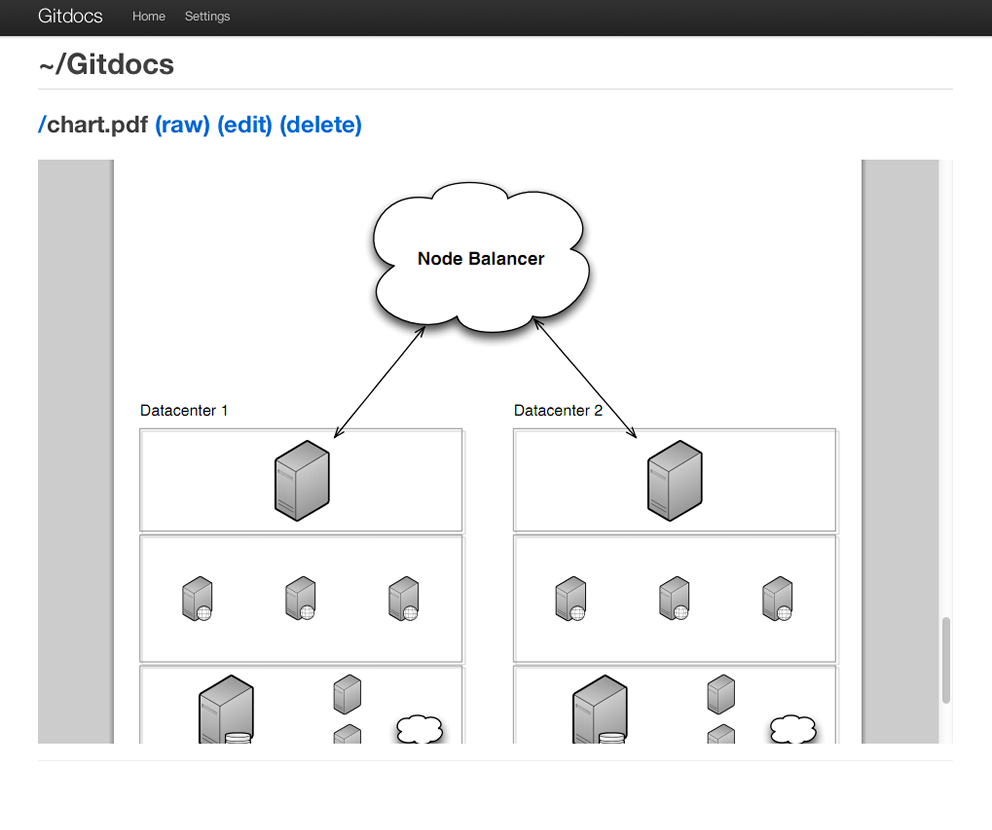
View any file in your shares that can be rendered inline (pdf, images, et al)
Edit and update text files using a text editor
Upload and create new files within your shares
Manage share settings and other configuration options
To check out the front-end, simply visit http://127.0.0.1:8888 whenever gitdocs is running.
Conflict Resolution
Proper conflict resolution is an important part of any good doc and file collaboration tool.
In most cases, git does a good job of handling file merges for you. Still, what about cases where the conflict cannot be
resolved automatically?
Don't worry, gitdocs makes handling this simple. In the event of a conflict,
all the different versions of a document are stored in the repo tagged with the git sha for each
committed version. The members of the repo can then compare all versions and resolve the conflict.
Gitdocs in Practice
At Miso, our team actually uses gitdocs in conjunction with Dropbox. We find Dropbox is ideal for galleries, videos,
and large binary files of all sorts. We use gitdocs for storing our actual "docs":
Task lists, wiki pages, planning docs, collaborative designs, notes, guides, code snippets, etc.
You will find that the gitdocs browser front-end is well suited for this usage scenario
since you can browse formatted wiki pages, view files with smart syntax highlighting,
edit files with a rich text editor, search all your files, as well as view individual file revision histories.
Planned Features
Gitdocs is a young project but we have many plans for it including:
Better handling of large binary files circumventing known git limitations
Click-to-share instant access granting file access to users using a local tunnel or other means.
Tagging and organizing of files within the web front-end
Better access to the versions for a particular file within the web front-end
Contributors
Gitdocs is now primarily being developed by Andrew Sullivan Cant. Gitdocs was created at Miso by Joshua Hull and Nathan Esquenazi.
We also have had several contributors:
Chris Kempson - Encoding issues
Evan Tatarka - Front-end style fixes
Kale Worsley - Custom commit msgs, revert revisions, front-end cleanup
Andrew Sullivan Cant - Major improvements, grit support, core contributor
Gitdocs is still a young project with a lot of opportunity for contributions. Patches welcome!
Prior Projects
Gitdocs is a fresh project that we originally spiked on in a few days time. Our primary goals are to keep the code as simple as possible,
but provide the features that makes Dropbox great. If you are interested in other Dropbox alternatives, be sure to checkout our notes below:
SparkleShare is an open source, self-hosted Dropbox alternative written using C# and the Mono Project.
More mature but has a lot of dependencies, and lacks some of the features planned in Gitdocs.
DVCS-Autosync is a project to create an open source replacement for Dropbox based on distributed version control systems.
Very similar project but again we have features planned that are out of scope (local tunnel file sharing, complete web ui for browsing, uploading and editing).
Lipsync is another similar project. We haven't looked at this too closely, but thought we would mention it in this list.
bitpocket is a project that uses rsync to synchronize data. Interesting concept, but
lacks revision history, author tracking, etc and we have features planned that are out of scope for this project
RubyDrop git backed DropBox clone
git-sync manual git syncing tool,
which also use XMPP notifications
git-annex-assistant
directory sync tool based on git-annex. (written in Haskell)
BitTorrent Sync BitTorrent based syncing
tool, not open source or publicly defined protocol
StrongSync Dropbox clone utility,
proprietary
pullbox Dropbox clone with git and Python
If any other open-source dropbox alternatives are available, we would love to hear about them so let us know!
The most recent commit recorded on nesquena/gitdocs was 9.6 years ago, based on the GitHub push timestamp. The repository has 45 forks — one of the better signals of community interest.
How many stars does nesquena/gitdocs have?
nesquena/gitdocs has 1.1k GitHub stars — refresh the page for the live number, or check github.com/nesquena/gitdocs. TopGit mirrors GitHub's count but does not claim minute-by-minute accuracy.
Is nesquena/gitdocs open source?
Yes — nesquena/gitdocs ships under the MIT license, which makes its source code freely readable (and, depending on license terms, forkable and reusable). Source: github.com/nesquena/gitdocs.
What is nesquena/gitdocs?
nesquena/gitdocs (nesquena/gitdocs) is a JavaScript project on GitHub. From the project's own README: Open-source Dropbox using Ruby and Git
Where do I read more about nesquena/gitdocs?
This TopGit page is a snapshot — the READ ME tab shows the project's own README content (links stripped, images preserved). The GitHub repository at github.com/nesquena/gitdocs is the definitive source.
Read full README in the tab above.
Curious whether gitdocs is right for you?
Let ChatGPT, Claude, or Perplexity look into it — click below and see what AI actually says about gitdocs.

 /gitdocs