onmyway133/DeepDiff sits at 2.0k stars on GitHub, written primarily in Swift. 🦀Amazingly incredible extraordinary lightning fast diffing in Swift
Snapshot summary built from the project's own GitHub metadata — there's no written TopGit review yet. The page will update automatically when a full review is published.
WHY NO REVIEW YET
TopGit writes full reviews for the most-starred, most-requested repositories. This page is a snapshot until then — see the READ ME tab for the original README in full.
Push Hero - pure Swift native macOS application to test push notifications
PastePal - Pasteboard, note and shortcut manager
Quick Check - smart todo manager
Alias - App and file shortcut manager
My other apps
❤️❤️😇😍🤘❤️❤️
DeepDiff tells the difference between 2 collections and the changes as edit steps. It also supports Texture, see Texture example
Read more A better way to update UICollectionView data in Swift with diff framework
Checkout Micro Fast diffing and type safe SwiftUI style data source for UICollectionView
Usage
Basic
The result of diff is an array of changes, which is [Change]. A Change can be
.insert: The item was inserted at an index
.delete: The item was deleted from an index
.replace: The item at this index was replaced by another item
.move: The same item has moved from this index to another index
By default, there is no .move. But since .move is just .delete followed by .insert of the same item, it can be reduced by specifying reduceMove to true.
Here are some examples
let old = Array("abc")
let new = Array("bcd")
let changes = diff(old: old, new: new)

// Delete "a" at index 0
// Insert "d" at index 2
let old = Array("abcd")
let new = Array("adbc")
let changes = diff(old: old, new: new)

// Move "d" from index 3 to index 1
let old = [
  User(id: 1, name: "Captain America"),
  User(id: 2, name: "Captain Marvel"),
  User(id: 3, name: "Thor"),
]

let new = [
  User(id: 1, name: "Captain America"),
  User(id: 2, name: "The Binary"),
  User(id: 3, name: "Thor"),
]

let changes = diff(old: old, new: new)

// Replace user "Captain Marvel" with user "The Binary" at index 1
DiffAware protocol
Model must conform to DiffAware protocol for DeepDiff to work. An model needs to be uniquely identified via diffId to tell if there have been any insertions or deletions. In case of same diffId, compareContent is used to check if any properties have changed, this is for replacement changes.
public protocol DiffAware {
  associatedtype DiffId: Hashable

  var diffId: DiffId { get }
  static func compareContent(_ a: Self, _ b: Self) -> Bool
}
Some primitive types like String, Int, Character already conform to DiffAware
Animate UITableView and UICollectionView
Changes to DataSource can be animated by using batch update, as guided in Batch Insertion, Deletion, and Reloading of Rows and Sections
Since Change returned by DeepDiff follows the way batch update works, animating DataSource changes is easy.
For safety, update your data source model inside updateData to ensure synchrony inside performBatchUpdates
let oldItems = items
let newItems = DataSet.generateNewItems()
let changes = diff(old: oldItems, new: newItems)

collectionView.reload(changes: changes, section: 2, updateData: {
  self.items = newItems
})
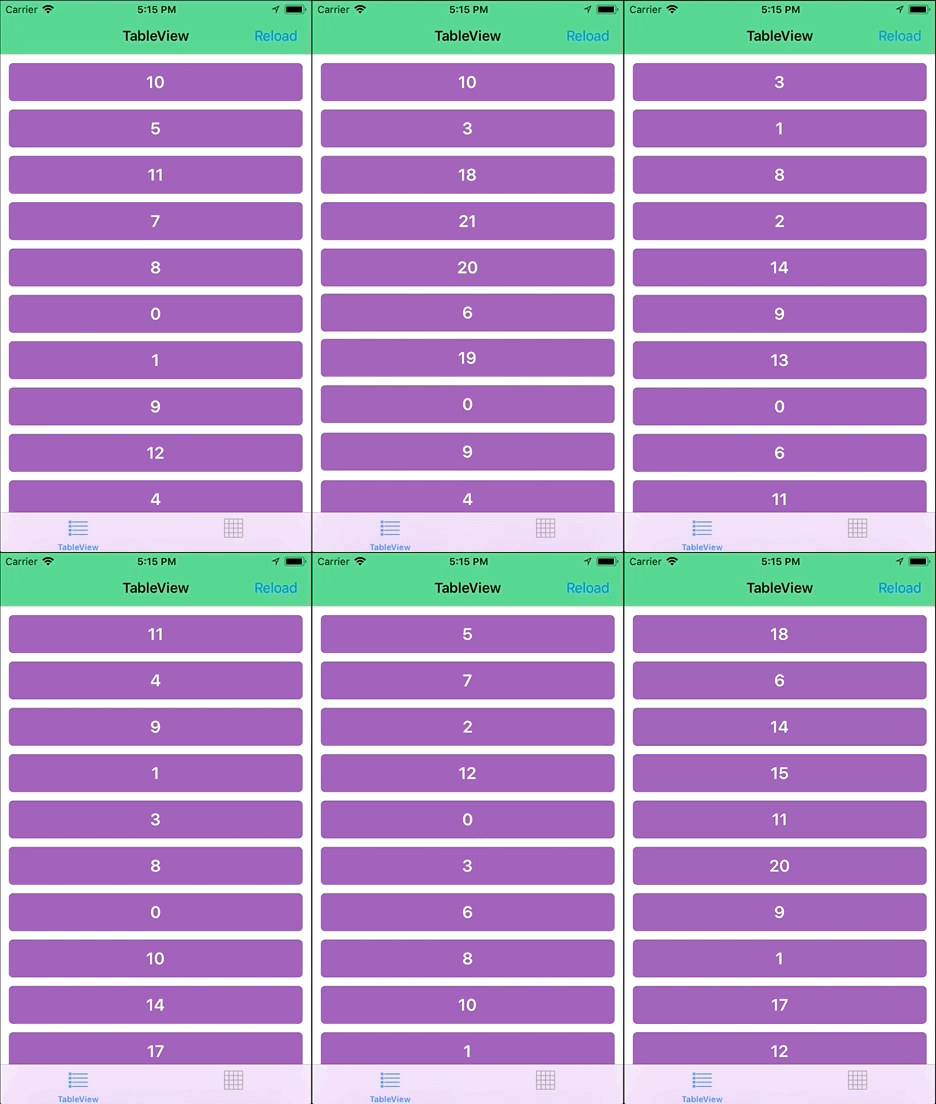
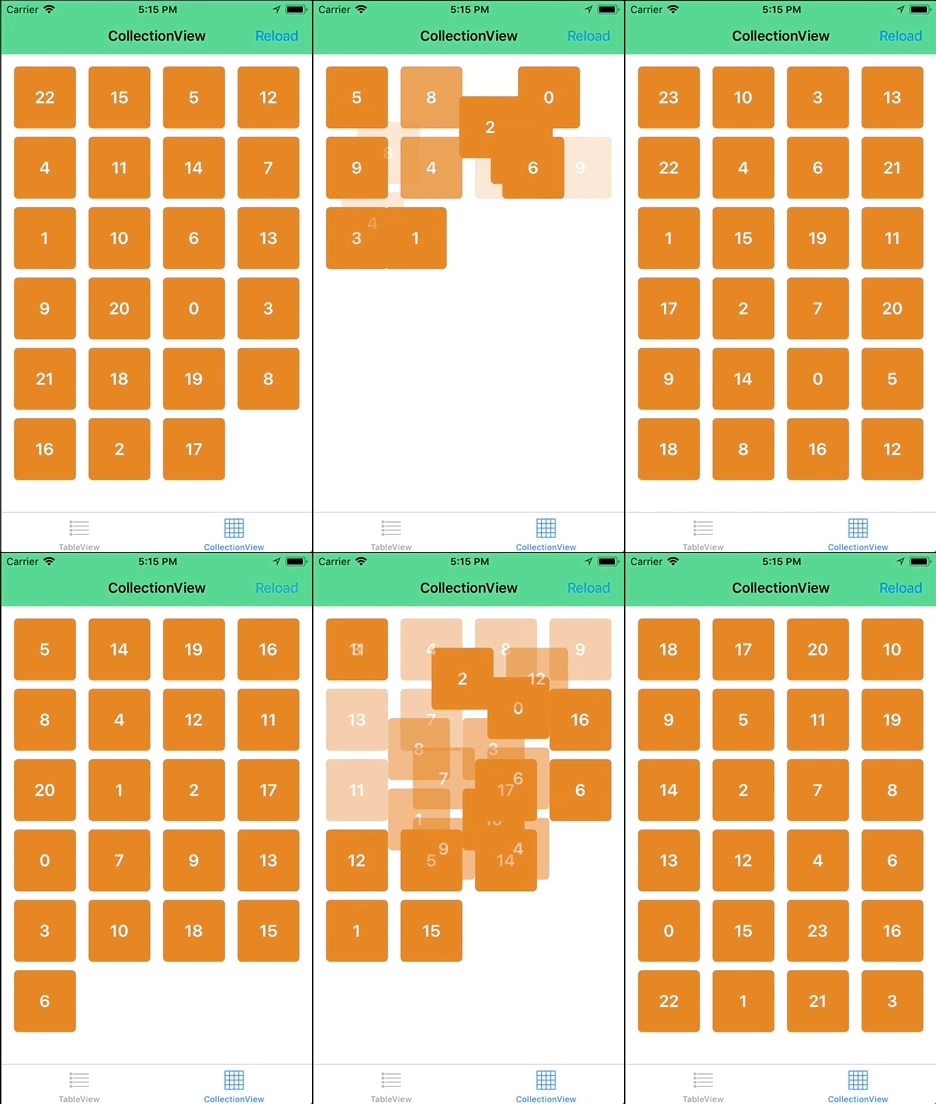
Take a look at Demo where changes are made via random number of items, and the items are shuffled.
How does it work
Wagner–Fischer
If you recall from school, there is Levenshtein distance which counts the minimum edit distance to go from one string to another.
Based on that, the first version of DeepDiff implements Wagner–Fischer, which uses dynamic programming to compute the edit steps between 2 strings of characters. DeepDiff generalizes this to make it work for any collection.
Some optimisations made
Check empty old or new collection to return early
Use diffId to quickly check that 2 items are not equal
Follow "We can adapt the algorithm to use less space, O(m) instead of O(mn), since it only requires that the previous row and current row be stored at any one time." to use 2 rows, instead of matrix to reduce memory storage.
The performance greatly depends on the number of items, the changes and the complexity of the equal function.
Wagner–Fischer algorithm has O(mn) complexity, so it should be used for collection with < 100 items.
Heckel
The current version of DeepDiff uses Heckel algorithm as described in A technique for isolating differences between files. It works on 2 observations about line occurrences and counters. The result is a bit lengthy compared to the first version, but it runs in linear time.
Thanks to
Isolating Differences Between Files for explaining step by step
HeckelDiff for a clever move reducer based on tracking deleteOffset
More
There are other algorithms that are interesting
An O(ND) Difference Algorithm and Its Variations
An O(NP) Sequence Comparison Algorithm
Benchmarks
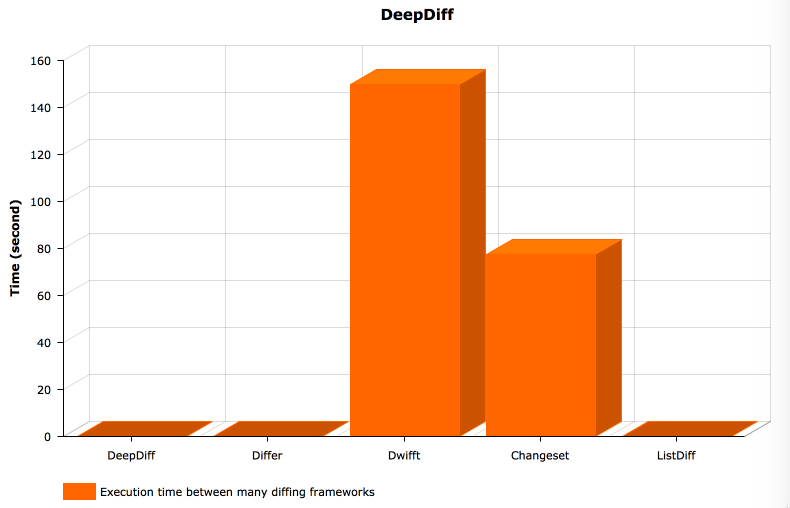
Benchmarking is done on real device iPhone 6, with random items made of UUID strings (36 characters including hyphens), just to make comparisons more difficult.
You can take a look at the code Benchmark. Test is inspired from DiffUtil
Among different frameworks
Here are several popular diffing frameworks to compare
Differ 1.0.3, originally Diff.swift
Changeset 3.0
Dwifft 0.8
ListDiff 0.1.0, port from IGListKit
💪 From 2000 items to 2100 items (100 deletions, 200 insertions)
The most recent commit recorded on onmyway133/DeepDiff was 5.5 years ago, based on the GitHub push timestamp. The repository has 142 forks — one of the better signals of community interest.
How many stars does onmyway133/DeepDiff have?
onmyway133/DeepDiff has 2.0k GitHub stars — refresh the page for the live number, or check github.com/onmyway133/DeepDiff. TopGit mirrors GitHub's count but does not claim minute-by-minute accuracy.
What language is onmyway133/DeepDiff written in?
onmyway133/DeepDiff is written primarily in Swift. GitHub's language field is based on the largest share of bytes in the default branch.
What topics is onmyway133/DeepDiff associated with?
GitHub's repository topics for onmyway133/DeepDiff: "batch", "changes", "collection", "diff", "update". TopGit's editorial category is open-source.
Where can I see onmyway133/DeepDiff in action?
The project maintains a homepage at https://onmyway133.com/apps/. The README tab on this page also usually contains screenshots and a quickstart.
Where do I read more about onmyway133/DeepDiff?
This TopGit page is a snapshot — the READ ME tab shows the project's own README content (links stripped, images preserved). The GitHub repository at github.com/onmyway133/DeepDiff is the definitive source.
Read full README in the tab above.
Curious whether DeepDiff is right for you?
Let ChatGPT, Claude, or Perplexity look into it — click below and see what AI actually says about DeepDiff.

 /DeepDiff