ℙ𝕦𝕤𝕙 ℕ𝕠𝕥𝕚𝕗𝕚𝕔𝕒𝕥𝕚𝕠𝕟𝕤

❤️ Support my apps ❤️
- Push Hero - pure Swift native macOS application to test push notifications
- PastePal - Pasteboard, note and shortcut manager
- Quick Check - smart todo manager
- Alias - App and file shortcut manager
- My other apps
❤️❤️😇😍🤘❤️❤️
Description
PushNotitication is an app used for testing push notifications on iOS and Android- Support macOS, Windows, Linux
- Support using
certificate and token for authentication with APNS
- Auto save settings
How to install
- Download latest release from https://github.com/onmyway133/PushNotifications/releases
- If using macOS Catalina (10.15+), here is the instruction of how to open the app
How to use
- iOS (APNs):
- iOS Provider Certificate
- iOS Authentication Token
- Android (FCM):
Keep in mind: To connect to APNs you can use either Provider certificate or Authentication Token. They are different ways and Authentication Token is a new one.
Main difference: Provider certificate expires every year and needs to be regenerated (and reuploaded to your server as .p12). Authentication Token is unlimited and you don't have to recreate and reupload it.
iOS Provider Certificate
- Read more Provider Certificates
- Go to Member Center
- Generate
Apple Push Notification service SSL (Sandbox & Production), this is now used for both sandbox and production. Download as .cer file
- Double click on
.cer file to install into Keychain, then export it as .p12 file
- In
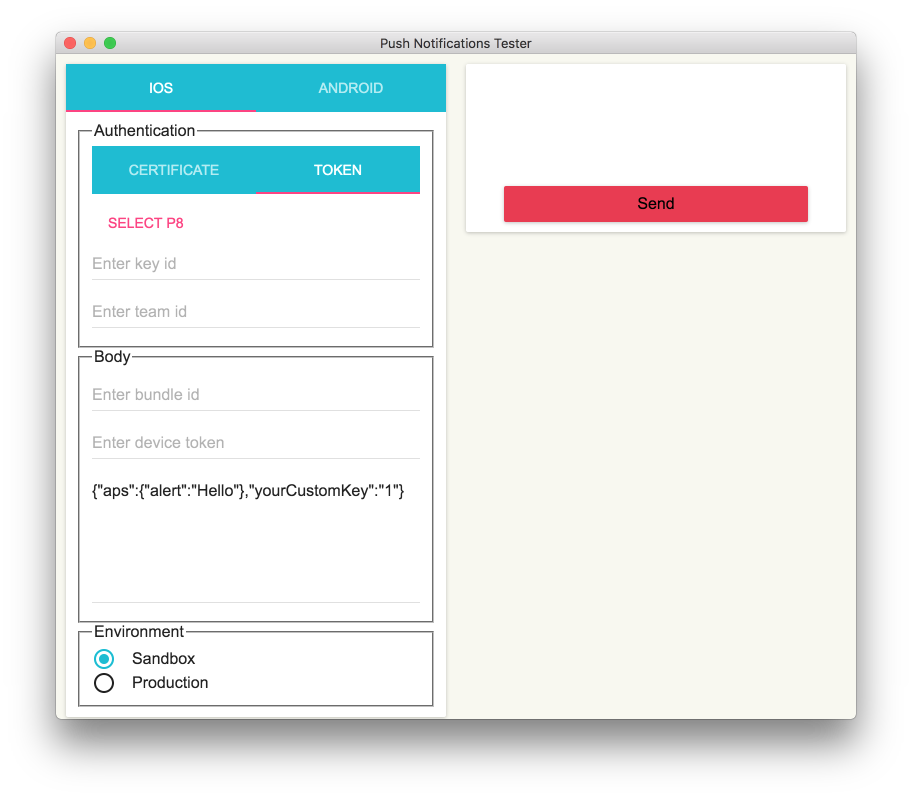
PushNotifications, select .p12 file, fill out passphase if needed, fill out bundle id, device token, message, select environment
message must be in json format, see Creating the Remote Notification Payload
iOS Authentication Token
- Read more Authentication Tokens
- Go to Member Center
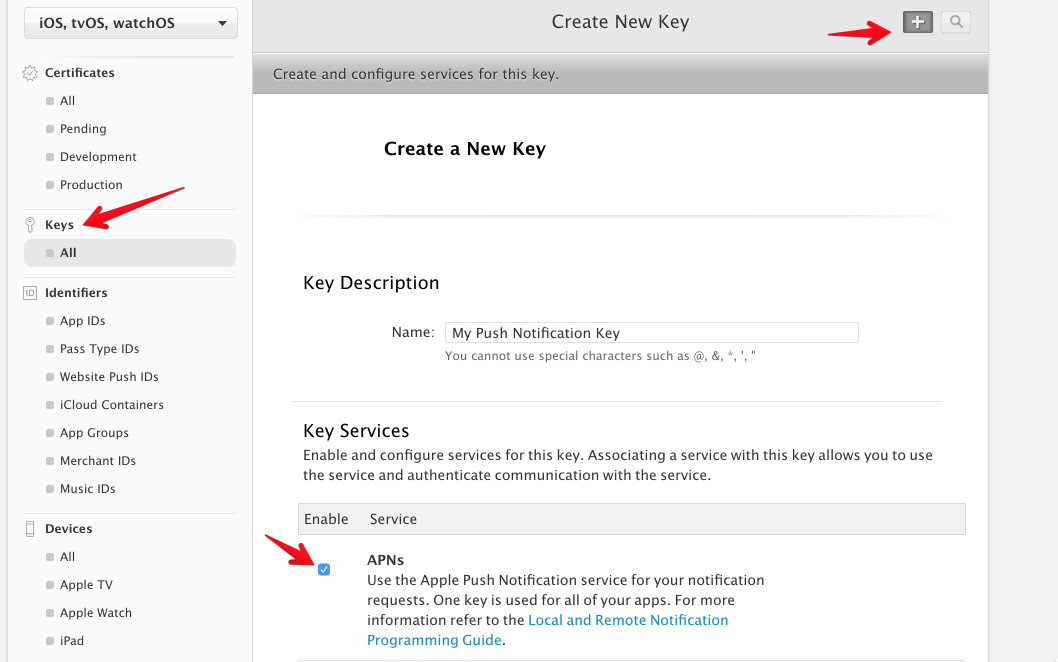
- Create a
Key for push notification. Download as .p8 file.
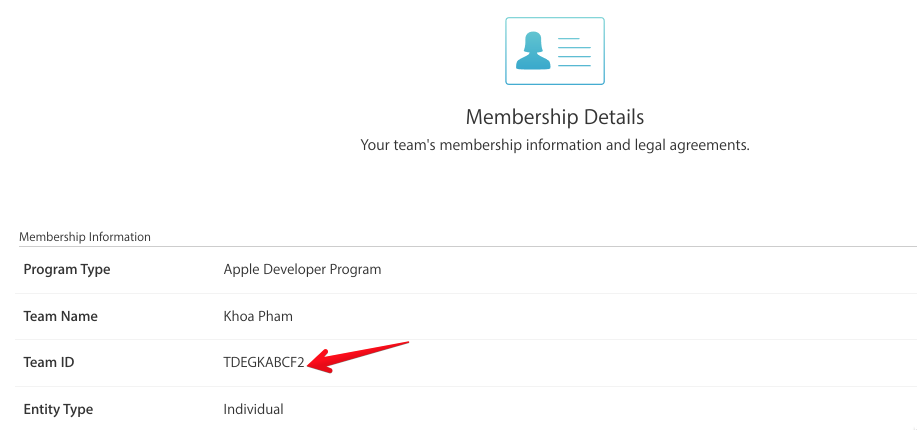
- Note your
team id on Account Membership
- In
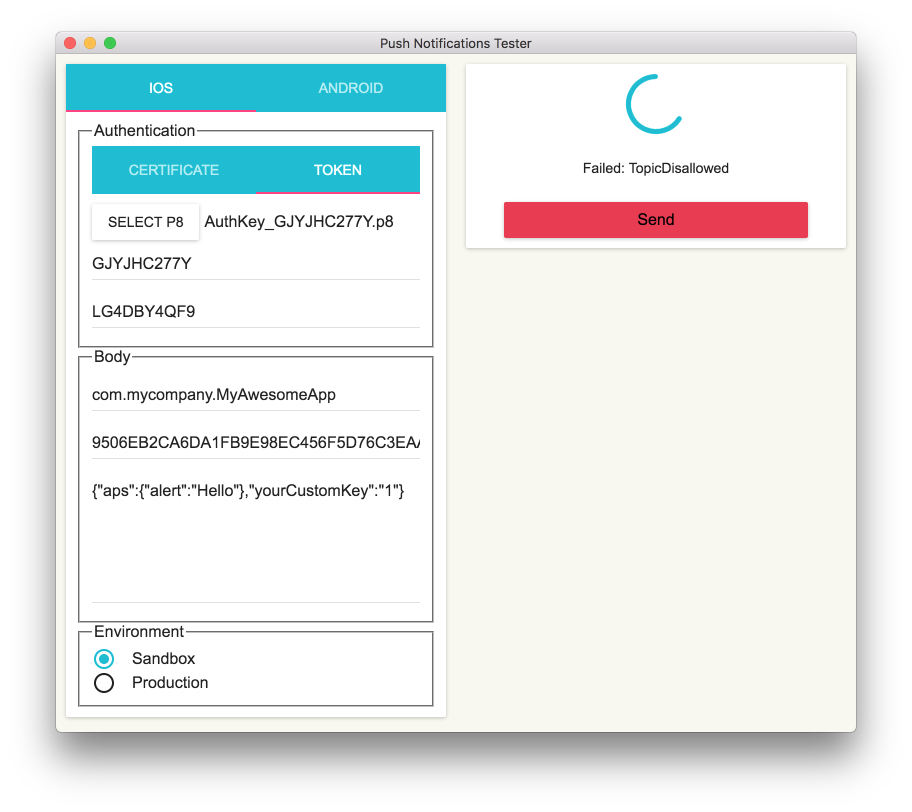
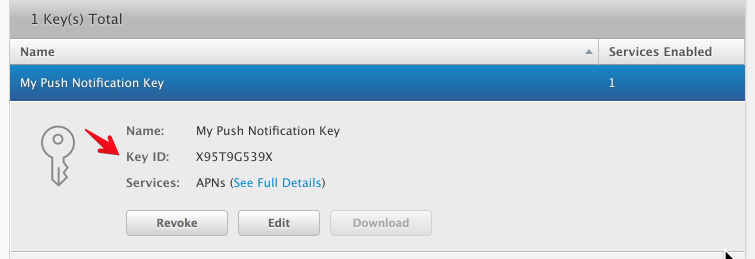
PushNotifications, select .p8 file, fill out key id, team id, bundle id, device token, message, select environment
Android Server Key
- Read about
Firebase Cloud Messaging
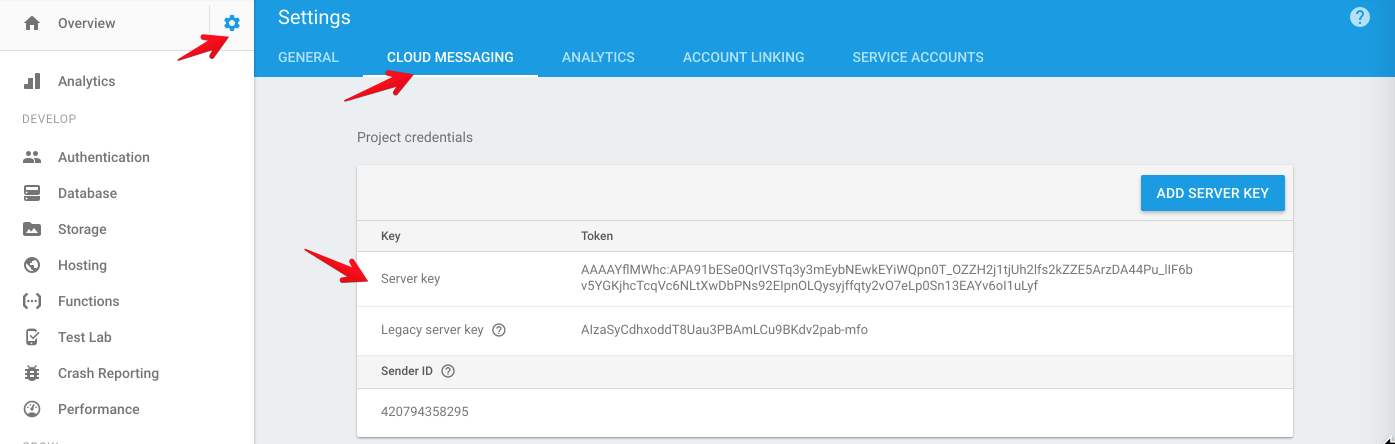
- Add or select project on Firebase Console
- In
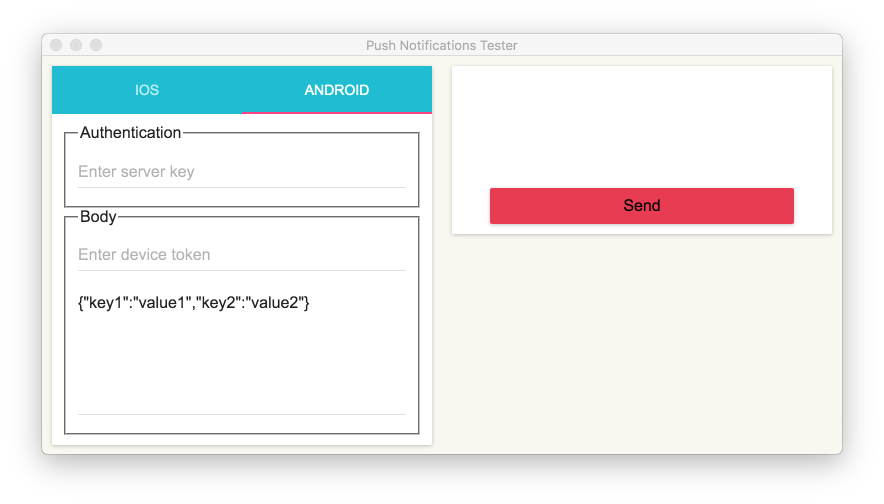
PushNotifications, fill out server key, device token, message
message must be in json format
Opening app on macOS Catalina or newer (10.15+)
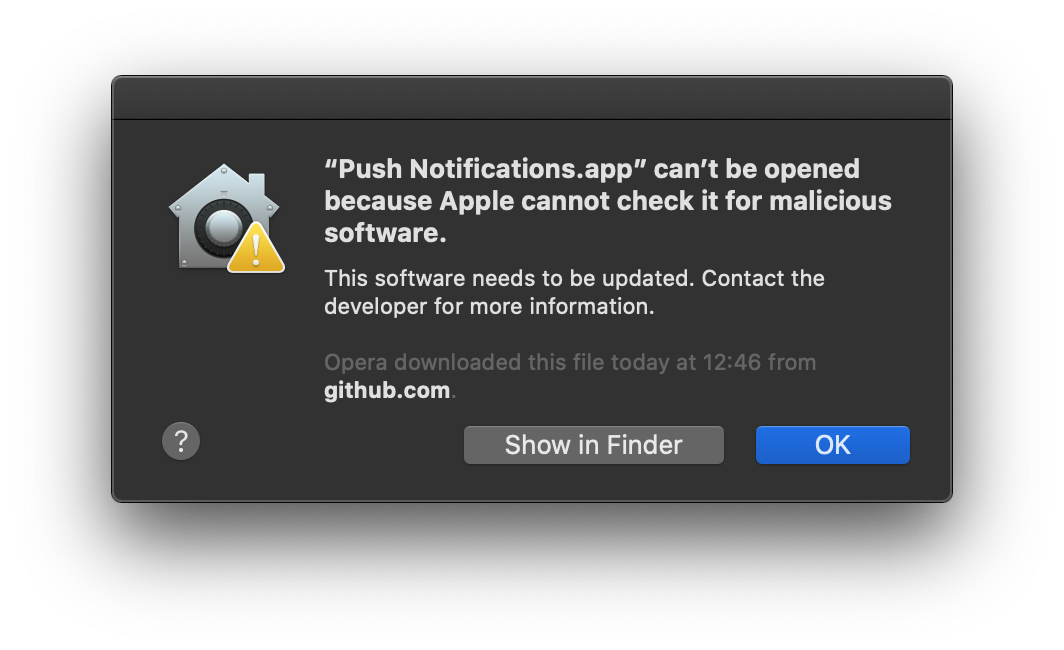
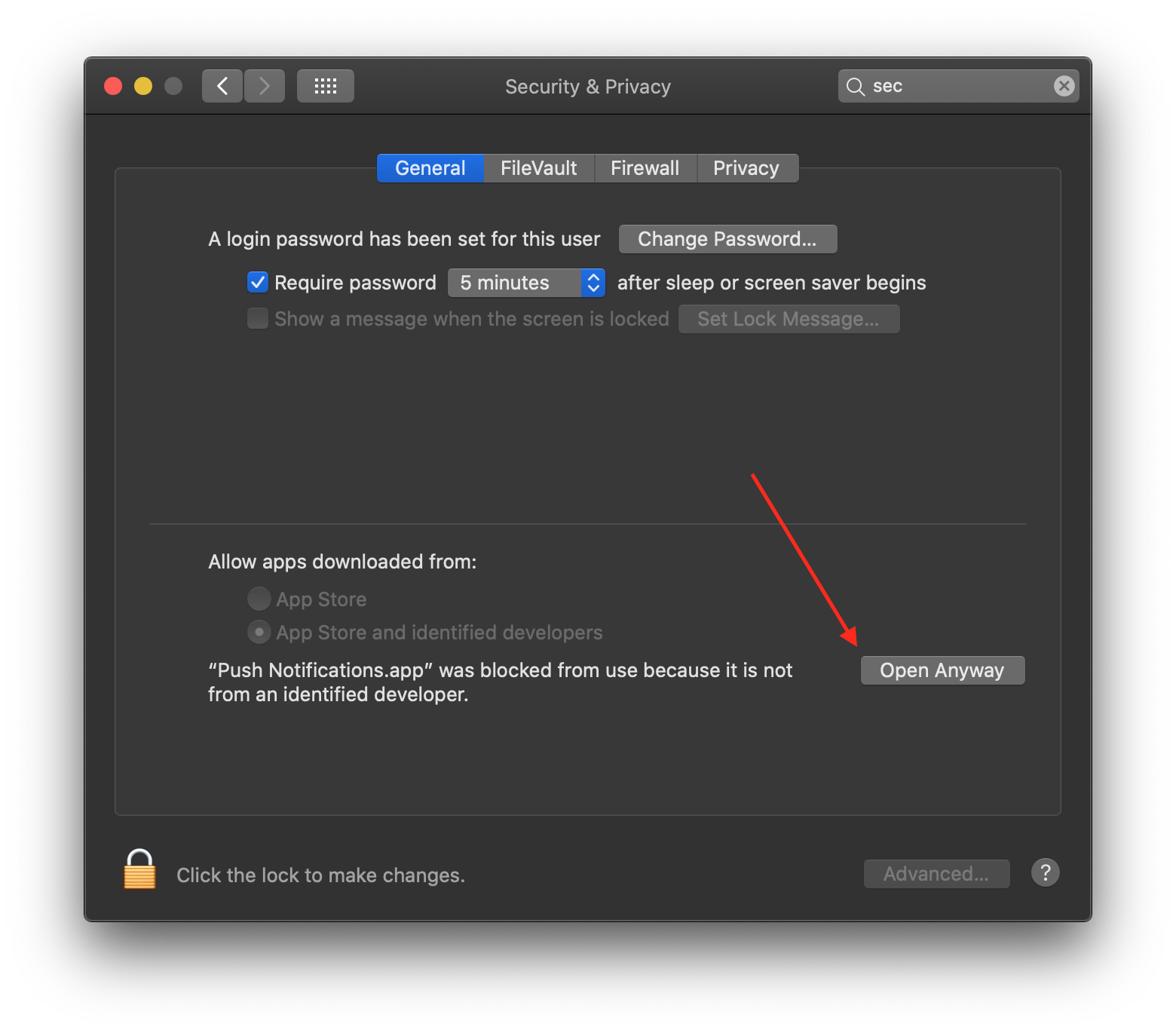
If you installed the app on macOS Catalina using the .dmg file, you will probably see this window when trying to launch the app:
Just press OK and go to System Settings... -> Security & Privacy -> General tab. There you need to press the button Open Anyway.
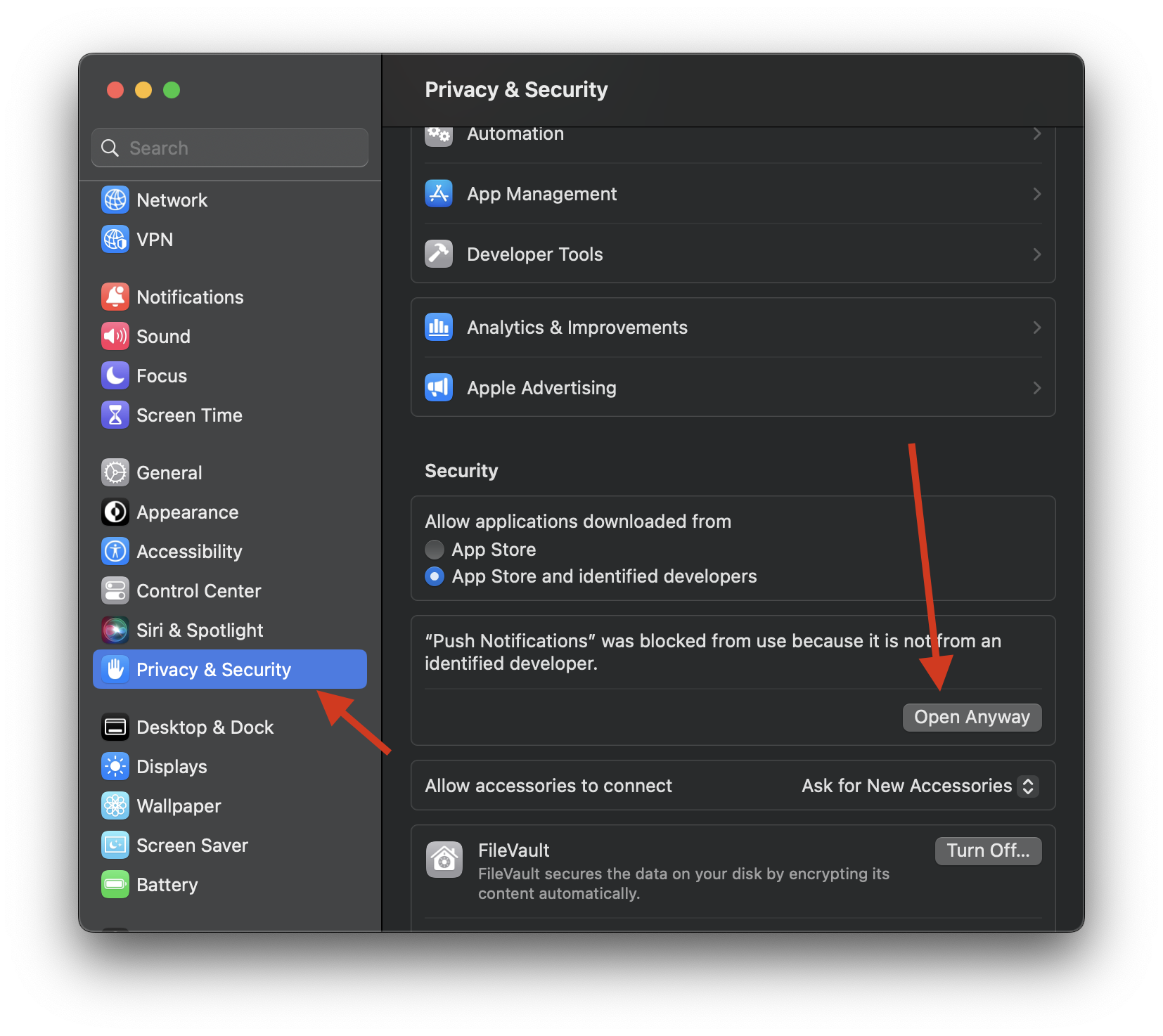
If you have macOS Ventura or later:
Manual building
In case of issues with running the app on your version of OS, it's possible to easily build it yourself.
Steps:
- Download or clone the repository
- Install
node on your computer (https://nodejs.org/en/)
- Run
npm install in the root of downloaded/cloned project
- Verify that the app can be launched with the command
npm start (optional)
- Build the project to generate installable files:
- For building with
electron-builder you need to run npm run dist. Generated files end up in the folder dist in the root of your project.
As a result electron-builder will generate:
- For macOS:
.zip, .dmg (if you build using macOS)
- For Windows:
.msi (if you build using Windows)
- For Linux:
.deb, .AppImage (if you build using Linux)
Keep in mind: you cannot build for Windows or Linux, if you are using macOS, or vise versa. It creates installable files only for your current OS.
Credit
- Icon http://emojione.com/
- Use node-apn under the hood
Author
Khoa Pham, [email protected]
License
PushNotifications is available under the MIT license. See the LICENSE file for more info.