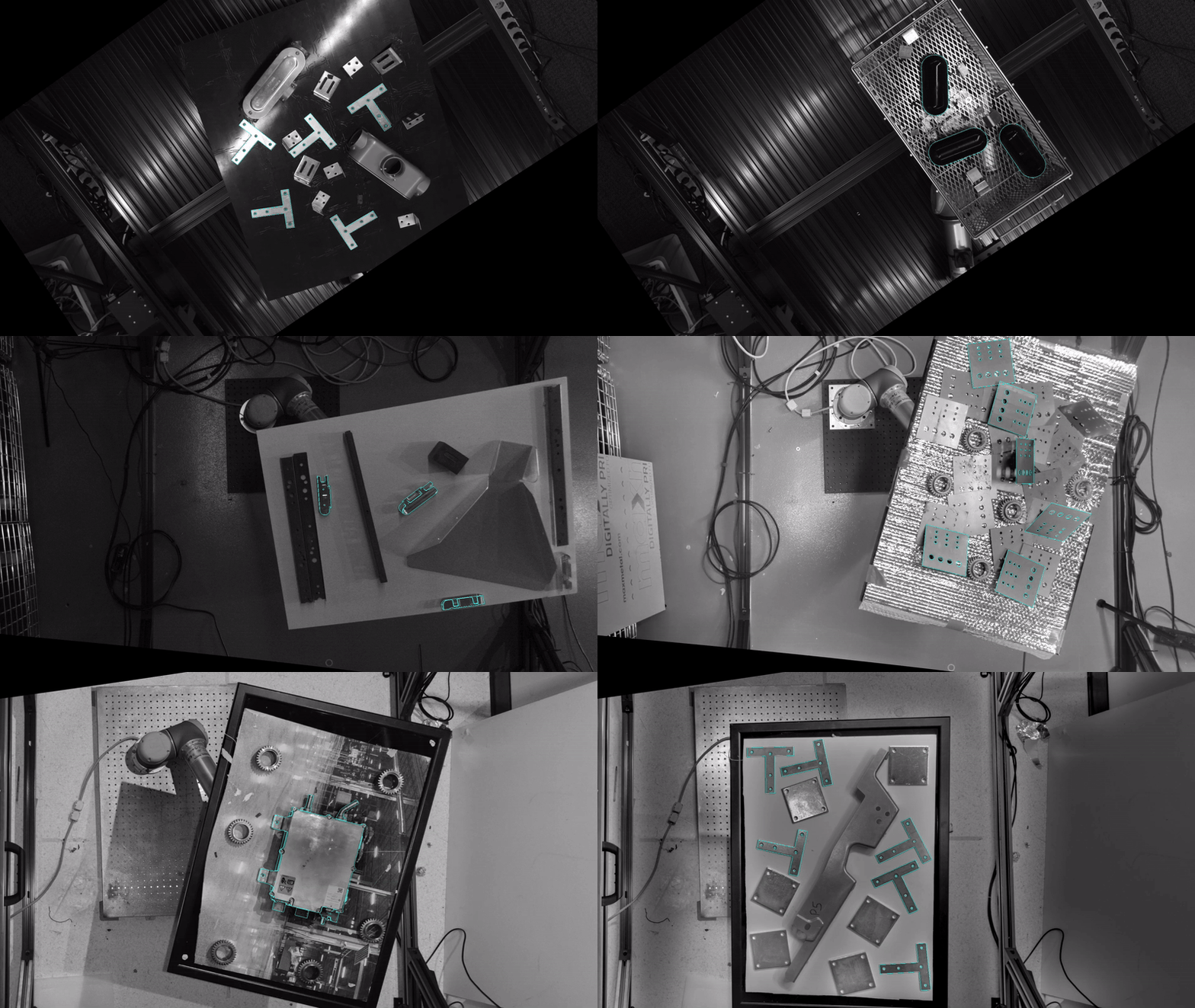
Snapshot of opencv/bpc: 95★, Python. Codebase for Perception Challenge For Bin-Picking
Snapshot summary built from the project's own GitHub metadata — there's no written TopGit review yet. The page will update automatically when a full review is published.
WHY NO REVIEW YET
TopGit writes full reviews for the most-starred, most-requested repositories. This page is a snapshot until then — see the READ ME tab for the original README in full.
Check the baseline solution for input/output examples
Build your custom image with your solution and test it locally
Submit your solution
Overview
This repository contains the sample submission code, ROS interfaces, and evaluation service for the Perception Challenge For Bin-Picking. The reason we openly share the tester code here is to give participants a chance to validate their submissions before submitting.
Estimator:
The estimator code represents the sample submission. Participants need to implement their solution by editing the placeholder code in the function get_pose_estimates in ibpc_pose_estimator.py. The tester will invoke the participant's solution via a ROS 2 service call over the /get_pose_estimates endpoint.
Tester:
The tester code serves as the evaluation service. A copy of this code will be running on the evaluation server and is provided for reference only. It loads the test dataset, prepares image inputs, invokes the estimator service repeatedly, collects the results, and submits for further evaluation.
ROS Interface:
The API for the challenge is a ROS service, GetPoseEstimates, over /get_pose_estimates. Participants implement the service callback on a dedicated ROS node (commonly referred to as the PoseEstimatorNode) which processes the input data (images and metadata) and returns pose estimation results.
In addition, we provide the ibpc_py tool which facilitates downloading the challenge data and performing various related tasks. You can find the installation guide and examples of its usage below.
Design
ROS-based Framework
The core architecture of the challenge is based on ROS 2. Participants are required to respond to a ROS 2 Service request with pose estimation results. The key elements of the architecture are:
Service API:
The ROS service interface (defined in the GetPoseEstimates file) acts as the API for the challenge.
PoseEstimatorNode:
Participants are provided with Python templates for the PoseEstimatorNode. Your task is to implement the callback function (e.g., get_pose_estimates) that performs the required computation. Since the API is simply a ROS endpoint, you can use any of the available ROS 2 client libraries including C++, Python, Rust, Node.js, or C#. Please use ROS 2 Jazzy Jalisco.
TesterNode:
A fully implemented TesterNode is provided that:
Uses the bop_toolkit_lib to load the test dataset and prepare image inputs.
Repeatedly calls the PoseEstimatorNode service over the /get_pose_estimates endpoint.
Collects and combines results from multiple service calls.
Saves the compiled results to disk in CSV format.
Containerization
To simplify the evaluation process, Dockerfiles are provided to generate container images for both the PoseEstimatorNode and the TesterNode. This ensures that users can run their models without having to configure a dedicated ROS environment manually.
Submission Instructions
Participants are expected to modify the estimator code to implement their solution. Once completed, your custom estimator should be containerized using Docker and submitted according to the challenge requirements. You can find detailed submission instructions here. Please make sure to register a team to get access to the submission instructions.
Setting up
The following instructions will guide you through the process of validating your submission locally before official submission.
Requirements
Docker installed with the user in docker group for passwordless invocations. Ensure Docker Buildx is installed (docker buildx version). If not, install it with apt install docker-buildx-plugin or apt install docker-buildx (distribution-dependent).
7z -- apt install p7zip-full
Python3 with virtualenv -- apt install python3-virtualenv
The ibpc and rocker CLI tools are tested on Linux-based machines. Due to known Windows issues, we recommend Windows users develop using WSL.
Note: Participants are expected to submit Docker containers, so all development workflows are designed with this in mind.
Setup a workspace
mkdir -p ~/bpc_ws
Create a virtual environment
📄 If you're already working in some form of virtualenv you can continue to use that and install bpc in that instead of making a new one.
python3 -m venv ~/bpc_ws/bpc_env
Activate that virtual env
source ~/bpc_ws/bpc_env/bin/activate
For any new shell interacting with the bpc command you will have to rerun this source command.
Install bpc
Install the bpc command from the ibpc pypi package. (bpc was already taken :-( )
pip install ibpc
Fetch the source repository
cd ~/bpc_ws
git clone https://github.com/opencv/bpc.git
Fetch the dataset
cd ~/bpc_ws/bpc
bpc fetch ipd
This will download the ipd_base.zip, ipd_models.zip, and ipd_val.zip (approximately 6GB combined). The dataset is also available for manual download on Hugging Face.
Quickstart with prebuilt images
bpc test ghcr.io/opencv/bpc/bpc_pose_estimator:example ipd
This will download the prebuilt zenoh, tester, and pose_estimator images and run containers based on them. The pose_estimator image contains an empty get_pose_estimates function. After the containers start, you should see the following in your terminal:
[INFO] [1740003838.048516355] [bpc_pose_estimator]: Starting bpc_pose_estimator...
[INFO] [1740003838.049547292] [bpc_pose_estimator]: Model directory set to /opt/ros/underlay/install/models.
[INFO] [1740003838.050190130] [bpc_pose_estimator]: Pose estimates can be queried over srv /get_pose_estimates.
Build and test custom bpc_pose_estimator image
You can then build custom bpc_pose_estimator image with your updated get_pose_estimates function
cd ~/bpc_ws/bpc
docker buildx build -t bpc_pose_estimator:example \
    --file ./Dockerfile.estimator \
    --build-arg="MODEL_DIR=models" \
    .
bpc test bpc_pose_estimator:example ipd
This will validate your pose_estimator image against the local copy of validation dataset.
When you build a new image you rerun this test.
The console output will show the system getting started and then the output of the estimator.
If you would like to interact with the estimator and run alternative commands or anything else in the container you can invoke it with --debug
The tester console output will be streamed to the file ibpc_test_output.log Use this to see it
tail -f ibpc_test_output.log
The results will come out as submission.csv when the tester is complete.
Baseline Solution
We provide a simple baseline solution as a reference for implementing the solution in ibpc_pose_estimator_py. Please refer to the baseline_solution branch and follow the instructions there.
Tips
🐌 If you are iterating a lot of times with the validation and are frustrated by how long the cuda installation is, you can add it to your Dockerfile as below.
It will make the image significantly larger, but faster to iterate if you put it higher in the dockerfile. We can't include it in the published image because the image gets too big for hosting and pulling easily.
The above is enough to get you going.
However we want to be open about what else were doing.
You can see the source of the tester and build your own version as follows if you'd like.
If you would like the training data and test data
Use the command:
bpc fetch ipd_all
The dataset is also available for manual download on Hugging Face.
Manually Run components
It is possible to manually run the components.
bpc shows what it is running on the console output.
Or you can run as outlined below.
Start the Zenoh router
docker run --init --rm --net host eclipse/zenoh:1.2.1 --no-multicast-scouting
Run the pose estimator
We use rocker to add GPU support to Docker containers. To install rocker, run pip install rocker on the host machine.
Note: Substitute the <PATH_TO_DATASET> with the directory that contains the ipd dataset. Similarly, substitute <PATH_TO_OUTPUT_DIR> with the directory that should contain the results from the pose estimator. By default, the results will be saved as a submission.csv file but this filename can be updated by setting the OUTPUT_FILENAME environment variable.
The most recent commit recorded on opencv/bpc was 1.3 years ago, based on the GitHub push timestamp. The repository has 50 forks — one of the better signals of community interest.
How many stars does opencv/bpc have?
opencv/bpc has 95 GitHub stars — refresh the page for the live number, or check github.com/opencv/bpc. TopGit mirrors GitHub's count but does not claim minute-by-minute accuracy.
Is opencv/bpc open source?
Yes — opencv/bpc ships under the Apache-2.0 license, which makes its source code freely readable (and, depending on license terms, forkable and reusable). Source: github.com/opencv/bpc.
What is opencv/bpc?
opencv/bpc (opencv/bpc) is a Python project on GitHub. From the project's own README: Codebase for Perception Challenge For Bin-Picking
What language is opencv/bpc written in?
opencv/bpc is written primarily in Python. GitHub's language field is based on the largest share of bytes in the default branch.
What license does opencv/bpc use?
opencv/bpc is released under the Apache-2.0 license. Always verify the LICENSE file directly on GitHub for the authoritative terms — license strings can be edited out of sync with a project's actual stance.
Where do I read more about opencv/bpc?
This TopGit page is a snapshot — the READ ME tab shows the project's own README content (links stripped, images preserved). The GitHub repository at github.com/opencv/bpc is the definitive source.
Read full README in the tab above.
Still deciding about bpc?
One click hands the question to an AI along with this page — see what it says about bpc.
 /bpc
/bpc