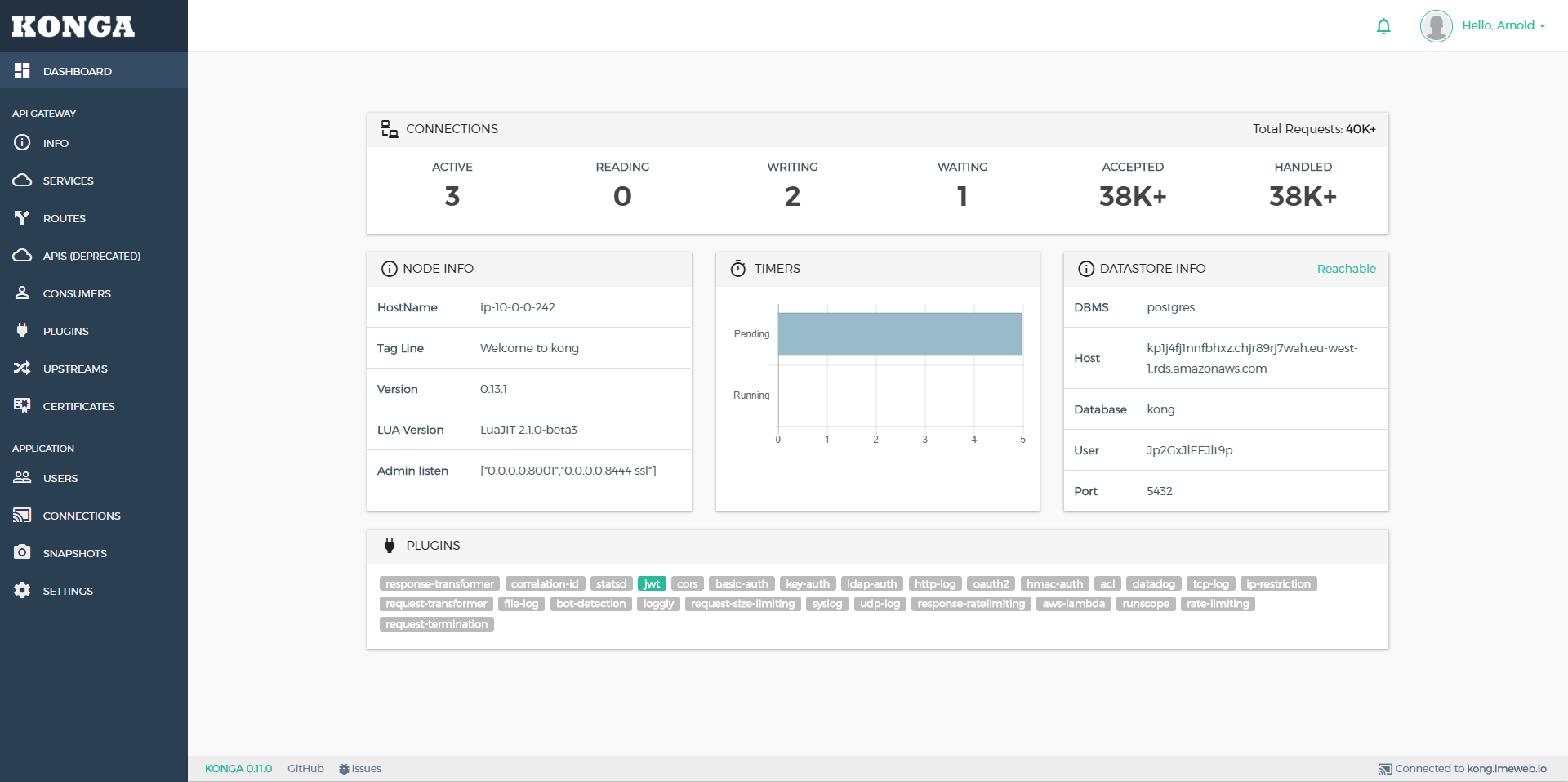
A look at pantsel/konga: 4.4k stars on GitHub, written primarily in JavaScript. More than just another GUI to Kong Admin API
Snapshot summary built from the project's own GitHub metadata — there's no written TopGit review yet. The page will update automatically when a full review is published.
WHY NO REVIEW YET
TopGit writes full reviews for the most-starred, most-requested repositories. This page is a snapshot until then — see the READ ME tab for the original README in full.
From 0.14.0 onwards, Konga is ONLY compatible with Kong 1.x
If you're on an older Kong version , use this branch
or konga:legacy from docker hub instead.
Prerequisites
A running Kong installation
Nodejs >= 8, <= 12.x (12.16 LTS is recommended)
Npm
Used libraries
Sails.js, http://sailsjs.org/
AngularJS, https://angularjs.org/
Installation
Install npm and node.js. Instructions can be found here.
Install bower, ad gulp packages.
$ git clone https://github.com/pantsel/konga.git
$ cd konga
$ npm i
Configuration
You can configure your application to use your environment specified
settings.
There is an example configuration file on the root folder.
.env_example
Just copy this to .env and make necessary changes to it. Note that this
.env file is in .gitignore so it won't go to VCS at any point.
Environment variables
These are the general environment variables Konga uses.
VAR
DESCRIPTION
VALUES
DEFAULT
HOST
The IP address that will be bind by Konga's server
-
'0.0.0.0'
PORT
The port that will be used by Konga's server
-
1337
NODE_ENV
The environment
production,development
development
SSL_KEY_PATH
If you want to use SSL, this will be the absolute path to the .key file. Both SSL_KEY_PATH & SSL_CRT_PATH must be set.
-
null
SSL_CRT_PATH
If you want to use SSL, this will be the absolute path to the .crt file. Both SSL_KEY_PATH & SSL_CRT_PATH must be set.
-
null
KONGA_HOOK_TIMEOUT
The time in ms that Konga will wait for startup tasks to finish before exiting the process.
-
60000
DB_ADAPTER
The database that Konga will use. If not set, the localDisk db will be used.
mongo,mysql,postgres
-
DB_URI
The full db connection string. Depends on DB_ADAPTER. If this is set, no other DB related var is needed.
-
-
DB_HOST
If DB_URI is not specified, this is the database host. Depends on DB_ADAPTER.
-
localhost
DB_PORT
If DB_URI is not specified, this is the database port. Depends on DB_ADAPTER.
-
DB default.
DB_USER
If DB_URI is not specified, this is the database user. Depends on DB_ADAPTER.
-
-
DB_PASSWORD
If DB_URI is not specified, this is the database user's password. Depends on DB_ADAPTER.
-
-
DB_DATABASE
If DB_URI is not specified, this is the name of Konga's db. Depends on DB_ADAPTER.
-
konga_database
DB_PG_SCHEMA
If using postgres as a database, this is the schema that will be used.
-
public
KONGA_LOG_LEVEL
The logging level
silly,debug,info,warn,error
debug on dev environment & warn on prod.
TOKEN_SECRET
The secret that will be used to sign JWT tokens issued by Konga
-
-
NO_AUTH
Run Konga without Authentication
true/false
-
BASE_URL
Define a base URL or relative path that Konga will be loaded from. Ex: www.example.com/konga
-
KONGA_SEED_USER_DATA_SOURCE_FILE
Seed default users on first run. Docs.
-
KONGA_SEED_KONG_NODE_DATA_SOURCE_FILE
Seed default Kong Admin API connections on first run Docs
-
Databases Integration
Konga is bundled with It's own persistence mechanism for storing users and configuration.
A local persistent object store is used by default, which works great as a bundled, starter database (with the strict caveat that it is for non-production use only).
The application also supports some of the most popular databases out of the box:
MySQL
MongoDB
PostgresSQL
In order to use them, set the appropriate env vars in your .env file.
Running Konga
Development
$ npm start
Konga GUI will be available at http://localhost:1337
Production
In case of MySQL or PostgresSQL adapters, Konga will not perform db migrations when running in production mode.
You can manually perform the migrations by calling $ node ./bin/konga.js prepare
, passing the args needed for the database connectivity.
Note: You can skip this step if using the mongo adapter.
You can prepare the database using an ephemeral container that runs the prepare command.
Args
argument
description
default
-c
command
-
-a
adapter (can be postgres or mysql)
-
-u
full database connection url
-
$ docker run --rm pantsel/konga:latest -c prepare -a {{adapter}} -u {{connection-uri}}
Start Konga
$ docker run -p 1337:1337
             --network {{kong-network}} \ // optional
             -e "TOKEN_SECRET={{somerandomstring}}" \
             -e "DB_ADAPTER=the-name-of-the-adapter" \ // 'mongo','postgres','sqlserver'  or 'mysql'
             -e "DB_HOST=your-db-hostname" \
             -e "DB_PORT=your-db-port" \ // Defaults to the default db port
             -e "DB_USER=your-db-user" \ // Omit if not relevant
             -e "DB_PASSWORD=your-db-password" \ // Omit if not relevant
             -e "DB_DATABASE=your-db-name" \ // Defaults to 'konga_database'
             -e "DB_PG_SCHEMA=my-schema"\ // Optionally define a schema when integrating with prostgres
             -e "NODE_ENV=production" \ // or 'development' | defaults to 'development'
             --name konga \
             pantsel/konga


 // Alternatively you can use the full connection string to connect to a database
 $ docker run -p 1337:1337
              --network {{kong-network}} \ // optional
              -e "TOKEN_SECRET={{somerandomstring}}" \
              -e "DB_ADAPTER=the-name-of-the-adapter" \ // 'mongo','postgres','sqlserver'  or 'mysql'
              -e "DB_URI=full-connection-uri" \
              -e "NODE_ENV=production" \ // or 'development' | defaults to 'development'
              --name konga \
              pantsel/konga
The GUI will be available at http://{your server's public ip}:1337
It is possible to seed default users on first install.
You may also configure Konga to authenticate via LDAP.
Upgrading
In some cases a newer version of Konga may introduce changes in database schemas.
The only thing you need to do is to start Konga in dev mode once so that the migrations will be applied.
Then stop the app and run it again in production mode.
if you're using docker, you can lift an ephemeral container, as stated before:
$ docker run --rm pantsel/konga:latest -c prepare -a {{adapter}} -u {{connection-uri}}
FAQ
1. Getting blank page with Uncaught ReferenceError: angular is not defined
In some cases when running npm install, the bower dependencies are not installed properly.
You will need to cd into your project's root directory and install them manually by typing
$ npm run bower-deps
2. Can't add/edit some plugin properties.
When a plugin property is an array, the input is handled by a chip component.
You will need to press enter after every value you type in
so that the component assigns it to an array index.
See issue #48 for reference.
3. EACCES permission denied, mkdir '/kongadata/'.
If you see this error while trying to run Konga, it means that konga has no write permissions to
it's default data dir /kongadata. You will just have to define the storage path yourself to
a directory Konga will have access permissions via the env var STORAGE_PATH.
4. The hook grunt is taking too long to load
The default timeout for the sails hooks to load is 60000. In some cases, depending on
the memory the host machine has available, startup tasks like code minification and uglyfication
may take longer to complete. You can fix that by setting then env var KONGA_HOOK_TIMEOUT to something
greater than 60000, like 120000.
More Kong related stuff
Kong Admin proxy
Kong Middleman plugin
Author
Panagis Tselentis
License
The MIT License (MIT)
=====================

THE SOFTWARE IS PROVIDED "AS IS", WITHOUT WARRANTY OF ANY KIND, EXPRESS OR
IMPLIED, INCLUDING BUT NOT LIMITED TO THE WARRANTIES OF MERCHANTABILITY,
FITNESS FOR A PARTICULAR PURPOSE AND NONINFRINGEMENT. IN NO EVENT SHALL THE
AUTHORS OR COPYRIGHT HOLDERS BE LIABLE FOR ANY CLAIM, DAMAGES OR OTHER
LIABILITY, WHETHER IN AN ACTION OF CONTRACT, TORT OR OTHERWISE, ARISING FROM,
OUT OF OR IN CONNECTION WITH THE SOFTWARE OR THE USE OR OTHER DEALINGS IN
THE SOFTWARE.
The most recent commit recorded on pantsel/konga was 2.5 years ago, based on the GitHub push timestamp. The repository has 854 forks — one of the better signals of community interest.
How many stars does pantsel/konga have?
pantsel/konga has 4.4k GitHub stars — refresh the page for the live number, or check github.com/pantsel/konga. TopGit mirrors GitHub's count but does not claim minute-by-minute accuracy.
Is pantsel/konga open source?
Yes — pantsel/konga ships under the MIT license, which makes its source code freely readable (and, depending on license terms, forkable and reusable). Source: github.com/pantsel/konga.
What is pantsel/konga?
pantsel/konga (pantsel/konga) is a JavaScript project on GitHub. From the project's own README: More than just another GUI to Kong Admin API
Where do I read more about pantsel/konga?
This TopGit page is a snapshot — the READ ME tab shows the project's own README content (links stripped, images preserved). The GitHub repository at github.com/pantsel/konga is the definitive source.
Read full README in the tab above.
Still deciding about konga?
One click hands the question to an AI along with this page — see what it says about konga.

 /konga