A look at sindresorhus/ora: 9.8k stars on GitHub, written primarily in JavaScript. Elegant terminal spinner
Snapshot summary built from the project's own GitHub metadata — there's no written TopGit review yet. The page will update automatically when a full review is published.
WHY NO REVIEW YET
TopGit writes full reviews for the most-starred, most-requested repositories. This page is a snapshot until then — see the READ ME tab for the original README in full.
If a string is provided, it is treated as a shortcut for options.text.
options
Type: object
text
Type: string
The text to display next to the spinner.
prefixText
Type: string | () => string
Text or a function that returns text to display before the spinner. No prefix text will be displayed if set to an empty string.
suffixText
Type: string | () => string
Text or a function that returns text to display after the spinner text. No suffix text will be displayed if set to an empty string.
spinner
Type: string | object
Default: 'dots'
The name of one of the provided spinners. See example.js in this repo if you want to test out different spinners. On Windows (except for Windows Terminal), it will always use the line spinner as the Windows command-line doesn't have proper Unicode support.
The color of the spinner. Set to false to disable coloring.
hideCursor
Type: boolean
Default: true
Set to false to stop Ora from hiding the cursor.
indent
Type: number
Default: 0
Indent the spinner with the given number of spaces.
interval
Type: number
Default: Provided by the spinner or 100
Interval between each frame.
Spinners provide their own recommended interval, so you don't really need to specify this.
stream
Type: stream.Writable
Default: process.stderr
Stream to write the output.
You could for example set this to process.stdout instead.
isEnabled
Type: boolean
Force enable/disable the spinner. If not specified, the spinner will be enabled if the stream is being run inside a TTY context (not spawned or piped) and/or not in a CI environment.
Note that {isEnabled: false} doesn't mean it won't output anything. It just means it won't output the spinner, colors, and other ansi escape codes. It will still log text.
isSilent
Type: boolean
Default: false
Disable the spinner and all log text. All output is suppressed and isEnabled will be considered false.
discardStdin
Type: boolean
Default: true
Discard stdin input (except Ctrl+C) while running if it's TTY. This prevents the spinner from twitching on input, outputting broken lines on Enter key presses, and prevents buffering of input while the spinner is running.
This has no effect on Windows as there is no good way to implement discarding stdin properly there.
Note: discardStdin puts stdin into raw mode. In raw mode, Ctrl+C no longer generates SIGINT from the terminal. Ora re-emits Ctrl+C from stdin input, but if your code blocks the event loop with synchronous work, Ctrl+C handling is delayed until the blocking work ends. Use async APIs, a worker thread, or a child process to keep Ctrl+C responsive, or set discardStdin to false.
Instance
.text get/set
Change the text displayed after the spinner.
.prefixText get/set
Change the text before the spinner.
No prefix text will be displayed if set to an empty string.
.suffixText get/set
Change the text after the spinner text.
No suffix text will be displayed if set to an empty string.
.color get/set
Change the spinner color.
.spinner get/set
Change the spinner.
.indent get/set
Change the spinner indent.
.isSpinning get
A boolean indicating whether the instance is currently spinning.
.isEnabled get/set
A boolean indicating whether the spinner and log text are enabled.
.isSilent get/set
A boolean indicating whether all output is suppressed.
.interval get
The interval between each frame.
The interval is decided by the chosen spinner.
.start(text?)
Start the spinner. Returns the instance. Set the current text if text is provided.
.stop()
Stop and clear the spinner. Returns the instance.
.succeed(text?)
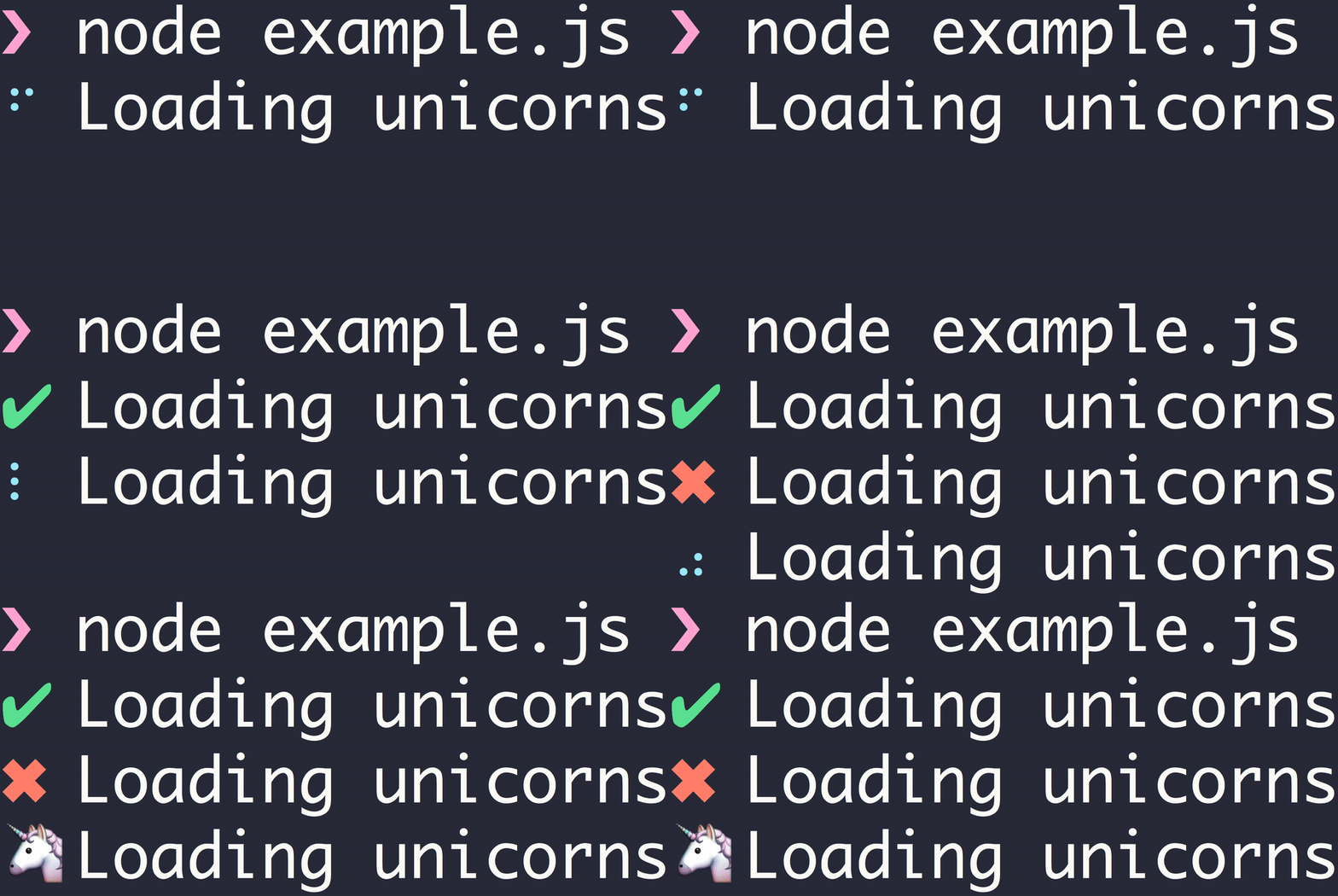
Stop the spinner, change it to a green ✔ and persist the current text, or text if provided. Returns the instance. See the GIF below.
.fail(text?)
Stop the spinner, change it to a red ✖ and persist the current text, or text if provided. Returns the instance. See the GIF below.
.warn(text?)
Stop the spinner, change it to a yellow ⚠ and persist the current text, or text if provided. Returns the instance.
.info(text?)
Stop the spinner, change it to a blue ℹ and persist the current text, or text if provided. Returns the instance.
.stopAndPersist(options?)
Stop the spinner and change the symbol or text. Returns the instance. See the GIF below.
options
Type: object
symbol
Type: string
Default: ' '
Symbol to replace the spinner with.
text
Type: string
Default: Current text
Text to be persisted after the symbol.
prefixText
Type: string | () => string
Default: Current prefixText
Text or a function that returns text to be persisted before the symbol. No prefix text will be displayed if set to an empty string.
suffixText
Type: string | () => string
Default: Current suffixText
Text or a function that returns text to be persisted after the text after the symbol. No suffix text will be displayed if set to an empty string.
.clear()
Clear the spinner. Returns the instance.
.render()
Manually render a new frame. Returns the instance.
.frame()
Get a new frame.
oraPromise(action, text)
oraPromise(action, options)
Starts a spinner for a promise or promise-returning function. The spinner is stopped with .succeed() if the promise fulfills or with .fail() if it rejects. Returns the promise.
import {oraPromise} from 'ora';

await oraPromise(somePromise);
The new text of the spinner when the promise is rejected.
Keeps the existing text if undefined.
successSymbol
Type: string | undefined
The symbol to use when the promise is resolved, instead of the default success symbol.
Useful if you want to customize or disable the symbol.
Uses the default success symbol if undefined.
failSymbol
Type: string | undefined
The symbol to use when the promise is rejected, instead of the default failure symbol.
Useful if you want to customize or disable the symbol.
Uses the default failure symbol if undefined.
spinners
Type: Record<string, Spinner>
All provided spinners.
FAQ
How do I change the color of the text?
Use chalk or yoctocolors:
import ora from 'ora';
import chalk from 'chalk';

const spinner = ora(`Loading ${chalk.red('unicorns')}`).start();
Why does the spinner freeze?
JavaScript is single-threaded, so any synchronous operations will block the spinner's animation. To avoid this, prefer using asynchronous operations.
Why do I get the line spinner on Windows Terminal or WSL?
Windows Terminal does not expose a reliable, stable way to detect itself or Unicode support from Node, and WT_SESSION is explicitly informative, not a detection API and can be inherited by other terminals. That makes environment-based detection best-effort. If you are in a Unicode-capable terminal, set spinner explicitly, for example ora({spinner: 'dots'}).
Can I log messages while the spinner is running?
Yes! Ora automatically handles writes to the same stream. The spinner will temporarily clear itself, output your message, and re-render below:
The output will be clean with each log appearing above the spinner. This works seamlessly without requiring any special logging methods. Both console.log() (stdout) and console.error()/console.warn() (stderr) are supported.
[!NOTE]
Don't run multiple spinners concurrently. Use one spinner at a time.
Can I display multiple spinners simultaneously?
No. Ora is designed to display a single spinner at a time. For multiple concurrent progress indicators, consider alternatives like listr2 or spinnies.
Can I use Ora with log-update?
Yes, use the .frame() method to get the current spinner frame and include it in your log-update output.
Does Ora work in Node.js Worker threads?
No. Ora requires an interactive terminal environment and Worker threads are not considered interactive, so the spinner will not animate. Run the spinner in the main thread and control it via worker messages:
// main.js
import {Worker} from 'node:worker_threads';
import ora from 'ora';

const spinner = ora().start();
const worker = new Worker('./worker.js');

worker.on('message', message => {
	switch (message.type) {
		case 'ora:text':
			spinner.text = message.text;
			break;
		case 'ora:succeed':
			spinner.succeed(message.text);
			break;
		case 'ora:fail':
			spinner.fail(message.text);
			break;
	}
});
// worker.js
import {parentPort} from 'node:worker_threads';

parentPort.postMessage({type: 'ora:text', text: 'Working...'});

// Do work...

parentPort.postMessage({type: 'ora:succeed', text: 'Done!'});
Related
yocto-spinner - Tiny terminal spinner
cli-spinners - Spinners for use in the terminal
Ports
CLISpinner - Terminal spinner library for Swift
halo - Python port
spinners - Terminal spinners for Rust
marquee-ora - Scrolling marquee spinner for Ora
briandowns/spinner - Terminal spinner/progress indicator for Go
tj/go-spin - Terminal spinner package for Go
observablehq.com/@victordidenko/ora - Ora port to Observable notebooks
TopGit's last sync did not record any GitHub topics for sindresorhus/ora. GitHub topics appear in the right sidebar of a repository page; that's the authoritative place to check.
How active is development on sindresorhus/ora?
The most recent commit recorded on sindresorhus/ora was 1 month ago, based on the GitHub push timestamp. The repository has 294 forks — one of the better signals of community interest.
How many stars does sindresorhus/ora have?
sindresorhus/ora has 9.8k GitHub stars — refresh the page for the live number, or check github.com/sindresorhus/ora. TopGit mirrors GitHub's count but does not claim minute-by-minute accuracy.
What is sindresorhus/ora?
sindresorhus/ora (sindresorhus/ora) is a JavaScript project on GitHub. From the project's own README: Elegant terminal spinner
What language is sindresorhus/ora written in?
sindresorhus/ora is written primarily in JavaScript. GitHub's language field is based on the largest share of bytes in the default branch.
Read full README in the tab above.
Want a second opinion on ora?
Ask an AI that can read this page — one click and you get its take on ora.
 /ora
/ora