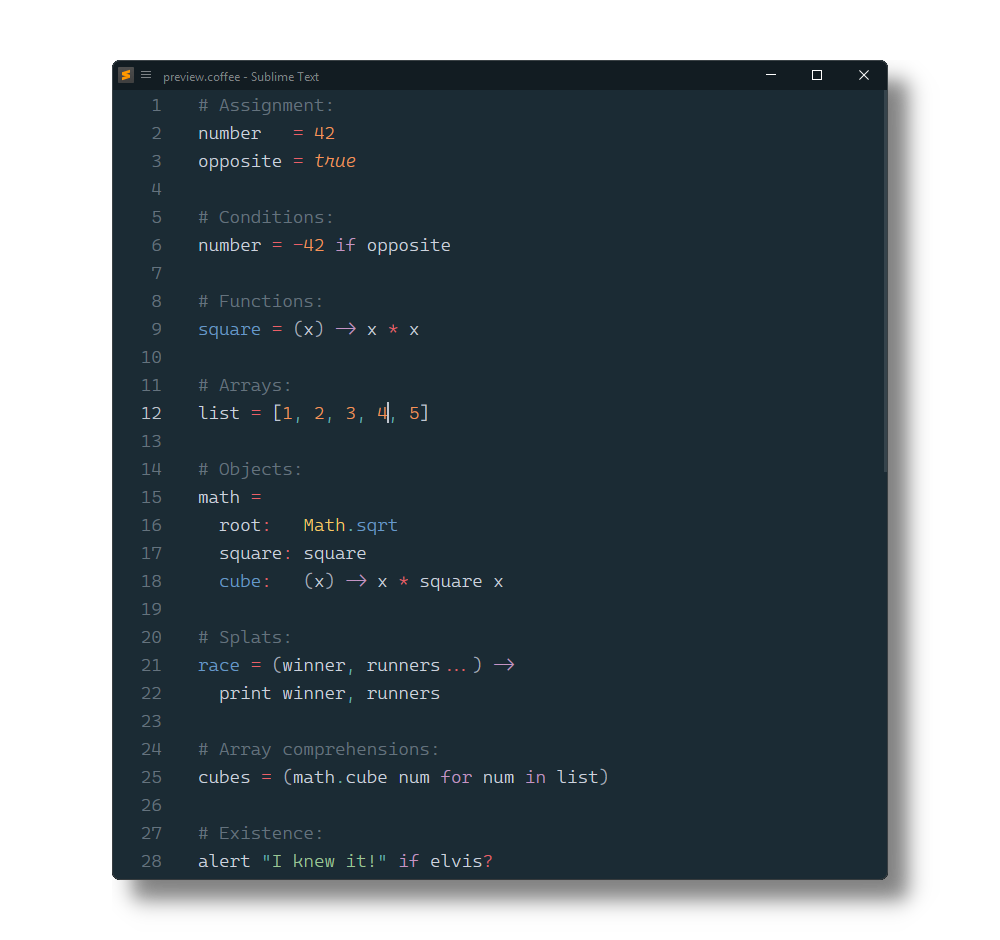
An open-source entry in TopGit's GitHub warehouse: SublimeText/CoffeeScript, 441 stars, CoffeeScript. Syntax highlighting and checking, commands, shortcuts, snippets, watched compilation and more.
Snapshot summary built from the project's own GitHub metadata — there's no written TopGit review yet. The page will update automatically when a full review is published.
WHY NO REVIEW YET
TopGit writes full reviews for the most-starred, most-requested repositories. This page is a snapshot until then — see the READ ME tab for the original README in full.
Open a Terminal/Console and run the following commands, replacing PACKAGE_PATH with the path corresponding to your OS above.
cd PACKAGE_PATH
git clone https://github.com/SublimeText/BetterCoffeeScript.git "CoffeeScript"
As a repository outside of the packages directory
If you use Github for Mac/Windows which store repositories in a specific location, or if you just don't want a repository in your packages directory, then instead you can use a link.
Clone the repository via GUI program or command line:
cd WHEREVER_YOU_WANT
git clone https://github.com/SublimeText/BetterCoffeeScript.git
Once that is done, create the link:
Windows:
cd PACKAGE_PATH
mklink /D "CoffeeScript" ABSOLUTE_PATH_TO_REPOSITORY
Nix/Mac:
cd PACKAGE_PATH
ln -s ABSOLUTE_PATH_TO_REPOSITORY "CoffeeScript"
Commands/Shortcuts
You can access the commands either using the command palette (ctrl+shift+P or cmd+shift+P) or via shortcuts.
alt+shift+t - Run a Cake task
alt+shift+r - Run some CoffeeScript (prints output to a panel on the bottom)
alt+shift+s - Run a syntax check
alt+shift+c - Compile a file
alt+shift+d - Display compiled JavaScript
alt+shift+l - Display lexer tokens
alt+shift+n - Display parser nodes
alt+shift+w - Toggle watch mode
alt+shift+p - Toggle output panel
Context menu has Compile Output that compiles the current CoffeeScript and outputs the javascript code that is run, in a panel.
Note: Some of the commands use the Status Bar for output, so you'll probably want to enable it (View » Show Status Bar).
Snippets
Use TAB to run a snippet after typing the trigger.
Use TAB and shift+TAB to cycle forward/backward through fields.
If: if
Else: el
If Else: ifel
Else If: elif
Switch: swi
Ternary: ter
Try Catch: try
Unless: unl
Classes
Class - cla
Class extends SuperClass - clx
Other
Function: -
Function: = (bound)
Interpolation: #
Building
When using the build system, it is assumed that your .sublime-project file lives in your project's base directory (due to limitations with the build system).
Hitting F7 (Tools » Build) will run the Cake task 'sbuild'.
If you're not quite sure what the point of this is then read on.
Let's say before distributing your project that you would like to combine all of your .js files into one and then minify them them using UglifyJS or something.
That's what this is for! You would create a Cakefile and inside it you would write a task:
task 'sbuild', 'Prepare project for distribution.', ->
# ...
Settings
Go to Preferences > Package Settings > CoffeeScript > Settings - User to change settings.
{
  /*
    The directories you would like to include in $PATH environment variable.
    Use this if your node installation is at a separate location and getting errors such as `cannot find node executable`

    example:
    "envPATH": "/usr/local/sbin:/usr/local/bin:/usr/sbin:/usr/bin:/sbin:/bin"

  */
  "envPATH": "/usr/local/sbin:/usr/local/bin:/usr/sbin:/usr/bin:/sbin:/bin",
  /*
    The directory containing your coffee binary. Usually
    /usr/local/bin.
  */
  "binDir": "/usr/local/bin",

  /*
    Compile without the top-level function wrapper (coffee -b).
  */

  "noWrapper": true,

  /*
    Enable or disable refresh the compiled Output on Save.
    Only available for watch mode.
  */
  "watchOnSave": true,
  /*
    Enable refreshing compiled JS when CoffeeScript is modified.

    Put false to disable
    Put a number of seconds to delay the refresh
  */
  "watchOnModified": 0.5,
  /*
    Enable Compiling on save. It will compile into the same folder.
  */
  "compileOnSave": true,
  /*
    ## Enable outputting the results of the compiled coffeescript in a panel
  */
  "showOutputOnSave": false,
  /*
    ## Enable compiling to a specific directory.
    #### Description

    if it is a string like 'some/directory' then `-o some/directory` will be added to `coffee` compiler.
    if it is false or not string then it will compile your `script.coffee` to the directory it is in.

    #### Example:
    Directory is relative to the file you are editing if specified such as
      compileDir": "out"
    Directory is absolute if specified such as
      compileDir": "/home/logan/Desktop/out"

  */
  "compileDir": false,
  /*
    ## Enable compiling to a specific relative directories.

    #### Example:
    Set absolute path for compile dir:
      "compileDir": "/home/user/projects/js"
    And specified folders
      "relativeDir": "/home/user/projects/coffee"
      "compilePaths":
      {
        "/home/user/projects/coffee": "/home/user/projects/first/js",
        "/home/user/projects/second/coffee": "../js",
      }

    So
      "/home/user/projects/coffee/app.coffee" will compile to "/home/user/projects/first/js/app.js"
      "/home/user/projects/coffee/models/prod.coffee" will compile to "/home/user/projects/first/js/models/prod.js"
      "/home/user/projects/coffee/second/coffee/app2.coffee" will compile to "/home/user/projects/second/js/app2.js"
      "/home/user/projects/main.coffee" will compile to "/home/user/projects/js/main.js"

  */
  "compilePaths": false,
}
Project settings
Go to Project > Edit Project to change project settings.
In Linux which command will tell you where a command originates from. In terminal type:
which coffee
# /usr/bin/coffee
This path will go into the binDir setting.
I'm getting the error message 'coffee' is not recognized as an internal or external command, when saving.
The coffee-script binary probably is not installed. Either install coffee-script or set checkSyntaxOnSave and compileOnSave to false in Preferences > Package Settings > CoffeeScript > Settings - User.
How active is development on SublimeText/CoffeeScript?
The most recent commit recorded on SublimeText/CoffeeScript was 5 months ago, based on the GitHub push timestamp. The repository has 63 forks — one of the better signals of community interest.
How many stars does SublimeText/CoffeeScript have?
SublimeText/CoffeeScript has 441 GitHub stars — refresh the page for the live number, or check github.com/SublimeText/CoffeeScript. TopGit mirrors GitHub's count but does not claim minute-by-minute accuracy.
Is SublimeText/CoffeeScript open source?
TopGit's metadata for SublimeText/CoffeeScript does not record a license. Most public repositories on GitHub ARE open source, but the exact terms vary — verify by opening the LICENSE file directly.
What is SublimeText/CoffeeScript?
SublimeText/CoffeeScript (SublimeText/CoffeeScript) is a CoffeeScript project on GitHub. From the project's own README: Syntax highlighting and checking, commands, shortcuts, snippets, watched compilation and more.
Where do I read more about SublimeText/CoffeeScript?
This TopGit page is a snapshot — the READ ME tab shows the project's own README content (links stripped, images preserved). The GitHub repository at github.com/SublimeText/CoffeeScript is the definitive source.
Read full README in the tab above.
Want a second opinion on CoffeeScript?
Ask an AI that can read this page — one click and you get its take on CoffeeScript.
 /CoffeeScript