Tichau/FileConverter

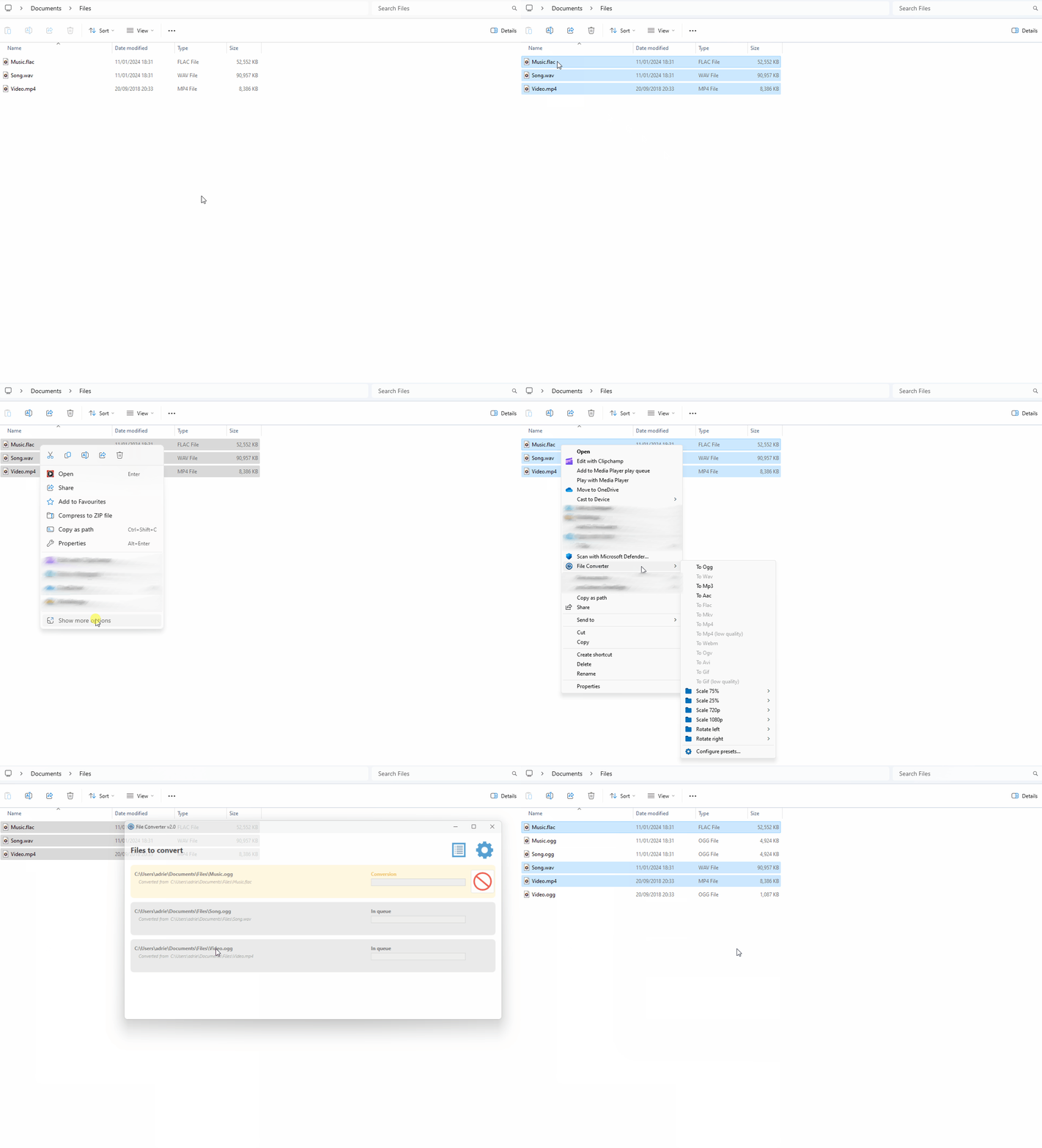
Tichau/FileConverter is a C# project with 14.9k stars. File Converter is a very simple tool which allows you to convert and compress files using the context menu in windows explorer.
Snapshot summary built from the project's own GitHub metadata — there's no written TopGit review yet. The page will update automatically when a full review is published.
TopGit writes full reviews for the most-starred, most-requested repositories. This page is a snapshot until then — see the READ ME tab for the original README in full.
Snapshot
Top contributors
Show top contributors
Related repositories
Quick answers
Does Tichau/FileConverter have any tags?
TopGit's last sync did not record any GitHub topics for Tichau/FileConverter. GitHub topics appear in the right sidebar of a repository page; that's the authoritative place to check.
How active is development on Tichau/FileConverter?
The most recent commit recorded on Tichau/FileConverter was 5 months ago, based on the GitHub push timestamp. The repository has 901 forks — one of the better signals of community interest.
How many stars does Tichau/FileConverter have?
Tichau/FileConverter has 14.9k GitHub stars — refresh the page for the live number, or check github.com/Tichau/FileConverter. TopGit mirrors GitHub's count but does not claim minute-by-minute accuracy.
Is Tichau/FileConverter open source?
Yes — Tichau/FileConverter ships under the GPL-3.0 license, which makes its source code freely readable (and, depending on license terms, forkable and reusable). Source: github.com/Tichau/FileConverter.
Where can I see Tichau/FileConverter in action?
The project maintains a homepage at https://file-converter.io/. The README tab on this page also usually contains screenshots and a quickstart.
Where do I read more about Tichau/FileConverter?
This TopGit page is a snapshot — the READ ME tab shows the project's own README content (links stripped, images preserved). The GitHub repository at github.com/Tichau/FileConverter is the definitive source.
Read full README in the tab above.