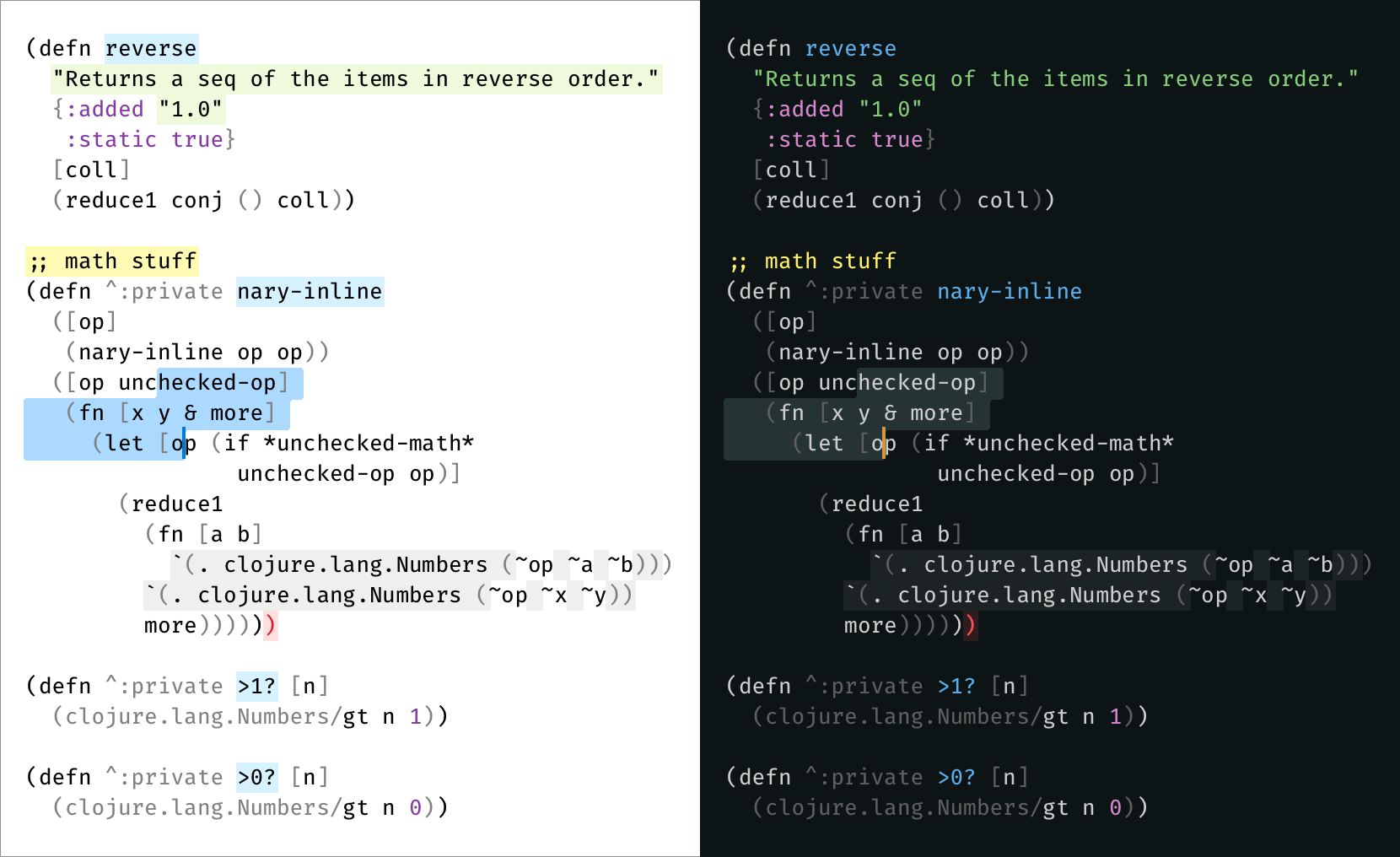
tonsky/Clojure-Sublimed sits at 399 stars on GitHub, written primarily in Clojure. Clojure support for Sublime Text 4
Snapshot summary built from the project's own GitHub metadata — there's no written TopGit review yet. The page will update automatically when a full review is published.
WHY NO REVIEW YET
TopGit writes full reviews for the most-starred, most-requested repositories. This page is a snapshot until then — see the READ ME tab for the original README in full.
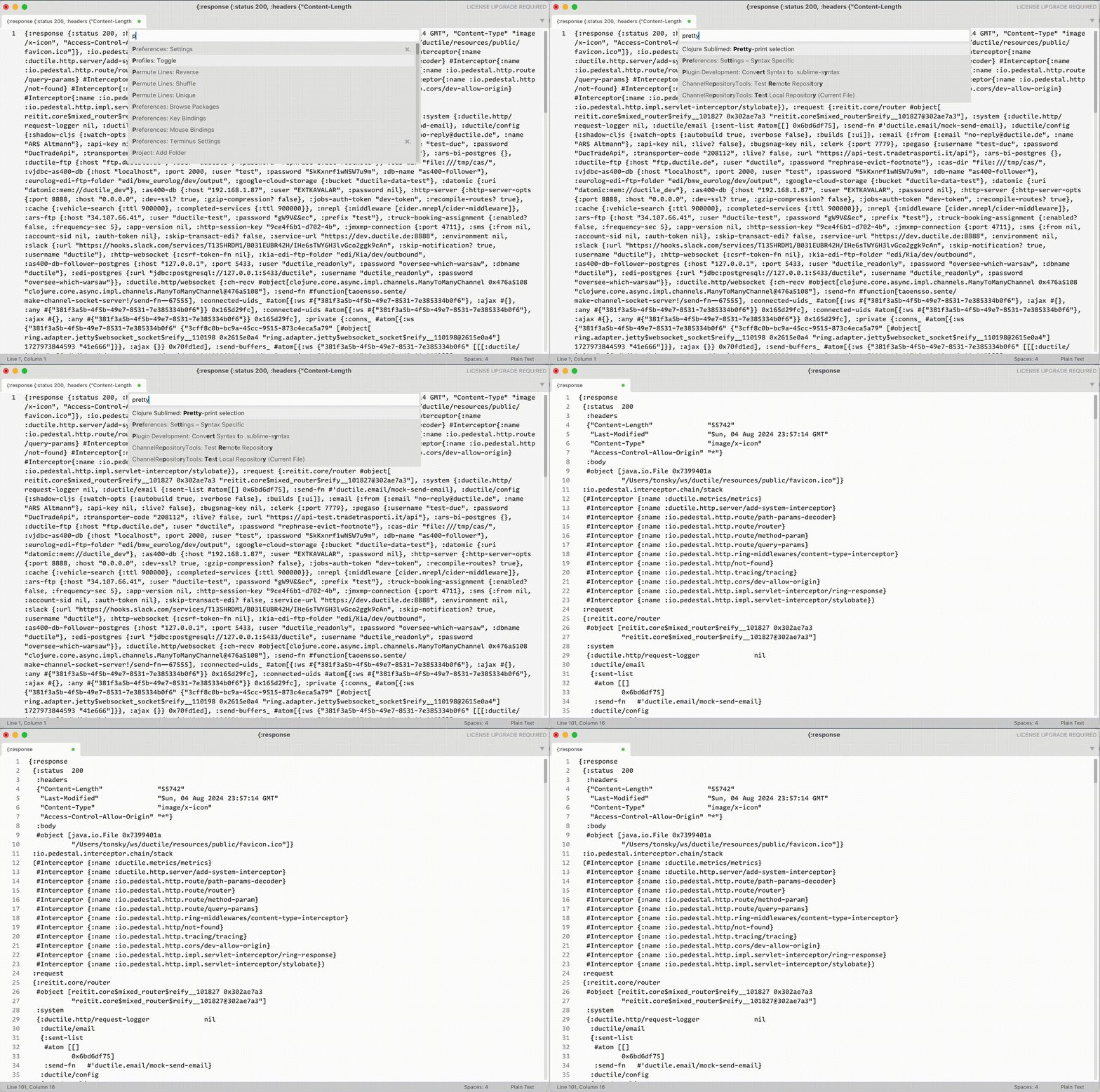
Indent will fix indentation, but will not create new lines. To format a completely unformatted source, use Pretty-print selection command:
Toggle comment command
There are three types of comment in Clojure:
Line comments ;; are intended for textual / unstructured comments about code
Reader discard form #_ is intended for temporarily disabling parts of code
comment form for coding snippets for future use
By default, Sublime will try to use ;; because it’s most similar to other languages and is simple to implement. One can argue, however, that we disable/enable parts of the code way more often than write textual comments about them. Therefore, #_ might work better.
Clojure Sublimed offer Toggle Comment command that can be used instead of Sublime provided one in Clojure sources. See Keymap on how to enable.
Align cursors command
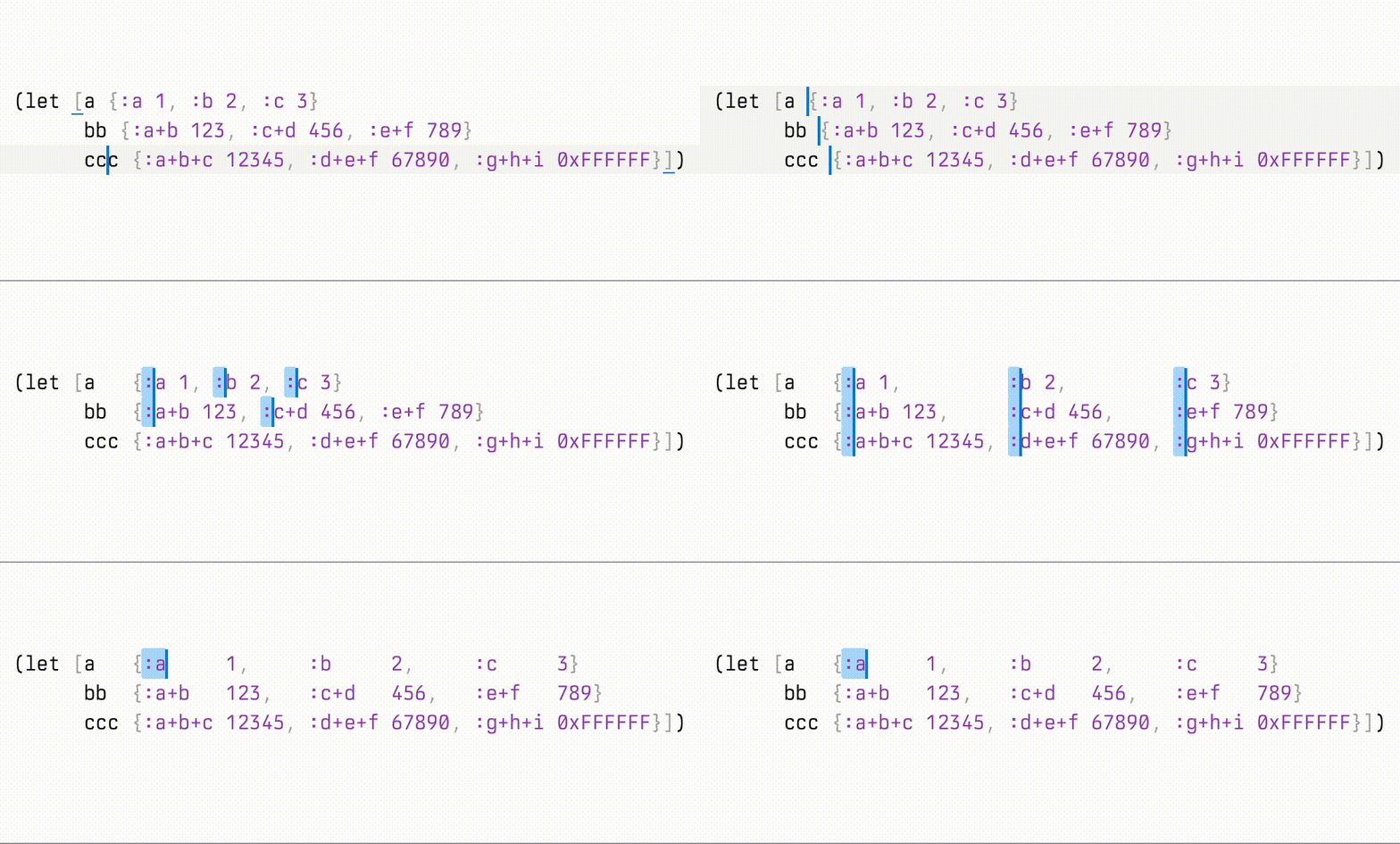
If you select multiple cursors on different lines and run Align cursors command, Clojure Sublimed will align them in a column. Works with multiple columns, too:
REPL clients
Clojure Sublimed REPL clients enable interactive development from the comfort of your editor.
Run Clojure Sublimed: Connect to Socket REPL command.
For Shadow-cljs apps:
Run shadow-cljs watch app. (This starts a HTTP server and an nREPL)
If you are building a web-app, open the http-server url (from step 1) in the browser. This connects the shadow server to JS runtime.
Run Clojure Sublimed: Connect shadow-cljs command.
For other nREPL apps:
Run nREPL server.
Run Clojure Sublimed: Connect to raw nREPL command.
Evaluating code from buffer
From here you have three options:
Clojure Sublimed: Evaluate without selection evaluates topmost form around your cursor:
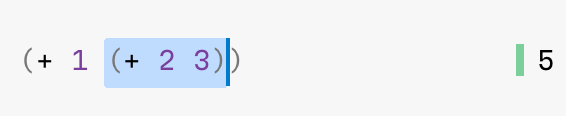
Clojure Sublimed: Evaluate with selection evaluates selected text:
Clojure Sublimed: Evaluate Buffer will evaluate the entire file:
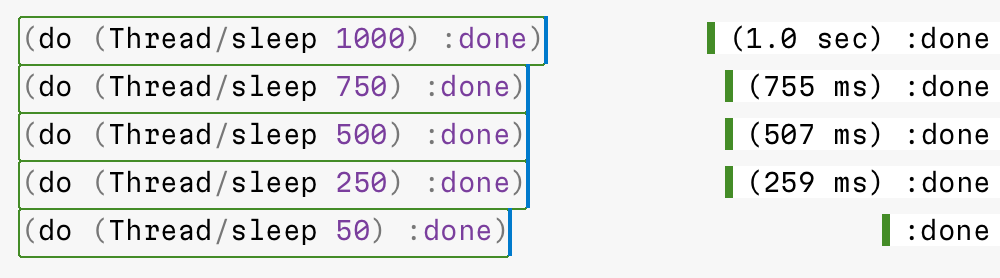
You don’t have to wait for one form to finish evaluating to evaluate something else. Multiple things can be executed in parallel:
By default, Clojure Sublimed will also print evaluation time if it takes more than 100 ms:
Copying evaluation results
Sometimes you want to copy evaluation result. It is recommended to rebind Cmd+C/Ctrl+C from copy to sublime_clojure_copy. This will copy evaluation result if inside evaluated region and fallback to default copy otherwise.
Interrupting
If your evaluation runs too long and you want to interrupt it, run Clojure Sublimed: Interrupt Pending Evaluations:
Opening stacktrace
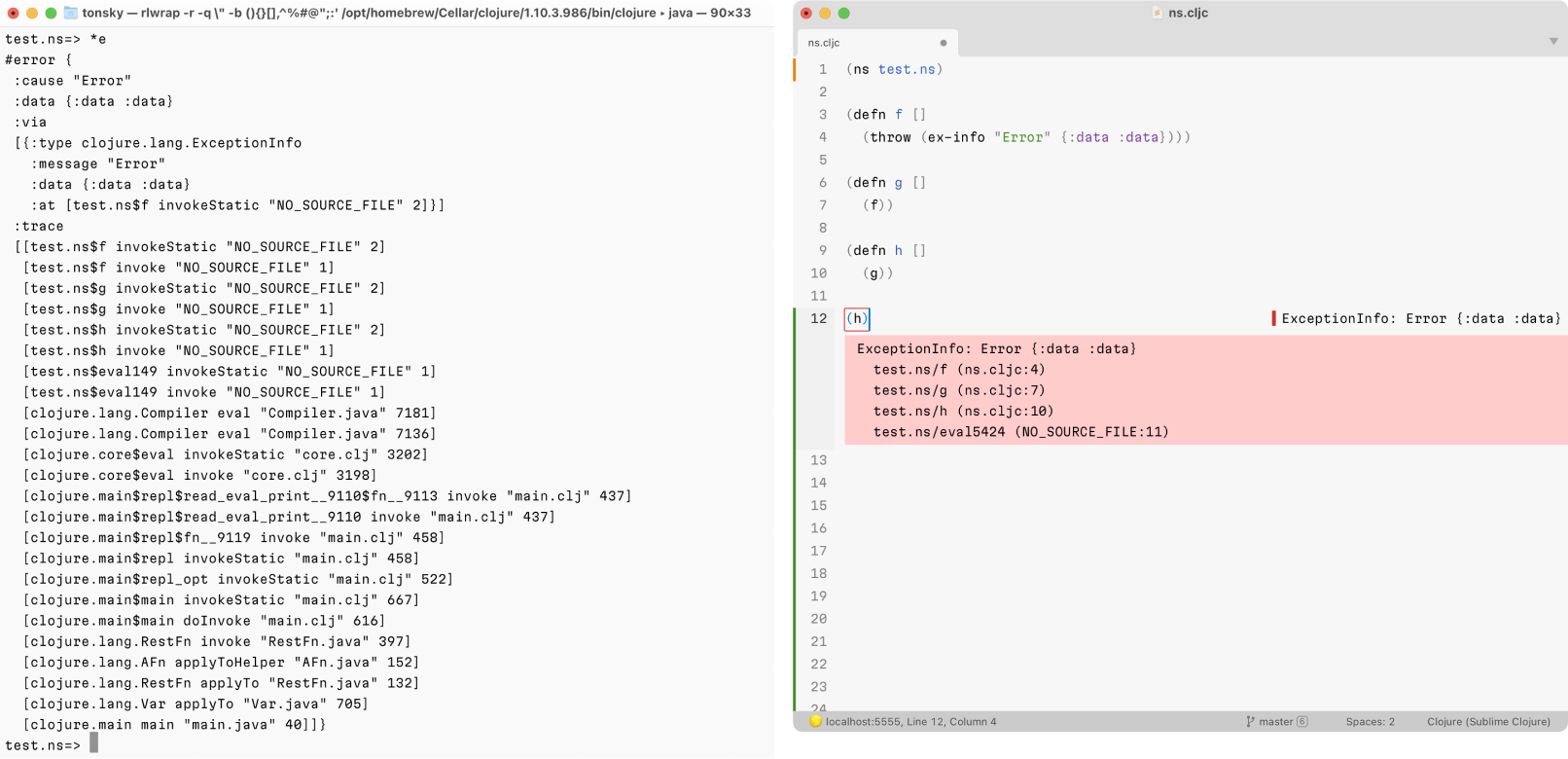
If your evaluation failed, put your cursor inside failed region and run Clojure Sublimed: Toggle Stacktrace:
Clojure Sublimed will display stacktraces in a Clojure-friendly way. Compare with the default REPL:
Watches
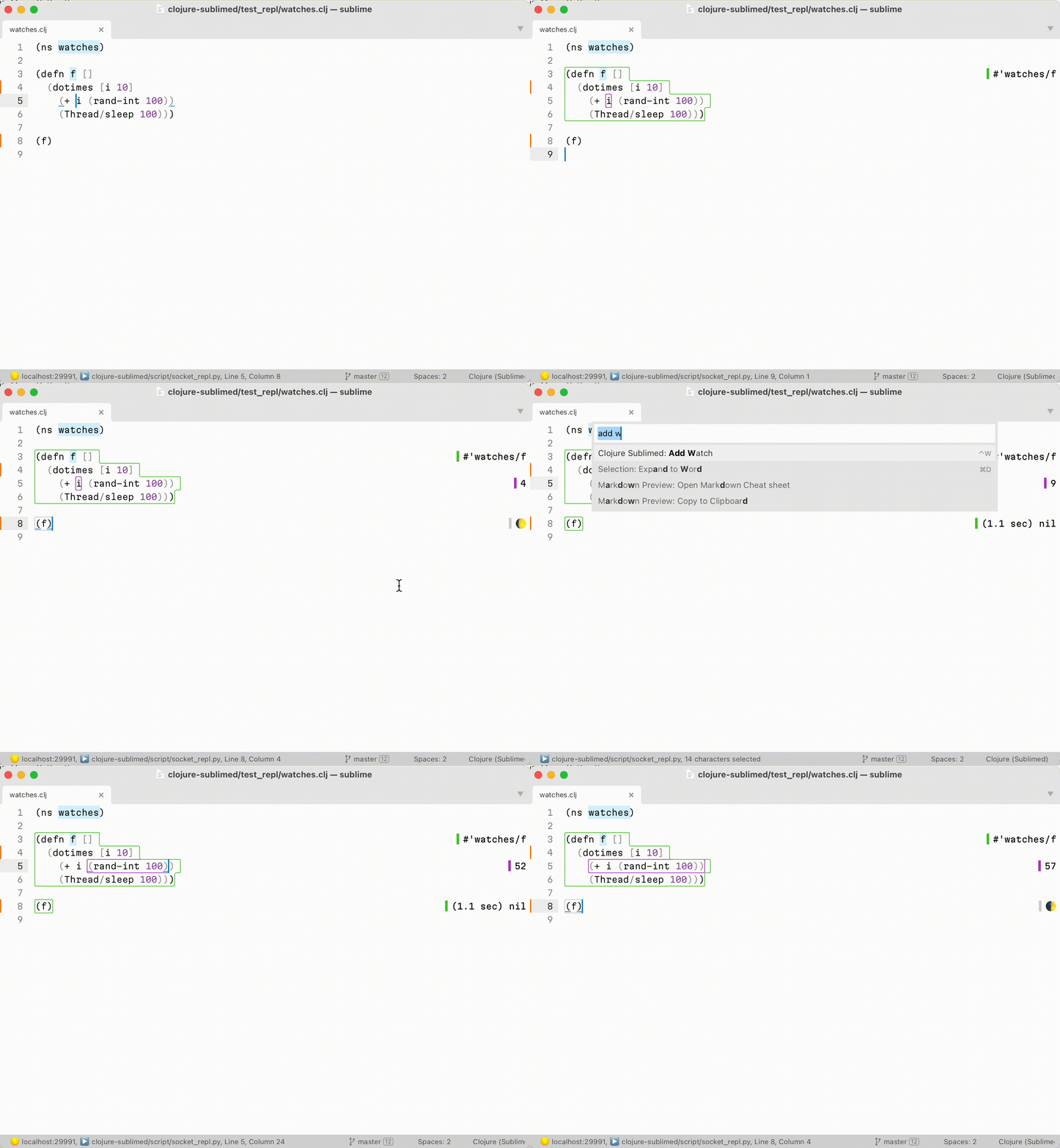
Watches are great alternative to debug prints: they allow you to monitor intermediate values during function execution right in the editor.
This is how they work:
Select a right-hand expression
Run Clojure Sublimed: Add Watch command
Now every time function is executed, for any reason, watched expressions will display values they evaluate to, in real time.
Watches are only supported in Socket REPL.
Looking up symbol
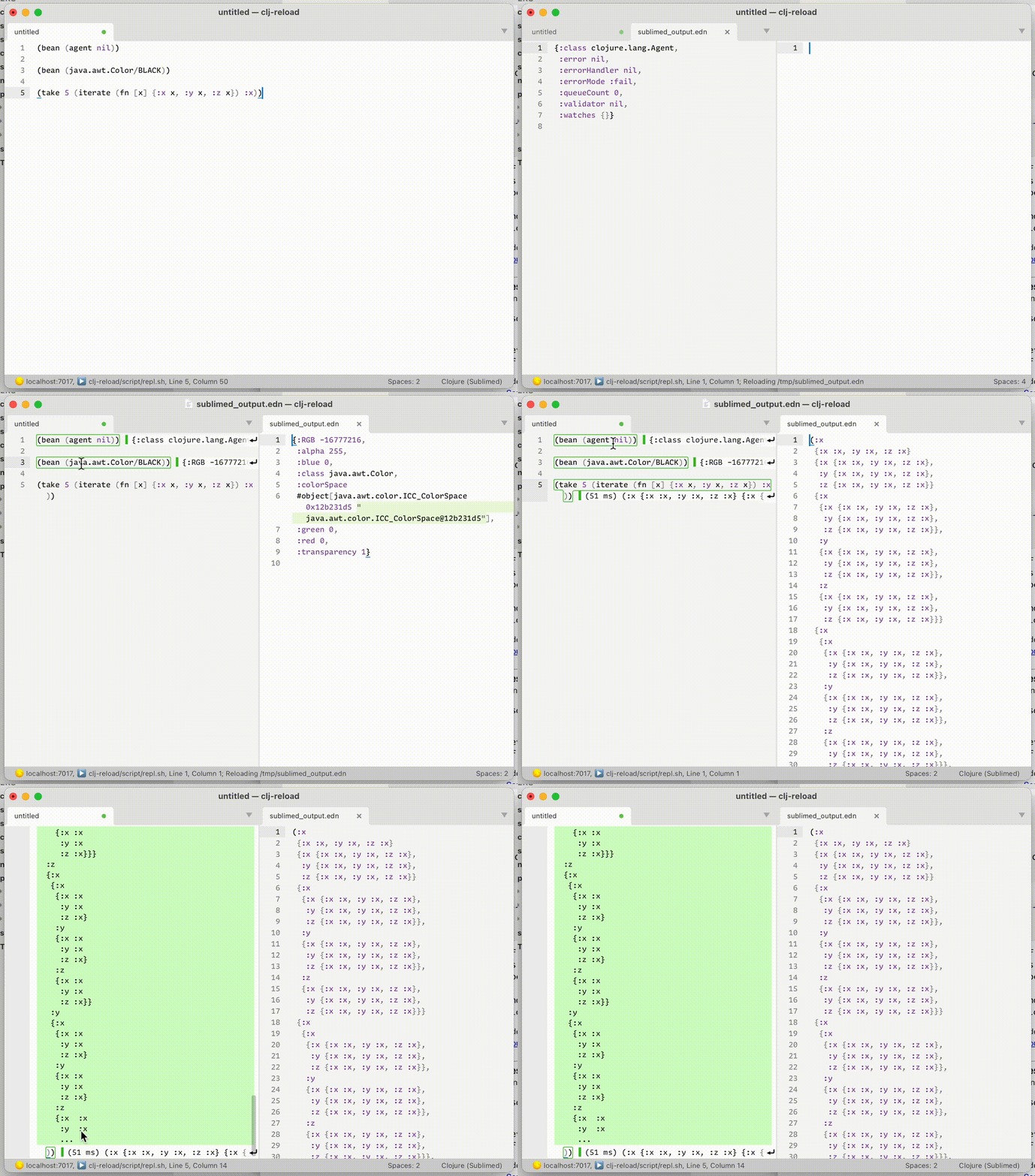
To show symbol info, run Clojure Sublimed: Toggle Symbol Info:
Universal Clojure Sublimed: Toggle Info command acts as either Toggle Stacktrace or Toggle Symbol Info, depending on context.
Binding keys to eval custom code
Every project is different, and sometimes it’s convenient to run a piece of code so often you’d want it on a shortcut. It might be a namespace reload, test execution, database reconnect, linter, formatter — possibilities are endless.
To support such use cases, Clojure Sublimed allows you to bind arbitrary piece of code to a keyboard shortcut. Run Preferences: Clojure Sublimed Key Bindings and add something like this:
Inside transform you can also use %ns (current ns) and %symbol (if selected form is def-something, it will be replaced with defined name, otherwise nil).
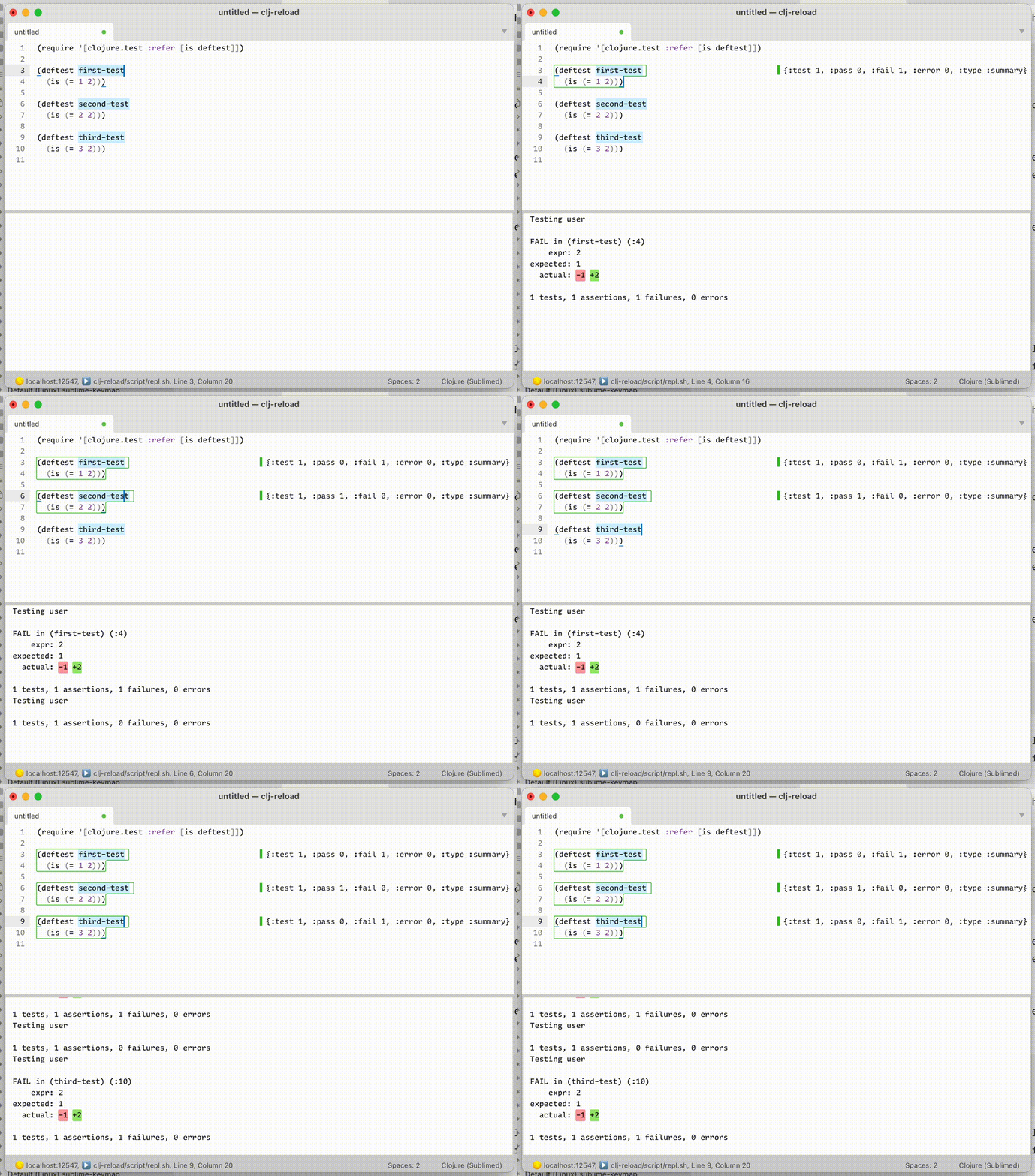
This allows us to implement “run test under cursor”:
Clojure Sublimed comes with no keybindings enabled by default to guarantee they won’t conflict with any other extension (Sublime Text’s limitation).
This is the recommended keymap:
Command
macOS
Windows/Linux
Mnemonic
Evaluate
CtrlEnter
CtrlAltEnter
Evaluate Buffer
CtrlB
CtrlAltB
[B]uffer
Interrupt Pending Evaluations
CtrlC
CtrlAltC
[C]ancel
Toggle Info
CtrlI
CtrlAltI
[I]nfo
Clear Evaluation Results
CtrlL
CtrlAltL
c[L]ear
Copy Evaluation Results
CommandC
CtrlC
[C]opy
Reindent Lines
CtrlF
CtrlAltF
[F]ormat
Reindent Buffer
CtrlShiftF
CtrlAltShiftF
Capital [F]ormat
Toggle Comment
Command/
Ctrl/
Comment [/]
To set it up, run Preferences: Clojure Sublimed Key Bindings command and copy example keybindings to your local Key Bindings file.
stdout/stderr
Clojure Sublimed does things a little different when it comes to stdout. Normally REPL would show you all stdout/stderr that originated from your session. I find it confusing, because it doesn’t always work and you have to check two places for output. Moreover, there’s no output panel, so there’s no place to show stdout anyway.
So instead, Clojure Sublimed does not redirect neither stdout nor stderr. Check original console to see what was printed there.
Frequently Asked Questions
Q: REPL/eval doesn’t work
A: Make sure you are using nREPL 0.9 or later.
A: Also check console (Cmd`) for errors
Q: How to connect to a Babashka REPL?
A: Use Raw nREPL.
Credits
Made by Niki Tonsky.
With contributions by Jaihindh Reddy and KgOfHedgehogs.
See also
Writer Color Scheme: A color scheme optimized for long-form writing.
Alabaster Color Scheme: Minimal color scheme for coding.
Does tonsky/Clojure-Sublimed have a project website?
No homepage URL was recorded for tonsky/Clojure-Sublimed in TopGit's last sync. The README tab above frequently contains screenshots and demo links, or check the repository description on GitHub.
How active is development on tonsky/Clojure-Sublimed?
The most recent commit recorded on tonsky/Clojure-Sublimed was 1 month ago, based on the GitHub push timestamp. The repository has 26 forks — one of the better signals of community interest.
How many stars does tonsky/Clojure-Sublimed have?
tonsky/Clojure-Sublimed has 399 GitHub stars — refresh the page for the live number, or check github.com/tonsky/Clojure-Sublimed. TopGit mirrors GitHub's count but does not claim minute-by-minute accuracy.
Is tonsky/Clojure-Sublimed open source?
Yes — tonsky/Clojure-Sublimed ships under the MIT license, which makes its source code freely readable (and, depending on license terms, forkable and reusable). Source: github.com/tonsky/Clojure-Sublimed.
What topics is tonsky/Clojure-Sublimed associated with?
GitHub's repository topics for tonsky/Clojure-Sublimed: "clojure", "nrepl", "repl", "sublime-text", "syntax-highlighting". TopGit's editorial category is open-source.
Where do I read more about tonsky/Clojure-Sublimed?
This TopGit page is a snapshot — the READ ME tab shows the project's own README content (links stripped, images preserved). The GitHub repository at github.com/tonsky/Clojure-Sublimed is the definitive source.
Read full README in the tab above.
Want a second opinion on Clojure-Sublimed?
Ask an AI that can read this page — one click and you get its take on Clojure-Sublimed.

 /Clojure-Sublimed