vinceliuice/grub2-themes — an open-source project — sits at 4.6k GitHub stars. Modern Design theme for Grub2
Snapshot summary built from the project's own GitHub metadata — there's no written TopGit review yet. The page will update automatically when a full review is published.
WHY NO REVIEW YET
TopGit writes full reviews for the most-starred, most-requested repositories. This page is a snapshot until then — see the READ ME tab for the original README in full.
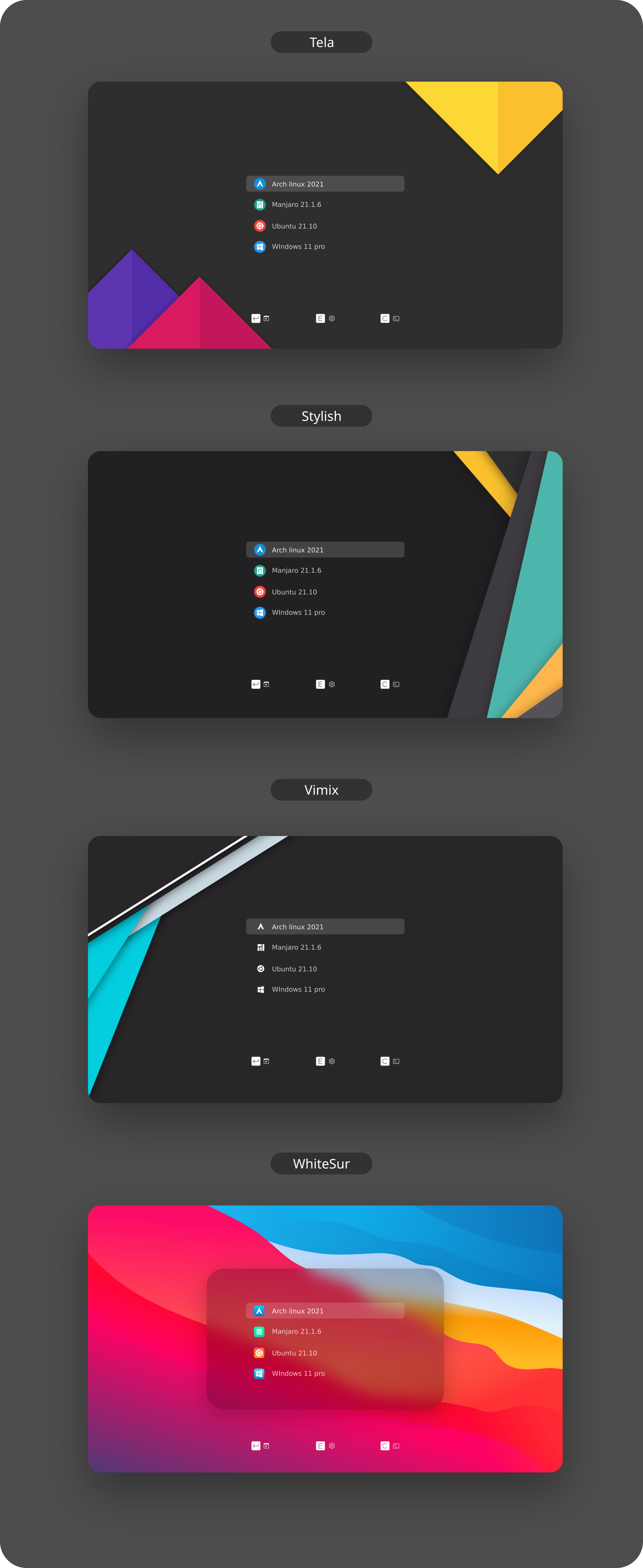
  -t, --theme                 theme variant(s)          [tela|vimix|stylish|whitesur]       (default is tela)
  -i, --icon                  icon variant(s)           [color|white|whitesur]              (default is color)
  -s, --screen                screen display variant(s) [1080p|2k|4k|ultrawide|ultrawide2k] (default is 1080p)
  -c, --custom-resolution     set custom resolution     (e.g., 1600x900)                    (disabled in default)
  -r, --remove                remove theme              [tela|vimix|stylish|whitesur]       (must add theme name option, default is tela)

  -b, --boot                  install theme into '/boot/grub' or '/boot/grub2'
  -g, --generate              do not install but generate theme into chosen directory       (must add your directory)

  -h, --help                  show this help
If no options are used, a user interface dialog will show up instead
Examples:
Install Tela theme on 2k display device:
sudo ./install.sh -t tela -s 2k
Install Tela theme with custom resolution:
sudo ./install.sh -t tela -c 1600x900
Install Tela theme into /boot/grub/themes:
sudo ./install.sh -b -t tela
Uninstall Tela theme:
sudo ./install.sh -r -t tela
Installation with NixOS:
To use this theme with NixOS you will have to enable flakes. Before you do this, please inform yourself if you really want to, because flakes are still an unstable feature.
First you will have to add grub2 to your flake.nix file as a new input.
# flake.nix
{
  description = "NixOS configuration";
  inputs = {
    nixpkgs.url = "github:nixos/nixpkgs/nixos-unstable";
    # Add grub2 themes to your inputs ...
    grub2-themes = {
      url = "github:vinceliuice/grub2-themes";
    };
  };
  outputs = inputs@{ nixpkgs,  grub2-themes, ... }: {
    nixosConfigurations = {
      my_host = nixpkgs.lib.nixosSystem {
        system = "x86_64-linux";
        specialArgs = { inherit inputs; };
        # ... and then to your modules
        modules = [
          ./configuration.nix
          grub2-themes.nixosModules.default
        ];
      };
    };
  };
}
After that, you can configure the theme as shown below. In this example it is inside the configuration.nix file but it can be any file you choose.
Yes — vinceliuice/grub2-themes ships under the GPL-3.0 license, which makes its source code freely readable (and, depending on license terms, forkable and reusable). Source: github.com/vinceliuice/grub2-themes.
What is vinceliuice/grub2-themes?
vinceliuice/grub2-themes (vinceliuice/grub2-themes) is a Shell project on GitHub. From the project's own README: Modern Design theme for Grub2
Where do I read more about vinceliuice/grub2-themes?
This TopGit page is a snapshot — the READ ME tab shows the project's own README content (links stripped, images preserved). The GitHub repository at github.com/vinceliuice/grub2-themes is the definitive source.
Read full README in the tab above.
Want a second opinion on grub2-themes?
Ask an AI that can read this page — one click and you get its take on grub2-themes.
 /grub2-themes