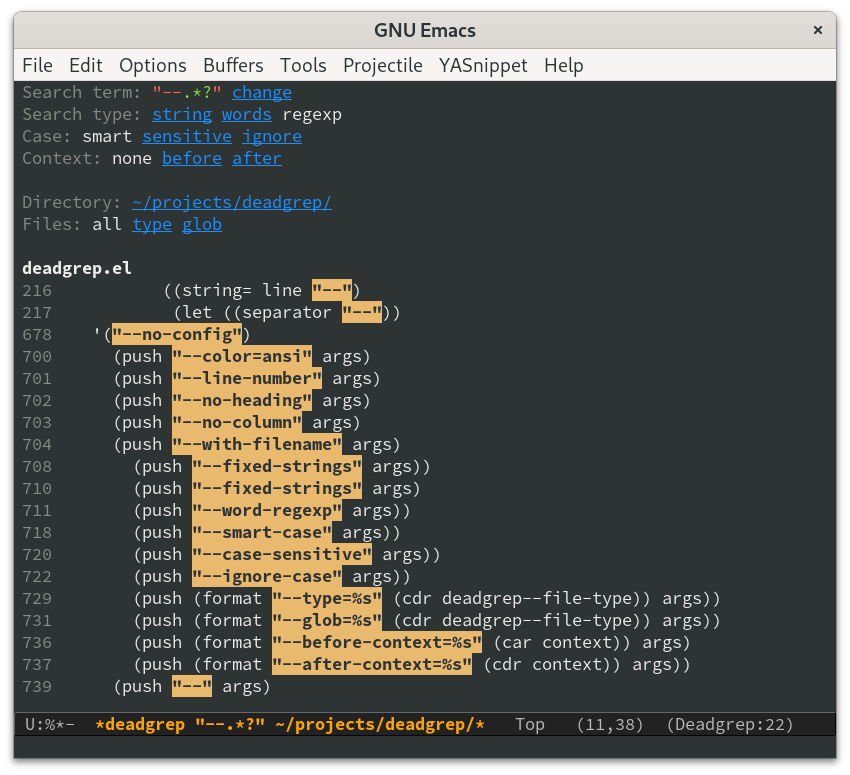
Wilfred/deadgrep is one of the open-source repositories TopGit tracks, currently at 785 stars, written primarily in Emacs Lisp. fast, friendly searching with ripgrep and Emacs
Snapshot summary built from the project's own GitHub metadata — there's no written TopGit review yet. The page will update automatically when a full review is published.
WHY NO REVIEW YET
TopGit writes full reviews for the most-starred, most-requested repositories. This page is a snapshot until then — see the READ ME tab for the original README in full.
Deadgrep is the fast, beautiful text search that your Emacs
deserves.
Table of Contents
Usage
Installation
Keybindings
Additional interactive commands
Minibuffer
Easy Debugging
Features
Super Fast
Context Aware
Easy Filtering
Polish
Beta Features
Alternative Projects
Why the name?
Usage
Installation
Install ripgrep. You need
version 0.8 or later.
Install deadgrep from MELPA (do M-x package-installRETdeadgrep within Emacs 25.1 or later),
or copy it into your ~/.emacs.d.
(Optional) add deadgrep to a convenient shortcut. I like F5.
(global-set-key (kbd "<f5>") #'deadgrep)
Keybindings
Navigating results:
Key
Action
RET
Visit the result, file or push button at point
o
Visit the result in another window
n and p
Move between search hits
M-n and M-p
Move between file headers
The commands deadgrep-forward and deadgrep-backward are also
available to move between buttons as well as search hits.
Starting/stopping a search:
Key
Action
S
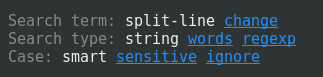
Change the search term
T
Cycle through available search types: string, words, regexp
C
Cycle through case sensitivity types: smart, sensitive, ignore
F
Cycle through file modes: all, type, glob
I
Switch to incremental search, re-running on every keystroke
D
Change the search directory
^
Re-run the search in the parent directory
g
Re-run the search
TAB
Expand/collapse results for a file
C-cC-k
Stop a running search
C-u
A prefix argument prevents search commands from starting automatically.
Additional interactive commands
Name
Action
imenu
Move between files in a results buffer.
deadgrep-kill-all-buffers
Kill all open deadgrep buffers.
deadgrep-debug
In a results buffer, view the rg command, output and environment used.
Minibuffer
You use the minibuffer to enter a new search term.
You can also reuse a previous search term with M-p in the
minibuffer. To edit the default search term, use M-n.
Easy Debugging
The easiest way to debug search results is to review the actual rg command executed.
Fortunately, the deadgrep-debug function makes it easy:
Move to the deadgrep results buffer.
Type M-x deadgrep-debug.
Strike enter, and the debug buffer will appear.
Move to the deadgrep debug buffer.
Study the results to review the rg command string and other debugging information to assist you.
Features
Super Fast
Deadgrep uses ripgrep for extremely fast text searches.
If you change your search settings, deadgrep will immediately re-run
your search.
Context Aware
Deadgrep works hard to minimise your keystrokes.
Search term: If the region is active, deadgrep uses that.
Search directory: If your current file is in a VCS repository,
deadgrep uses that for your search directory.
Regexp and case sensitivity options: Deadgrep re-uses whatever
settings you used in your last search.
Globbing and file types: Deadgrep suggests file types and globbing
options that match the file you started the search from.
Host: If you're editing a remote file with Tramp, deadgrep will
search the remote machine. This requires rg to be installed on that
machine.
Easy Filtering
Didn't get the results you wanted? It's easy to change the search
term, search type, or search directory, directly from the results
buffer. Just push the relevant button.
Polish
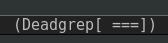
Deadgrep uses spinners to give you feedback on whether your search has
finished.
It highlights regexp syntax according to the syntax accepted by rg.
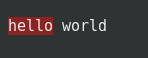
When navigating to a line that matched, the relevant part of the line
is temporarily highlighted.
You can collapse and expand files with TAB.
Deadgrep handles minified files robustly.
You can always jump to exactly the position that point is on, even
when searching files that contain tab characters. You can also
navigate to the file itself from the file headings.
Beta Features
You can now edit files directly from results buffers with M-x deadgrep-edit-mode.
It is currently in beta. Alternatively, package wgrep
added support for editing deadgrep buffers in April 2023 via wgrep-deadgrep.
(One feature unlocked that way is, e.g., the ability to delete a line in edit mode via C-d)
Alternative Projects
I believe that deadgrep is the best tool for doing Emacs text
searches, but there are some other great tools out there. See
ALTERNATIVES for a discussion.
Why the name?
The name "deadgrep" is a pun on "R.I.P. grep", and ripgrep.el was
already taken.
R.I.P wasn't actually the intention of the name "ripgrep" (see their
FAQ),
but deadgrep is easy to remember and type.
The most recent commit recorded on Wilfred/deadgrep was 2 months ago, based on the GitHub push timestamp. The repository has 44 forks — one of the better signals of community interest.
How many stars does Wilfred/deadgrep have?
Wilfred/deadgrep has 785 GitHub stars — refresh the page for the live number, or check github.com/Wilfred/deadgrep. TopGit mirrors GitHub's count but does not claim minute-by-minute accuracy.
Is Wilfred/deadgrep open source?
TopGit's metadata for Wilfred/deadgrep does not record a license. Most public repositories on GitHub ARE open source, but the exact terms vary — verify by opening the LICENSE file directly.
What is Wilfred/deadgrep?
Wilfred/deadgrep (Wilfred/deadgrep) is a Emacs Lisp project on GitHub. From the project's own README: fast, friendly searching with ripgrep and Emacs
Where do I read more about Wilfred/deadgrep?
This TopGit page is a snapshot — the READ ME tab shows the project's own README content (links stripped, images preserved). The GitHub repository at github.com/Wilfred/deadgrep is the definitive source.
Read full README in the tab above.
Want a second opinion on deadgrep?
Ask an AI that can read this page — one click and you get its take on deadgrep.

 /deadgrep