yaronn/GifW00t sits at 815 stars on GitHub, written primarily in JavaScript. A pure javascript web recorder
Snapshot summary built from the project's own GitHub metadata — there's no written TopGit review yet. The page will update automatically when a full review is published.
WHY NO REVIEW YET
TopGit writes full reviews for the most-starred, most-requested repositories. This page is a snapshot until then — see the READ ME tab for the original README in full.
You may also like building ascii dashboards in the terminal.
What is GifW00t!?
GifW00t! is a pure-javascript web recorder. Just add one script tag to your page, and users will be able to record and replay their interaction with the site. Some of the possibilities:
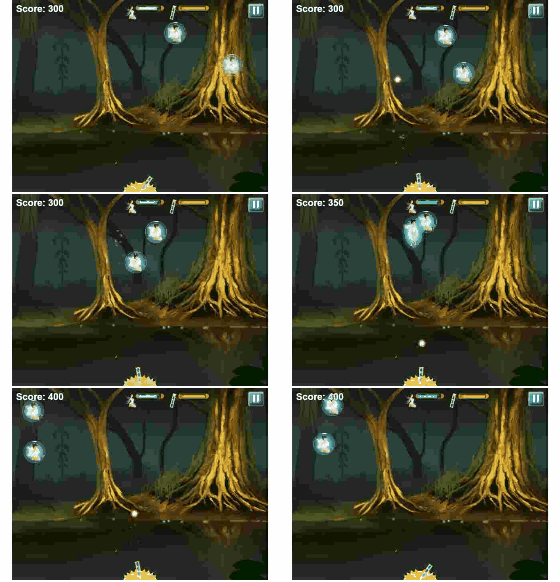
Record game sessions and watch instant replay
Report site bugs
Usage instructions clip
Share amazing data visualizations, canvas animation
Oh and did I mention that you can use GifW00t! on 3rd party sites as well?
For more information check out @YaronNaveh, the project sample site, or my blog.
How to use GifW00t!?
There are 4 options:
1. You surf in a site that already embeds GifW00t!
In this case all you need is to work with the GifW00t! panel bar.
2. You surf in a site that does not embed GifW00t!
No problem. Open Chrome developer tools (CTRL+J) or Firefox Firebug and paste this code in the console:
var anigif_base_url = "https://s3-us-west-2.amazonaws.com/anigif100/anigif/"
var ref=document.createElement('script')
ref.setAttribute("src", "https://s3-us-west-2.amazonaws.com/anigif100/anigif/anigif.min.js")
document.head.appendChild(ref)
wait a few seconds and the GifW00t! panel bar will appear. You can also set both urls to https if you need ssl.
3. You develop a website and want to embed GifW00t!
Option 1 - refer directly to GifW00t! server
Just add this code inside your <head>:
<script>
    var anigif_base_url = "https://s3-us-west-2.amazonaws.com/anigif100/anigif/"
</script>
<script src="https://s3-us-west-2.amazonaws.com/anigif100/anigif/anigif.min.js"></script>
Option 2 - serve GifW00t! yourself (it is just static files)
Copy /anigif from this project to your web site root. Then in your html add this:
Should work on Chrome>29, and Firefox>24 and Safari 7. Will probably not work on some other browsers since some very new browser features are required.
Settings
Click the GifW00t! panel bar settings button in order to change record settings. Important settings are:
Element to record: What element in your page should GifW00t! capture (including sub elements). The value is a CSS selector. For example if you want to capture '<div id="main">' set the value to '#main'. If you only have one canvas and want to capture it just write 'canvas' (it will use a tag selector). If you only want to record a canvas then you should write a selector directly to the canvas and not to some DIV around it - you would see better performance. Always choose this value such that you record the smallest DOM possible for your needs.
Period mode: Online means that many of the calculations are done during record, and offline means that all is done after record. Online has the advantage of being more accurate in capturing the page and generating the image faster. However if you define a high frame-per-record or a ratio that differs from 1 then the online calculations will slow down your flow while recording.
Frames per second: How many frames should GifW00t! capture each second. This heavily affects performance
Optimization
Here are the top ways to make GifW00t! render images faster:
Choose the minimal "element to record" as you can, with the least DOM child elements as possible. If you record a canvas choose a selector directly to it.
Choose smartly between online and offline period modes. Online will be faster (and produce more accurate image in many cases) but if you use high frames-per-second or ratio that differs than 1 or have a complex animation then online will slow down your work.
Choose a small number of frames per second. For low-graphic you will probably be ok with 2 per seconds. For high graphics (games, canvas) use 10 or 20 (or try with lower values first).
Dont's record for too long... Unless you like 100GB animated GIFs. A recording should probably be from a few seconds to a minute.
When using offline period mode, set the "ratio" attribute to a low value. This attribute determines how result gif is scaled down compared to actual size. 0.5 means 50%. When using online period mode set this attribute to 1.
Examples:
You want to record a game which happens on canvas. In this case you want to choose "element to record" directly to your canvas, set frames-per-second for something between 10-20, and try online mode. If you need a ratio that is different than 1, or if online is slowing your game, then use offline mode and consider reducing ratio to 0.5-0.8.
You want to record a web site interaction. Use online (offline may not always work here) and set frames per second to something between 0.5-2. Make sure to choose "element to record" to the DOM node with least possible items inside it (based on your record needs of course).
You want to record a web site interaction. The site has a huge DOM tree and you need high request-per second. In general online is more accurate than offline when snapshotting HTML. However here online might slow your browser while recording, so you should try both.
Special Thanks
GifW00t! uses some amazing libraries including html2canvas by @Niklasvh and jsgif by @antimatter15.
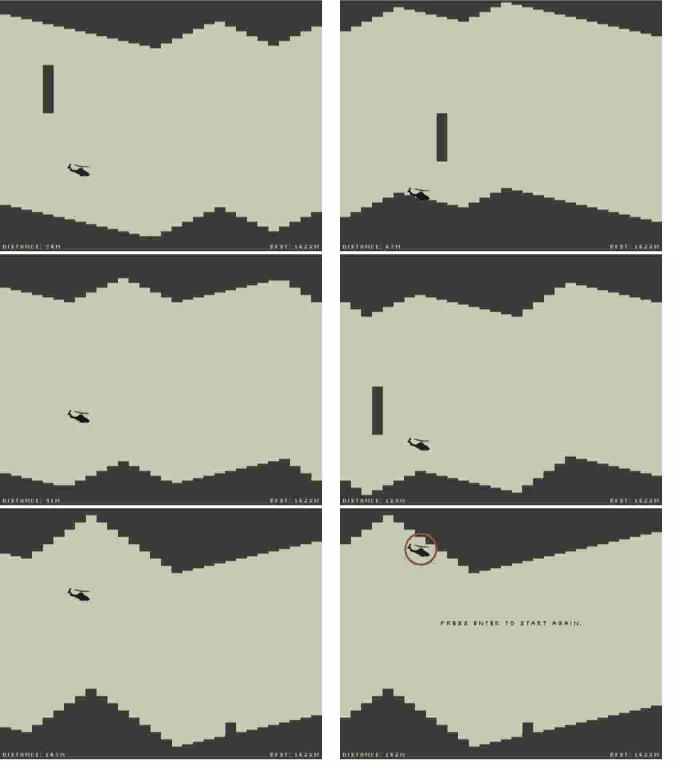
Also special thanks to @daleharvey on the great HTML5 Pac-Man and helicopter games which I've used a lot while testing.
More information
Check out @YaronNaveh, the project sample site, or my blog.
TopGit's last sync did not record any GitHub topics for yaronn/GifW00t. GitHub topics appear in the right sidebar of a repository page; that's the authoritative place to check.
How active is development on yaronn/GifW00t?
The most recent commit recorded on yaronn/GifW00t was 11.6 years ago, based on the GitHub push timestamp. The repository has 40 forks — one of the better signals of community interest.
How many stars does yaronn/GifW00t have?
yaronn/GifW00t has 815 GitHub stars — refresh the page for the live number, or check github.com/yaronn/GifW00t. TopGit mirrors GitHub's count but does not claim minute-by-minute accuracy.
What language is yaronn/GifW00t written in?
yaronn/GifW00t is written primarily in JavaScript. GitHub's language field is based on the largest share of bytes in the default branch.
Where do I read more about yaronn/GifW00t?
This TopGit page is a snapshot — the READ ME tab shows the project's own README content (links stripped, images preserved). The GitHub repository at github.com/yaronn/GifW00t is the definitive source.
Read full README in the tab above.
Is GifW00t worth your time?
ChatGPT, Claude and Perplexity can all read this page. Ask one of them what it makes of GifW00t.
 /GifW00t