alexellis/firecracker-init-lab sits at 427 stars on GitHub, written primarily in Shell. Build a Firecracker microVM from a container image
Snapshot summary built from the project's own GitHub metadata — there's no written TopGit review yet. The page will update automatically when a full review is published.
WHY NO REVIEW YET
TopGit writes full reviews for the most-starred, most-requested repositories. This page is a snapshot until then — see the READ ME tab for the original README in full.
Many of the examples you'll find are broken due to changes in Firecracker 1.0 - the official quickstart guide doesn't cover the most interesting thing - working Internet access - or extracting a filesystem from a container. This lab extends the official quickstart so that you can explore what an init process does, and add networking.
Pre-reqs
A bare-metal Linux host - where can you get bare metal?
Or a VM that supports nested virtualisation such as on DigitalOcean or GCP.
Docker installed
Browse:
Go init process
Makefile
boot.sh - commands to start MicroVM
setup-networking.sh - configure a tap adapter, IP forwarding and IP masquerading
Dockerfile - for building the root filesystem
Usage
Download and install Firecracker to /usr/local/bin/
Or, alternatively, Arkade can do this for you with:
curl -SLs https://get.arkade.dev | sudo sh
sudo arkade system install firecracker
Edit the IFNAME in setup-networking.sh to match your host's network interface.
Then run the script to create the ftap0 device, and to setup IP masquerading with iptables:
./setup-networking.sh
Download the quickstart Kernel:
make kernel
Check the Kernel is the correct architecture:
file ./vmlinux
If you don't have the file utility, you can add it with sudo apt install -qy file
Make the init process binary, and package it into a container, extract the container into a rootfs image:
make all
In one terminal, start firecracker:
make start
In another, instruct it to boot the rootsfs and Kernel:
make boot
Play around in the first terminal and explore the system:
Once you've got something interesting running like a HTTP server, or an SSHD daemon, you can then get ingress from the public Internet using an inlets tunnel. Inlets is a static binary, and there are a couple of simple tutorials you can follow depending on what you want to expose.
HTTPS tunnel with Let's Encrypt
TCP tunnel for SSH, reverse proxy etc
Running on a Raspberry Pi
Edit Makefile, and change arch to aarch64
export arch="x86_64"
Snapshot and restore
There is experimental support for snapshot and restore in Firecracker. You will not be able to snapshot on an Intel host and restore on an AMD one, and different generations of CPUs may also be incompatible for snapshot and restore.
You can read more about the current status of snapshot and restore in the Firecracker docs
Run the lab and boot the VM as per the instructions above.
Now, verify the network is up with ping -c 1 172.16.0.2
make pause
make snapshot
Kill the Firecracker process, and then restore the snapshot:
make start
In another terminal, restore the snapshot:
make restore
make resume
Run ./setup-networking.sh again and verify the network is up with ping -c 1 172.16.0.2.
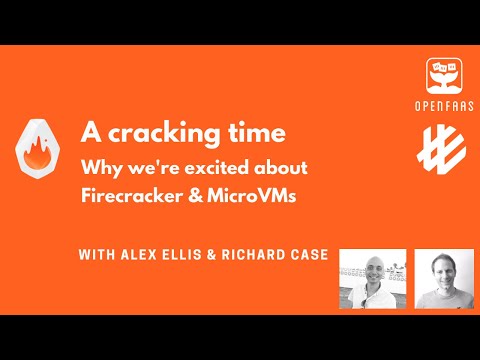
Live-event - A cracking time with Richard Case of Weaveworks
Richard Case will join me as we explain to you why we're so excited about Firecracker, what use-cases we see and try to show you a little of what can be done with it. Richard's been at the sharp end of this technology for months, and is working on a cutting edge bare-metal Kubernetes project called Liquid Metal.
You'll hear more about it on Friday lunch at 12:00pm BST.
Subscribe & remind
If you can't make it live, then you'll be able to jump onto the replay with your morning coffee.
Our real life applications of Firecracker
Why do I know so much about Firecracker, microVMs and low-level primitives? We've built a couple of products at OpenFaaS Ltd that integrate with it precisely and efficiently to do things that containers cannot.
Slicer - Firecracker via API, or long lived servers
SlicerVM.com was developed as an internal tool for running several or several dozen microVMs with Linux preinstalled on bare-metal, booting in 1-2s. At openfaas.com we often need to re-create customer environments to reproduce bugs, write up reference architectures, and to test our own work - either with Kubernetes layered on top or simply with a normal vanilla OS like Ubuntu or Rocky Linux.
As a result, Slicer is the quickest, best supported, and most user-friendly way to run microVMs on bare-metal machines or cloud VMs using nested virt.
Faster, more secure CI with Firecracker and actuated
We demoed actuated for fast and secure CI with Firecracker, since then it's being used in production and has launched over 100k VMs so far.
Read more on the website, on the blog or in the docs at: actuated.dev.
Does alexellis/firecracker-init-lab have a project website?
No homepage URL was recorded for alexellis/firecracker-init-lab in TopGit's last sync. The README tab above frequently contains screenshots and demo links, or check the repository description on GitHub.
How many stars does alexellis/firecracker-init-lab have?
alexellis/firecracker-init-lab has 427 GitHub stars — refresh the page for the live number, or check github.com/alexellis/firecracker-init-lab. TopGit mirrors GitHub's count but does not claim minute-by-minute accuracy.
Is alexellis/firecracker-init-lab open source?
Yes — alexellis/firecracker-init-lab ships under the MIT license, which makes its source code freely readable (and, depending on license terms, forkable and reusable). Source: github.com/alexellis/firecracker-init-lab.
What is alexellis/firecracker-init-lab?
alexellis/firecracker-init-lab (alexellis/firecracker-init-lab) is a Shell project on GitHub. From the project's own README: Build a Firecracker microVM from a container image
Where do I read more about alexellis/firecracker-init-lab?
This TopGit page is a snapshot — the READ ME tab shows the project's own README content (links stripped, images preserved). The GitHub repository at github.com/alexellis/firecracker-init-lab is the definitive source.
Read full README in the tab above.
Still deciding about firecracker-init-lab?
One click hands the question to an AI along with this page — see what it says about firecracker-init-lab.
 /firecracker-init-lab