AlexeyAB/yolo-windows — 71★ on GitHub (C). a yolo windows version(for object detection)
Snapshot summary built from the project's own GitHub metadata — there's no written TopGit review yet. The page will update automatically when a full review is published.
WHY NO REVIEW YET
TopGit writes full reviews for the most-starred, most-requested repositories. This page is a snapshot until then — see the READ ME tab for the original README in full.
To compile without OpenCV - remove define OPENCV from: Visual Studio->Project->Properties->C/C++->Preprocessor
To compile with different OpenCV version - change in file yolo_kernels.cu each string #pragma comment(lib, "opencv_core249.lib") from 249 to required version.
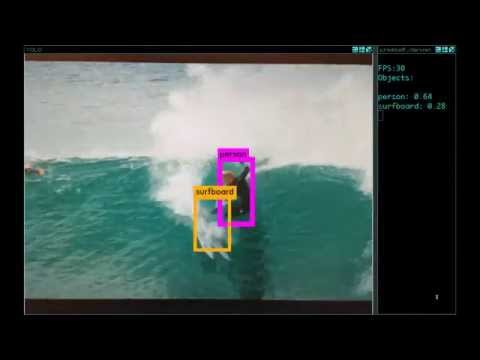
With OpenCV will show image or video detection in window and store result to test_dnn_out.avi
Pre-trained models for different cfg-files can be downloaded from (smaller -> faster & lower quality):
darknet.cmd - initialization with 1 GB model yolo.weights & yolo.cfg and get command prompt: enter the jpg-image-filename
darknet_demo.cmd - initialization with 1 GB model yolo.weights & yolo.cfg and play your video file which you must rename to: test.mp4
darknet_demo_small.cmd - initialization with 359 MB small model yolo-small.weights & yolo-small.cfg and play your video file which you must rename to: test.mp4
darknet_net_cam.cmd - initialization with 1 GB model, play video from network video-camera mjpeg-stream and store result to: test_dnn_out.avi
For using network video-camera mjpeg-stream with any Android smartphone:
Download for Android phone mjpeg-stream soft: IP Webcam / Smart WebCam
Smart WebCam - preferably: https://play.google.com/store/apps/details?id=com.acontech.android.SmartWebCam
IP Webcam: https://play.google.com/store/apps/details?id=com.pas.webcam
Connect your Android phone to computer by WiFi (through a WiFi-router) or USB
Start Smart WebCam on your phone
Replace the address below, on shown in the phone application (Smart WebCam) and launch:
Windows (Visual Studio) Support
Now yolo supports windows with Visual Studio. Just change the include directories / library directories to your own ones,
and compile the codes with X64 Release mode. You may need pthread-windows while compiling and linking
How to train yourself:
To training for your 20 objects download pre-trained convolutional layers:
For tiny-model: darknet yolo train yolo-tiny.cfg darknet.conv.weights
For small-model: darknet yolo train yolo-small.cfg extraction.conv.weights
For full-model: darknet yolo train yolo.cfg extraction.conv.weights
To train for a different number of objects (not 20) or for different number of sides (not 7), you should change your .cfg-file 3 lines:
output= (5 x 2 + C) x S x S
classes= C
side= S
Where:
C = number of objects (by default 20)
S = number of sides (by default 7)
More details: http://pjreddie.com/darknet/yolov1/
How to compile:
If you have CUDA 7.5, OpenCV 2.4.9 (C:\opencv_2.4.9) and MSVS 2013 (or 2015) then start MSVS, open yolo-windows\build\darknet\darknet.sln and do the: Build -> Build darknet
If you have other version of CUDA (not 7.5) then open yolo-windows\build\darknet\darknet\darknet.vcxproj by using Notepad, find 2 places with "CUDA 7.5" and change it to your CUDA-version, then do step 1
If you have other version of OpenCV 2.4.x (not 2.4.9) then you should change pathes after \darknet.sln is opened
3.1 (right click on project) -> properties -> C/C++ -> General -> Additional Include Directories
3.2 (right click on project) -> properties -> Linker -> General -> Additional Library Directories
If you have other version of OpenCV 3.x (not 2.4.x) then you should change many places in code by yourself.
How to compile (custom):
Also, you can to create your own darknet.sln & darknet.vcxproj, this example for CUDA 7.5 and OpenCV 2.4.9
Then add to your created project:
(right click on project) -> properties -> C/C++ -> General -> Additional Include Directories, put here:
right click on project -> Build dependecies -> Build Customizations -> set check on CUDA 7.5 or what version you have - for example as here: http://devblogs.nvidia.com/parallelforall/wp-content/uploads/2015/01/VS2013-R-5.jpg
add to project all .c & .cu files from yolo-windows\src
(right click on project) -> properties -> Linker -> General -> Additional Library Directories, put here:
compile to .exe (X64 & Release) and put .dll`s near with .exe:
pthreadVC2.dll, pthreadGC2.dll from yolo-windows\3rdparty\dll\x64
cusolver64_75.dll, curand64_75.dll, cudart64_75.dll, cublas64_75.dll - 75 for CUDA 7.5 or your version, from C:\Program Files\NVIDIA GPU Computing Toolkit\CUDA\v7.5\bin
How active is development on AlexeyAB/yolo-windows?
The most recent commit recorded on AlexeyAB/yolo-windows was 9.9 years ago, based on the GitHub push timestamp. The repository has 56 forks — one of the better signals of community interest.
How many stars does AlexeyAB/yolo-windows have?
AlexeyAB/yolo-windows has 71 GitHub stars — refresh the page for the live number, or check github.com/AlexeyAB/yolo-windows. TopGit mirrors GitHub's count but does not claim minute-by-minute accuracy.
Is AlexeyAB/yolo-windows open source?
TopGit's metadata for AlexeyAB/yolo-windows does not record a license. Most public repositories on GitHub ARE open source, but the exact terms vary — verify by opening the LICENSE file directly.
What is AlexeyAB/yolo-windows?
AlexeyAB/yolo-windows (AlexeyAB/yolo-windows) is a C project on GitHub. From the project's own README: a yolo windows version(for object detection)
What language is AlexeyAB/yolo-windows written in?
AlexeyAB/yolo-windows is written primarily in C. GitHub's language field is based on the largest share of bytes in the default branch.
Where do I read more about AlexeyAB/yolo-windows?
This TopGit page is a snapshot — the READ ME tab shows the project's own README content (links stripped, images preserved). The GitHub repository at github.com/AlexeyAB/yolo-windows is the definitive source.
Read full README in the tab above.
Is yolo-windows worth your time?
ChatGPT, Claude and Perplexity can all read this page. Ask one of them what it makes of yolo-windows.

 /yolo-windows