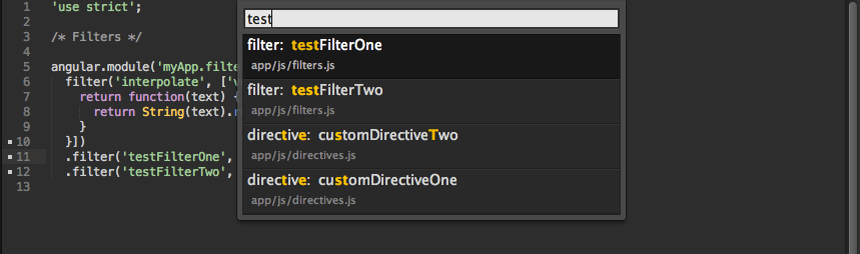
An open-source entry in TopGit's GitHub warehouse: angular-ui/AngularJS-sublime-package, 1.4k stars, JavaScript. AngularJS code completion, snippets, go to definition, quick panel search, and more.
Snapshot summary built from the project's own GitHub metadata — there's no written TopGit review yet. The page will update automatically when a full review is published.
WHY NO REVIEW YET
TopGit writes full reviews for the most-starred, most-requested repositories. This page is a snapshot until then — see the READ ME tab for the original README in full.
Download this repo, rename it to 'AngularJS', and place it within your Packages folder. This can be found within Sublime Text at Preferences > Browse Packages…
Clone the repo into your Packages folder git clone git://github.com/angular-ui/AngularJS-sublime-package.git AngularJS
Recommended Settings
Update your User Settings to the following. This setting update will automatically open the completion list for HTML attributes. You can add scopes for other preprocessor to get the list to automatically show.
(this is currently a ST3 default)
// Controls what scopes auto complete will be triggered in)
"auto_complete_selector": "source - comment, meta.tag - punctuation.definition.tag.begin"
(this is currently a ST3 default, sans 'text.haml')
// For haml you could add
"auto_complete_selector": "source - comment, meta.tag - punctuation.definition.tag.begin, text.haml"
// add for auto triggering controller completions within the ng-controller=""
"auto_complete_triggers":
	[
		{
			"characters": "ng-controller=\"*",
			"selector": "punctuation.definition.string"
		}
	]
Keymaps
super+ctrl+l
If not indexed: Indexes current project; If indexed: Opens quick panel with a list of definitions to search through [command: angularjs_find]
super+ctrl+alt+l
Attempts to goto definition (project must be indexed first) [command: angularjs_go_to_definition]
super+shift+ctrl+l
Attempts to open browser to directive documentation at current cursor location [command: angularjs_go_to_documentation]
notice
The above keymaps could be used by other plugins as well, so, you my need to remap them via Preferences > Key Bindings - User
To check if another plugin is using the above keymaps all you have to do is open the ST console (ctrl+`) and write out sublime.log_commands(True) and that will log all the commands ran in ST.
Command Palette
AngularJS: Rebuild Search Index
AngularJS: Delete Cache
AngularJS: Prune Cache (removes missing files from index)
Checkout the default completions settings (Preferences > Package Settings > AngularJS > Completions - Default) to see more examples.
Completion Settings
Preferences > Package Settings > AngularJS > Settings - User
js_scope: "source.js - string.quoted - comment - meta.brace.square"; Scope to return JS completions in
filter_scope: "text.html string.quoted"; Scope to return filters in
js_prefixes: [","]; add characters that you want to prevent completion triggers
disable_all_completions: false,
disable_indexed_directive_completions: false; bare-bones completion of any directives that have been index
disable_indexed_isolate_completions: false; attempts to provide isolate scope completions when a directive is used as an element
disable_default_directive_completions: false;
disable_default_element_completions: false;
disable_default_js_completions: false;
enable_data_prefix: bool (false); adds the 'data-' prefix to attribute completions, note that you must still type 'ng-' to get autocompletion-list
Example Settings - User, enable "data-" prefix
{
	"enable_data_prefix": true
}
Indexing Options
Preferences > Package Settings > AngularJS > Settings - User(requires project to be re-indexed)
The regex that's used for look up expects the definitions to start like one of the the following examples:
filter('interpolate', ['version', function(version) { ...

.filter('interpolate', ['version', function(version) { ...

('chained').filter('interpolate', ['version', function(version) { ...

/**
 *  If you use something other than `app` as a variable name
 *  you will need to update the `match_expressions` setting
 *  and change `app` to some other name.
 */
app.filter('interpolate', ['version', function(version) { ...

angular.module('myApp', [])
you can change app to some other name if you need to
show_file_preview: bool(true); As you type, the current file and definition will be shown in the buffer
Example Settings - User, hide file preview
{
	"show_file_preview": false
}
Plug-in Details
Syntax File
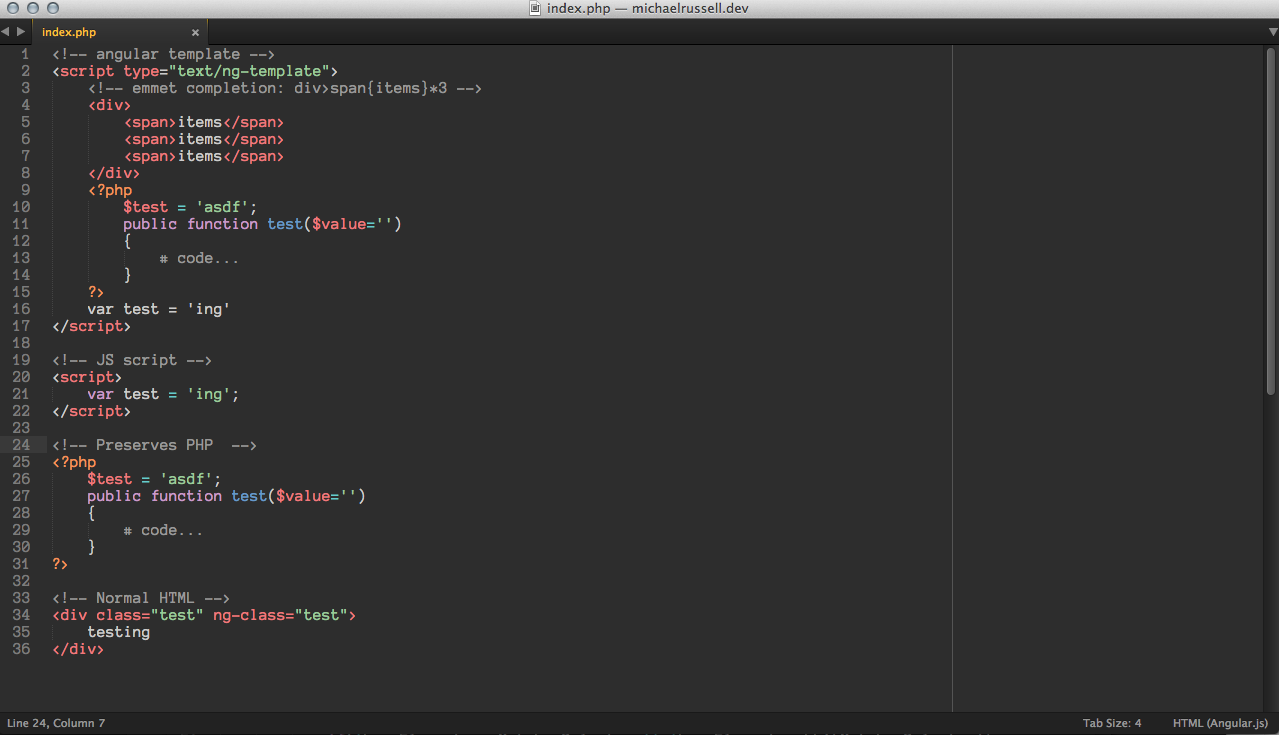
Provides a syntax file, HTML (Angular.js), that you can set to your view which adds the HTML scope back to <script type="text/ng-template"> tags.
Completions
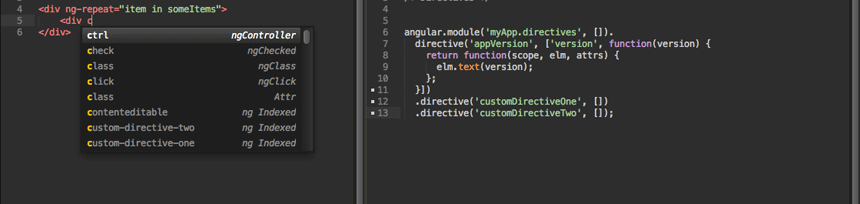
Provides auto-completion of core AngularJS directives, such as ng-repeat, ng-click, as well as any custom directives you create.
The following completions require you to index your project
(Index your project via super+ctrl+l)
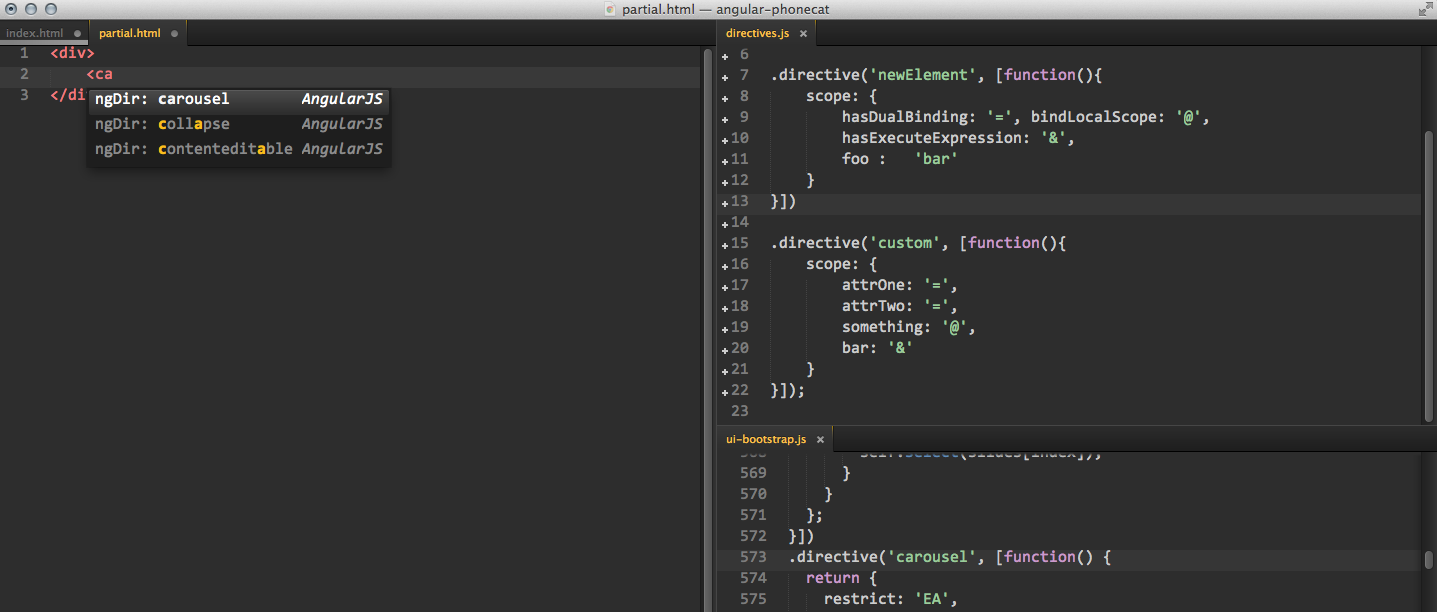
Provides auto-completions for any directive as an HTML element, prefixed with ngDir to easily find via fuzzy search.
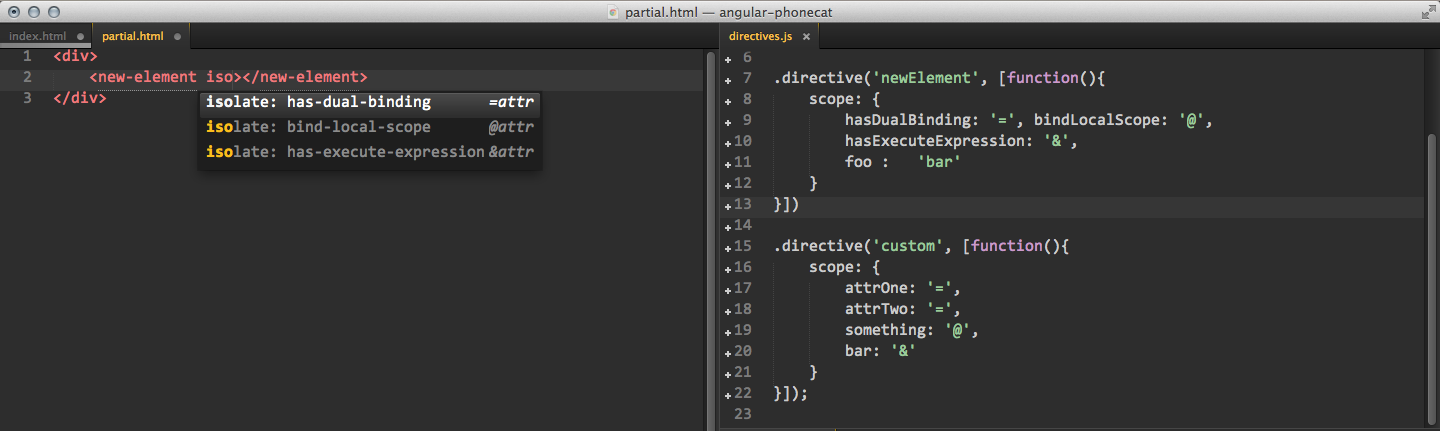
Provides isolate scope completions (with binding types hinted on the right) specific to any directive used as an element, prefixed with isolate to easily find via fuzzy search.
You can also get completions for filters within HTML markup. Trigger the completions list via ctrl+space right after typing | (pipe plus a space) and you should find all your filters that have been indexed within the completion list.
Provides controller completions when the cursor is within the double quotes of ng-controller="". You can have this triggered automatically via the settings provided in the 'Recommending Settings' section
Goto Definition
Once you have your project indexed you can use the keyboard shortcut super+alt+ctrl+l when your cursor is within directive/services/etc.. and you'll be transported to the file that contains the definition.
Quick Panel Definition Look Ups
Quickly find your directives/filters/modules/factories via the quick_panel. Once your project has been indexed, by either executing the command 'AngularJS: Rebuild Search Index' from the command palette or executing the shortcut super+ctrl+l to open the quick_panel search for the first time.
Each time you save a file that file will be reindexed, if you have already triggered indexing, so that the quick_panel search stays up-to-date.
Does angular-ui/AngularJS-sublime-package have a project website?
No homepage URL was recorded for angular-ui/AngularJS-sublime-package in TopGit's last sync. The README tab above frequently contains screenshots and demo links, or check the repository description on GitHub.
Is angular-ui/AngularJS-sublime-package open source?
Yes — angular-ui/AngularJS-sublime-package ships under the MIT license, which makes its source code freely readable (and, depending on license terms, forkable and reusable). Source: github.com/angular-ui/AngularJS-sublime-package.
What is angular-ui/AngularJS-sublime-package?
angular-ui/AngularJS-sublime-package (angular-ui/AngularJS-sublime-package) is a JavaScript project on GitHub. From the project's own README: AngularJS code completion, snippets, go to definition, quick panel search, and more.
What license does angular-ui/AngularJS-sublime-package use?
angular-ui/AngularJS-sublime-package is released under the MIT license. Always verify the LICENSE file directly on GitHub for the authoritative terms — license strings can be edited out of sync with a project's actual stance.
Where do I read more about angular-ui/AngularJS-sublime-package?
This TopGit page is a snapshot — the READ ME tab shows the project's own README content (links stripped, images preserved). The GitHub repository at github.com/angular-ui/AngularJS-sublime-package is the definitive source.
Read full README in the tab above.
Is AngularJS-sublime-package worth your time?
ChatGPT, Claude and Perplexity can all read this page. Ask one of them what it makes of AngularJS-sublime-package.
 /AngularJS-sublime-package