A look at appleboy/ssh-action: 6.2k stars on GitHub, written primarily in Shell. GitHub Actions for executing remote ssh commands.
Snapshot summary built from the project's own GitHub metadata — there's no written TopGit review yet. The page will update automatically when a full review is published.
WHY NO REVIEW YET
TopGit writes full reviews for the most-starred, most-requested repositories. This page is a snapshot until then — see the READ ME tab for the original README in full.
SSH for GitHub Actions is a powerful GitHub Action for executing remote SSH commands easily and securely in your CI/CD workflows.
Built with Golang and drone-ssh, it supports a wide range of SSH scenarios, including multi-host, proxy, and advanced authentication.
Slides: SSH for GitHub Actions
🧩 Core Concepts & Input Parameters
This action provides flexible SSH command execution with a rich set of configuration options.
For full details, see action.yml.
🔌 Connection Settings
These parameters control how the action connects to your remote host.
Parameter
Description
Default
host
SSH host address
port
SSH port number
22
username
SSH username
password
SSH password
protocol
SSH protocol version (tcp, tcp4, tcp6)
tcp
sync
Run synchronously if multiple hosts are specified
false
timeout
Timeout for SSH connection to host
30s
key
Content of SSH private key (e.g., raw content of ~/.ssh/id_rsa)
key_path
Path to SSH private key
passphrase
Passphrase for the SSH private key
fingerprint
SHA256 fingerprint of the host public key
use_insecure_cipher
Allow additional (less secure) ciphers
false
cipher
Allowed cipher algorithms. Uses sensible defaults if unspecified
🛠️ SSH Command Settings
These parameters control the commands executed on the remote host and related behaviors.
Parameter
Description
Default
script
Commands to execute remotely
script_path
Path to a file in the repository containing commands to execute remotely
envs
Environment variables to pass to the shell script
envs_format
Flexible configuration for environment variable transfer
allenvs
Pass all environment variables with GITHUB_ and INPUT_ prefixes to the script
false
command_timeout
Timeout for SSH command execution
10m
debug
Enable debug mode
false
request_pty
Request a pseudo-terminal from the server
false
curl_insecure
Allow curl to connect to SSL sites without certificates
false
capture_stdout
Capture standard output from commands as action output
false
version
drone-ssh binary version. If not specified, the latest version will be used.
🌐 Proxy Settings
These parameters control the use of a proxy (jump host) for connecting to your target host.
Parameter
Description
Default
proxy_host
SSH proxy host
proxy_port
SSH proxy port
22
proxy_username
SSH proxy username
proxy_password
SSH proxy password
proxy_passphrase
SSH proxy key passphrase
proxy_protocol
SSH proxy protocol version
tcp
proxy_timeout
Timeout for SSH connection to proxy host
30s
proxy_key
Content of SSH proxy private key
proxy_key_path
Path to SSH proxy private key
proxy_fingerprint
SHA256 fingerprint of the proxy host public key
proxy_cipher
Allowed cipher algorithms for the proxy
proxy_use_insecure_cipher
Allow insecure ciphers for the proxy
false
Note: To mimic the removed script_stop option, add set -e at the top of your shell script.
📤 Output Variables
This action provides the following outputs that you can use in subsequent steps:
Output
Description
stdout
Standard output of the executed commands (requires capture_stdout: true)
⚡ Quick Start
Run remote SSH commands in your workflow with minimal configuration:
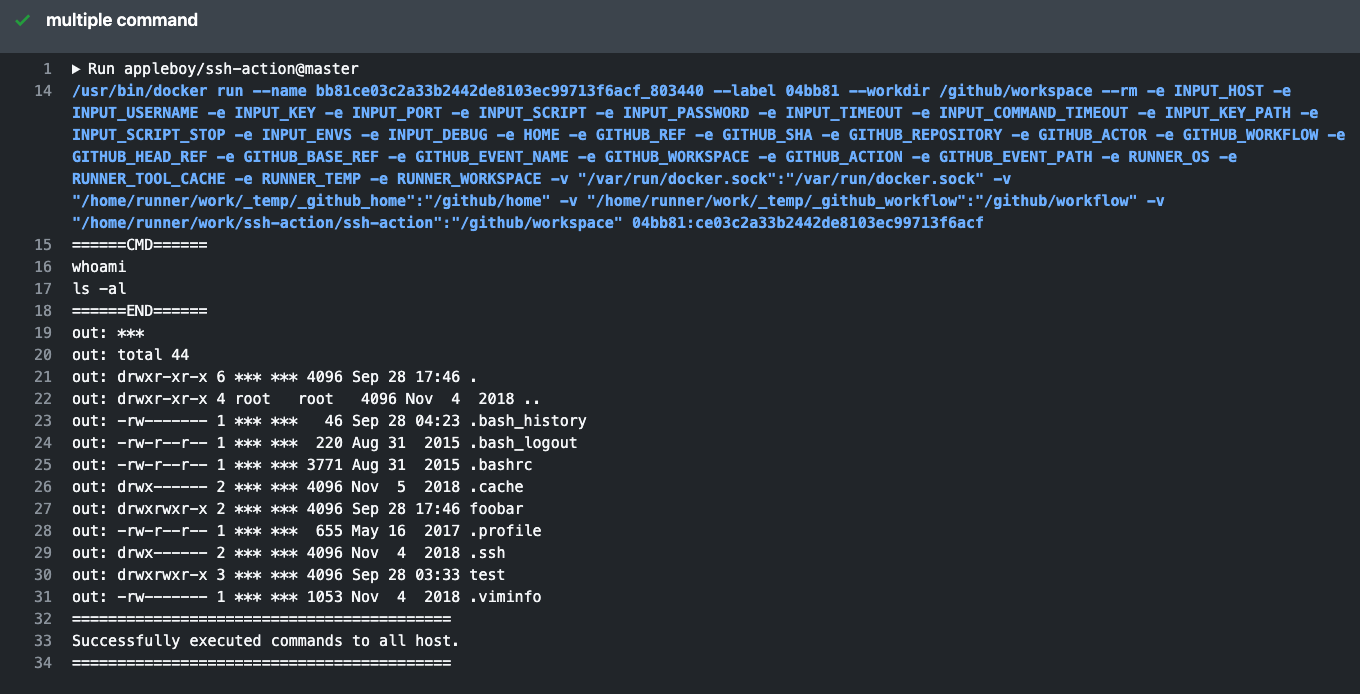
======CMD======
whoami
======END======
out: your_username
===============================================
✅ Successfully executed commands to all hosts.
===============================================
🔑 SSH Key Setup & OpenSSH Compatibility
Setting Up SSH Keys
It is best practice to create SSH keys on your local machine (not on a remote server). Log in with the username specified in GitHub Secrets and generate a key pair:
On Ubuntu 20.04+ you may need to explicitly allow the ssh-rsa algorithm. Add this to your OpenSSH daemon config (/etc/ssh/sshd_config or a drop-in under /etc/ssh/sshd_config.d/):
CASignatureAlgorithms +ssh-rsa
Alternatively, use ED25519 keys (supported by default):
Verifying the SSH host fingerprint helps prevent man-in-the-middle attacks. To get your host's fingerprint (replace ed25519 with your key type and example.com with your host):
The most recent commit recorded on appleboy/ssh-action was 3 months ago, based on the GitHub push timestamp. The repository has 678 forks — one of the better signals of community interest.
How many stars does appleboy/ssh-action have?
appleboy/ssh-action has 6.2k GitHub stars — refresh the page for the live number, or check github.com/appleboy/ssh-action. TopGit mirrors GitHub's count but does not claim minute-by-minute accuracy.
Is appleboy/ssh-action open source?
Yes — appleboy/ssh-action ships under the MIT license, which makes its source code freely readable (and, depending on license terms, forkable and reusable). Source: github.com/appleboy/ssh-action.
What is appleboy/ssh-action?
appleboy/ssh-action (appleboy/ssh-action) is a Shell project on GitHub. From the project's own README: GitHub Actions for executing remote ssh commands.
Where do I read more about appleboy/ssh-action?
This TopGit page is a snapshot — the READ ME tab shows the project's own README content (links stripped, images preserved). The GitHub repository at github.com/appleboy/ssh-action is the definitive source.
Read full README in the tab above.
Curious whether ssh-action is right for you?
Let ChatGPT, Claude, or Perplexity look into it — click below and see what AI actually says about ssh-action.

 /ssh-action