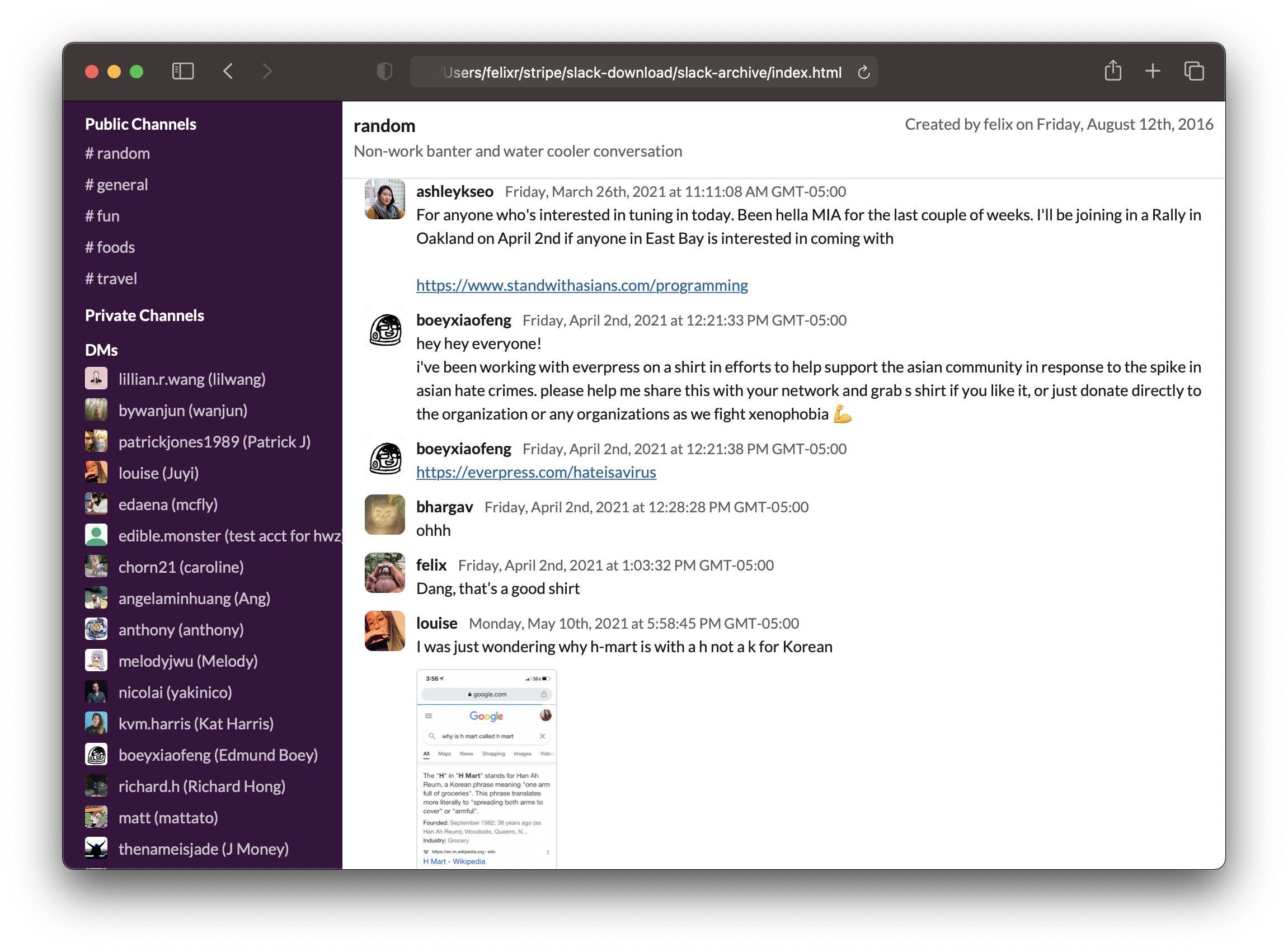
felixrieseberg/slack-archive — 281★ on GitHub (TypeScript). Generate static HTML archives of Slack workspaces
Snapshot summary built from the project's own GitHub metadata — there's no written TopGit review yet. The page will update automatically when a full review is published.
WHY NO REVIEW YET
TopGit writes full reviews for the most-starred, most-requested repositories. This page is a snapshot until then — see the READ ME tab for the original README in full.
Alright, so you want to export all your messages on Slack. You want them in a format that you
can still enjoy in 20 years. This tool will help you do that.
Completely static: The generated files are pure HTML and will still work in 50 years.
Everything you care about: This tool downloads messages, files, and avatars.
Nothing you do not care about: Choose exactly which channels and DMs to download.
All types of conversations: We'll fetch public channels, private channels, DMs, and multi-person DMs.
Incremental backups: If you already have local data, we'll extend it - no need to download existing stuff again.
JSON included: All data is also stored as JSON, so you can consume it with other tools later.
No cloud, free: Do all of this for free, without giving anyone your information.
Basic search: Offers basic search functionality.
Using it
Do you already have a user token for your workspace? If not, read on below on how to get a token.
Make sure you have node and npm installed, ideally something newer than Node v14.
Run slack-archive, which will interactively guide you through the options.
npx slack-archive
Parameters
--automatic:                Don't prompt and automatically fetch all messages from all channels.
--use-previous-channel-config: Fetch messages from channels selected in previous run instead of prompting.
--channel-types             Comma-separated list of channel types to fetch messages from.
                            (public_channel, private_channel, mpim, im)
--exclude-channels          Comma-separated list of channels to exclude, in automatic mode
--no-backup:                Don't create backups. Not recommended.
--no-search:                Don't create a search file, saving disk space.
--no-file-download:         Don't download files.
--no-slack-connect:         Don't connect to Slack, just generate HTML from local data.
--force-html-generation:    Force regeneration of HTML files. Useful after slack-archive upgrades.
Getting a token
In order to download messages from private channels and direct messages, we will need a "user
token". Slack uses the token to identify what permissions it'll give this app. We used to be able
to just copy a token out of your Slack app, but now, we'll need to create a custom app and jump
through a few hoops.
This will be mostly painless, I promise.
1) Make a custom app
Head over to https://api.slack.com/apps and Create New App. Select From scratch.
Give it a name and choose the workspace you'd like to export.
Then, from the Features menu on the left, select OAuth & Permission.
As a redirect URL, enter something random that doesn't actually exist, or a domain you control. For instace:
https://notarealurl.com/
(Note that redirects will take a very long time if using a domain that doesn't actually exist)
Then, add the following User Token Scopes:
channels:history
channels:read
files:read
groups:history
groups:read
im:history
im:read
mpim:history
mpim:read
remote_files:read
users:read
Finally, head back to Basic Information and make a note of your app's client id and client secret. We'll need both later.
2) Authorize
Make sure you have your Slack workspace URL (aka team name) and your app's client id.
Then, in a browser, open this URL - replacing {your-team-name} and {your-client-id}
with your values.
Confirm everything until Slack sends you to the mentioned non-existent URL. Look at your
browser's address bar - it should contain an URL that looks like this:
https://notarealurl.com/?code={code}&state=
Copy everything between ?code= and &state. This is your code. We'll need it in the
next step.
Next, we'll exchange your code for a token. To do so, we'll also need your client secret
from the first step when we created your app. In a browser, open this URL - replacing
{your-team-name}, {your-client-id}, {your-code} and {your-client-secret} with
your values.
Your browser should now be returning some JSON including a token. Make a note of it - that's what we'll use. Paste it in the command line, OR create a file called .token in the slack-archive directory (created when the command is first run) and paste it in there.
How active is development on felixrieseberg/slack-archive?
The most recent commit recorded on felixrieseberg/slack-archive was 1.8 years ago, based on the GitHub push timestamp. The repository has 40 forks — one of the better signals of community interest.
How many stars does felixrieseberg/slack-archive have?
felixrieseberg/slack-archive has 281 GitHub stars — refresh the page for the live number, or check github.com/felixrieseberg/slack-archive. TopGit mirrors GitHub's count but does not claim minute-by-minute accuracy.
Is felixrieseberg/slack-archive open source?
TopGit's metadata for felixrieseberg/slack-archive does not record a license. Most public repositories on GitHub ARE open source, but the exact terms vary — verify by opening the LICENSE file directly.
What is felixrieseberg/slack-archive?
felixrieseberg/slack-archive (felixrieseberg/slack-archive) is a TypeScript project on GitHub. From the project's own README: Generate static HTML archives of Slack workspaces
Where do I read more about felixrieseberg/slack-archive?
This TopGit page is a snapshot — the READ ME tab shows the project's own README content (links stripped, images preserved). The GitHub repository at github.com/felixrieseberg/slack-archive is the definitive source.
Read full README in the tab above.
Is slack-archive worth your time?
ChatGPT, Claude and Perplexity can all read this page. Ask one of them what it makes of slack-archive.

 /slack-archive