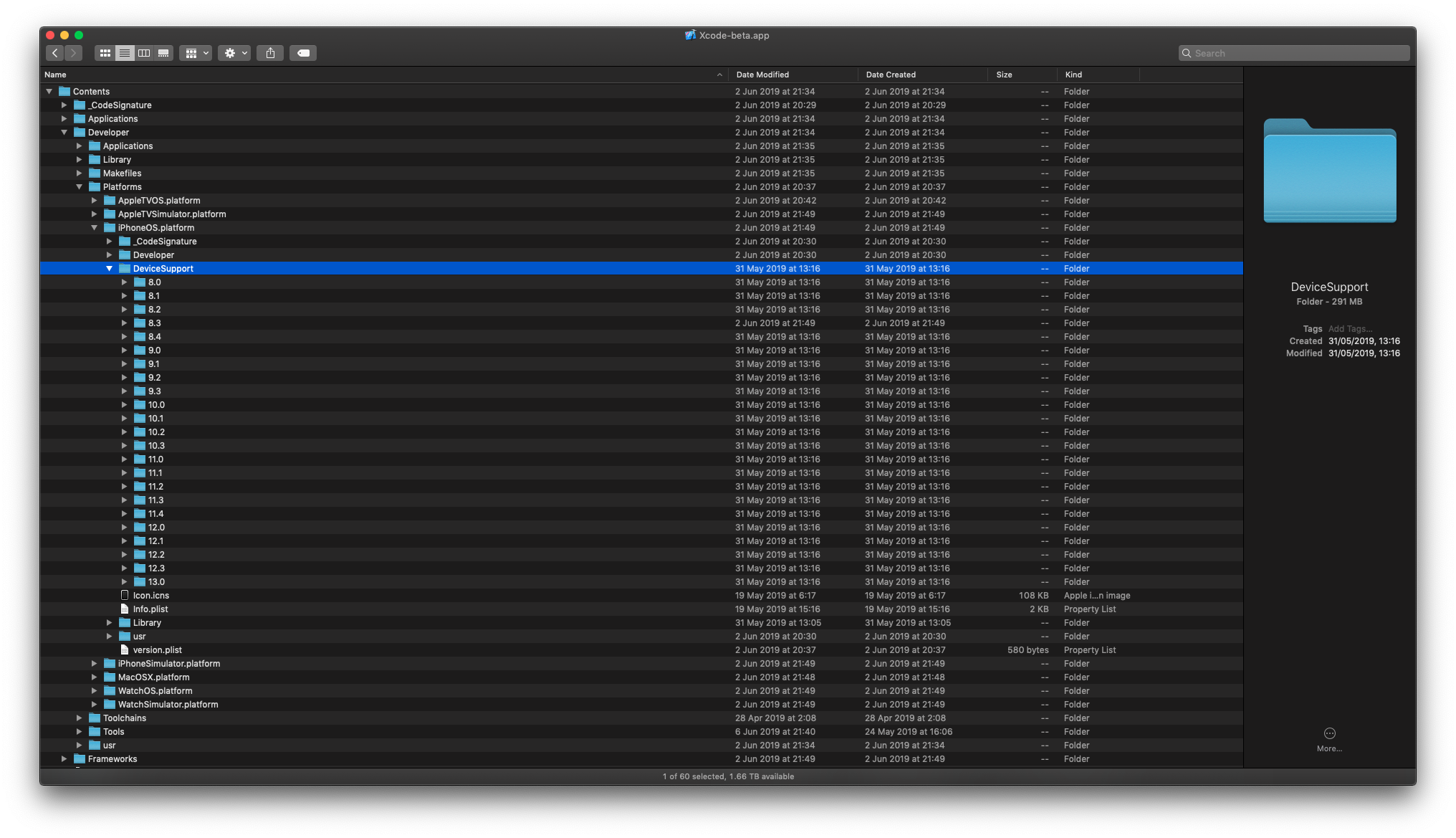
filsv/iOSDeviceSupport — an open-source project — sits at 7.2k GitHub stars. Xcode iPhoneOS (iOS) DeviceSupport files (6.0 - 17.0)
Snapshot summary built from the project's own GitHub metadata — there's no written TopGit review yet. The page will update automatically when a full review is published.
WHY NO REVIEW YET
TopGit writes full reviews for the most-starred, most-requested repositories. This page is a snapshot until then — see the READ ME tab for the original README in full.
Then restart Xcode 14 the iOS 17 device will show up in Xcode like below and you can run and debug the app as usual. (You may need to go to Devices and Simulators to pair/trust the device).
I have Xcode 15 beta installed alongside Xcode 14, I'm not sure if that's required or not.
Important Point: It turns out Xcode 15 is required to complete initial device setup for development.After the device setup is completed on Xcode 15, iOS 17 devices can be used with Xcode 14 too.
Based on this
Most recent releases:
iOS 17+
iOS 17.0 - Workaround or StackOverflow
iOS 16+
iOS 16.9 - Not Exist (use 16.5 or 16.6 and rename to 16.9)
iOS 16.8 - Not Exist (use 16.5 or 16.6 and rename to 16.8)
iOS 16.7 - Not Exist (use 16.5 or 16.6 and rename to 16.7)
iOS 16.6 - Download
iOS 16.5.1 Workaround
iOS 16.5 - Download
iOS 16.4 - Download
iOS 16.3 - Download
iOS 16.2 - Download
iOS 16.1 - Download
iOS 16.0 - Download
Turn on "Developer mode" on your iPhone (Settings -> Privacy & Security -> Developer Mode).
Resolution
Note
If you need upper version of the support files less than 1 iteration (eg. You have "15.0" and you need "15.1.5" - You can simply rename folder from "15.0" to "15.1.5" and it should work or try to use next iteration version of the support files, if exists "15.2", otherwise open an issue);
[!CAUTION]
Xcode 12 now encrypts the connection between Xcode and paired devices, protecting against an attacker in a privileged network position executing arbitrary code > on connected iOS, iPadOS, watchOS, or tvOS devices during a remote debug session. (60386733)
These security benefits are available when Xcode 12 connects to devices running iOS 14, iPadOS 14, watchOS 7, tvOS 14, or later versions.
These OS versions also refuse debugger connections from older Xcode releases.
Xcode 12 continues to support debugging for older OS versions, but without the new encryption.
Comment
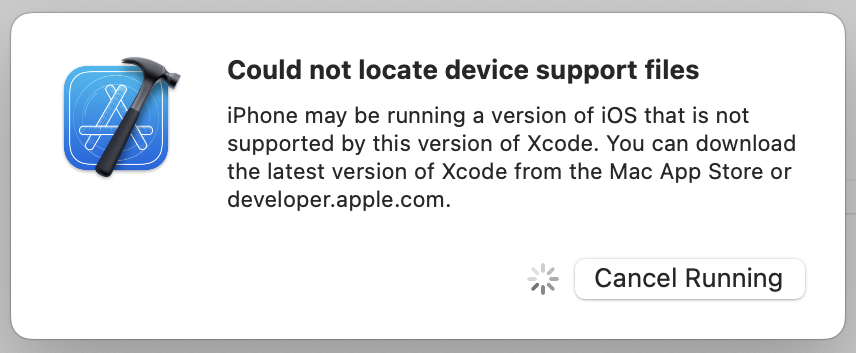
For debugging in iOS 14 devices you need at least Xcode 12.
Cause Apple have updated their code for debugging apps on iOS 14 and that is not compatible on older version of Xcode.
Does filsv/iOSDeviceSupport have a project website?
No homepage URL was recorded for filsv/iOSDeviceSupport in TopGit's last sync. The README tab above frequently contains screenshots and demo links, or check the repository description on GitHub.
Does filsv/iOSDeviceSupport have any tags?
TopGit's last sync did not record any GitHub topics for filsv/iOSDeviceSupport. GitHub topics appear in the right sidebar of a repository page; that's the authoritative place to check.
How active is development on filsv/iOSDeviceSupport?
The most recent commit recorded on filsv/iOSDeviceSupport was 1.8 years ago, based on the GitHub push timestamp. The repository has 945 forks — one of the better signals of community interest.
Is filsv/iOSDeviceSupport open source?
TopGit's metadata for filsv/iOSDeviceSupport does not record a license. Most public repositories on GitHub ARE open source, but the exact terms vary — verify by opening the LICENSE file directly.
Where do I read more about filsv/iOSDeviceSupport?
This TopGit page is a snapshot — the READ ME tab shows the project's own README content (links stripped, images preserved). The GitHub repository at github.com/filsv/iOSDeviceSupport is the definitive source.
Read full README in the tab above.
Still deciding about iOSDeviceSupport?
One click hands the question to an AI along with this page — see what it says about iOSDeviceSupport.

 /iOSDeviceSupport
 Easily install iOS Device Support files for Xcode using this terminal script: