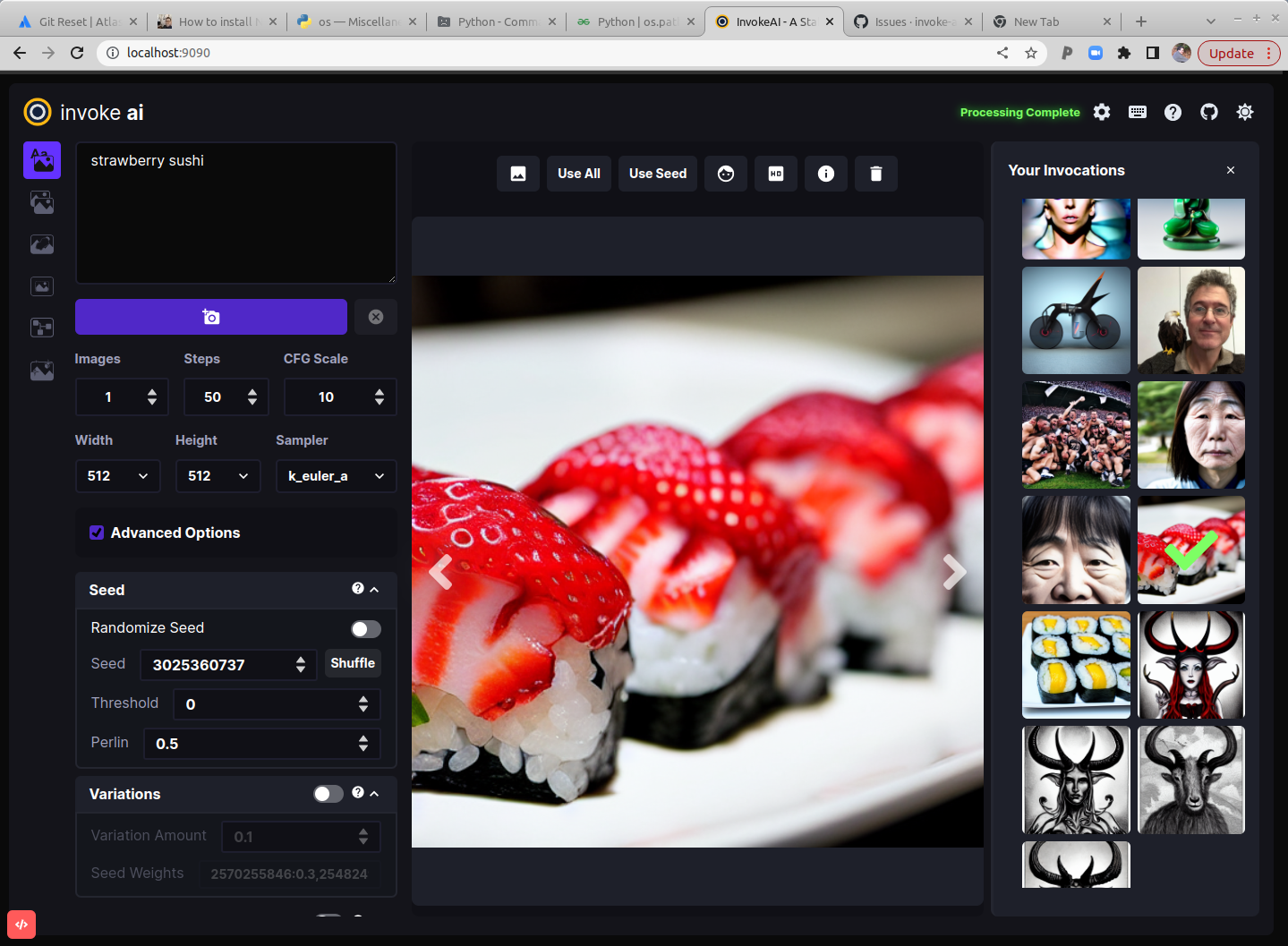
lyogavin/InvokeAI is a Jupyter Notebook project with 4 stars. This version of Stable Diffusion features a slick WebGUI, an interactive command-line script that combines text2img and img2img functionality in a "dream bot" style interface, and multiple features and other enhancements. For more info, see the website link below.
Snapshot summary built from the project's own GitHub metadata — there's no written TopGit review yet. The page will update automatically when a full review is published.
WHY NO REVIEW YET
TopGit writes full reviews for the most-starred, most-requested repositories. This page is a snapshot until then — see the READ ME tab for the original README in full.
This is a fork of
CompVis/stable-diffusion,
the open source text-to-image generator. It provides a streamlined
process with various new features and options to aid the image
generation process. It runs on Windows, Mac and Linux machines, with
GPU cards with as little as 4 GB of RAM. It provides both a polished
Web interface (see below), and an easy-to-use command-line interface.
Quick links: [Discord Server] [Documentation and Tutorials] [Code and Downloads] [Bug Reports] [Discussion, Ideas & Q&A]
Note: This fork is rapidly evolving. Please use the
Issues tab to report bugs and make feature
requests. Be sure to use the provided templates. They will help aid diagnose issues faster.
Table of Contents
Installation
Hardware Requirements
Features
Latest Changes
Troubleshooting
Contributing
Contributors
Support
Further Reading
Installation
This fork is supported across Linux, Windows and Macintosh. Linux
users can use either an Nvidia-based card (with CUDA support) or an
AMD card (using the ROCm driver). For full installation and upgrade
instructions, please see:
InvokeAI Installation Overview
Hardware Requirements
System
You wil need one of the following:
An NVIDIA-based graphics card with 4 GB or more VRAM memory.
An Apple computer with an M1 chip.
Memory
At least 12 GB Main Memory RAM.
Disk
At least 12 GB of free disk space for the machine learning model, Python, and all its dependencies.
Note
If you have a Nvidia 10xx series card (e.g. the 1080ti), please
run the dream script in full-precision mode as shown below.
Similarly, specify full-precision mode on Apple M1 hardware.
Precision is auto configured based on the device. If however you encounter
errors like 'expected type Float but found Half' or 'not implemented for Half'
you can try starting invoke.py with the --precision=float32 flag:
Thresholding and Perlin Noise Initialization Options
Negative/Unconditioned Prompts
Variations
Personalizing Text-to-Image Generation
Simplified API for text to image generation
Other Features
Google Colab
Seamless Tiling
Shortcut: Reusing Seeds
Preload Models
Latest Changes
v2.0.1 (13 October 2022)
fix noisy images at high step count when using k* samplers
dream.py script now calls invoke.py module directly rather than
via a new python process (which could break the environment)
v2.0.0 (9 October 2022)
dream.py script renamed invoke.py. A dream.py script wrapper remains
for backward compatibility.
Completely new WebGUI - launch with python3 scripts/invoke.py --web
Support for inpainting and outpainting
img2img runs on all k* samplers
Support for negative prompts
Support for CodeFormer face reconstruction
Support for Textual Inversion on Macintoshes
Support in both WebGUI and CLI for post-processing of previously-generated images
using facial reconstruction, ESRGAN upscaling, outcropping (similar to DALL-E infinite canvas),
and "embiggen" upscaling. See the !fix command.
New --hires option on invoke> line allows larger images to be created without duplicating elements, at the cost of some performance.
New --perlin and --threshold options allow you to add and control variation
during image generation (see Thresholding and Perlin Noise Initialization
Extensive metadata now written into PNG files, allowing reliable regeneration of images
and tweaking of previous settings.
Command-line completion in invoke.py now works on Windows, Linux and Mac platforms.
Improved command-line completion behavior.
New commands added:
List command-line history with !history
Search command-line history with !search
Clear history with !clear
Deprecated --full_precision / -F. Simply omit it and invoke.py will auto
configure. To switch away from auto use the new flag like --precision=float32.
For older changelogs, please visit the CHANGELOG.
Troubleshooting
Please check out our Q&A to get solutions for common installation
problems and other issues.
Contributing
Anyone who wishes to contribute to this project, whether documentation, features, bug fixes, code
cleanup, testing, or code reviews, is very much encouraged to do so. If you are unfamiliar with how
to contribute to GitHub projects, here is a
Getting Started Guide.
A full set of contribution guidelines, along with templates, are in progress, but for now the most
important thing is to make your pull request against the "development" branch, and not against
"main". This will help keep public breakage to a minimum and will allow you to propose more radical
changes.
Contributors
This fork is a combined effort of various people from across the world.
Check out the list of all these amazing people. We thank them for
their time, hard work and effort.
Support
For support, please use this repository's GitHub Issues tracking service. Feel free to send me an
email if you use and like the script.
Original portions of the software are Copyright (c) 2020
Lincoln D. Stein
Further Reading
Please see the original README for more information on this software and underlying algorithm,
located in the file README-CompViz.md.
lyogavin/InvokeAI has 4 GitHub stars — refresh the page for the live number, or check github.com/lyogavin/InvokeAI. TopGit mirrors GitHub's count but does not claim minute-by-minute accuracy.
Is lyogavin/InvokeAI open source?
Yes — lyogavin/InvokeAI ships under the MIT license, which makes its source code freely readable (and, depending on license terms, forkable and reusable). Source: github.com/lyogavin/InvokeAI.
What is lyogavin/InvokeAI?
lyogavin/InvokeAI (lyogavin/InvokeAI) is a Jupyter Notebook project on GitHub. From the project's own README: This version of Stable Diffusion features a slick WebGUI, an interactive command-line script that combines text2img and img2img functionality in a "dream bot" style interface, and multiple features and other enhancements. For more info, see the website link below.
Where can I see lyogavin/InvokeAI in action?
The project maintains a homepage at https://invoke-ai.github.io/InvokeAI/. The README tab on this page also usually contains screenshots and a quickstart.
Where do I read more about lyogavin/InvokeAI?
This TopGit page is a snapshot — the READ ME tab shows the project's own README content (links stripped, images preserved). The GitHub repository at github.com/lyogavin/InvokeAI is the definitive source.
Read full README in the tab above.
Curious whether InvokeAI is right for you?
Let ChatGPT, Claude, or Perplexity look into it — click below and see what AI actually says about InvokeAI.
 /InvokeAI