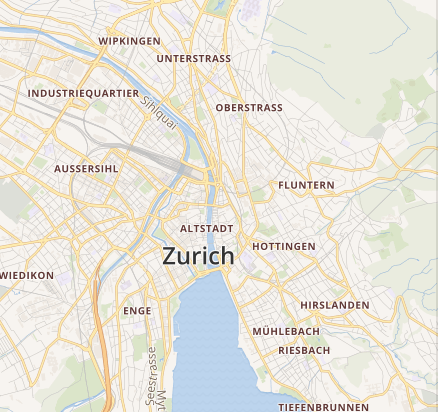
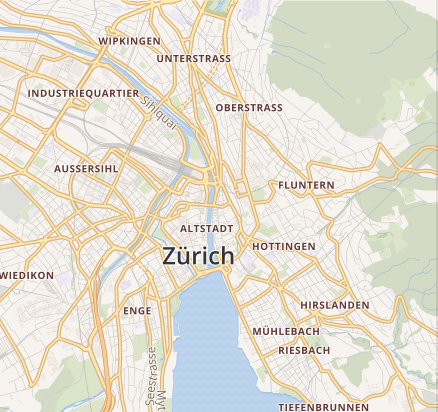
7.0k GitHub stars and counting — mapbox/pixelmatch is a JavaScript project TopGit is tracking across repositories on the platform. The smallest, simplest and fastest JavaScript pixel-level image comparison library
Snapshot summary built from the project's own GitHub metadata — there's no written TopGit review yet. The page will update automatically when a full review is published.
WHY NO REVIEW YET
TopGit writes full reviews for the most-starred, most-requested repositories. This page is a snapshot until then — see the READ ME tab for the original README in full.
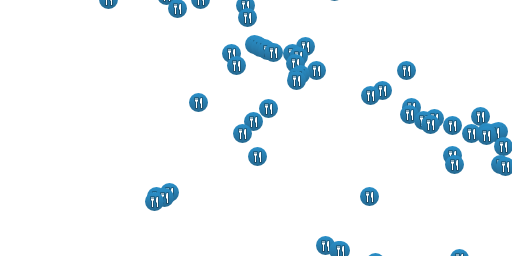
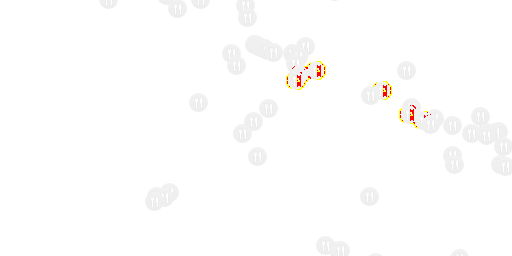
A small, simple and fast JavaScript pixel-level image comparison library,
originally created to compare screenshots in tests.
Features accurate anti-aliased pixel detection and a perceptual color difference metric.
It's just a few hundred lines of code, has no dependencies, and works on raw typed arrays
of image data, so it's very fast and runs in both Node and browsers.
There's also an official C++ port.
Compares colors using the OKLab color space (Björn Ottosson, 2020)
and the HyAB distance (Saeideh Abasi et al., 2019),
and detects anti-aliasing with the anti-aliased pixel and intensity slope detector
(Vytautas Vyšniauskas, 2009).
Compares two images, writes the output diff and returns the number of mismatched pixels (or the
highest count in any window with windowSize).
img1, img2 — Image data of the images to compare (Buffer, Uint8Array or Uint8ClampedArray).
output — Image data to write the diff to, or null if you don't need a diff image.
width, height — Width and height of the images. Note:all three images need to have the same dimensions.
options is an object literal with the following properties:
threshold — How different two colors must be for a pixel to count as mismatched, from 0 to 1. It's a per-pixel perceptual color difference, where 1 is the difference between black and white, not a share of the image; to allow some percentage of the image to differ, compare the returned count against width * height instead. Smaller values make the comparison more sensitive. 0.1 by default.
includeAA — If true, disables detecting and ignoring anti-aliased pixels. false by default.
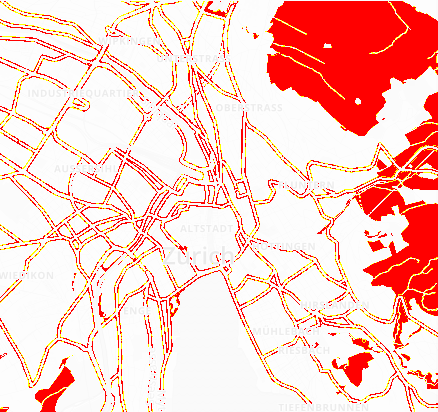
alpha — Blending factor of unchanged pixels in the diff output. Ranges from 0 for pure white to 1 for original brightness. 0.1 by default.
aaColor — The color of anti-aliased pixels in the diff output in [R, G, B] format. [255, 255, 0] by default.
diffColor — The color of differing pixels in the diff output in [R, G, B] format. [255, 0, 0] by default.
diffColorAlt — An alternative color to use for dark on light differences to differentiate between "added" and "removed" parts. If not provided, all differing pixels use the color specified by diffColor. null by default.
diffMask — Draw the diff over a transparent background (a mask), rather than over the original image. Will not draw anti-aliased pixels (if detected). false by default.
checkerboard — Blend semi-transparent pixels against a checkerboard pattern when comparing (true) rather than plain white (false), avoiding false matches between colors that only look alike over one background. true by default.
windowSize — If set to a finite number N, return the maximum number of differing pixels in any N×N sliding window instead of the total count (see below). Infinity by default.
ignoreMask — A Uint8Array, Uint8ClampedArray or Buffer with one value per pixel (width * height long); pixels with a non-zero value are excluded from the comparison and drawn as unchanged in the diff output. Not set by default.
Windowed diff counts
Normally the return value is the total number of differing pixels. With windowSize: N you get the
highest number of diff pixels in any N×N square instead. Anti-aliased pixels are only included
if includeAA is true.
This helps with noise. GPU dithering and sub-pixel anti-aliasing scatter stray pixels all over the
image, so they never fill up one small square, while a real regression usually changes a compact
area.
Compare the result against a pixel count: that number is how big a difference you let through, and
N is how closely packed it has to be.
if (pixelmatch(img1, img2, null, width, height, {windowSize: 16}) > 28) throw new Error('changed');
N never exceeds either image dimension, so on a 10×2 image windowSize: 32 gives you a 2×2
window. The default Infinity makes the window the whole image, which is the total count.
Command line
Pixelmatch comes with a binary that works with PNG images:
It prints the number of different pixels and exits with code 0 if the images match, 66 if they
differ, 65 if their dimensions don't match, and 64 on wrong usage.
Example usage
Node.js
import fs from 'fs';
import {PNG} from 'pngjs';
import pixelmatch from 'pixelmatch';

const img1 = PNG.sync.read(fs.readFileSync('img1.png'));
const img2 = PNG.sync.read(fs.readFileSync('img2.png'));
const {width, height} = img1;
const diff = new PNG({width, height});

pixelmatch(img1.data, img2.data, diff.data, width, height, {threshold: 0.1});

fs.writeFileSync('diff.png', PNG.sync.write(diff));
The most recent commit recorded on mapbox/pixelmatch was 1 month ago, based on the GitHub push timestamp. The repository has 333 forks — one of the better signals of community interest.
How many stars does mapbox/pixelmatch have?
mapbox/pixelmatch has 7.0k GitHub stars — refresh the page for the live number, or check github.com/mapbox/pixelmatch. TopGit mirrors GitHub's count but does not claim minute-by-minute accuracy.
Is mapbox/pixelmatch open source?
Yes — mapbox/pixelmatch ships under the ISC license, which makes its source code freely readable (and, depending on license terms, forkable and reusable). Source: github.com/mapbox/pixelmatch.
What is mapbox/pixelmatch?
mapbox/pixelmatch (mapbox/pixelmatch) is a JavaScript project on GitHub. From the project's own README: The smallest, simplest and fastest JavaScript pixel-level image comparison library
What language is mapbox/pixelmatch written in?
mapbox/pixelmatch is written primarily in JavaScript. GitHub's language field is based on the largest share of bytes in the default branch.
What license does mapbox/pixelmatch use?
mapbox/pixelmatch is released under the ISC license. Always verify the LICENSE file directly on GitHub for the authoritative terms — license strings can be edited out of sync with a project's actual stance.
Where do I read more about mapbox/pixelmatch?
This TopGit page is a snapshot — the READ ME tab shows the project's own README content (links stripped, images preserved). The GitHub repository at github.com/mapbox/pixelmatch is the definitive source.
Read full README in the tab above.
Is pixelmatch worth your time?
ChatGPT, Claude and Perplexity can all read this page. Ask one of them what it makes of pixelmatch.

 /pixelmatch